Run a script on multiple Firewalls

I try to create a script and afterwards run this script against several firewalls (via SSH). I read the manual and searched the forums, but I can't find the correct way to do that. Could you please give me a short advice.
When I run the script it also asks me where to run it, when I say in the same tab, it starts some powershell script, but it should just copy some commands like:
config system global set strong-crypto enable end
into the ssh connection of the ssh connection. This not only for one firewall, but for severals, which should be possible in the actual version?
THanks for some tips :-)
Best regards.
Patrick
All Comments (7)
Hello,
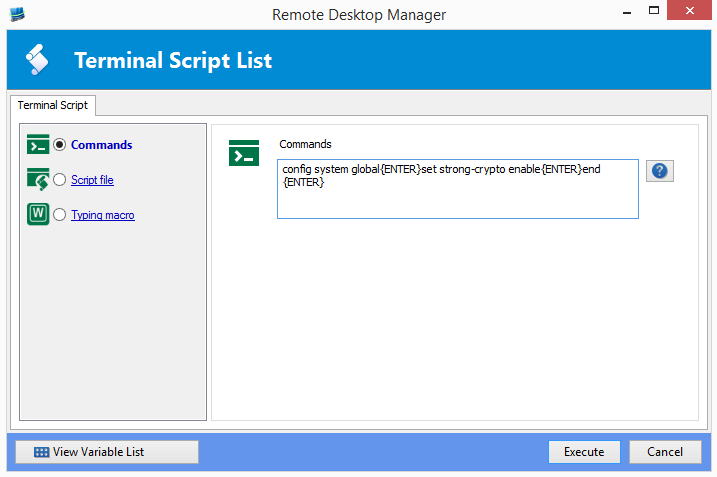
Run all of the sessions using the embedded mode, perform a multi-select in the tree view, then right-click - Execute Script in terminal. This will show a dialog
Enter the command
config system global{ENTER}set strong-crypto enable{ENTER}end{ENTER}
Press Execute and reap the benefits of using RDM! ;)
Maurice