Terminal-Window-Frame Visible even i close is

Hi,
after a broken update (my fault - didn't close RDM properly) i had to redo my config. Usually i close all those little frames becourse i don't need them. After i closed every there is still some part open, it seems like an zombie of the "Terminal"-Frame. I cannot close it, expand it or do anything else with this icon. It just stays there and steals ~50px of my desktop :(
Greetings
(9.4.9.0)
edited by Max on 7/9/2014
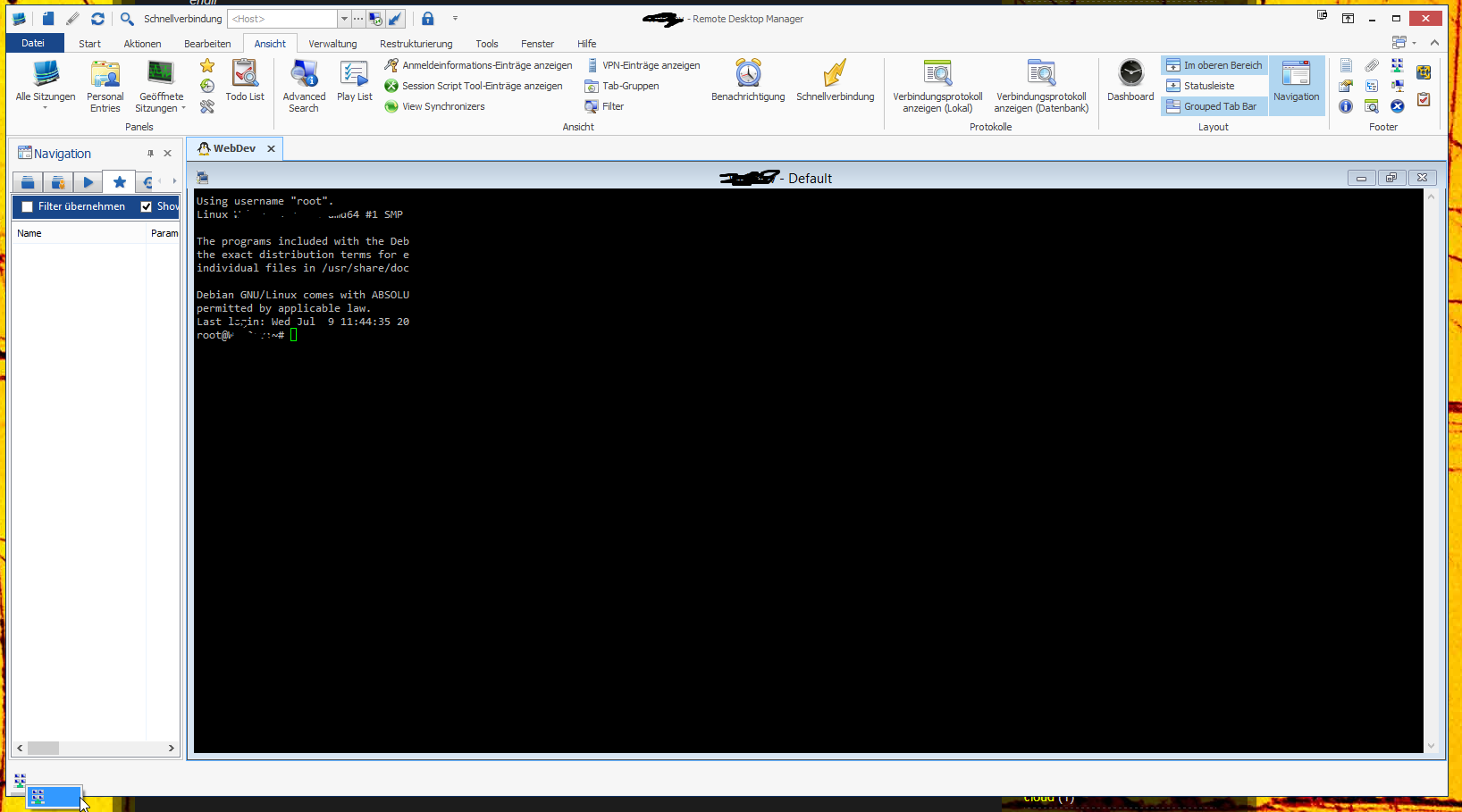
rdm_bug_terminal_hanging.png
All Comments (3)
i was able to close it :)
- Clicked on the highlighted right click menu item
- empty frame opens
- clicked in the icon that is now in that empty frame
- clicked "close"
useless emtpy frame is gone! :)
Could you try the Reset Layout in Windows?
David Hervieux
sadly not, i fixed it via the written text. but if i am able to produce it again i will test.
If you have the time to: It was a fresh installation and i clicked all those little frames away with the x in the upper right and the bug happend.