VNC Opens small window and fails

I've had an intermittent issue with opening VNC (embedded) sessions. I'm now setting up additional users and they are having the same issue but constantly.
The image below shows what is happening. For me this does not happen all the time but when it does I just click no then retry the connection. It might take up to 5-6 retries but it always connects fine eventually. For the other users it is occurring every time and I can never get it to connect. This is happening with any of our VNC connections.
The VNC server is TightVNC 2.6.4 (a major reason for this server is the ability to always hide the tray icon)
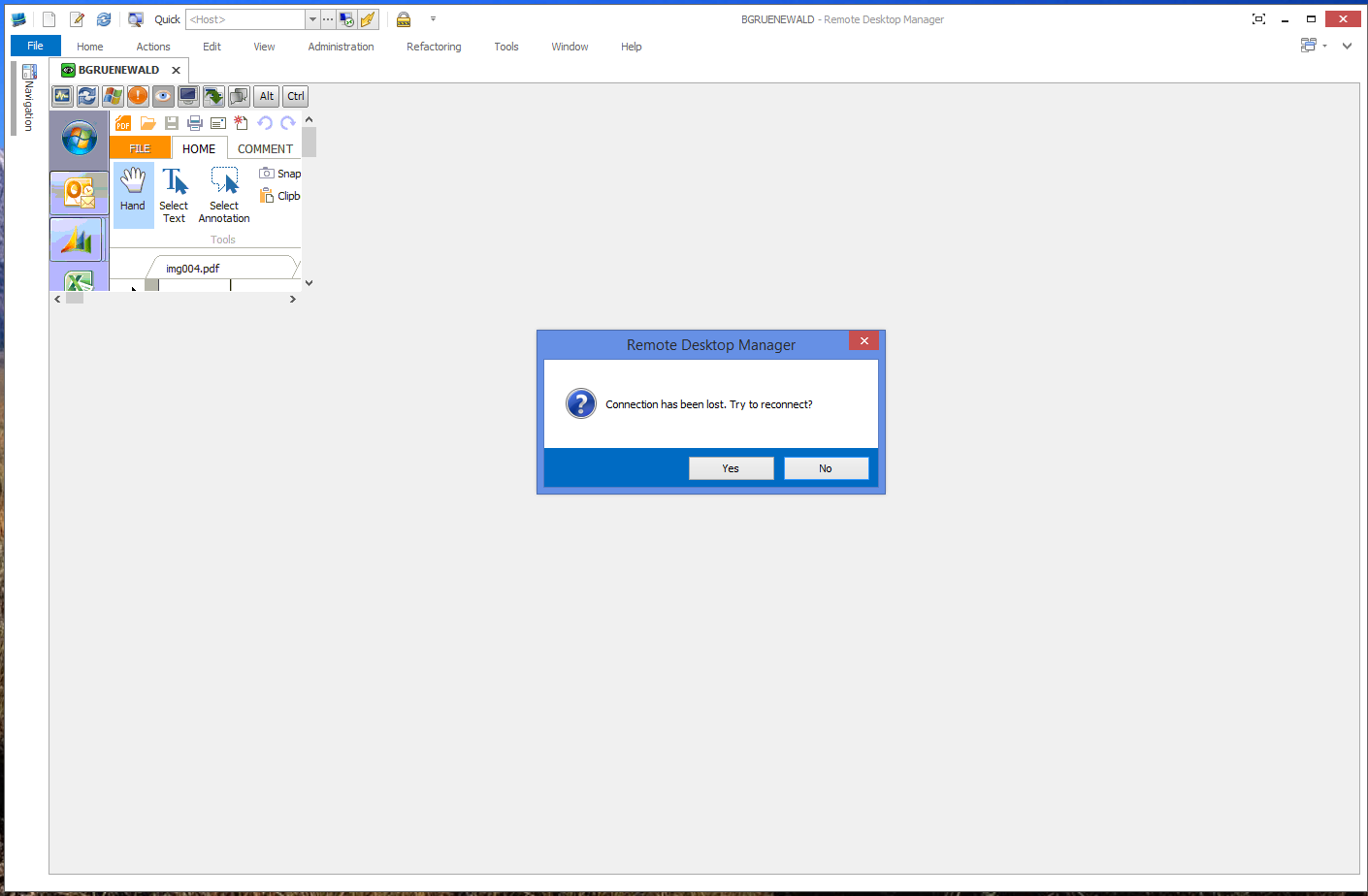
1.png
All Comments (11)
Hi,
Does it happen if you use the embedded VNC with the default instead of UltraVNC?
David Hervieux
Using the default I just get a message "Unable to connect to host" followed by the host name.
I will enter a bug. We use an old port of UltraVNC and we will need to check what could have changed in the latest version.
David Hervieux
Why is it, when I use the VNC .. Embedded, it is so sluggish… but when I use VNC as a standalone, it is right on point ( quick , fast , good response, ).. what setting is needed to make VNC have the same Embedded ( quick , fast , good response, ).. as the standalone.
It's must because we use an old port. There is no easy way to integrate VNC in tabbed mode and we did few years a go fork. We will need to port back their changes to make it work exactly the same way.
David Hervieux
so this will not happen any time soon?..... see I use VNC, to RDP to a Macbook Pro, do you have any other suggestions? to connect to a RDP in Tabs for a Mac?
We will do our best to do it but it's not a simple task. The only solution is the external mode unfortunately. I will contact the guy that did the original port, maybe he has some free time to do it again.
David Hervieux
I have the same issue. If I hit reconnect enough times, it eventually stays connected as a small tiny window (embedded). If I undock, it will get to the correct size. If i dock it it stay the correct size. Everything will be fine until I close the tab, or restart RDM.
Almost seems like embedded VNC is not correctly letting RDM know it connects. I actually see a piece of the server in the tiny VNC window, even when it says connection lost.
Could you try the classic UI mode to see if this make a difference?
David Hervieux
Classic UI worked perfectly. Then I switched back to Default (Ribbon) and it is now working correctly.
We have started to work on updating the VNC ActiveX. I hope to have a fix for you soon. I think it might be during the summer since it's not as simple as it seems.
David Hervieux