Favorites are different since upgrading to 9.4.3.0

Not sure if this is a bug or feature request, so I figured that I would just post here. With RDM (v9.2.10.0), I was able to quickly locate my (local) favorites in the Dashboard, they looked like this (notice the mark under the MyGroup entry):
But since upgrading to RDM (v9.4.3.0), my (local) favorites look like this (Favorites are no longer denoted in the Dashboard):
If this is not a bug, can I submit a request to have the Favorites denoted in the Dashboard like they used to be?
Thanks
edited by STGdb on 5/29/2014
edited by STGdb on 5/29/2014
edited by STGdb on 5/29/2014
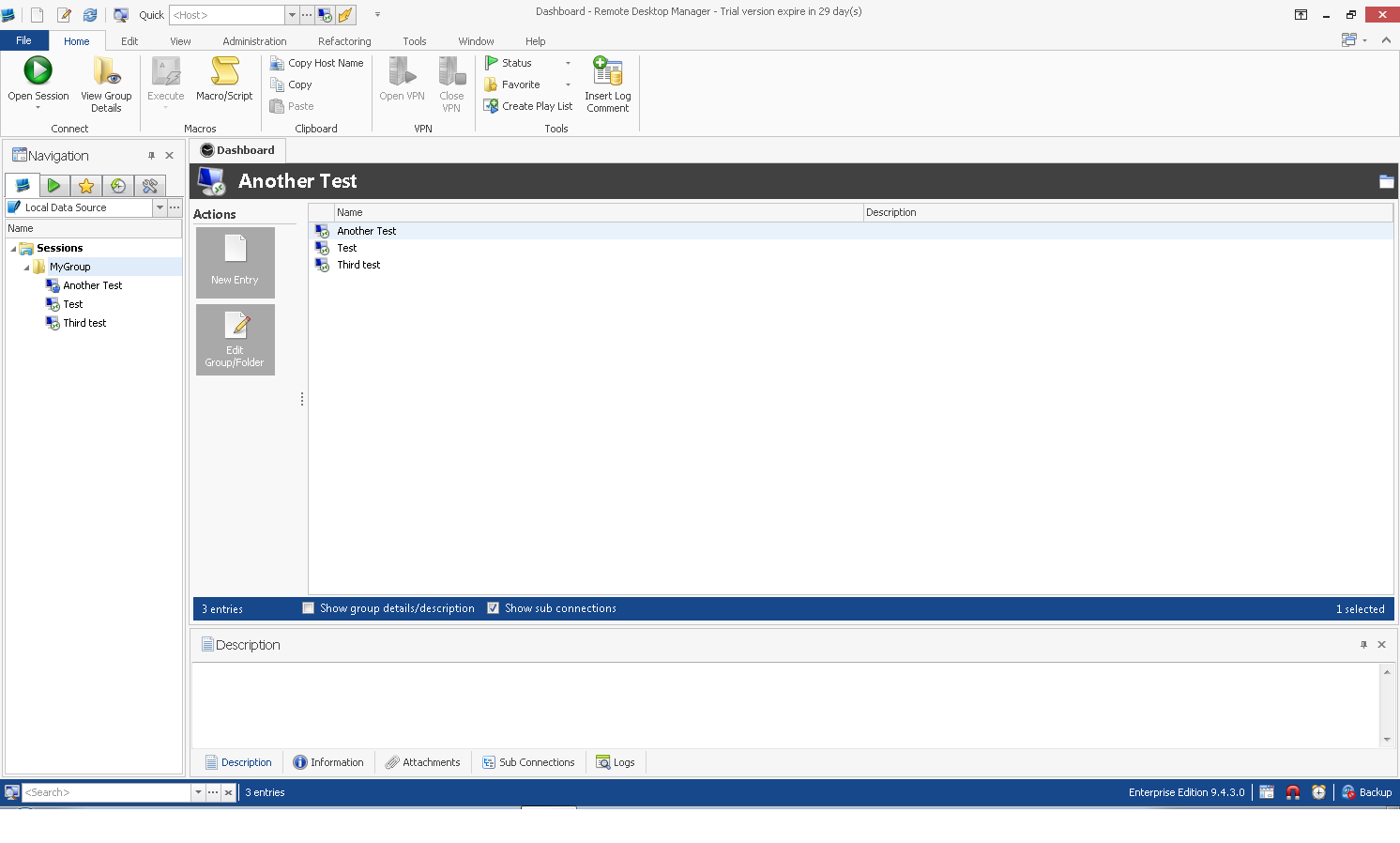
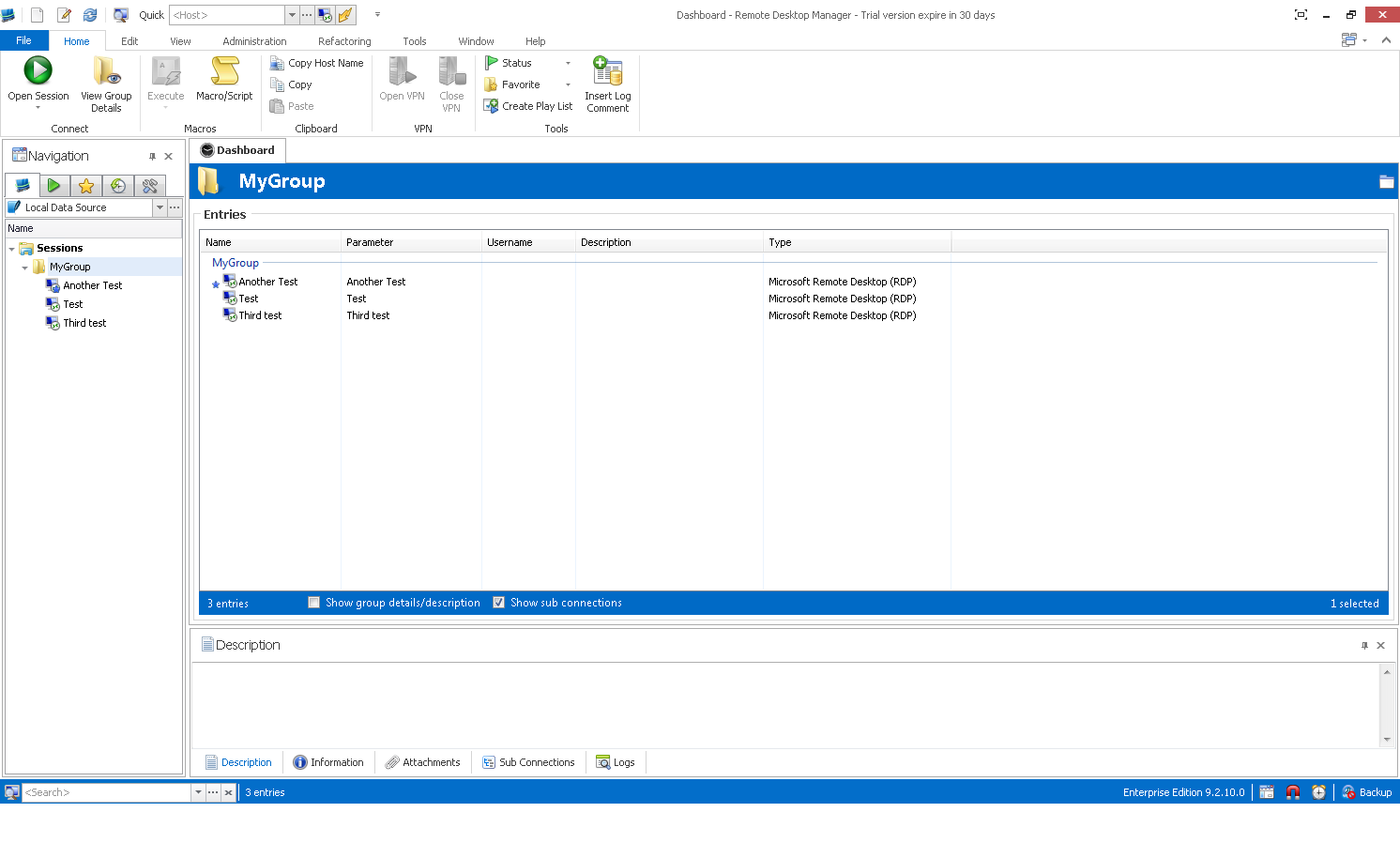
RDM capture 9_2_10_0.png
RDM capture 9_4_3_0.png
All Comments (5)
Oh now I see, I was not looking in the dashboard. I will verify what I can do. We have changed the component for a grid that is now customizable.
David Hervieux
Thanks. If you can add it that would be helpful but if not, no worries. I can always make use of the Navigation Pane (it shows in the Navigation window). All I need to do is expand all of the groups out and the Favorites have different icons.
Hi,
The next beta will allow you to add a column named favorite. It will contain the related image if it's a local or shared favorite entry. You will only have to customize the column list by right clicking on it.
David Hervieux
Works great - I like it. Actually, to me, it looks better than the previous versions.
Also, another (separate) items that is nice, with the 9.4 BETA's, I haven't had to change my Taskbar shortcut every time I upgrade. With previous versions, I always had to unpin RDM from the taskbar, upgrade, then pin RDM back to the taskbar. With 9.4, I haven't had to do that any longer...
Thanks much
Thank you for your feedback. You're right we finally found a solution for the pin issue. I'm glad it officially resolved.
David Hervieux