Maximize work area by removing footer completely
0 vote
I really love having as much screen real estate as possible when working on a laptop, and the footer just bugs me big time...
Can you please find a way so I can disable the footer?
All Comments (11)
Hi
You can hide each of the footer panels, when all of them are closed, the footer is removed.
As an aside, you can even dock the panels outside of the application itself.
Maurice

I have turned off all the footer icons, yet, I'm still seeing the footer with the terminals icon still visible. I can't get it to go away.
Could you post a print screen?
David Hervieux
Here you go. I pulled up the view menu so you could see they are all unchecked, and then at the bottom of the screen is the "Terminals" icon. If I select Terminals in the buttons, a second one comes up.
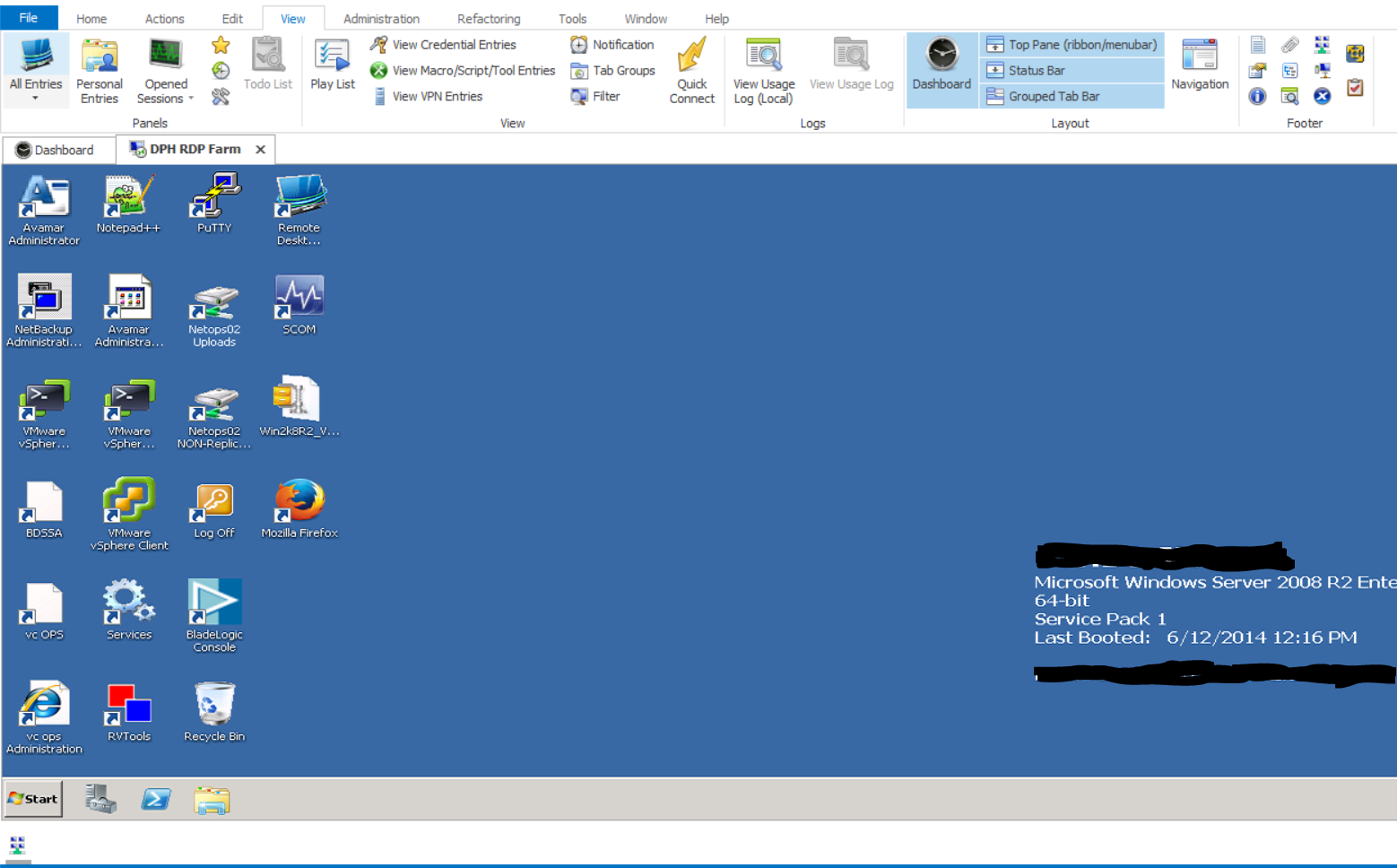
Capture.PNG
It's strange. Could you try a Window-Reset Layout and -re-hide the footer items?
David Hervieux
That did the trick. Thanks!
David good morning, I have the same Issue, Could you explain us how to fix it please? Thanks.
Screen.JPG
Hello,
You can click on the Window ribbon on the Reset Layout menu or click on the Quick Toolbar (Above menu)
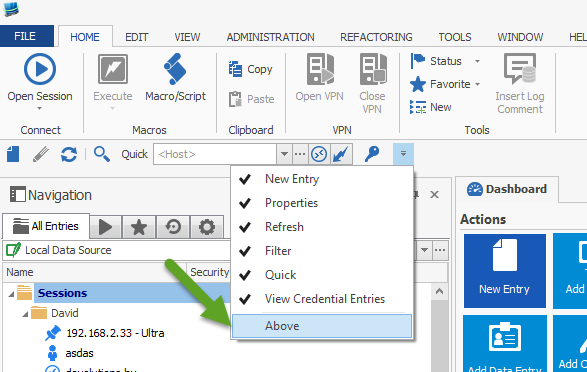
David Hervieux
Quickbar.png
I'm sorry David but this not work, The icon it's still there and it's gray I Can´t unselect in order do not show, Any other solution please? Thanks.
Screen[1].JPG
You can try this:
http://help.remotedesktopmanager.com/troubleshooting_ribbon.htm?zoom_highlightsub=reset%2Blayout
The reset layout might not resolve all the issues. Close the application and delete the layout files (*.lyt) in %LocalAppData%\Devolutions\RemoteDesktopManager to completely restore the layout.
David Hervieux
You're Right David, that works, thanks you very much, the solution for me was this (See Snapshot)
Solution.jpg