Traditional Chinese (Taiwan) translation

We are working translation for Traditional Chinese (Taiwan) language.
1. Please change the name of translation to "中文 (台灣) (zh-TW)".
-> Culture Names and Identifiers for .Net
2. Please change the folder name of language to "zh-TW" under "Remote Desktop Manager" folder.
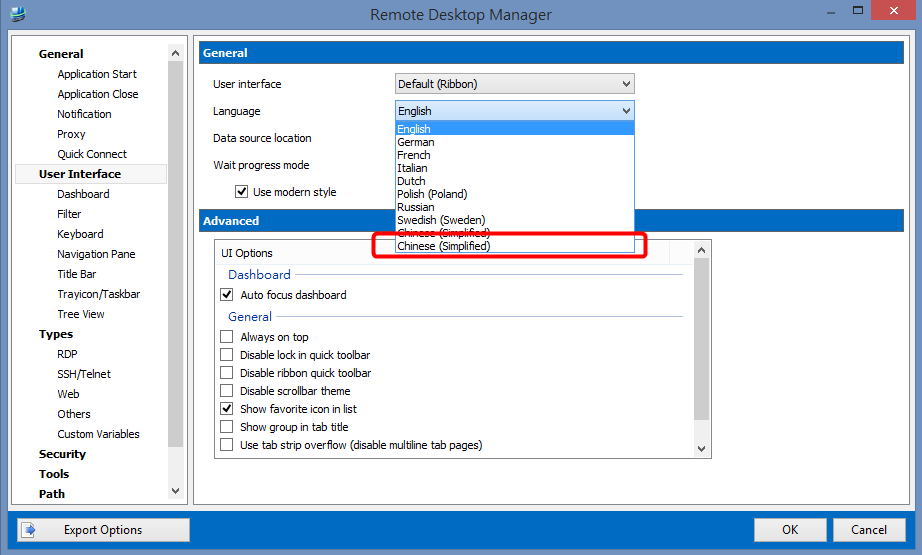
3. Please add the language name to "Chinese (Taiwan)" (in English) in order to test with this new language.
Thank you very much!
edited by fei on 3/27/2014


2014032701.png
2014032104.png
2014032103.png
2014032102.png
2014032101.png
All Comments (15)
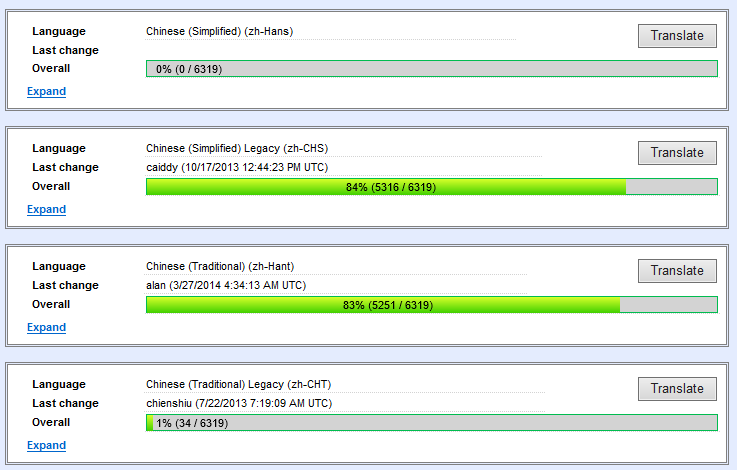
So we currently have the following Chinese translations in the application:
Can you please tell me which one your are translating and which one is the wrong "name" (zh-????)?
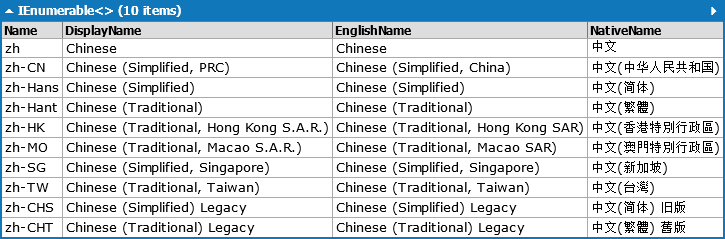
Available .net cultures:
Best regards,
Stéfane Lavergne
3-27-2014 8-27-14 AM.png
3-27-2014 8-25-15 AM.png
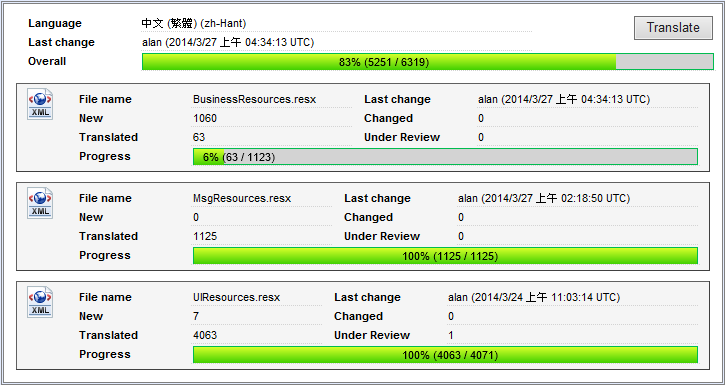
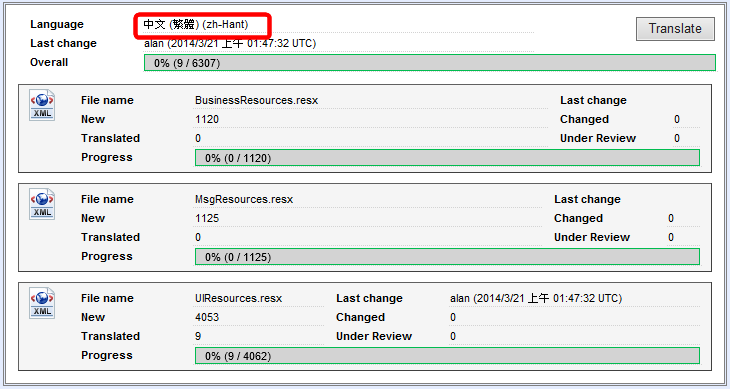
The software have no Chinese translations currently, this is my progress. ;)
We are working on Chinese (Traditional, Taiwan) language which must named zh-TW not zh-Hant. :cool:
I gave you access to all all 5 Chines languages in the translation tool (let me know if there are some you don't want need)
zh-TW Chinese (Traditional, Taiwan) Chinese (Traditional, Taiwan) 中文(台灣)
zh-Hans Chinese (Simplified) Chinese (Simplified) 中文(简体)
zh-Hant Chinese (Traditional) Chinese (Traditional) 中文(繁體)
zh-CHS Chinese (Simplified) Legacy Chinese (Simplified) Legacy 中文(简体) 旧版
zh-CHT Chinese (Traditional) Legacy Chinese (Traditional) Legacy 中文(繁體) 舊版
Are the trasnlation in zh-Hant good? Should they all be moved to zh-TW? Should they be copied to zh-TW but remain in zh-Hant?
Do you have two translation accounts?
Regards,
Stéfane Lavergne
I am using below account for translation.
So far, I need this one: zh-TW Chinese (Traditional, Taiwan) Chinese (Traditional, Taiwan) 中文(台灣).
Please help me move all translations from zh-Hant to zh-TW.
Thanks again!
2014032702.png
Ok will do. Please stop translating in zh-Hant. I need to export from and re-import into zh-TW.
Regards,
Stéfane Lavergne
Done
Stéfane Lavergne
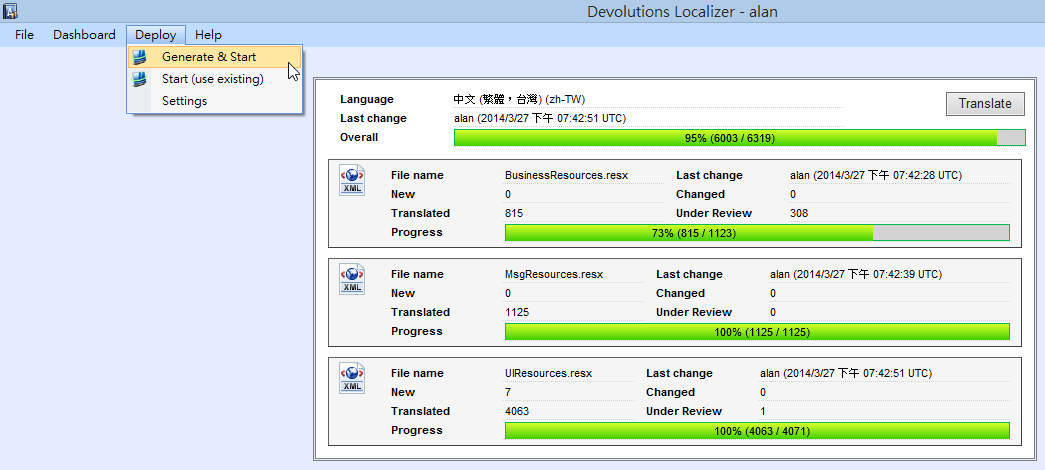
We use "Deploy -> Generate & Start" to generate the language file for testing.
The Localizer create a ""zh-TW" folder under "Remote Desktop Manager" folder.
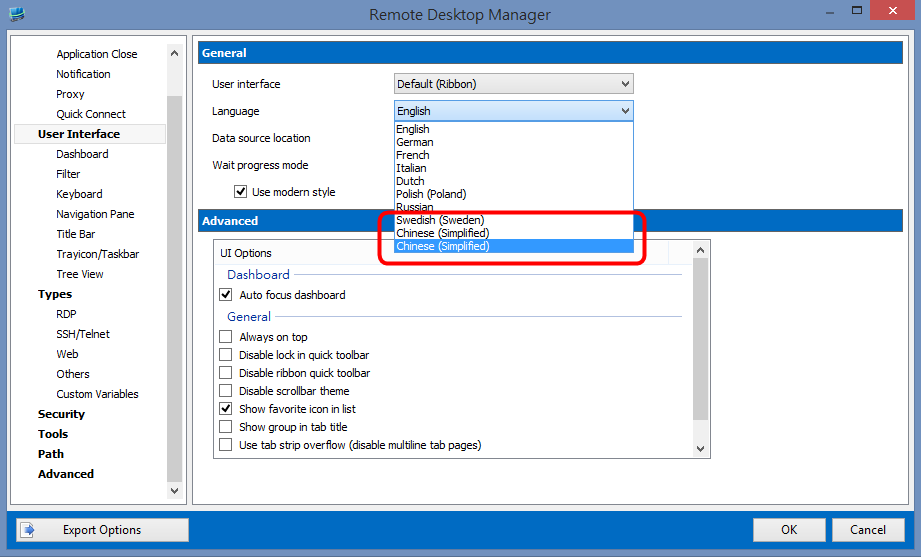
But the Remote Desktop Manager show the language incorrect and cannot change to Chinese (Traditional, Taiwan) language.
We also need to add this new language to translation resource.
Language_zh_TWChinese (Traditional, Taiwan)正體中文 (台灣)[/table]

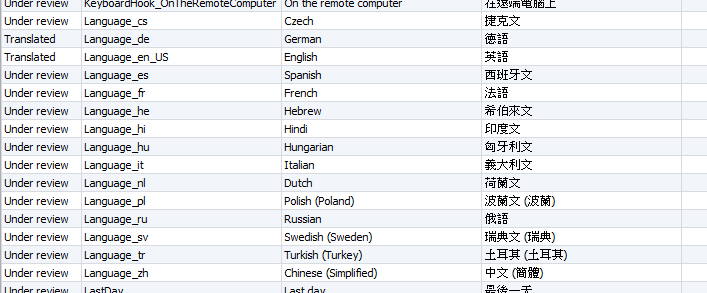
2014032705.png
2014032704.png
2014032703.png
2014032706.png
I'm working on the fix, it's will require a new build of RDM.
Regards,
Stéfane Lavergne
The fix is available here:
http://download.devolutions.net/Devolutions.RemoteDesktopManager.Bin.9.2.4.0.zip
Regards,
Stéfane Lavergne
We update to v9.2.4.0
But still not working
We use zh-TW for this language.
edited by fei on 4/1/2014
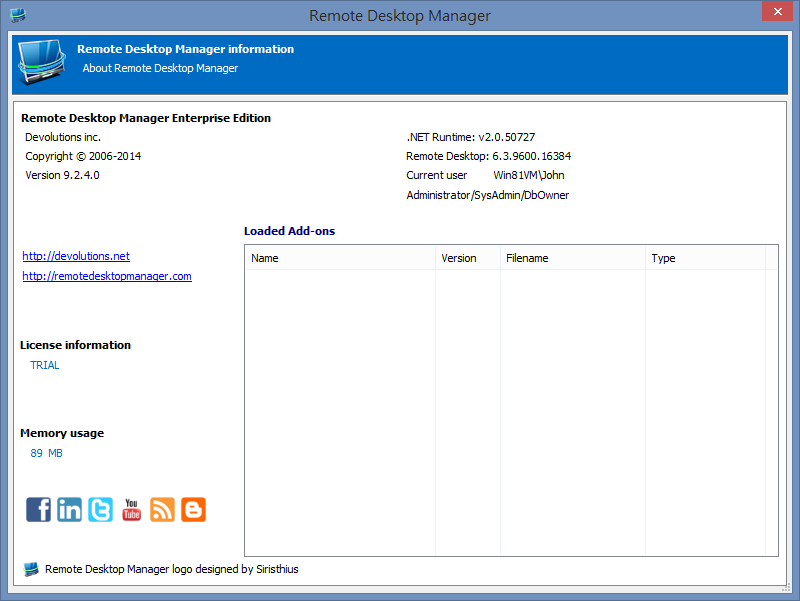
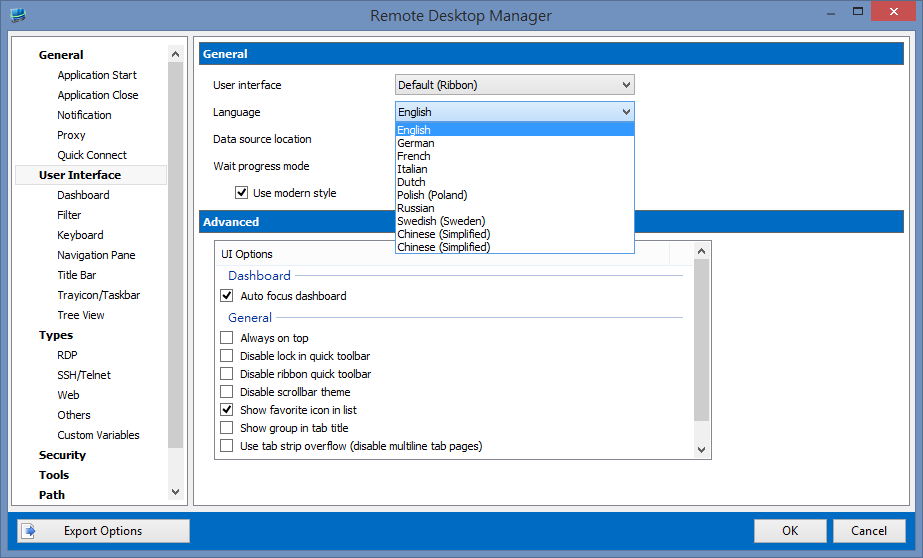
zh-TW.zip
Snap211.png
Snap212.png
Sorry, your are correct. looks like the fix might not have gotten merged into the release build, I will double check.
Regards,
Stéfane Lavergne
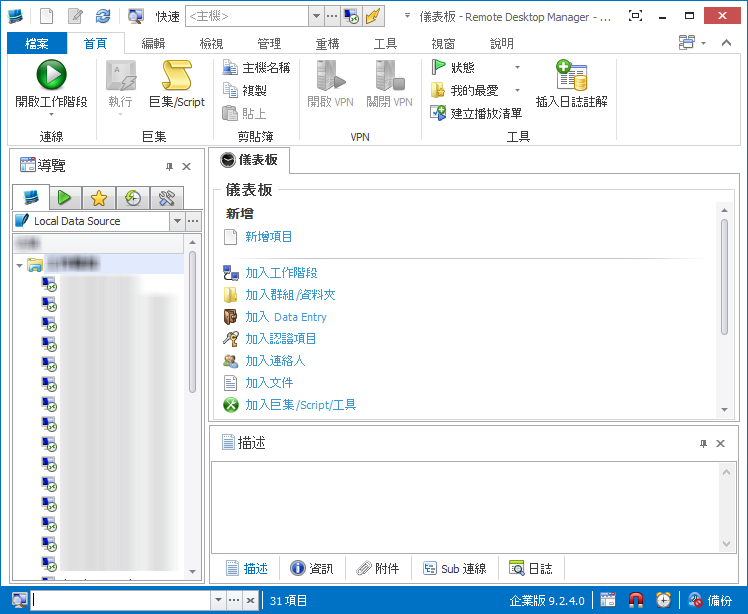
Download from here the new build, simply extract into your install directory. We didn't change the build number, therefore don't use the .msi.
http://download.devolutions.net/Devolutions.RemoteDesktopManager.Bin.9.2.4.0.zip
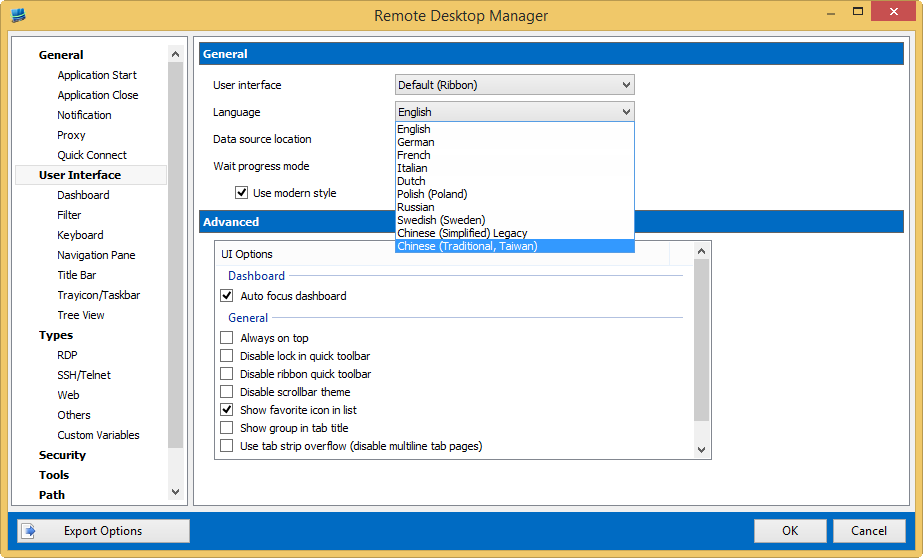
Stéfane Lavergne
4-2-2014 8-56-24 AM.png
4-2-2014 9-01-45 AM.png
Yes, this issue is fixed!
We will go on our translation and test.
Thank you very much!
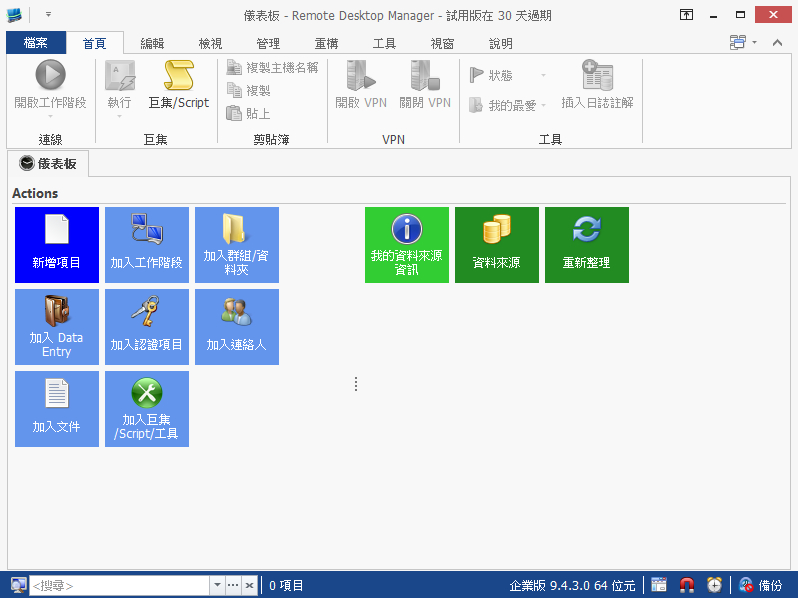
Please add the translation of Chinese (Traditional, Taiwan) in the next version.
Thank you for your help!
Snap239.jpg
We will.
Thank you
David Hervieux