BigIP session offer either HTTP or SSH connection?

We have several BigIP F5 load balancer sessions in our RDM data source, and I have them set up as Web Browser (http/https) sessions. I just heard back from my network guy today that in Visionapp, he had the option of rt-clicking on the F5 sessions and choosing the SSH option to open a shell session to the load balancers. I can't find a way to do that in RDM. Is it there and I'm just missing it? Any assistance would be greatly appreciated!
Thanks,
Mike
All Comments (4)
Hi,
I don't know how it was configured in Visionapp but I doubt it was automatic. Could you verify how it was setup.
For RDM, you can create a Template and use in a Macro/Script/Tool. You could use the F5 variables to reuse the template.
http://help.remotedesktopmanager.com/macroscripttools_template.htm
I hope this help
David Hervieux
Hi David,
Actually, it is automatic. When you rt-click on any connection, there's a menu item for "Connect with Protocols...", and from there a menu pops out for RDP, ICA, VNC, SSH, Telnet and HTTP.
If there's a way to do this with a template, I would be very interested in setting this up. I have not been able to figure it out from clicking around, though. In the mean time, I'm having to create a second session for all of our load balancers for SSH. More work for me... :-(
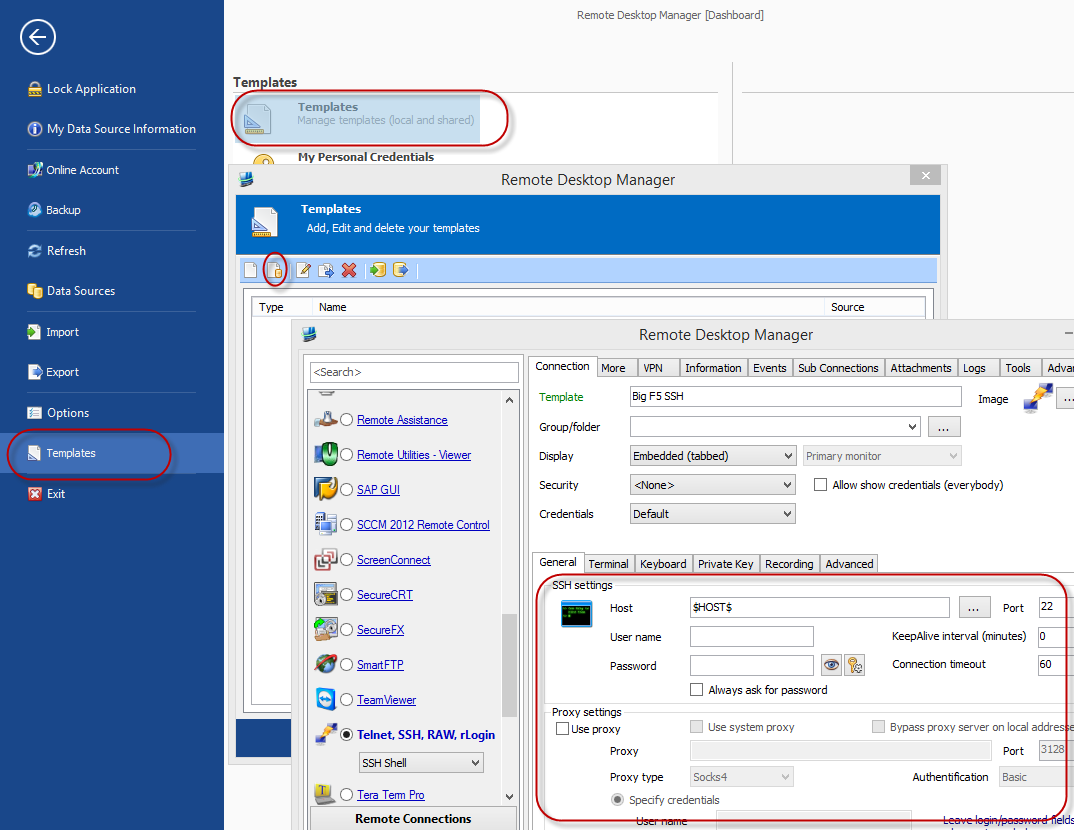
First create a SSH shared template, using variables ($HOST$ or others, full list here: http://help.remotedesktopmanager.com/index.html?settings_variables.htm)
File -> Tempaltes -> Templates -> new shared template ->...
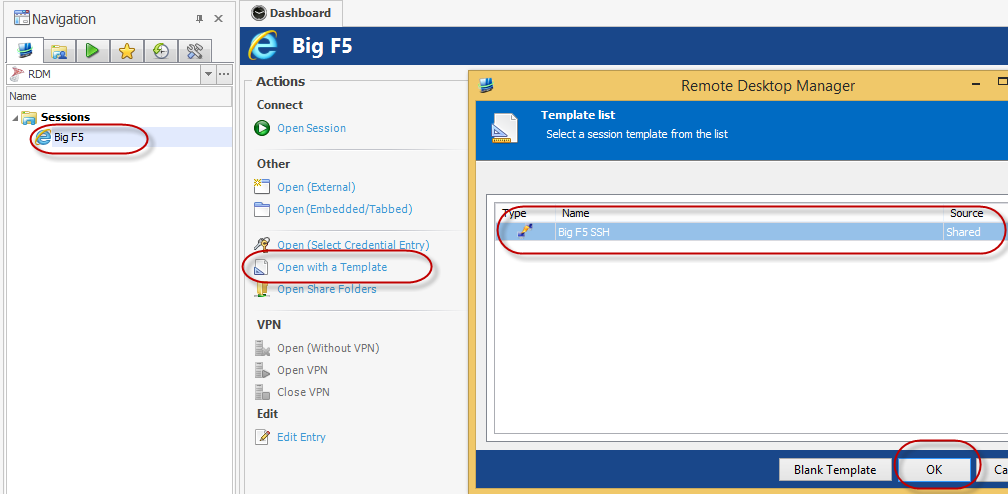
Now select your Big F5 session and click "Open with a template"
Stéfane Lavergne
2-17-2014 9-55-08 AM.png
2-17-2014 9-49-48 AM.png
Awesome! Thanks for the instructions!