Powershell tab
0 vote

Hey Devolutions developers!
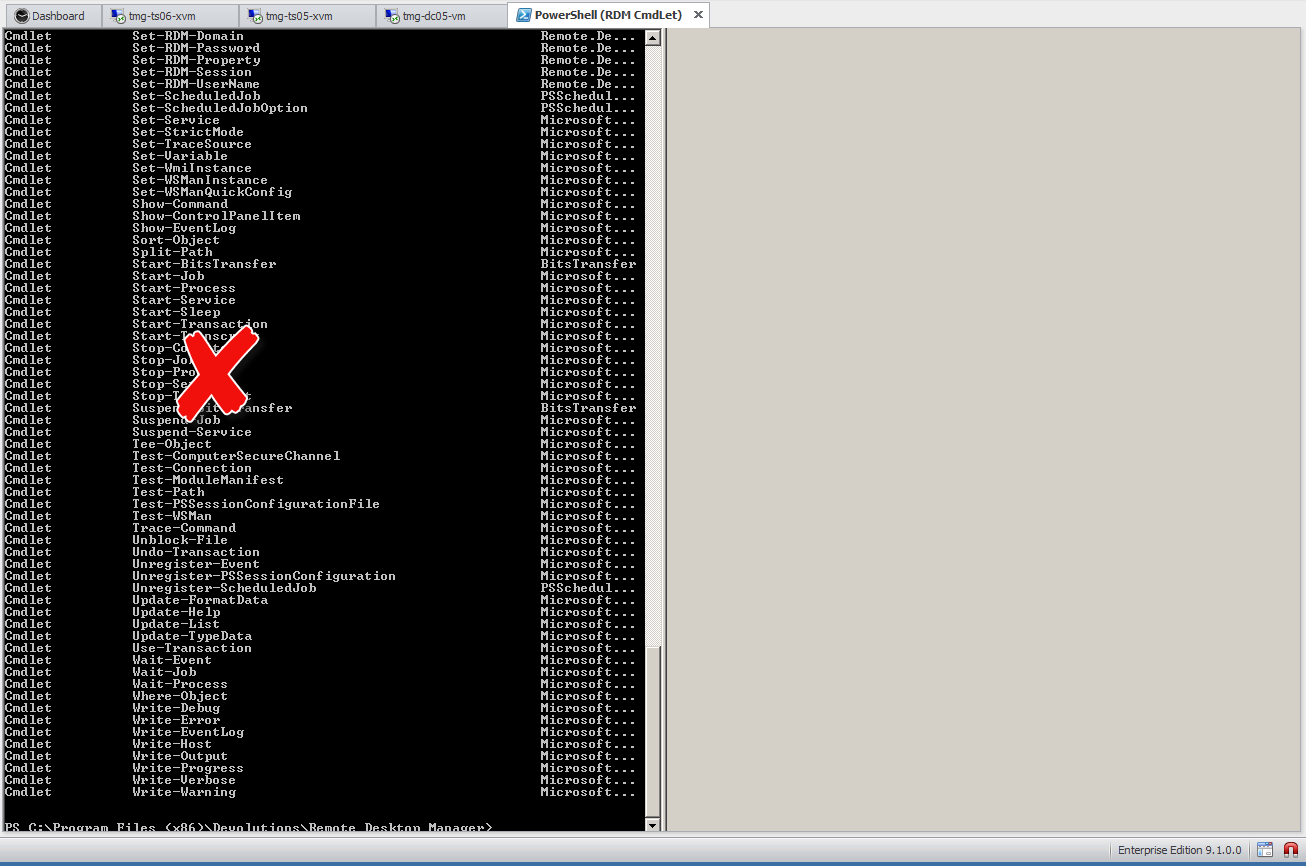
Can you please fix so that the tabs for powershell gets a proper window width?
Not like this
But like this
:)
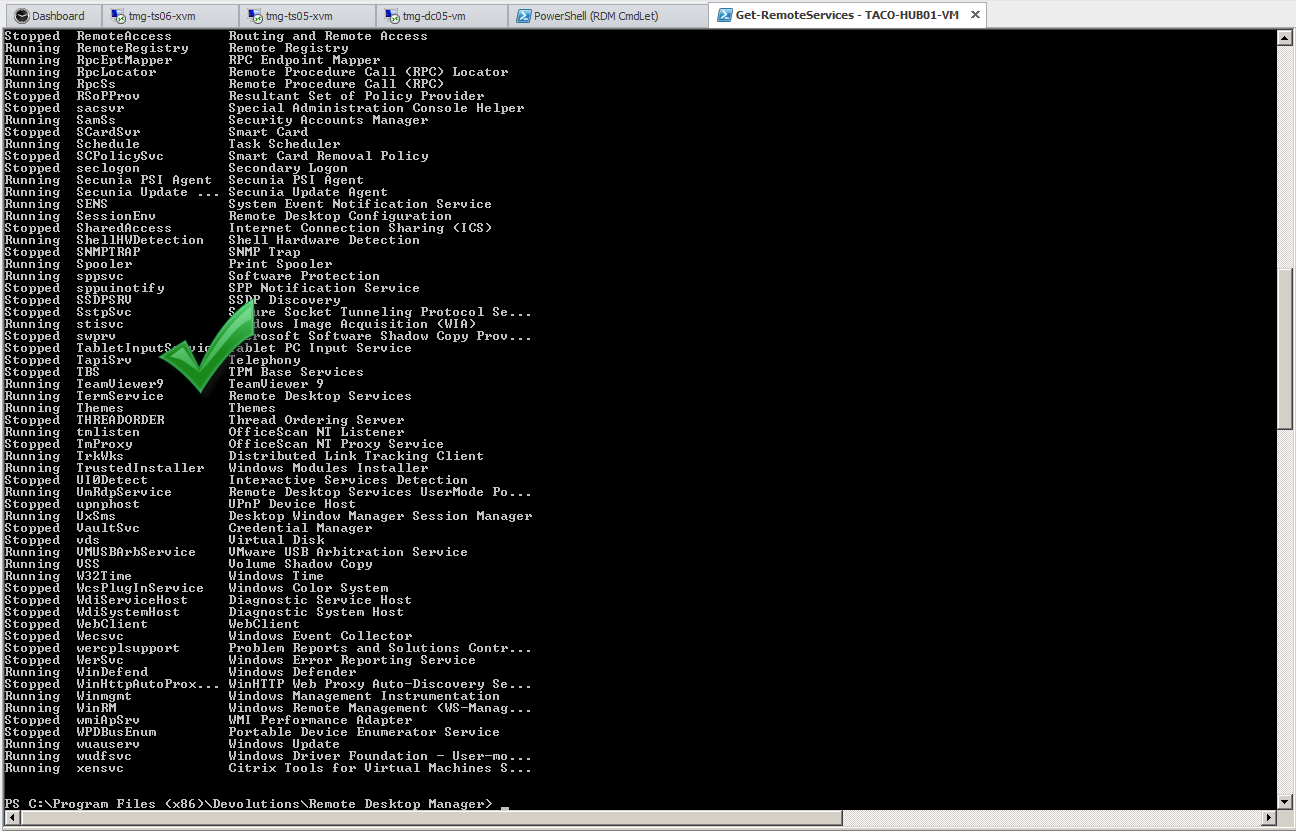
yes.png
no.png
All Comments (6)
Just a hint (play aroung with the values):$Host.UI.RawUI.BufferSize = new-object System.Management.Automation.Host.Size 227,9999 $Host.UI.RawUI.WindowSize = new-object System.Management.Automation.Host.Size 227,93might be added to your $Profile (<User Dir>\WindowsPowerShell\Microsoft.PowerShell_profile.ps1)
I have added it to the script that is executed yes, but i would like Remote Desktop Mananger to fix it automatically.
It's a problem if you're using another computer/resolution and it would be better if Remote desktop manager could set the values dynamically based on the computers screen resolution :)
I do it also this way (getting my favourite Size when loading my function-library).
Or even better on the size of the session window, so the Scroll Bars stay visible even when resizing the nav-tree-element....
Hi all,
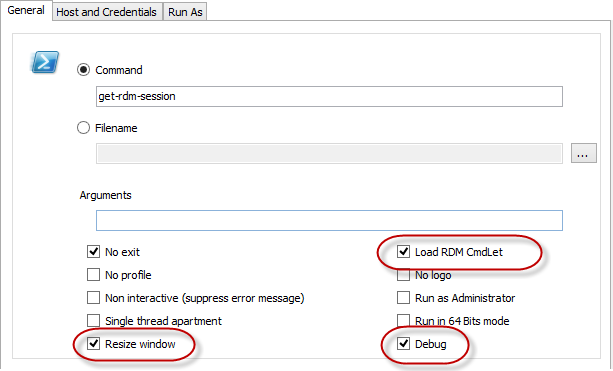
v9.2 (available here) now has a few new PowerShell session features (v9.2 change history available here)
This is currently only available in the PowerShell session not the tools type sessions. It's all I was able to squeeze into the latest build.
How does it work? We inject the two lines of code (suggested by Peter Cermak)$Host.UI.RawUI.BufferSize = new-object System.Management.Automation.Host.Size PowerShellBufferSizeCols, PowerShellBufferSizeRows$Host.UI.RawUI.WindowSize = new-object System.Management.Automation.Host.Size PowerShellWindowSizeCols, PowerShellWindowSizeRowsThe variables PowerShellBufferSizeCols, PowerShellBufferSizeRows, PowerShellWindowSizeCols & PowerShellWindowSizeRows are in fact system options with default values of 250, 4000, 250 & 84 respectively. They can be modified via the RemoteDesktopManager.cfg file by adding the appropriate xml tags example:<PowerShellBufferSizeCols>180</PowerShellBufferSizeCols>
The resize code has a small issue where sometimes the UI doesn't resize the window to fit, even though the buffer has been set properly, for the time being simply resize the tree view and all is good, happens about 15% of the time, I'm still investigating.
If you use the "Load RDM CmdLet (Snap-in) option, the session may be forced to start with elevated privileges. This will only happen the first time since the snap-in must be registered prior to it being loaded.
Please let me know what you think.
Regards,
Stéfane Lavergne
3-12-2014 8-19-08 AM.png
Thank you very much, very helpful
Just a small glitch when is start from "Tools - Powershell cmdlet", that means a session doesn't show this but just resizes.
i also have a horizontal scrollbar, which vanishes, when i resize the undocked powershell window to a width of 2040 pixels. So the PowerShellWindowSizeCols is slightly larger than the actual screen resolution (1920).
Using this settings works for my layout
<PowerShellWindowSizeCols>192</PowerShellWindowSizeCols>
<PowerShellBufferSizeCols>192</PowerShellBufferSizeCols>
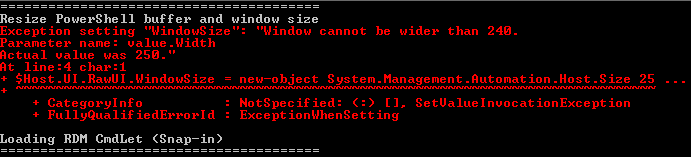
Maybe you could somehow calulate the sizes from the actual workspace (without Nav-tree, toolbars,...) but if not, i could live with it also.========================================Resize PowerShell buffer and window sizeException setting "WindowSize": "Window cannot be wider than 240.Parameter name: value.WidthActual value was 250."At line:4 char:1+ $Host.UI.RawUI.WindowSize = new-object System.Management.Automation.Host.Size 25 ...+ ~~~~~~~~~~~~~~~~~~~~~~~~~~~~~~~~~~~~~~~~~~~~~~~~~~~~~~~~~~~~~~~~~~~~~~~~~~~~~~~~ + CategoryInfo : NotSpecified: ( : ) [], SetValueInvocationException + FullyQualifiedErrorId : ExceptionWhenSettingLoading RDM CmdLet (Snap-in)========================================
Capture_2014-03-18_08-46-48.png
I will change the default to be 192 for both and (eventually) add them to the File -> Options UI so that you don't need to change them in the file.
Calculating the size based on the screen resolution is a difficult one. The screen is in pixel width and the window is specified in column width. I would need to take into account font and font size. Not sure if I can even get those values dynamically.
Thank you for the feedback.
Regards,
Stéfane Lavergne