Remote Desktop Manager is now constantly nagging me to login

Hi,
Since update 1.36.0, Remote Desktop Manager has started constantly nagging me to login to the Devolutions website. This is despite having Automatically sign-in at startup set.
All Comments (24)
Hello,
Our engineering department has a potential fix regarding this.
This should be available in the next release of RDM, which should be RDM 2019.1.39.0.
Best regards,
Jeff Dagenais
I'm using RDM 2019.1.39.0 and am being asked to login every time I open RDM. I have mine setup to sign in when starting. Will this be fixed in the next release?
Hello,
Since you are already on that latest version of RDM, I suspect that the fact of going under File -> Devolutions Account and unchecking "Automatically sign-in at startup" should prevent you form being asked to login every time you open RDM.
Best regards,
James Lafleur
Sorry, I thought by checking "Automatically sign-in at startup" would sign me in and it would not ask me to sign-in every time? Is that not the case? Also, I'm using the free version and it keeps asking me to register. I have already created a free account which is what I sign-in with but it still asks.
Hello,
What is the signin window that you are refering to?
What version of RDM Free are you running?
The license of the Free edition is available through your cloud account. Go on https://customer-portal.devolutions.com/ and click on MySerials. Then, you can copy/paste the license into RDM.
Best regards,
Jeff Dagenais
Hi Jeff,
With all due respect, a software tool that makes users lives more convoluted or difficult ceases to be a useful software tool.
Correct me if I'm wrong here but your 1.39.0 fix for my originally reported issue is to turn off "Automatically sign-in at startup"? Version 1.39.0 has, indeed, unchecked the box that was originally checked & had been checked ever since I installed RDM.
RDM needs me to login as it needs access to my cloud account to perform it's automatic backups. I would have assumed that setting the option to 'Login at startup' would achieve that. It asked for my details first time thru & once logged in, I would have expected RDM retain that login information. This is how RDM (appeared to) operate prior to 1.36.0. However, since 1.36.0, it was continually asking for a login - both at startup & during operation. It never did that before 1.36.0, so I think it is safe to assume that this is the result of a change that has been made.
Jury is still out as to whether my original issue still remains - I've just installed the update
@Jean-Francois Dagenais Thanks. I put in the serial and now when I login I'm not asked to sign-in as it does it automatically. So, my problem was I had not entered the serial. Thanks all seems to be fine now.
Hello,
@theory, I am glad to see that it is now working!
@iclark, sorry for the confusion, the fact of having 2 different users with a similar issue in the same thread can be confusing at times. That said, regarding the issue you reported, it is important to note that checking "Automatically sign-in at startup" under File -> Devolutions account, will register your Devolutions Cloud Account information after the sign-in process. The information saved in this location is only used for the following tools:
1- The Installer File Generator
2- The Custom Installer Manager
If these tool are not used, it is not necessary to enter any information in this location. You can simply remain "Signed-Out".
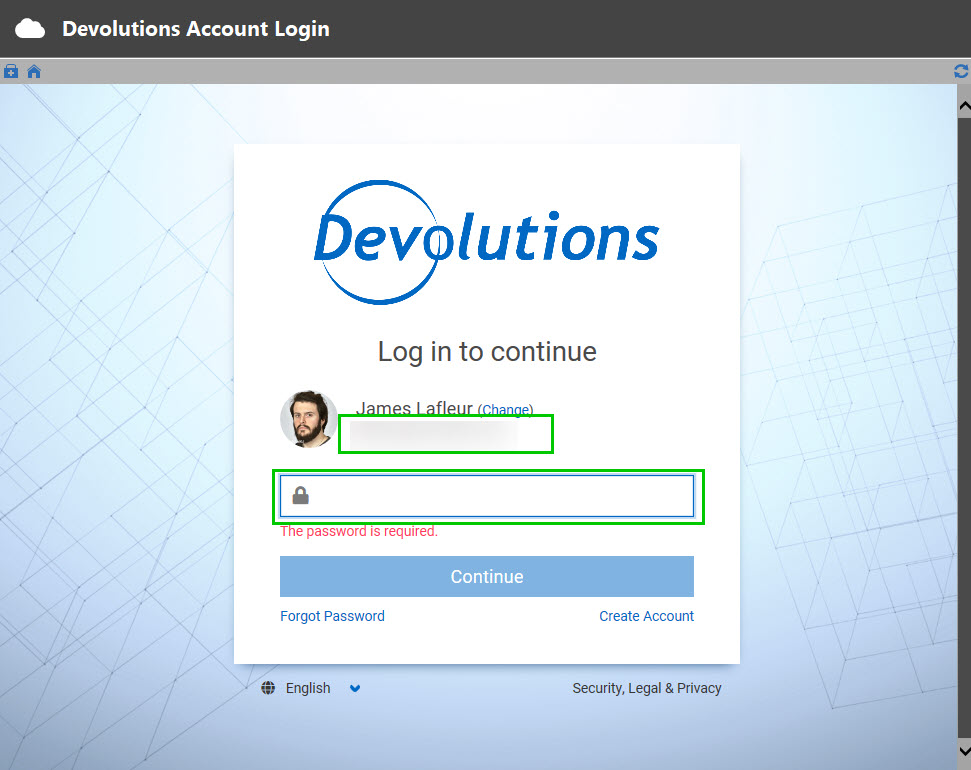
The automatic backup feature you mentioned is something which is available to the Devolutions Online Drive (DOD) and the Devolutions Online Database (DODB) Data Sources. This means that in order to use it, you simply need to configure it in your Data Source configuration by going under File -> Data Sources -> Selecting your current Data Source and going under the Backup tab. RDM will use the information you have entered in the window below when connecting to your Data Source:
I hope that this clarify things. Do not hesitate to contact us again if it is not the case.
Best regards,
James Lafleur
Authentication.jpg
@James: that is hardly down to me - I was the one who reported the original issue ... either way, no dramas :)
& I did not say it was resolved, I said the Jury was still out, meaning that I had not had the chance to test it fully. Now I believe I have & I can report that it is not resolved, at least not to my satisfaction ... RDM still asks for cloud credentials both at startup & during operation. It may not be as frequent as it was before but it is still doing it & doing it enough to be annoying.
If I combine this with the long outstanding 'Red Cross' UI bug, RDM has gotten to the point of being a hindrance rather than useful. You've obviously made a change that instigated this latest issue, prior to 1.36.0. If you are not prepared to revert or resolve, then I have no alternative but to conclude that RDM is no longer worth consideration for investing time & money into. The point of using tools such as this is to increase productivity - i.e. make one's life easier, not more convoluted.
@iclark,
I'm really sorry for all the issues. We are really serious about this and we have many people assigned to this. It's a huge stepping stone for what is coming next:
- 2FA with Push notification to log-in
- Session list in Devolutions Account where you will be able to see where you are logged with RDM
- Azure AD federation (later this year).
This is the reason why we have to do the transition. That being said, we have made more fixes and this will be available this morning. Do you use the Free version or the Enterprise?
Regards
David Hervieux
Thanks for the further information, David. At least I have a better idea why the changes may be necessary, even if those changes are doing more damage than good at this moment.
I currently use the Free Edition (I would have thought your data would have already told you that?). It is/was my intention to propose RDM's use throughout our company, obviously signing up for the Enterprise Edition if/when that happens. I accept that I've been a long-time Free Edition user but that is partly your (Devolutions) fault with the myriad of changes you make to the product. Also & if you'll excuse my bluntness, there is your apparent inability to eradicate key issues within your product ... the aforementioned 'Red-Cross' UI issue being a prime example of this. It suggests a product that is not stable & I am not recommending an unstable product to anyone. And whilst I have no real motivation or excuse to complain as a Free Edition user, I would be considerably miffed if these were factors in a product I was paying for.
2FA support could have a considerable impact on the decision above, so I would like to know more if you are able to tell me? e.g. which 2FA products will RDM have native support for & which ones will we need to jump through hoops to get working? Of course there are bound to be users (of which I am currently one) that would say "What do I need 2FA in here for? We already have it in our environment ... so RDM would be forcing us into, what? '4FA' ???" If you were to introduce this, the ability to switch it on/off would be useful - of course, I'm sure you've already taken that into consideration? ;)
Playing Devil's Advocate now: Seeing as you are considering 2FA, are you also considering SSO? From an Enterprise perspective, these pretty much go hand-in-hand.
Not too sure what use a Sessions list tied to my account will be? - I can already see where I am logged in through the UI. Forgive my cynicism here but is this functionality 'for the hell of it'?
Azure AD federation ... hmm ... whilst we have had little choice but to jump on the Azure AD bandwagon, we do not currently have a business need for Federation, certainly not with this product anyway.
Hello,
It's already possible to enable the 2FA in your Devolutions Account and it's optional. In approximately 1 week, you will able to confirm your login with a push notification in Devolutions Authenticator.
The session list will be deployed soon and if somebody brute force your login information and connect from another country you will be able to detect it. We will also be able to verify with a confirmation email that's it's you.
By the way, Azure federation is the SSO with Azure AD. Sorry for the confusion. We plan to integrate more single sign on later (G Suite).
One last thing, could you try to install RDM 2019.1.41. We heard from many users that we finally fixed their issues.
Regards
David Hervieux
RDM Mac 2021.2.4.0 now asks me to login every time.
The closest to the Windows settings discussed above I can find is shown in the unhelpful preference setting below which doesn't bother to show the units, the min/max setting available nor the meaning of zero, which is an accepted setting.
2021-11-05_12-12-50.png
I had the issue a while back with a datasource to a DOD file on a Devolutions drive, and it had lost my "Username" in the datasource settings, maybe check your datasource?
Regards Lars
Remote Desktop Manager connected with Devolutions Server running newest versions.
------------------------Signature------------------------
Sorry if any of above sounds harsh or provoking, it is NOT meant as such, but I have Asperger's and don't always know.
My intentions is always to be friendly.
-------------------------------------------------------------
Hello Alex,
Since this is an old thread, would it be possible for you to clarify the issue you are currently facing? Is it that you are being prompted to enter the credentials of your Devolutions Account too often on RDM Mac?
Best regards,
James Lafleur
100% of the time when I launch RDM Mac, I am challenged for a password to access DOD.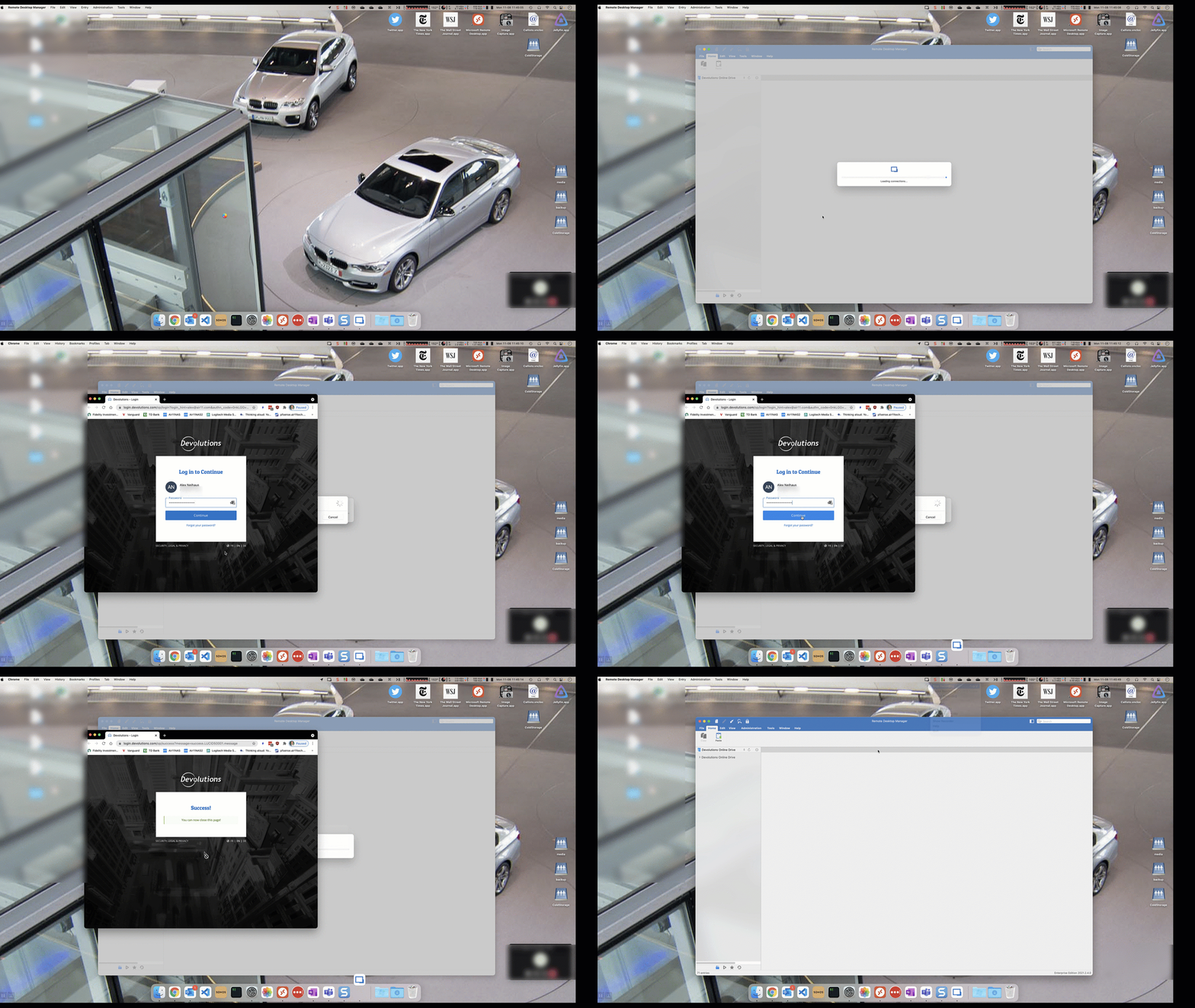
pia.gif
Hello Alex,
Thank you for your swift reply!
Since this thread is for RDM Windows, I will contact you via private message to help you solve this issue.
Best regards,
James Lafleur
I have this same issue on Mac. I switched from Windows to Mac as my daily driver a couple of weeks ago and noticed that I am now prompted so many times to login to Devolutions site. At least several times per day I am prompted. If I make any change to a session entry, it again prompts me to login to Devolutions site. What is the fix? Perviously on Windows. I would be prompted for my db key, and mfa via Yubikey but that's it. I only had to auth to the Devolutions site every now and then, like after an update. Now it's multiple times per day.
Hello Rob05,
Thank you for contacting us on that matter!
I have been in touch with our Engineering Department about this issue and we would like to know the following:
1- Which edition of RDM are you using, is it the Free or the Enterprise edition?
2- What type of Data Source are you using? If it is an XML or SQLite data source, have you configured the cloud backup?
3- Could you please provide me a screenshot of the configuration of your data source via private message? I would like to validate its settings.
Best regards,
James Lafleur
- Free
- It's a Devolutions Online Drive Datasource
- I will DM you a screenshot.
Thanks!
Hello Rob05,
Thank you for your reply and for this screenshot.
Would it be possible for you to uncheck the "Prompt for credentials" option as a test and see if the issue persists?
Best regards,
James Lafleur
Ok I unchecked that. Now if I edit any entries, it still takes me to the Devolutions page in a browser, but doesn't actually ask me to login. It just logs me in automatically and says "Success". It's still not like how it was on Windows but I guess this is less intrusive than how it was before.
6 years later still a major issue...
Hello,
In the latest version, we now have the setting to open it embedded. This will soon become the default: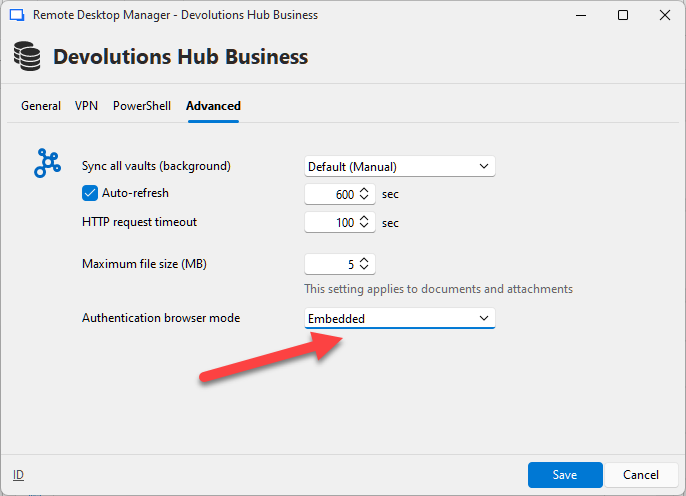
Regards
David Hervieux
a6fe4668-e2c4-4c1e-9f7e-29f5b7559938.png