Any way to lock down the ability to move folders around?

Howdy,
We have our RDM instance pretty open for people to add new sessions and modify exiting settings. However, every so often someone will accidentally move an entire folder to a new location or something like that.
Is there any way to only allow people to edit the information within a session but not actually move sessions around or modify entire folders?
I don't want to have to remove the edit & delete ability for everyone but it's a pain to go fix things when someone messed things up.
Thanks.
All Comments (6)
Hello,
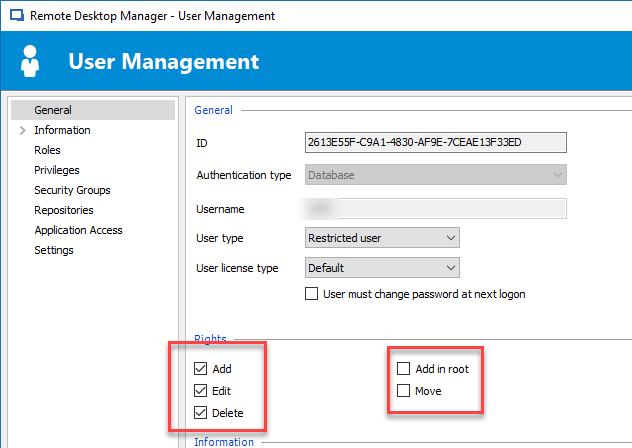
Using a Restricted User, it would be possible for you to grant them the Add, Edit and Delete permissions, but the Move will not be possible for them.
Best regards,
Jeff Dagenais
2018-11-21_14-04-31.png
Hi,
we do not use restricted users, just regular users with domain-auth.
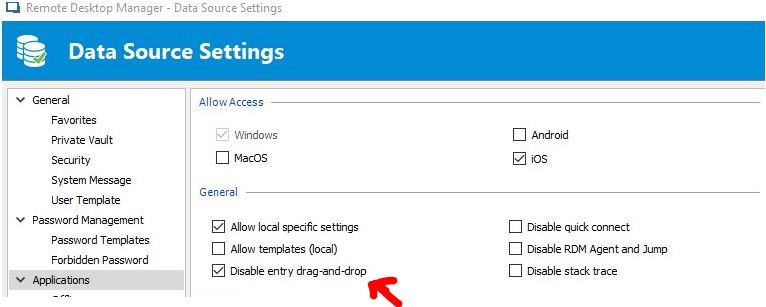
We configured it like that (and I like it, even with admin-rights - I will not drag'n'drop):
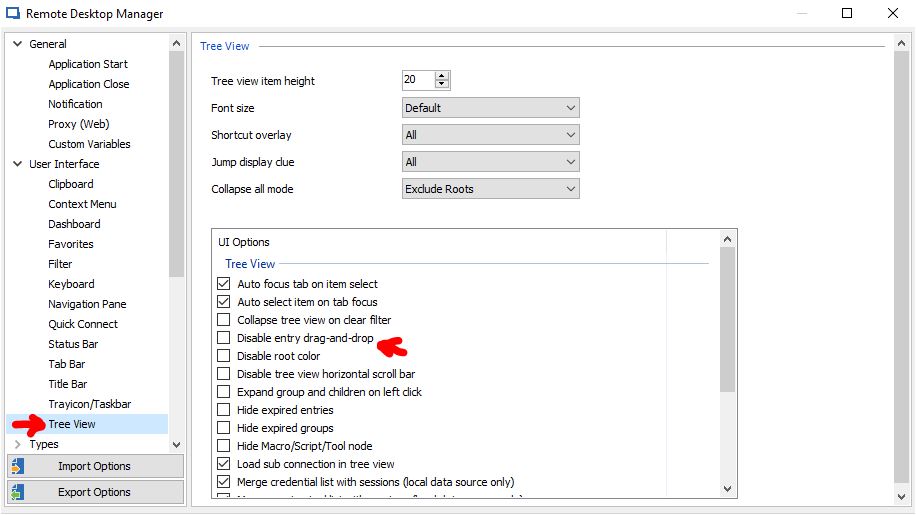
Also, there's the possibility to configure local(?):
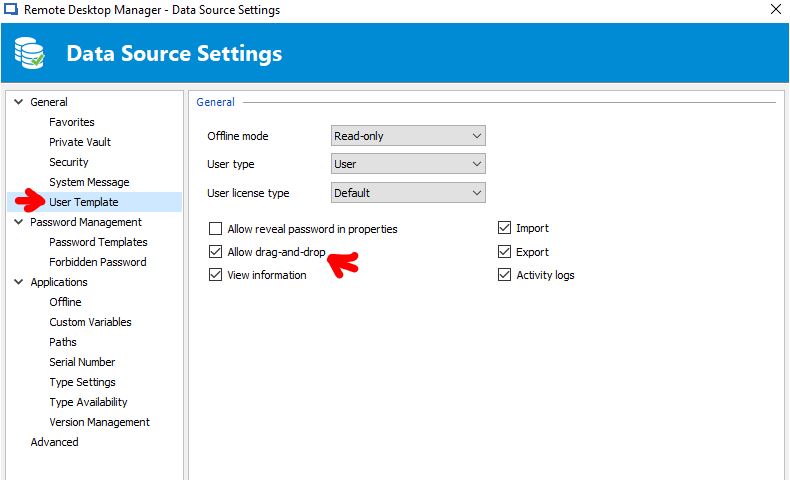
And last, but not least - what's about this option?:
I must admit, I sometimes (often) get confused, while finding settings and their meanings in RDM.
Best Regards
Daniel
3.JPG
2.JPG
1.JPG
Hello,
I completely forgot to mentioned these options, sorry about that.
Best regards,
Jeff Dagenais
As far as I know, it should be like this.
You set it and it deactivates the drag 'n'drop feature for all users, but right click move works (my 1st screenshot).
(Administration -> Data Source Settings ->Applications)
2nd screenshot is only for the local user/machine.
3rd screenshot - as I learned from Jeff is for new created user-objects.
So far correct, Jeff?
Sometimes I would appreciate a context sensitive help in RDM for that many options ;)
@dcapilla,
So far, you are correct.
Sorry if our online help doesn't contain this kind of information, but we are working hard to have this up to date with all the features properly explain.
Best regards,
Jeff Dagenais