Advanced Datasource - Root Filter
0 vote

Hi,
would it be possible to make it work to add more as one root folder to the root filter?
For example: "Root Folder 1" , "Root Folder 2" ?
so that Folder 1 AND Folder 2 would be displayed?
Thanks!
Regards,
Min
All Comments (7)
Hi,
I will see what we can do but the root filter is a feature that should be soon obsolete. This was implemented while we had no Repository. It was a kind of precursor to the repository.
Regards
David Hervieux
Hi David,
ahh ok, thanks for the info! The different repositories are also a great feature, backround of my question is that we need one specified root folder in every repository (beside the other repository specific root folder)
Regards,
Min
Hi,
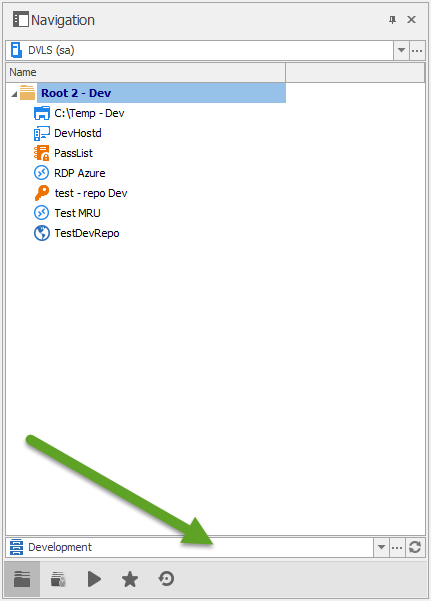
I'm not sure if it fits with where we are going. Here is a sneak preview of the multi-repository:
The idea is that you will be able to switch from one repository to another inside one data source configuration. This is already implemented but not enabled in the current beta.
Regards
David Hervieux
Multirepo.png
Hi,
nice! Will wait until this feature is available and try it out. :cool:
Would be happy if you have a short look over the current root filter setting. If it can be easily changed it would be nice - if it is too complex than it also not a problem ;)
In any case, thanks for checking! :)
Best Regards,
Min
:omg:
Sitting on needles and pins, waiting for this feature since revealing@DC
Kind Regards
Markus
======================
Done, available in next version.
Simply use: Folder1;Folder2
Best regards,
Stéfane Lavergne
Awesome!!
Thank you very much! :)