
christiandiehl
Wayland HiDPI: Respect KDE Plasma fractional scaling or provide in-app UI scaling option
Hello,
thank you for the update — I'm glad to hear the issue is still being worked on and I'm looking forward to the upcoming software updates.
Just to note: the updates released so far haven't shown any improvement on my end.
One thing that might be relevant for your investigation: I can also reproduce the issue on the notebook alone, without any external monitor connected — so a multi-monitor setup with mixed scaling doesn't seem to be required to trigger it. Currently I usually work with a single external monitor and the built-in notebook display disabled, but the problem occurs on the notebook display by itself as well.
Best regards
Christian
Wayland HiDPI: Respect KDE Plasma fractional scaling or provide in-app UI scaling option
Hello,
thank you for the update and for implementing the requested feature.
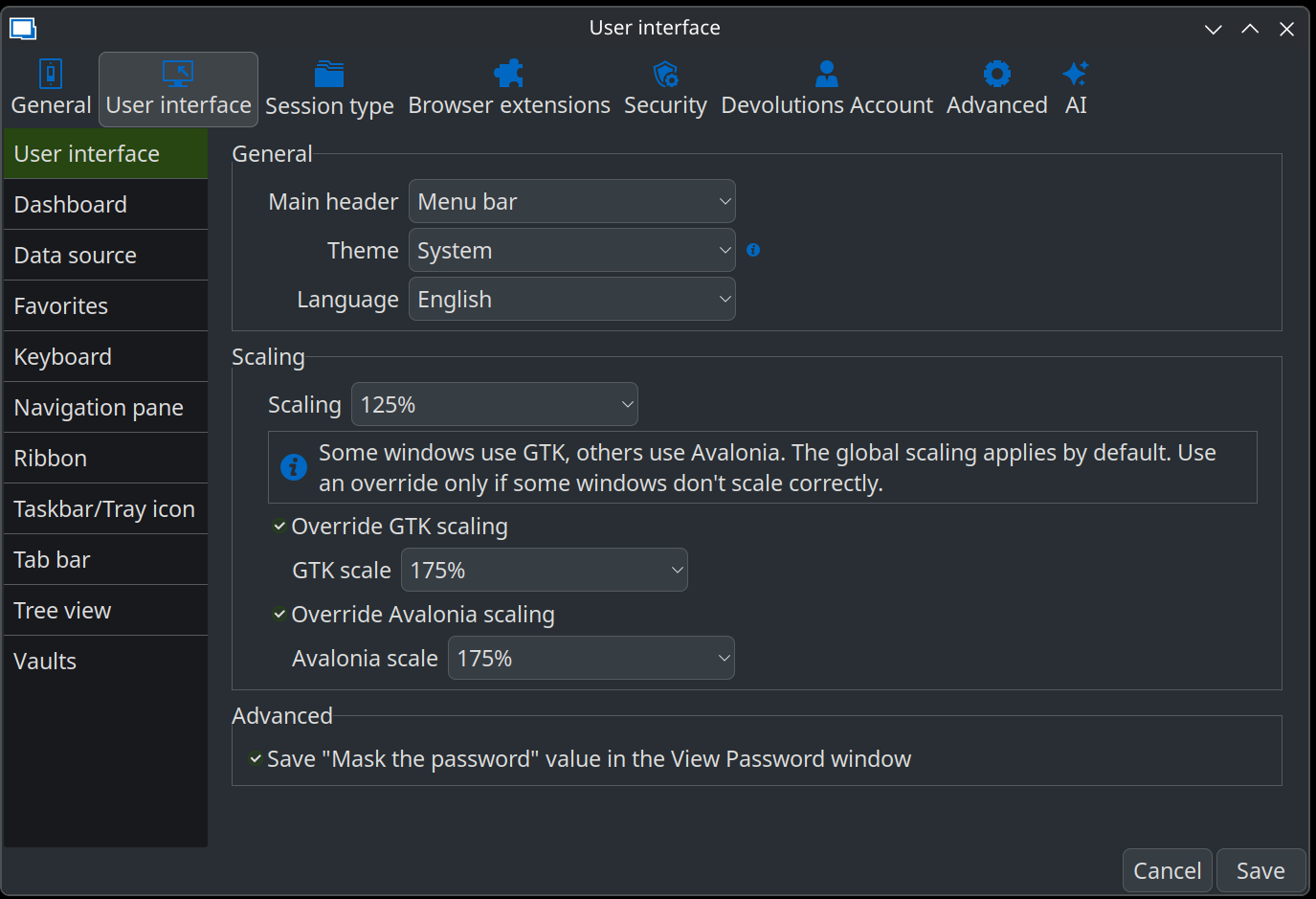
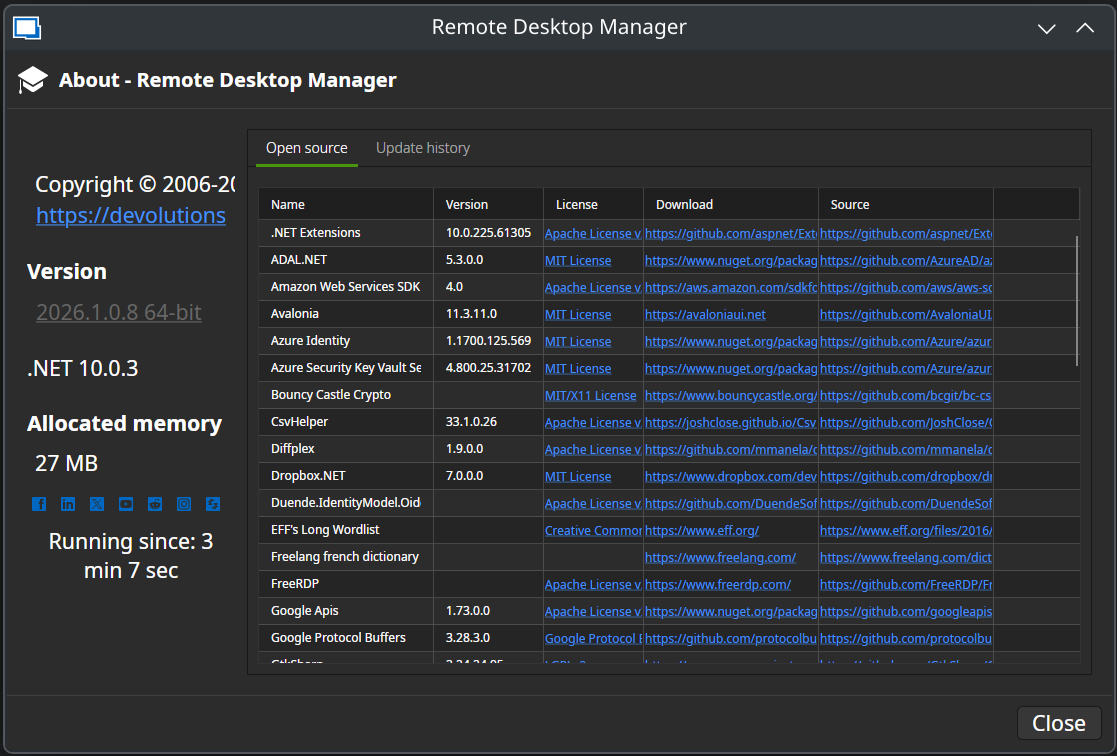
I installed version 2026.1.0.8 and tested the new scaling settings. Unfortunately, none of the available scaling options produce a correct result on my system. The interface scaling still does not match the system scaling.
Additionally, the scaling settings do not seem to affect the terminal component at all.
For reference, my environment is:
Manjaro Linux
KDE Plasma (Wayland)
If you need any additional information or logs for troubleshooting, please let me know.

Best regards
Christian
Wayland HiDPI: Respect KDE Plasma fractional scaling or provide in-app UI scaling option
Hello Gabriel,
thank you for the update.
I’m very much looking forward to the new release (2026.1.0). It’s great to see that the scaling issue was addressed so quickly and that a solution is already in place.
I appreciate the effort and the fast turnaround.
Best regards
Christian
Wayland HiDPI: Respect KDE Plasma fractional scaling or provide in-app UI scaling option
Hello Christian,
Thank you for reporting this issue and for detailing your expectations. I’m currently working on implementing a UI scaling option (not finished yet).
We use two different GUI frameworks (GTK and Avalonia), and each can detect a different scaling factor on your computer depending on a few factors. Since only one of them may detect the correct scaling, I’m considering adding an option to configure the scaling for both frameworks separately.
Because your setup differs from ours, it would be helpful if you could test these new settings before we release them. If you’re interested, please let us know which distro you’re using so we can send you the appropriate installation file.
Regards,
@Gabriel Dubois
Hello Gabriel,
I would be happy to test the new version.
Here are the details of my system:
Operating System: Manjaro Linux
Desktop Environment: KDE Plasma 6.5.5
KDE Frameworks: 6.22.0
Qt Version: 6.10.1
Kernel: 6.18.8-1-MANJARO (64-bit)
Graphics Platform: Wayland
CPU: AMD Ryzen 7 PRO 7840U (16 threads)
Memory: 32 GB RAM (23.1 GB usable)
GPU: AMD Radeon 780M Graphics
Manufacturer: Lenovo
Model: ThinkPad P14s Gen 4 (21K50004GE)
Best regards,
Christian
Wayland HiDPI: Respect KDE Plasma fractional scaling or provide in-app UI scaling option
Product:
Remote Desktop Manager for Linux
Version: 2025.3.2.3
Framework: .NET 9 / Avalonia 11.3.9
Desktop: KDE Plasma (Wayland)
Description:
Under KDE Plasma Wayland with fractional scaling (e.g. 160%), Remote Desktop Manager does not respect the system scaling factor. The UI renders at 100%, resulting in significantly smaller interface elements compared to native Qt and GTK applications.
There is currently no in-application scaling option available.
Expected behavior:
One of the following should be implemented:
Proper automatic detection and application of Wayland fractional scaling (preferred solution).
Alternatively, provide a user-configurable UI scaling option inside the application (e.g. 125%, 150%, 160%, 175%, 200%).
Many modern cross-platform applications provide internal scaling controls to ensure consistent usability across desktop environments and display servers.
Why this matters:
Wayland with fractional scaling is standard in modern Linux environments. Professional users working on high-resolution displays require predictable and consistent UI scaling without relying on environment variables or launch wrappers.
Best regards,
Christian