
liel5545
Unable to Load Devolutions Server Login Page After Installation – Blue Shield Spinner Issue
That would be great. Just a heads-up—this is a standalone server without internet access, so I’ll be providing all the necessary information manually.
Unable to Load Devolutions Server Login Page After Installation – Blue Shield Spinner Issue
@William Alphonso This is my network tab in the developer tools:
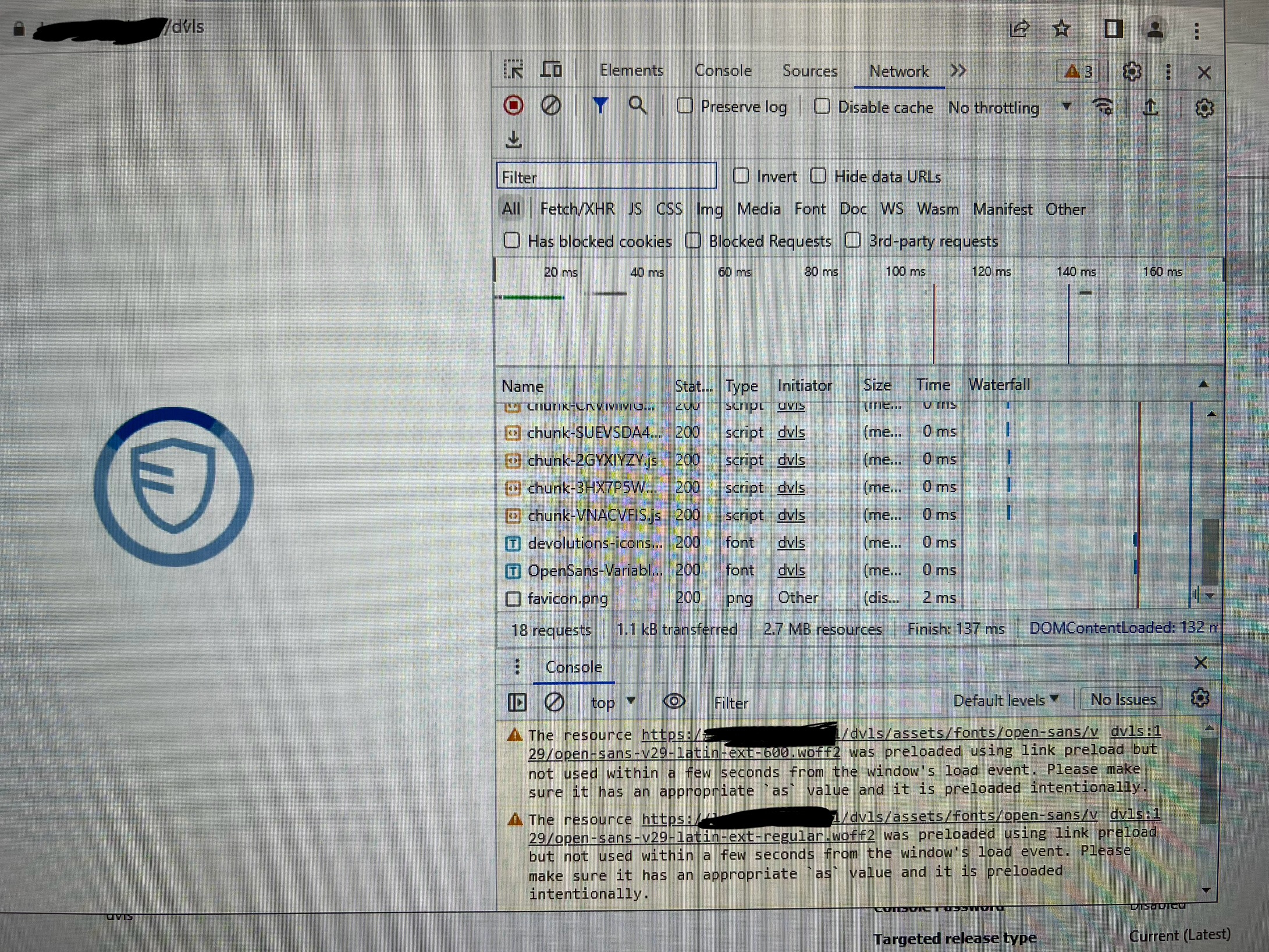
Unable to Load Devolutions Server Login Page After Installation – Blue Shield Spinner Issue
Hi @William Alphonso,
Unfortunately I enable the anonymous authentication and restart the devolutions server, but I still see the spinning blue shild.
Also tried from incognito and i get the same result🙁.
Unable to Load Devolutions Server Login Page After Installation – Blue Shield Spinner Issue
I can validate it only on Sunday,
And i will update if that works for me.
Thanks.
Unable to Load Devolutions Server Login Page After Installation – Blue Shield Spinner Issue
Sure.
I installed it under the default website.
Unable to Load Devolutions Server Login Page After Installation – Blue Shield Spinner Issue
Hi @William Alphonso ,
Thank you for your help.
I’ve attached the log file to this message.
Also, just to clarify—if I didn’t mention it earlier—I tried accessing the website from an incognito window and encountered the same issue.
Unable to Load Devolutions Server Login Page After Installation – Blue Shield Spinner Issue
After completing the installation of Devolutions Server, I attempted to access the application via a browser. However, the page is stuck on the blue shield loading screen with the spinning circle, and the login screen never appears.
Details:
I followed the official guide for installing Devolutions Server on a Windows Server 2022 machine without internet access:
I installed IIS exactly as described in the documentation. Using the IIS Management Console, I verified that all required components are present and running properly.
I also installed SQL Server Express 2019 on the same Windows machine.
I created a SQL instance using the Management Console and selected the Advanced installation method.
The SQL connection was tested and confirmed to work. I used the ZIP package containing version 2025.2.4.0 of Devolutions Server.
After installation, I followed all the steps in the guide, including binding a self-signed certificate.
At the end of the setup, when accessing the server via browser, I only see the spinning blue shield and do not reach the login screen.
Request:
Please advise on how to proceed with troubleshooting this issue. Is there a known cause for this behavior?
Thank you.