
ozxpatno
4k scaling support?
Hi ozxpatno,
We’ve just released a new version (2025.2.1.3) that includes a fix for the fuzzy text issue.
Please let us know if it doesn't work for you.
Regards,
@Gabriel Dubois
Thanks Gabriel - this looks so much better!!
ssh file transfer
Hi,
Thanks for quick reply. I updated and notice that if I drag above the blue box onto the directories it starts a transfer and this works. What doesn't work though:
dragging into the large area underneath the directories
setting the starting location to / (goes to home dir of remote user instead)
UI scaling; if scaling is at 200% the text is very fuzzy. I have a small laptop screen with a fixed resolution of 4k - there's really no way around the need for scaling support.
Interestingly I pressed check for updates and it said there weren't any. Don't know if this is because I installed it incorrectly or if it is server side.
ssh file transfer
Hi,
I'm using the 2025.1.1.5 deb package on Mint Cinnamon 22 and can't get the file transfer to work. I drag a file or a directory from the bottom to the top window and nothing transfers. The blue box appears but no result.
Also, is there no way to change the path of the remote in the File Transfer panel?
The interface is quite hard to use (notice how tiny that show File Transfer button is) because of the 4k scaling issue.
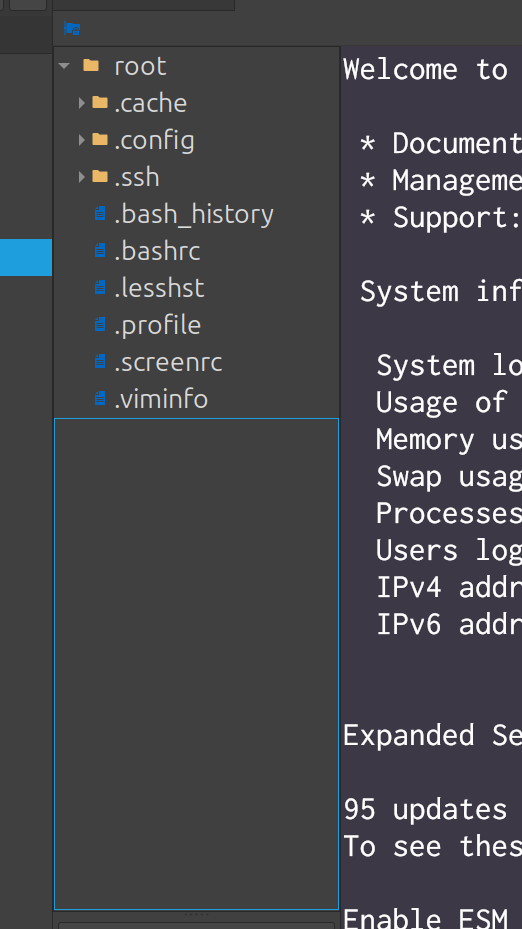
4k scaling support?
Hi all,
I'm using Mint Cinnamon 22 at a 4k resolution with a 200% scale. I need the scaling so the RDM UI elements can be seen, but it's applied to the terminal as well, resulting in fuzzy terminal text:

Has anyone found a way to get crisp terminal text with a scaled UI?
If I set a variable GDK_SCALE=1.25 and increase the font size in settings the terminal text looks better, but this is still not as good as a native terminal

Terminal text fuzzy with 4k scaling
Hi all,
I'm using Mint Cinnamon 21.3 at a 4k resolution with a 200% scale. I need the scaling so the RDM UI elements can be seen, but it's applied to the terminal as well, resulting in fuzzy terminal text:
Has anyone found a way to get crisp text with a scaled UI?
Edit: If I set a flatpak variable GDK_SCALE=1.25 and increase the font size in settings the terminal text looks a lot better, and the UI is still usable.