Application Serial Number
0 vote

Application expires after thirty (30) days
Keeps requesting a trial
Thank you
Peter
All Comments (8)
Hi Peter,
I'm not sure to understand what you want? You can request a trial here:
http://remotedesktopmanager.com/home/trial
Or if you bought the Windows version, use the serial number you've received.
David Hervieux
Thank you
I am a beta tester for the Mac version RDM
every two (2) days it asks me to register for a trial or the application will not start, quite annoying
thank you
Have you switched to Standard edition? When you enter a new trial, you should be good for 30 days.
David Hervieux
I do not know what edition I am on
here is the version number I am on
Version 0.9.42.0 (0.9.42.0)
Hi Peter,
Let me try to help.
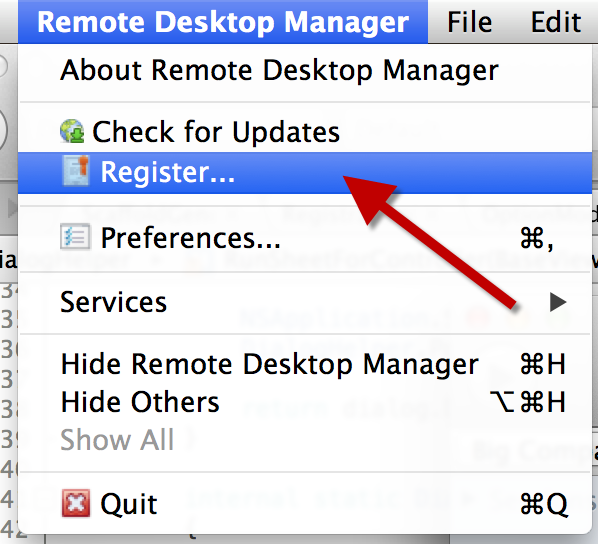
First, to know which edition you are using go to the Remote Desktop Manager in the upper left corner of your screen and click the Register... item as shown in the screen shot below
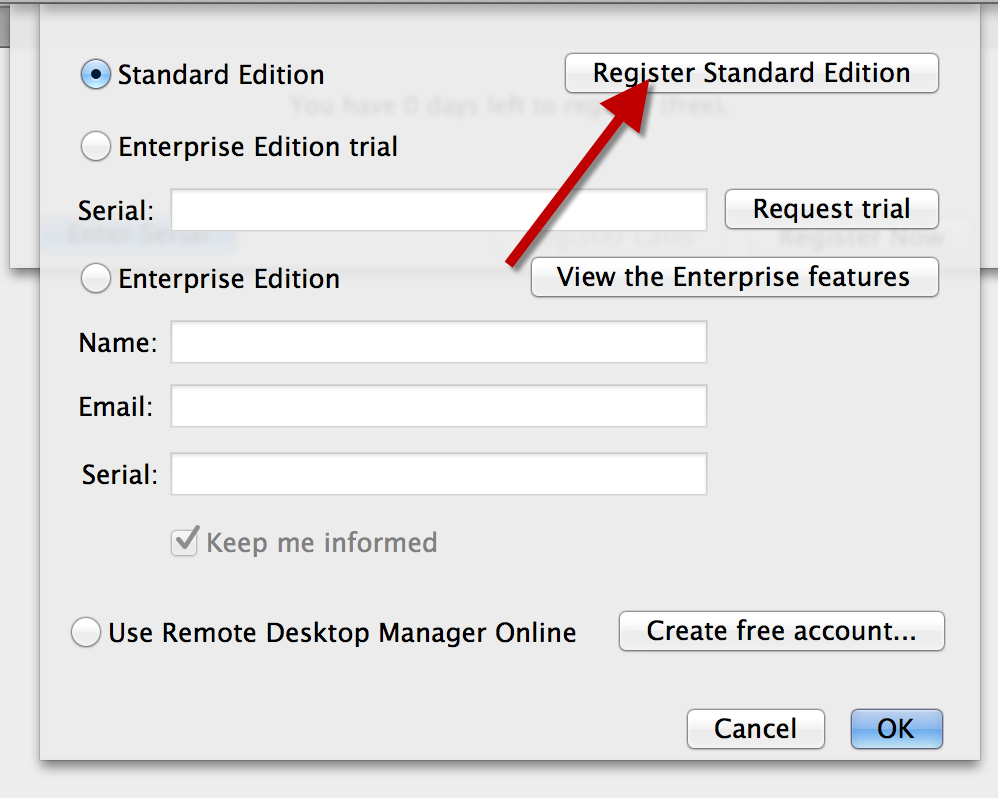
You will see the a screen like this one :
The item selected indicate the edition you are using.
Your first option is to register for the standard version (as indicated in the last screen shot).
Once you subscribed the standard version should work for you.
If you have a serial number from a Windows Entreprise Edition, it should work correctly, we use the same serial number for the Windows and Mac version.
You can request a trial by using the button or by going to this website http://remotedesktopmanager.com/home/trial
If you need any more help let me know
Benoît Sansregret
RegisterForm.png
Menu.png
I am sorry I do not have have a serial number since I am beta testing
every two (2) days it asks me to register
I AM NOT going to use your product anymore
too many issues
Peter
The Standard edition does not require a serial number. Could you verify in the about if you were using a trial or the standard edition?
David Hervieux