unable to use Vmware View Connection Server

Hi all,
With the new version of View Connection Server -> Vmware Horizont View client i'm not able to conect anymore to View Server.
First of all :
- the path is not the same and the plugin is not able to find it : C:\Program Files (x86)\VMware\VMware Horizon View Client\vmware-view.exe
I use : VMware Horizon View Client 2.2.0 build-1404668
If i config it manually it retuns an error: Unable to find SQL Server Manager Studio Executable !!!
I guess we need an Add-on update :) Is there anyone who made it work ? Any workaround?
Thank you.
edited by nikkon on 12/14/2013
edited by nikkon on 12/14/2013
All Comments (5)
Try the attached VMWare View AddOn, it now has the check for the VMWare Horizon View Client (wmare-view.exe) while still supporting v5.0 (and prior) version of VMWare View Client (wswc.exe)
We don't currently have any infrastructure to test the Horizon client so I wasn't able to test. Please let me know if it has resolved your issues.
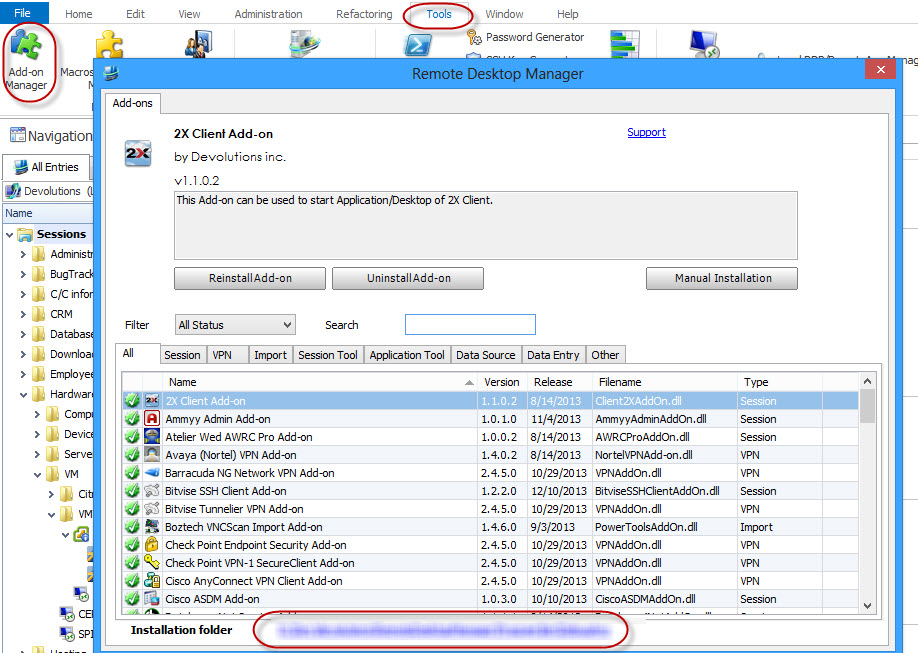
Simply extract the files in the RDM addon folder (Usually %localappdata%\Devolutions\RemoteDesktopManager) or look here for your addon folder path.
Regards
Stéfane Lavergne
12-16-2013 12-39-29 PM.jpg
VMwareView1.1.0.0.zip
Thanks Stéfane!
I yust installed the attached AddOn in combination with the latest VMware View Client and everything works!
Regards
Great thank you for the update.
Regards,
Stéfane Lavergne
works !!!
thank you :)
Thank you all.
The AddOn (v1.1.0.0) will be published via the AddOn Manager shortly.
If you already have it installed and working you do not need to do anything. For those who don't have yet have it, get it from the AddOn Manager instead of doing it manually, it's simpler.
Regards,
Stéfane Lavergne