JIT Accounts being created without appending the DOMAIN

Hi! I'm trying out the JIT PAM Accounts, and it's not working because, as far as I can see, it's not appending the domain in the entry, like it does with 'normal' PAM Accounts.
JIT Account: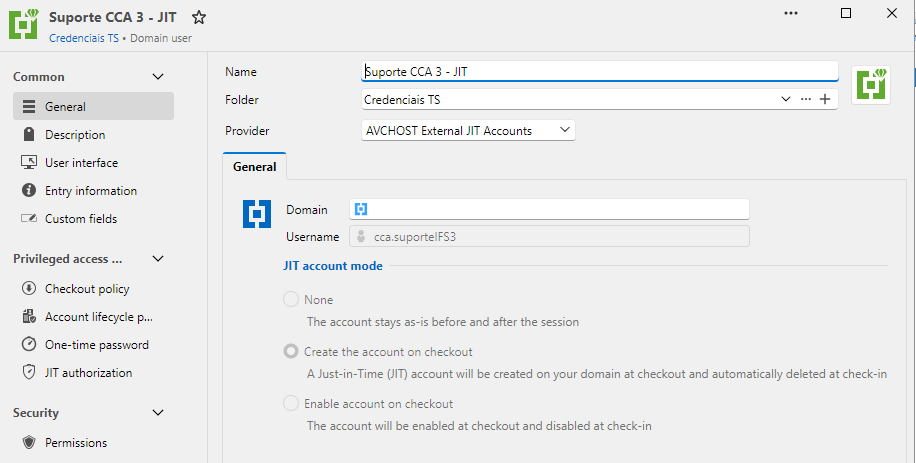
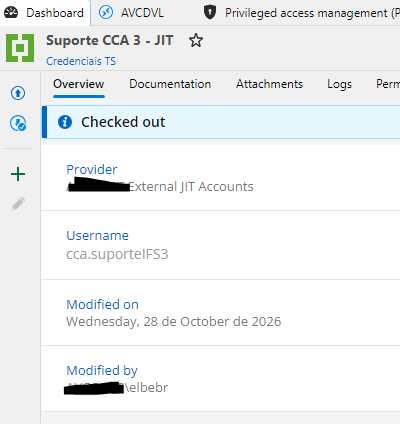
NORMAL: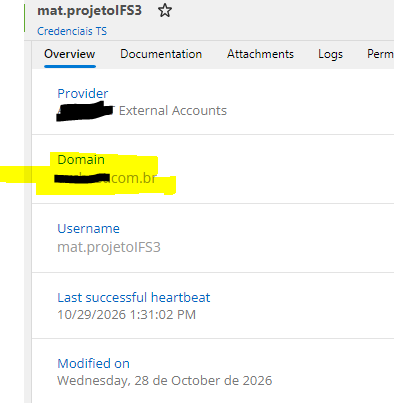
When checking this JIT Account out, it's created successfully in the domain: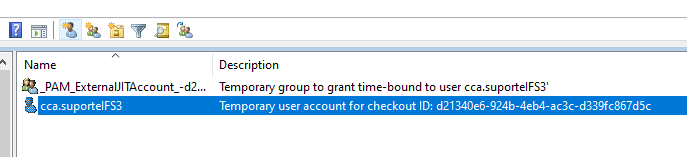
But when we try to use it to log in our RDS Server, the missing domain information results in credential error: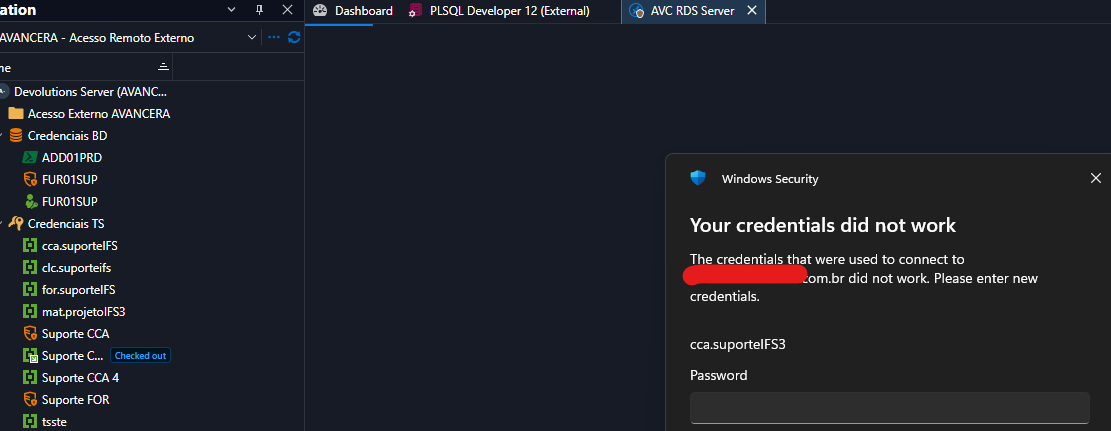
I've been trying to check if there is some configuration I've missed, but I couldn't find any so far... Is it a bug or am I missing something?
Thanks!
Att.,
Elaine
a44d022b-0f9c-4253-bf9c-ea5101cda2f6.png
5acda930-a81f-4da9-85d9-1d3f9dd98f20.png
096d047c-2b8e-43d2-b558-949b42bba44f.png
1b2f924c-6916-42d9-b6d0-39cde6ddba7e.png
f9f8c8f3-eb3e-4b15-9fab-689ea8073819.png
All Comments (2)
Hi Elaine,
Thank you for the screenshots. You did not miss a setting. This one is on our side. In Devolutions Server 2026.3.12, an account in "Create the account on checkout" mode is created in Active Directory at checkout, but its PAM entry never receives a domain. A normal account can get its domain from Active Directory when the heartbeat checks it, but the heartbeat skips accounts in this mode. The Domain box is read-only, so you cannot type it in either. Remote Desktop Manager then sends the username without a domain, which is what your Windows Security prompt shows.
You can still give the domain to the RDS entry itself. In Remote Desktop Manager, open the properties of the RDS entry that uses the JIT account.
1. Under Advanced, in the Credentials section, set Override domain to Custom domain and Username format to {Domain}\{User}.
2. Under Asset, open the Network tab and type the domain of the JIT accounts in Domain.
3. Save, check out the JIT account and connect.
I ran these steps in our lab on your two versions. Remote Desktop Manager then put the domain in front of the username, and both the full and the short domain name worked. Our lab computer is in the account's domain, where the login worked even without the change, so please try one entry first. The custom domain applies to every account that entry connects with, so keep it on entries whose accounts all belong to that domain.
If you would rather keep the account's domain on the PAM account itself, "Enable account on checkout" uses an existing domain account that is enabled only during the checkout. When the heartbeat is on for that account, a successful heartbeat fills in its domain. Both modes are described here.
https://docs.devolutions.net/pam/knowledge-base/how-to-articles/create-temporary-accounts-with-jit-provisioning/
Please let me know how the RDS entry behaves after the change, and whether the computer you run Remote Desktop Manager on is in a different domain than the JIT accounts.
Best regards,
Michel
Michel Audi
Hello Michel!
The configuration made in RDS entry worked! I'll keep this way for now... but I'll keep the other option (enable x disable) in mind when presenting the solution to my manager. ;)
Once again... thank you very much!
Regards,
Elaine