"Double authentication" when selecting DVLS Privileged Accounts using Launcher
"Double authentication" when selecting DVLS Privileged Accounts using Launcher

Hi! I'm setting up a contractor access to our environment using PAM. I've set up a specific vault to this contractor with Devolution Server privileged account entries, as you can see below.
It's working, but it keeps asking for DVLS credentials when selecting any of them at RDP session: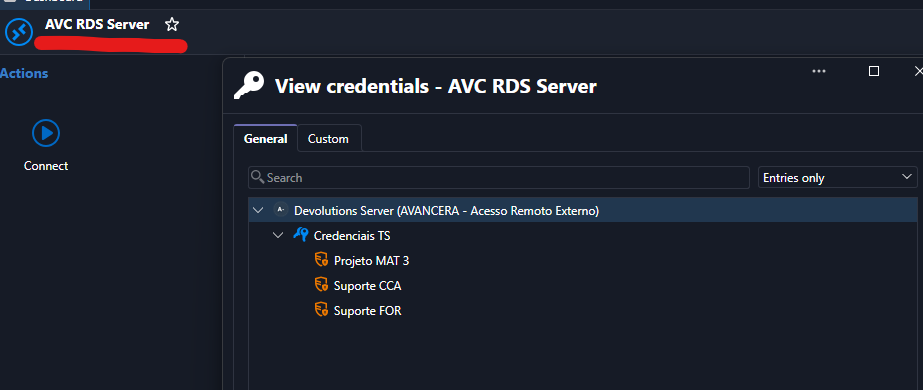
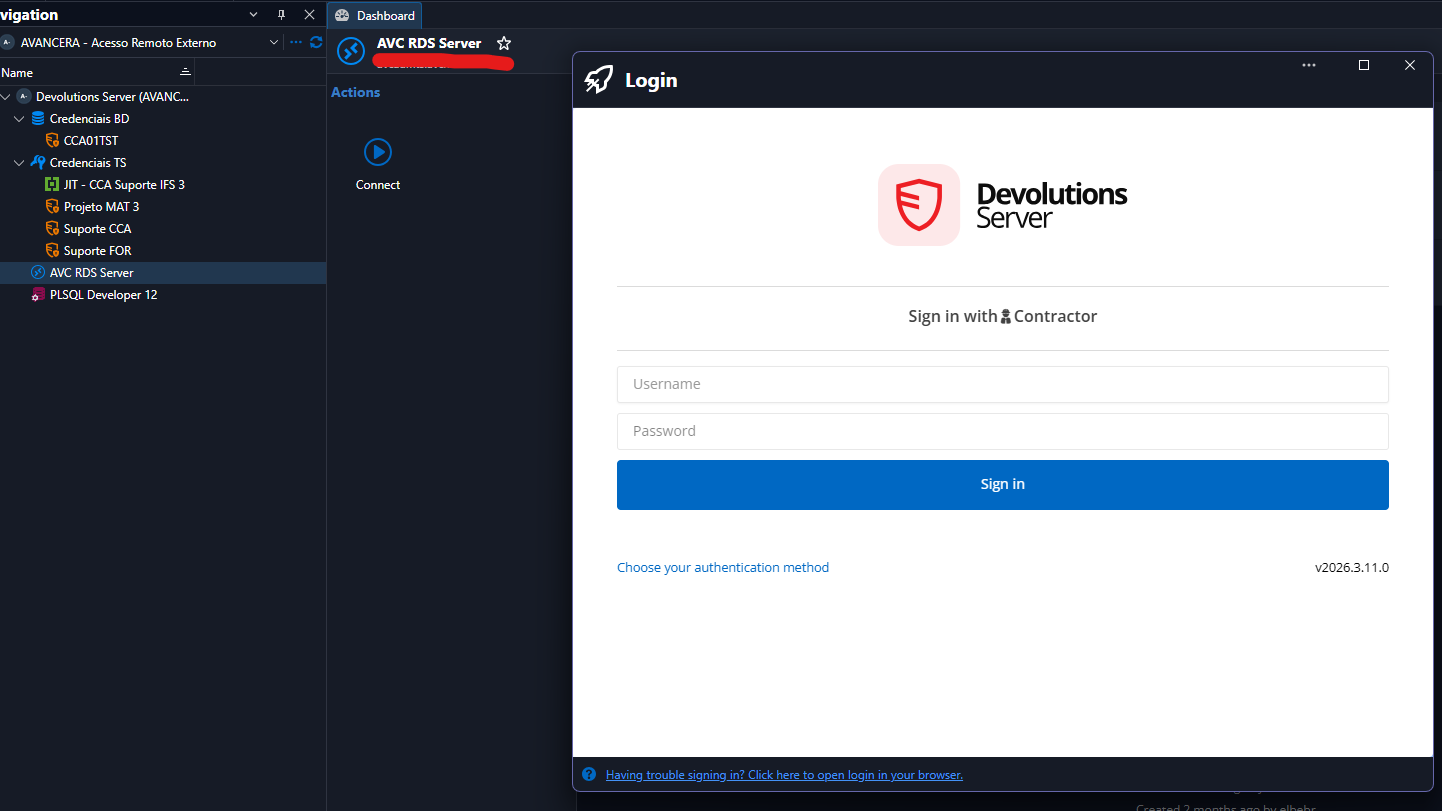
I've already tried every combination in this entry configuration section, but nothing worked... 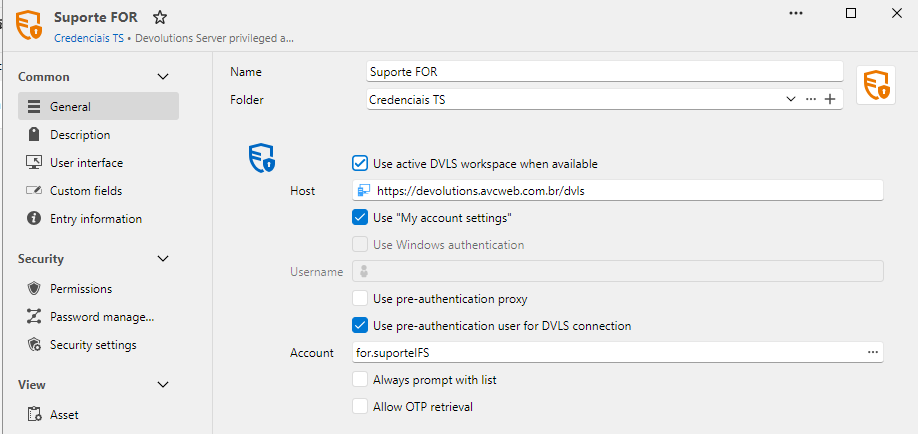
Is there a way to avoid that once the user is already logged in Launcher, using the same DVLS?
Meanwhile, using the web interface, it asks for this specific setting that I've already have enabled... Am I missing something here too? :P
I don't know if the use of privileged accounting in web session is already available... I have just resumed our POC after one month and a lot of changes took place since I last used DVLS PAM, but I remember that the error was different, so, that's why I'm asking... ;)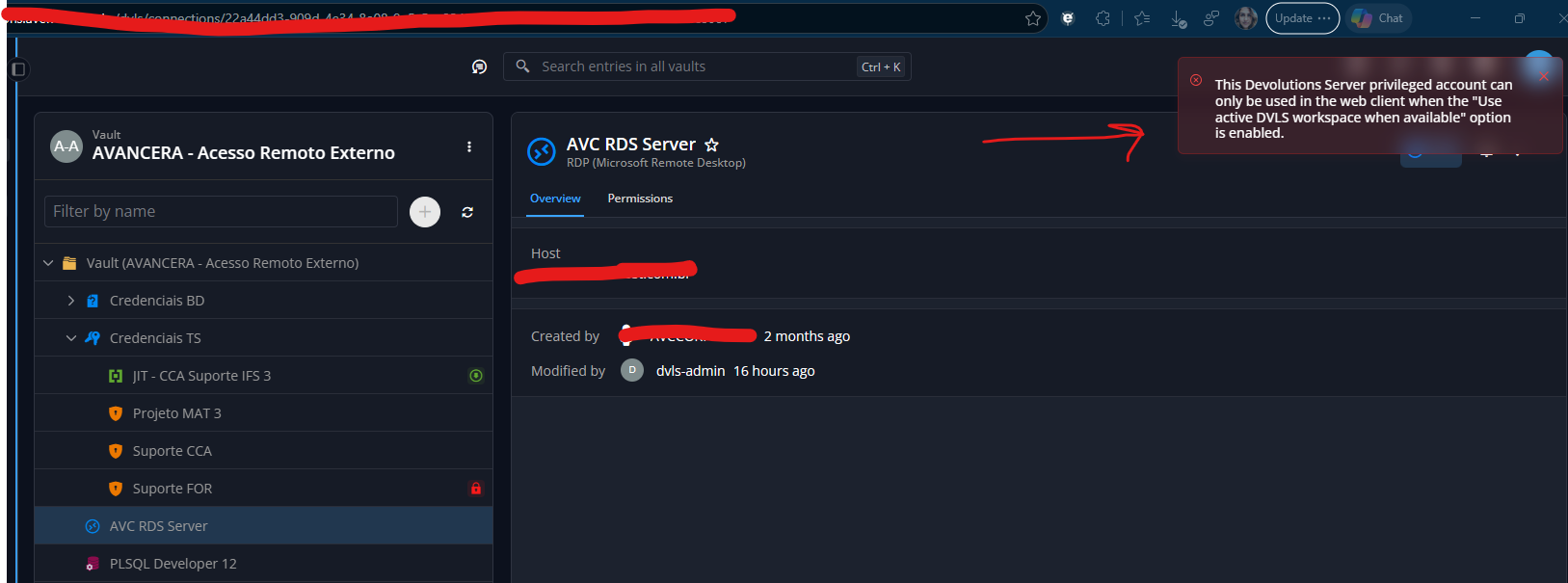
Regards!
Elaine Berenguer
8e5c7b7b-2ded-47e2-80ff-68a9c54e2044.png
08d8c6e0-adf0-458b-b4c9-ab610c6a41a4.png
0a7480fe-59c6-4b01-a457-43ce46a92f60.png
a12464fc-de6b-4365-b6cc-c6fbab510cc9.png
All Comments (3)
Hi Elaine,
Thank you for the detailed post and the screenshots, and sorry it took us a few days to get back to you.
Here is what we found so far for each behaviour.
Launcher: Devolutions Server login prompt
When Use active DVLS workspace when available is enabled, the privileged account entry should use the session you already have in the Launcher. The login window you see means the Launcher did not find an active Devolutions Server data source to use. It then opened a new connection to the URL in the Host field, which is why you are asked to sign in again.
This usually happens in one of these situations:
- The option is enabled on Suporte FOR, but not on the other privileged account entries (Projeto MAT 3, Suporte CCA).
- The Launcher is running in offline mode or from its local cache, so the active data source is not seen as a live Devolutions Server connection.
Web interface: “Use active DVLS workspace” error
Your configuration (active workspace + “My account settings”) is supported in the web interface. However, this error can also appear when the privileged account cannot be resolved for the signed-in user, even if the option is enabled. The most common cause is a permission issue: the contractor user needs the right to use the privileged account itself (for example for.suporteIFS) in the PAM vault. Being allowed to see the entry in the contractor vault is not enough.
To narrow it down, could you share the following?
- The version of the Launcher you are using (Help > About).
- The settings of the other two privileged account entries, and whether the login prompt appears for all three or only some of them.
- Whether the Launcher is connected online to your Devolutions Server data source, or running in offline or cached mode.
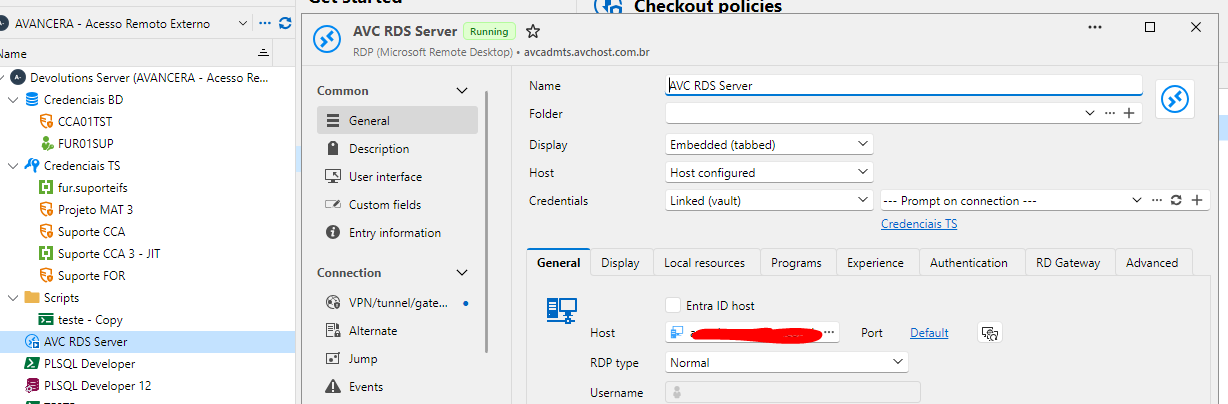
- How the credentials are configured on the AVC RDS Server RDP entry: linked to one entry, or set to prompt with a list from the Credenciais TS folder.
- Whether the contractor user has permission to use the PAM accounts behind these entries (for example for.suporteIFS) in the PAM vault.
This information could help us find the cause of both behaviours.
Best regards,
Simon
Thanks Simon!
Regarding "Launcher: Devolutions Server login prompt", I left only and today it worked... I believe it had something to do with working offline, because today I connected to RDS without prompting for credentials again. Thank you very much.
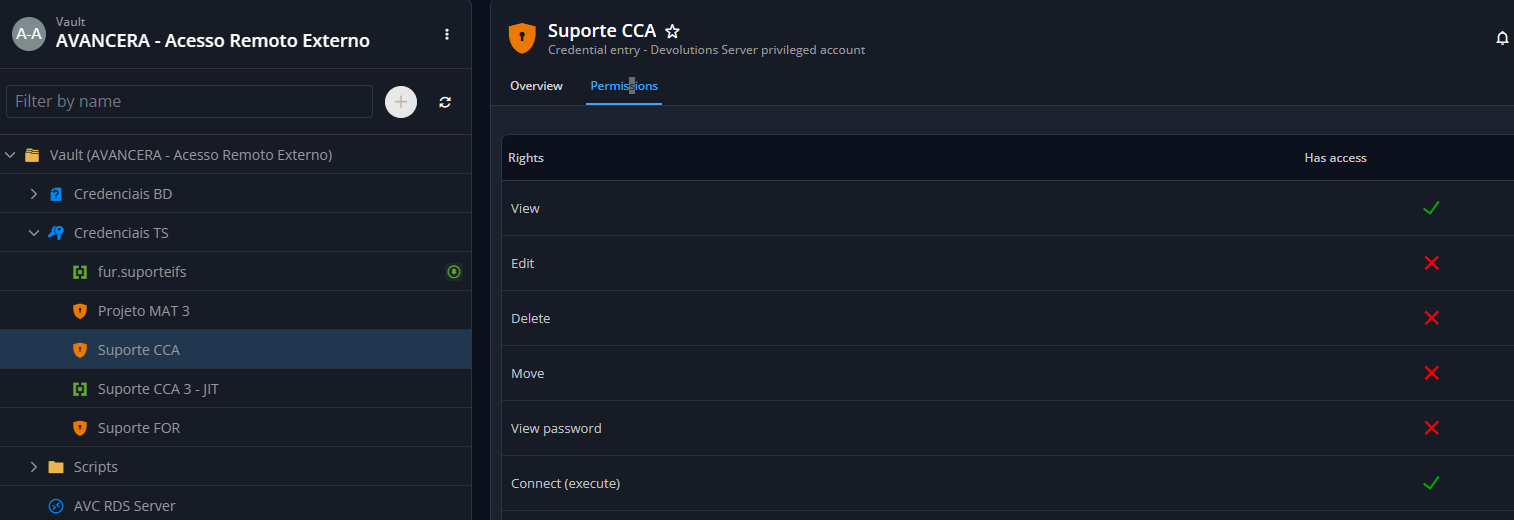
About "Web interface: “Use active DVLS workspace” error", the entry in PAM Vault is configured to View, Connect and Checkout for the contractor account. The DVLS Privileged Account entry is configured with View and Connect... The RDS entry is configured to prompt the accounts available on " Credenciais TS" folder: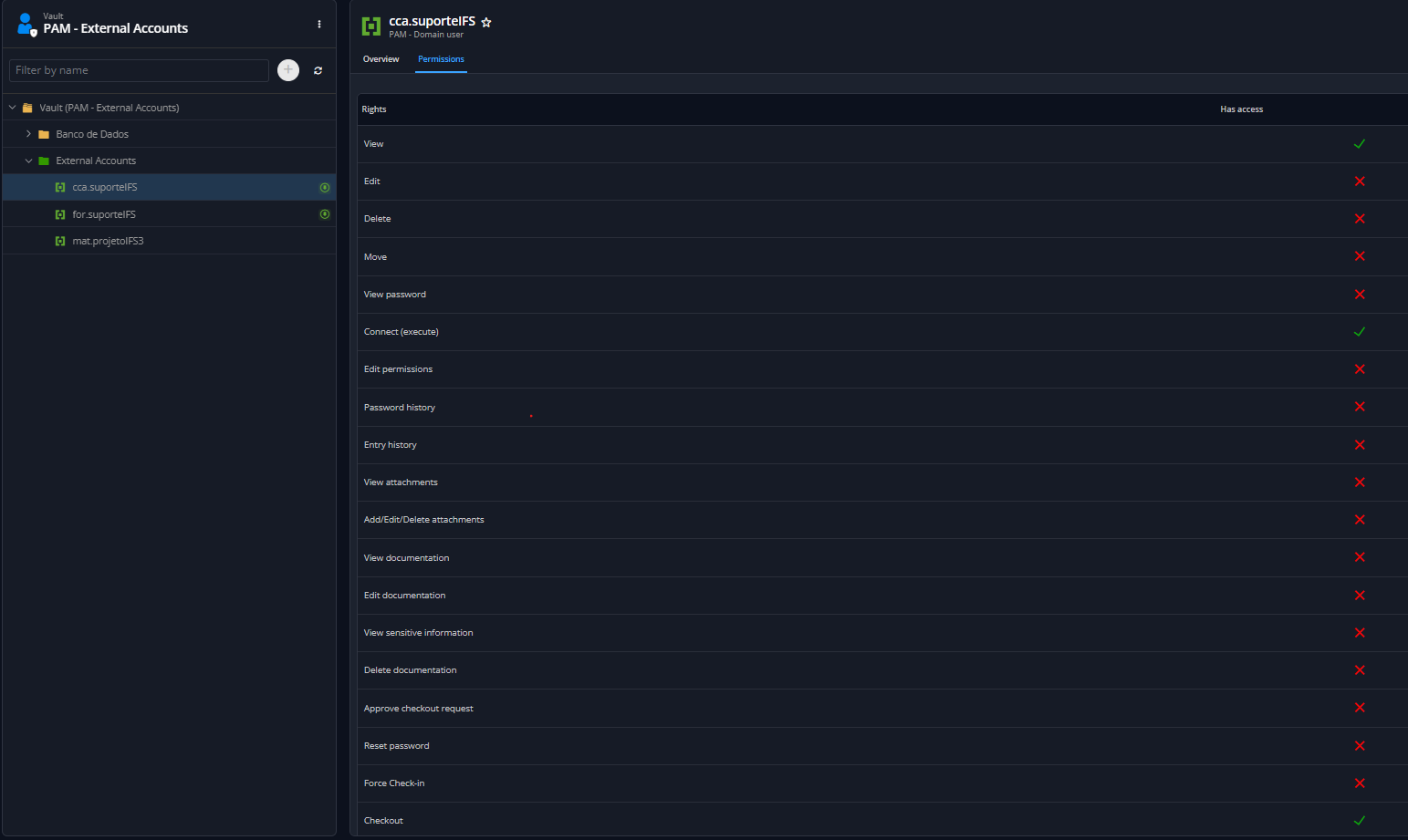
With this very same configuration, the connection is established using Launcher.
Regards,
Elaine Berenguer
c22d4baa-bfaa-45b1-ae4d-5b37885f117f.png
89a895f5-7712-4785-b625-038b45ec74a3.png
7e5ac24b-c23b-40c1-aee1-e572138b9896.png
Hi Elaine,
Glad the Launcher is working now, thanks for confirming.
About the web interface error: the check is made on the DVLS Privileged Account entry you pick from the list, not on the RDS entry. Since AVC RDS Server prompts with the Credenciais TS folder, the web client checks whichever entry you select (Projeto MAT 3, Suporte CCA or Suporte FOR) when you connect.
In the web interface, a DVLS Privileged Account entry can only be used when it runs against the session you are already signed in with. Each entry needs these settings:
- Use active DVLS workspace when available: enabled
- Use “My account settings”: enabled (or a username that matches the contractor account signed in to the web interface)
The Launcher is more permissive: when an entry does not use the active workspace, it can open a separate connection to the Host URL. That is why the same configuration works there (and why you saw the extra login prompt before). The web interface cannot open a second connection, so it shows this error.
Could you check that Projeto MAT 3 and Suporte CCA have the same settings as Suporte FOR? If the error still shows after that, let us know which entry you picked from the list when it happened.
Best regards,
Simon