Heartbeat/ Password rotation fails

Hi Devolutions-Forum,
I encountered the following problem:
- The accounts are all stored in the same OU in AD
- All accounts have "admin count" set to 1 (The object belongs (or belonged) to the protected objects; permission inheritance is disabled.)
- The Accounts are all members of the protected users group
- The Accounts are member of Domain Admins
- The PAM provider account has delegated rights (Least privileges for Active Directory providers | Devolutions PAM | Product guides & reference)
I managed to set up one account to work by adding the rights of the PAM provider account directly to it.
Then I tried to do the same on the next account, but it fails to rotate the password or heartbeat. -> Error LDAP 49.
Additionally, the values in domain, UPN, SAM account name and NetBIOS name are not populated in the not working PAM account.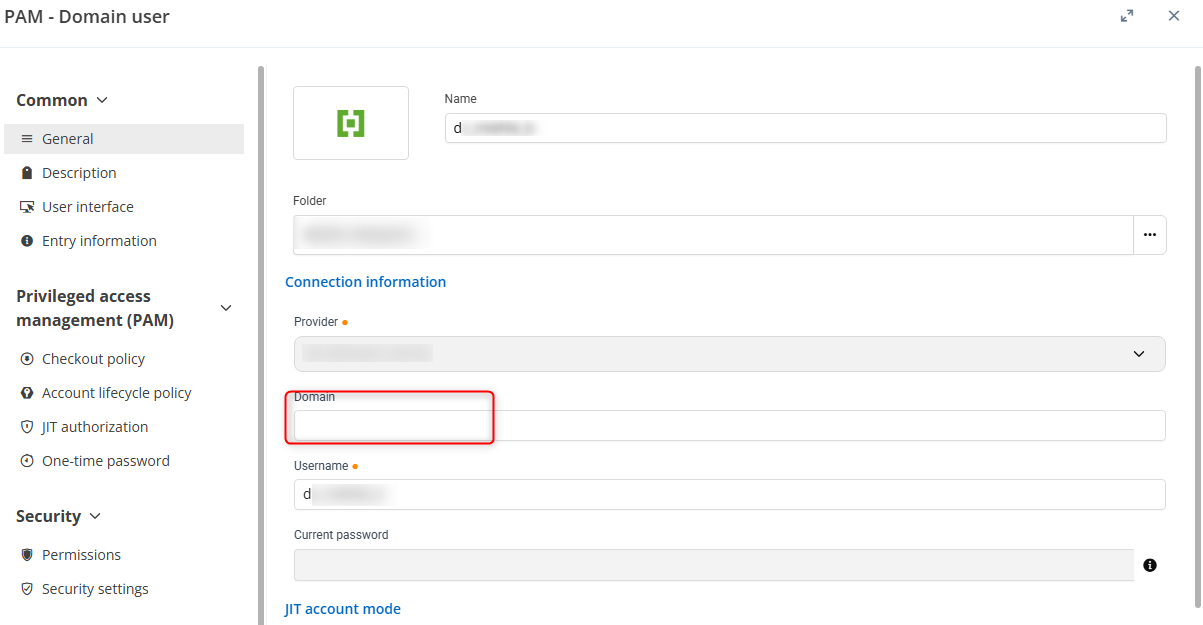
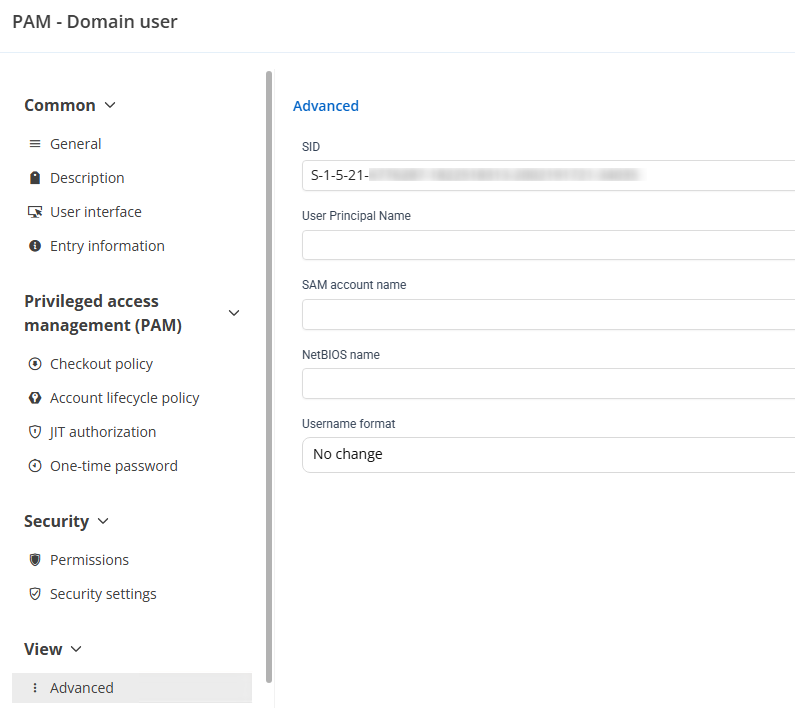
Is there anything missing? Is it the right way to assign the rights directly on the user?
Best wishes
d8501e9f-5a4e-4ec0-b56f-0a6aa94a1df2.png
eef1a4cb-8390-4397-abab-bcd25b71be69.png
All Comments (1)
Hi @baehrm
The issue may be related to a Group Policy setting in the Default Domain Controllers Policy. Could you please verify the “Access this computer from the network” setting at the following location?
Group Policy Management > Default Domain Controllers Policy > Edit > Computer Configuration > Policies > Windows Settings > Security Settings > Local Policies > User Rights Assignment
If the setting is “Not Defined,” please configure it to include “Authenticated Users.” After applying the change, run the following command on the affected domain controller(s) to refresh Group Policy:
gpupdate /force
Once the policy has been applied, please run a synchronization check for your PAM accounts and confirm whether the issue is resolved. 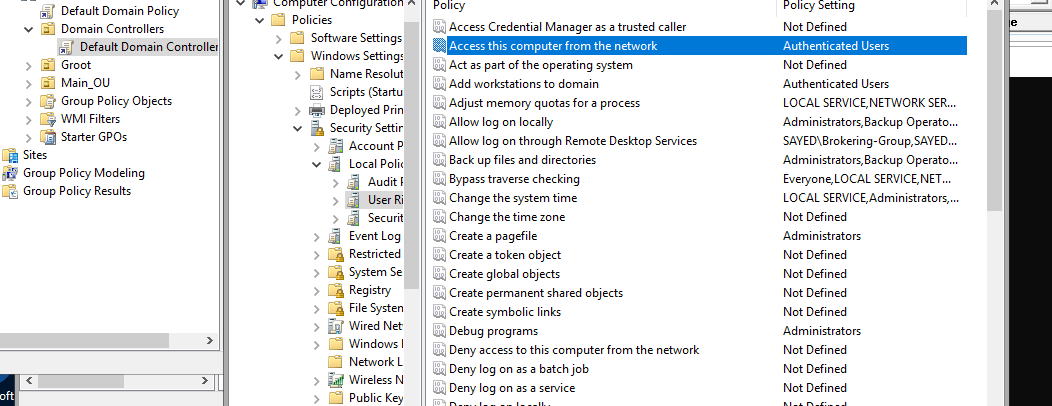
2026-10-20_14-36-40.PNG