Connect your AI service to PowerShell Universal with MCP
Connect your AI service to PowerShell Universal with MCP

You can connect an AI service to PSU, ask questions in plain English, and have it use the PowerShell tools you choose to expose. The connection uses MCP (Model Context Protocol), a standard way for AI applications to work with external tools and data. Through its MCP-capable client, the AI service calls a tool, PSU runs the PowerShell, and the AI service uses the returned result in its answer.
You’ll need an AI service with an MCP-capable client. That could be a commercial AI service, or an application connected to a large language model (LLM) your organization provides. In either case, you need a compatible application and model that can work with tools. Familiar MCP-capable options include GitHub Copilot in VS Code, Codex and Claude Code.
I built Incident Command Center (ICC) as a working example so you can try this connection and see how you might use it yourself. Version 0.1.3 is now available as a regular release.
ICC provides a small incident rehearsal at fictional Acme Inc. Once connected, try asking your AI service:
Use ICC_Demo_Incident. What needs attention in the current rehearsal? Acknowledge it, check that the response was saved, try acknowledging it again, and prepare a handoff. Stop if any tool call fails.
The AI service uses PSU tools to carry out that workflow. You can then check the same saved response in the dashboard. The warning is synthetic; the acknowledgment is a real record saved on the server, and it performs no service repair.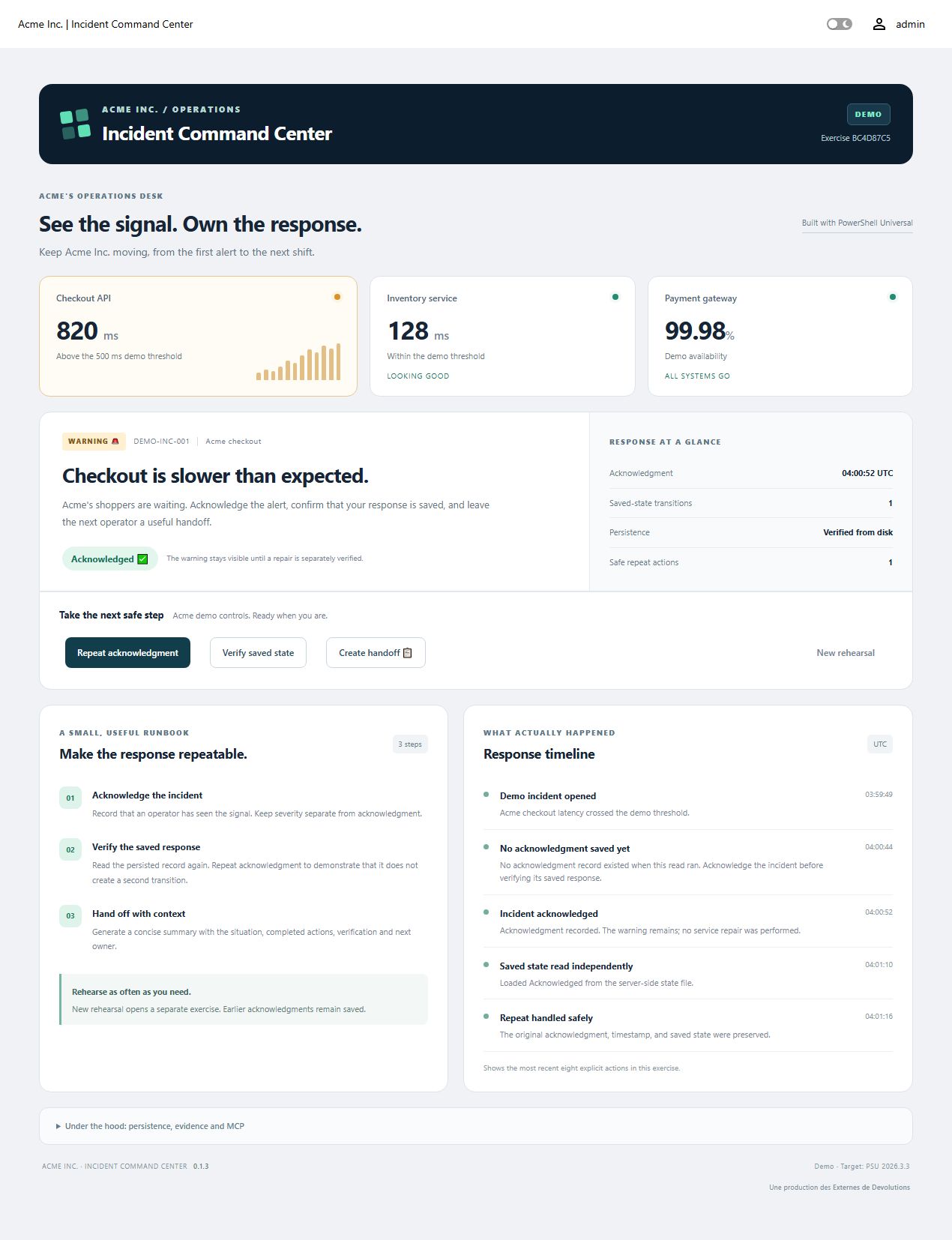
ICC is a starting point for learning the pattern. You could build other PSU tools to answer questions about your automation, retrieve application data or run selected administrative workflows.
Start with the 0.1.3 download, README and FAQ, and MCP connection guide. Existing installations should follow updating and recovery.
This example targets Windows, PSU and Devolutions.PowerShellUniversal 2026.3.3, and PowerShell 7.5.4 or later, with an app-capable PSU license and an Administrator app token. The documented AI walkthrough was tested with Codex; other clients and organization-provided model setups need separate validation. It remains a single-server learning example.
If you’ve been looking for a practical way to try AI with your existing PowerShell work, I hope this gives you a useful place to start.