Problem with Modules on PSU Host

Hello,
I've upgraded to the latest PSU Version 2026.3.0 and now the Scripts using installed modules on the PSU Host cannot be found anymore. I'm getting the following error: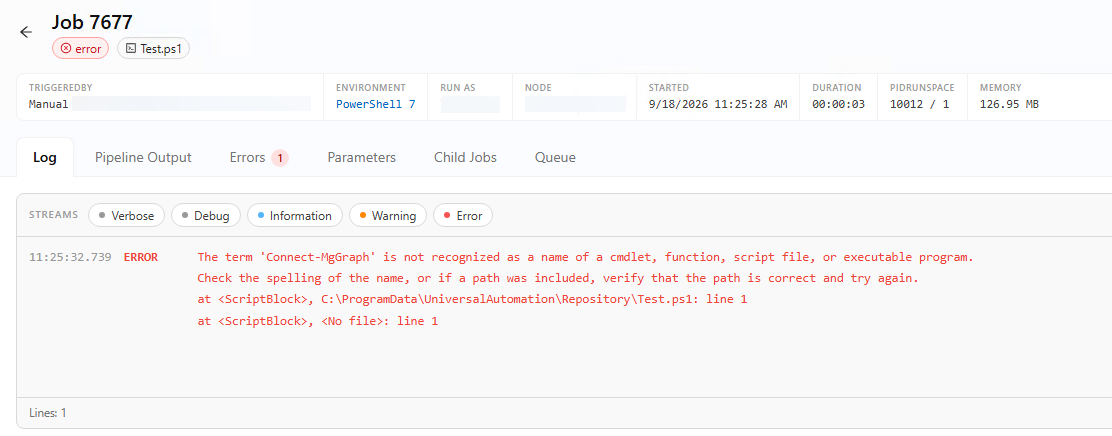
Inside the script im just using the Connect-MgGraph cmdlet.
Running the script on the Host directly in Power Shell works without problems, also running the cmdlets works.
In Manage > Modules in PSU the Modules are available for both integrated and Power Shell 7 Environments: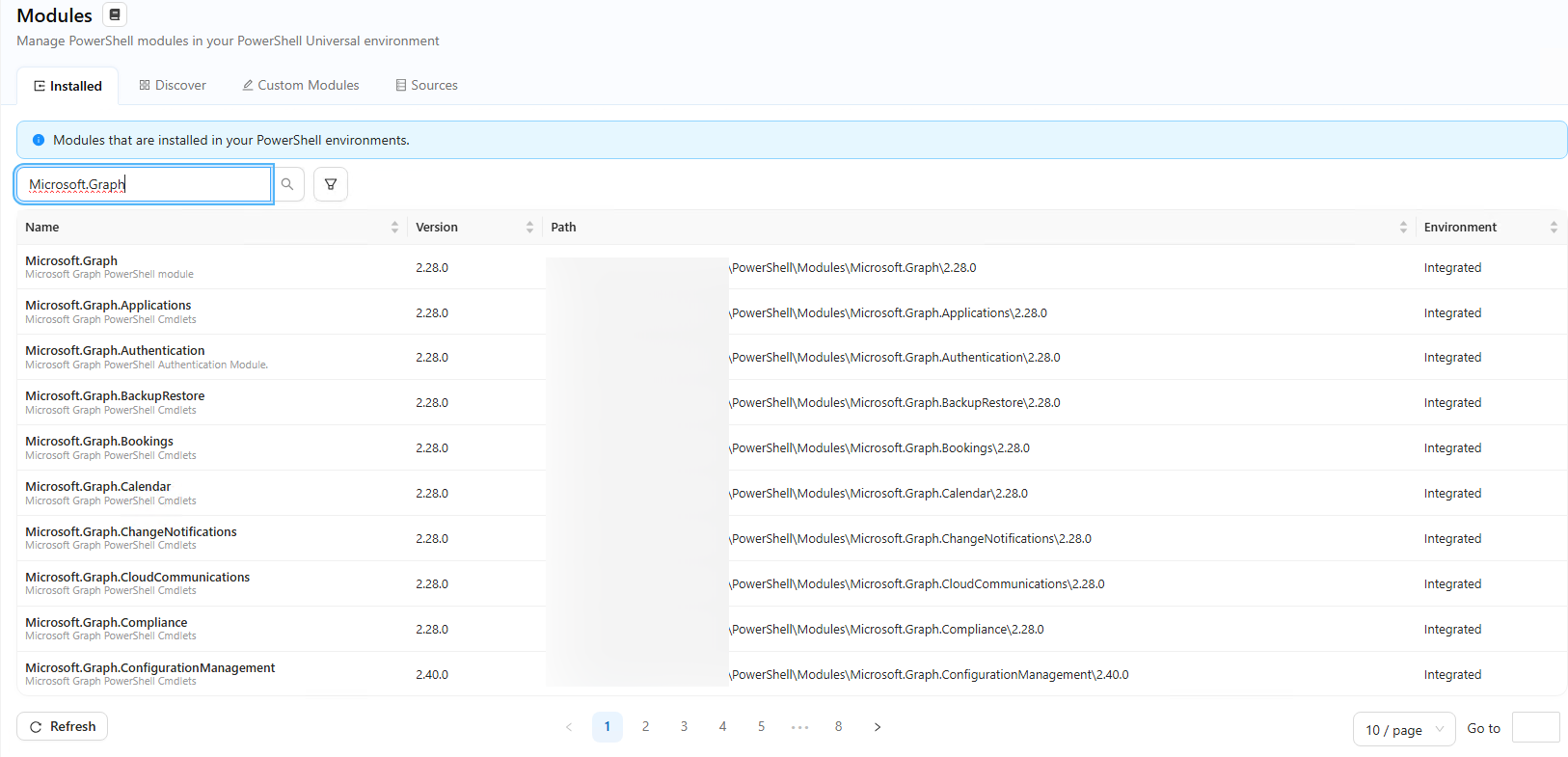
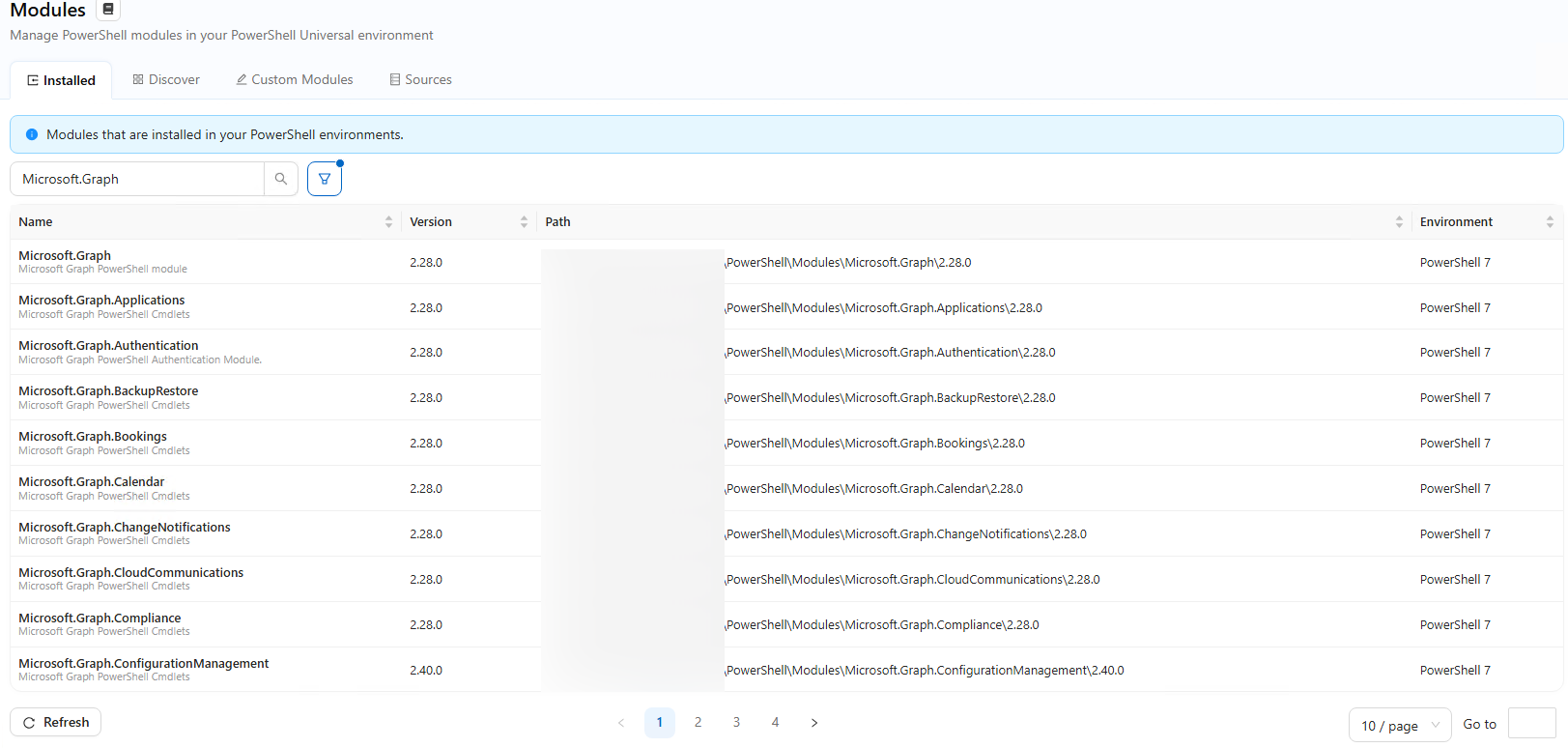
f6528a04-238d-451c-9eb4-5a3a67ce2d29.png
e9532cf2-c7ee-4865-a4a4-e200d70c1fb3.png
567e6b46-d888-436f-ab93-216206bdadc9.png
All Comments (5)
Hello @simon
Thank you for reporting this and for including the screenshots.
I can see that PSU detects the Microsoft.Graph modules for both the PowerShell 7 and Integrated environments, while the automation job running under PowerShell 7 is unable to resolve Connect-MgGraph.
To help us narrow down whether this is related to module discovery, importing, or the execution environment after the upgrade to PSU 2026.3.0, could you please confirm:
• Which PSU version were you running before upgrading to 2026.3.0?
• How is PSU hosted, for example Windows Service, IIS, ZIP, or Docker?
• Does this affect only Microsoft.Graph, or are other installed modules also failing?
• Is the PSU service running under the same Windows account used when the cmdlets work directly from PowerShell?
If possible, please also run the following from the same PowerShell 7 environment used by the failing job and share the sanitized output:
$env:PSModulePath -split [IO.Path]::PathSeparator
Get-Module -ListAvailable Microsoft.Graph.Authentication | Select-Object Name, Version, ModuleBase
Get-Command Connect-MgGraph -All -ErrorAction SilentlyContinue
Import-Module Microsoft.Graph.Authentication -Verbose -ErrorAction Stop
If we need to review PSU logs, please send only the relevant logs covering the time of the failed execution directly to:
ruben.tapia@ironmansoftware.com
Because this is a public forum, please sanitize all evidence before posting. Remove credentials, tokens, license keys, cookies, private keys, full connection strings, email addresses, usernames, customer data, tenant or account identifiers, internal domains, hostnames, IP addresses, and private URLs. Please do not upload unredacted HAR files, memory dumps, database backups, or complete configuration files to this public thread.
Best regards,
Ruben Tapia
Hi @rubentapia
Thank you for your response. Find following all information you requested.
Which PSU version were you running before upgrading to 2026.3.0?
V2026.2.5.0
How is PSU hosted, for example Windows Service, IIS, ZIP, or Docker?
Windows Service
Does this affect only Microsoft.Graph, or are other installed modules also failing?
Also for other modules. (e.g. ExchangeOnlineManagement)
Additional, i can see that not all installed modules are listed in PSU, even they are listed if use "Get-Modules -ListAvailable" on the Host.
Is the PSU service running under the same Windows account used when the cmdlets work directly from PowerShell?
Yes, we use a Service User which runs the Service and also the scripts in PSU.
Output of the Commands:
[2026-09-22T05:53:33.2897810Z] [Information] C:\Users\*****\Documents\PowerShell\Modules
[2026-09-22T05:53:33.2921030Z] [Information] C:\Program Files\PowerShell\Modules
[2026-09-22T05:53:33.2936180Z] [Information] c:\program files (x86)\universal\hosts\7.5\Modules
[2026-09-22T05:53:33.2948490Z] [Information] C:\Program Files\WindowsPowerShell\Modules
[2026-09-22T05:53:33.2960020Z] [Information] C:\WINDOWS\system32\WindowsPowerShell\v1.0\Modules
[2026-09-22T05:53:33.2968520Z] [Information] C:\Program Files (x86)\Universal\Modules
[2026-09-22T05:53:33.9828590Z] [Error] The running command stopped because the preference variable "ErrorActionPreference" or common parameter is set to Stop: The specified module 'Microsoft.Graph.Authentication' was not loaded because no valid module file was found in any module directory.
Running the commands in a PowerShell 7 on the host directly works without any errors, if that output is relevant
Hello @simon
Thank you for the detailed follow-up. This is very helpful.
The new information confirms that the behavior is not limited to Microsoft.Graph. Other modules, such as ExchangeOnlineManagement, are also affected, while the same modules work when running PowerShell 7 directly on the host under the same service account.
We also now have a clear version comparison: the issue was not present on PSU 2026.2.5.0 and appeared after upgrading to 2026.3.0.
Before we move to a controlled reproduction test, could you please provide two additional items?
1. From the PowerShell 7 session on the host where the module works, please run:
Get-Module -ListAvailable Microsoft.Graph.Authentication |
Select-Object Name, Version, ModuleBase
You can post the sanitized output here.
2. Please send the relevant PowerShellHost logs covering PSU startup and one failed job execution directly to:
ruben.tapia@ironmansoftware.com
Please also confirm whether the PowerShell 7 environment has any custom configuration under Resources > Modules or Resources > PSModulePath.
With this information, we should be able to determine whether the failure is related to module path initialization or module loading within the PSU execution environment and then proceed with a comparison against 2026.2.5.0 if necessary.
Best regards,
Ruben Tapia
Hi @rubentapia
1. From the PowerShell 7 session on the host where the module works, please run:
Name                           Version ModuleBase
----                           ------- ----------
Microsoft.Graph.Authentication 2.40.0  C:\Users\*****\Documents\PowerShell\Modules\Microsoft.Graph.Authentication\2.40.0
Microsoft.Graph.Authentication 2.28.0  C:\Users\*****\Documents\PowerShell\Modules\Microsoft.Graph.Authentication\2.28.0
We don't have any custom configuration for the PS7 Environment: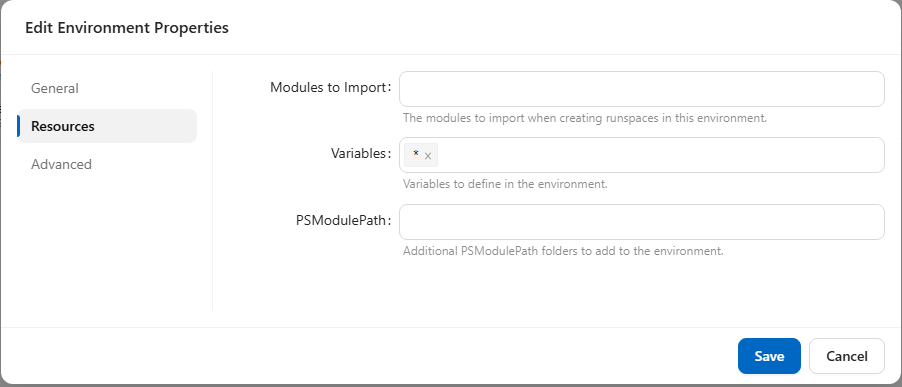
I've also sent you the logs of the failed job directly.
Thanks!
2f282cce-e8bd-472d-ae9b-cfde3c4326ee.png
Hello @simon
Thank you for the additional information and for sending the logs.
I reviewed the logs as well, but they did not provide any additional details that clearly explain why the modules are not being discovered within the PSU PowerShell 7 execution environment.
At this point, considering that the behavior started after upgrading from 2026.2.5.0 to 2026.3.0, affects multiple modules, and the same modules continue to work correctly when PowerShell 7 is run directly on the host, we have enough evidence to proceed with an internal escalation for further review.
I will include the environment details, module discovery results, and the information you have provided so far as part of the escalation package.
Thank you again for your cooperation and for helping us narrow this down.
Best regards,
Ruben Tapia