Favorites in app menu
1 vote

User wants to be able to quickly open (favorite) connections from the iOS app icon menu.
All Comments (3)
Hello,
Thank you for your feedback. I will create a ticket so we can look into this further, though we cannot provide a timeline at this time.
Just to make sure there is no misunderstanding, are you referring to the Quick Actions menu that opens when you long-press the app icon on the Home Screen, as shown in the following screenshot?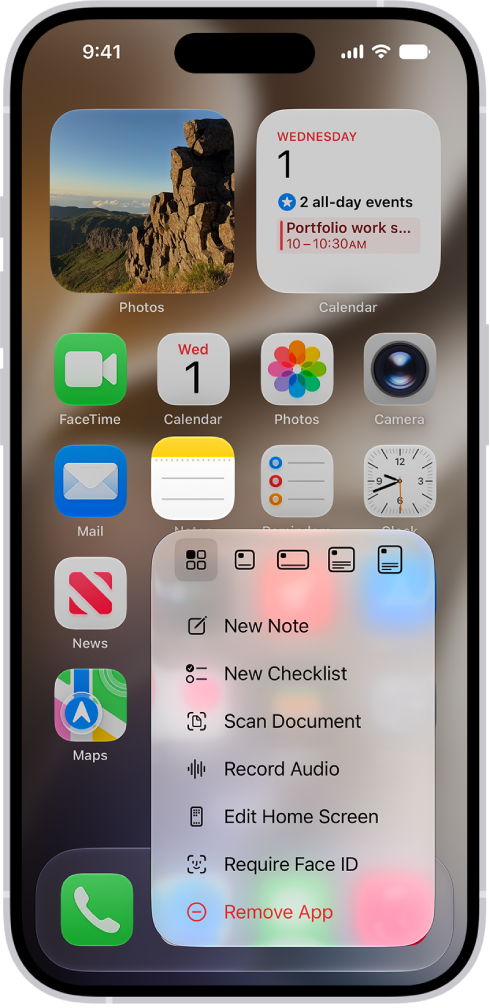
In the meantime, RDM already has a setting that allows you to change the application's default startup screen. You can achieve what you are looking for by going to the application settings, selecting General, and then Startup screen. From there, you can select the Favorites tab.
Best regards,
Nicholas Lachapelle
32053c3a-e95e-4966-ba0e-7deb9b73d264.png
Quick Actions, this is the right term.
Yes, the Startup Screen is a known feature, but 99% of my daily usage is launching connections, which takes a bit longer than it could :)
Quick Actions, this is the right term.
Yes, the Startup Screen is a known feature, but 99% of my daily usage is launching connections, which takes a bit longer than it could :)
@mond-luecken6s
Thank you for the quick reply. I will add these details to the ticket, and we will make sure to keep you informed of any progress.
Nicholas Lachapelle