Issues with RDP scaling in 2026.3

Before 2026.3, the default when using a HiDPI display with for example 200% scaling (my external screen) or 166% scaling (my laptop screen) and connecting to a remote desktop machine (RDP), was that it would render the remote machine with 100% scaling, but upscale that according to my clients scaling settings.
That would lead to the display being somewhat blurry, but showing all content with the correct size and rendering really fast as it didn't need to fetch 4 times the amount of data to be able to render it pixel perfect on my screen with 200% scaling.
In practically all my usage, this is the perfect balance between speed and quality (mostly preferring speed I guess, but still), so I was quite disappointed when it now can't do that any more.
In 2026.3.0.5, it renders the remote machine with the same scaling as my client by default (even though the settings are set to the same values as before: 100%), which looks quite good but is much slower, and no matter what I set the settings in General->Display->Scaling to, it seems to be impossible to make it behave like it did by default in 2026.2.
I'm using Ubuntu 26.04 with Gnome/Wayland
All Comments (6)
Hello,
I know that we had scaling issues within RDM Windows, but I don't know if those issues are related to the one that you are encountering on RDM Linux.
Is it possible for you to post some screenshots of your issue so that we could perform some comparaison?
Best regards,
Jeff Dagenais
It's not the RDM user interface in this case.
It's the connection itself to RDP hosts.
Even though both the scaling options are set to 100% in the connections properties, it's still not displaying the connection with 100% scaling if my local scaling in the OS is higher, which it did prior to 2026.3
It is instead rendering the remote connection with the same scaling as my client OS, and if that is set to 200% it means 4x as many pixels and much more data to transfer from the host, which makes it considerably slower than before.
If both scaling options are set to 100%, my expectation is that the RDP connection should be rendered at 100% scaling and than be scaled up to my match my OS (like before 2026.3), so that i get a somewhat less sharp image but a faster connection.
It doesn't actually look wrong (so nothing that shows in a screenshot really), it just doesn't follow the scaling setting for the connection anymore.
Prior to version 2026.3.x:
RDP scaling was set to 150% (at 100%, Windows RDP sessions were too small).
Starting with version 2026.3.x:
I set the scale to 100% and had to change the display setting "Screen sizing mode" from "Smart Sizing / Smart Reconnect" to "Dynamic Resolution". Without this setting, I have to scroll horizontally and vertically because the session doesn't fit into the RDP Manager window.
I tested this on the macOS version of RDM now, and the behavior of the scaling for the RDP connections is what I would expect there (more like 2026.2 than 2026.3, at least in my usage).
So the problem I described only applies to the Linux version of 2026.3.0.5. Not macOS, and not previous versions.
Just to make sure you understand what I mean, I also made some screenshots for comparing how this looks on 2026.2.2.2 and 2026.3.0.5.
The details is the relevant part here, so zoom in and read the text in the screenshots of the connections, and compare how they look based on the descriptions.
2026.2.2.2 scaling settings for an RDP connection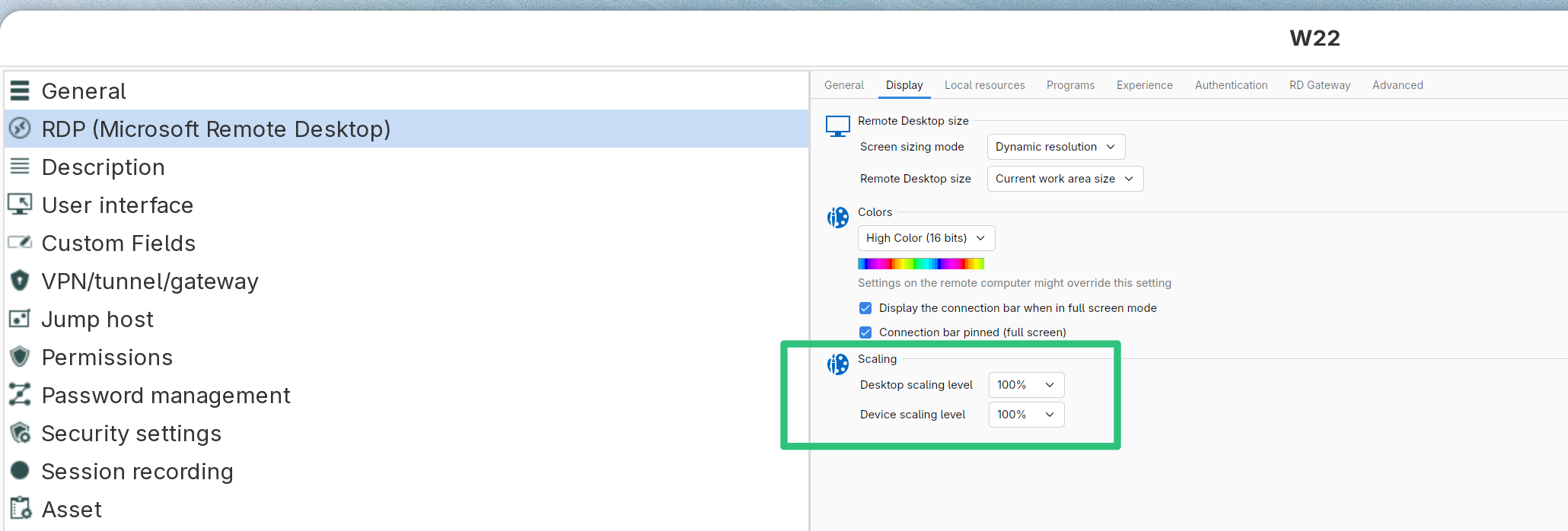
2026.2.2.2 when connected to that same RDP connection (ignore the weird UI scaling of RDM itself in the screenshot, as that's fixed in 2026.3)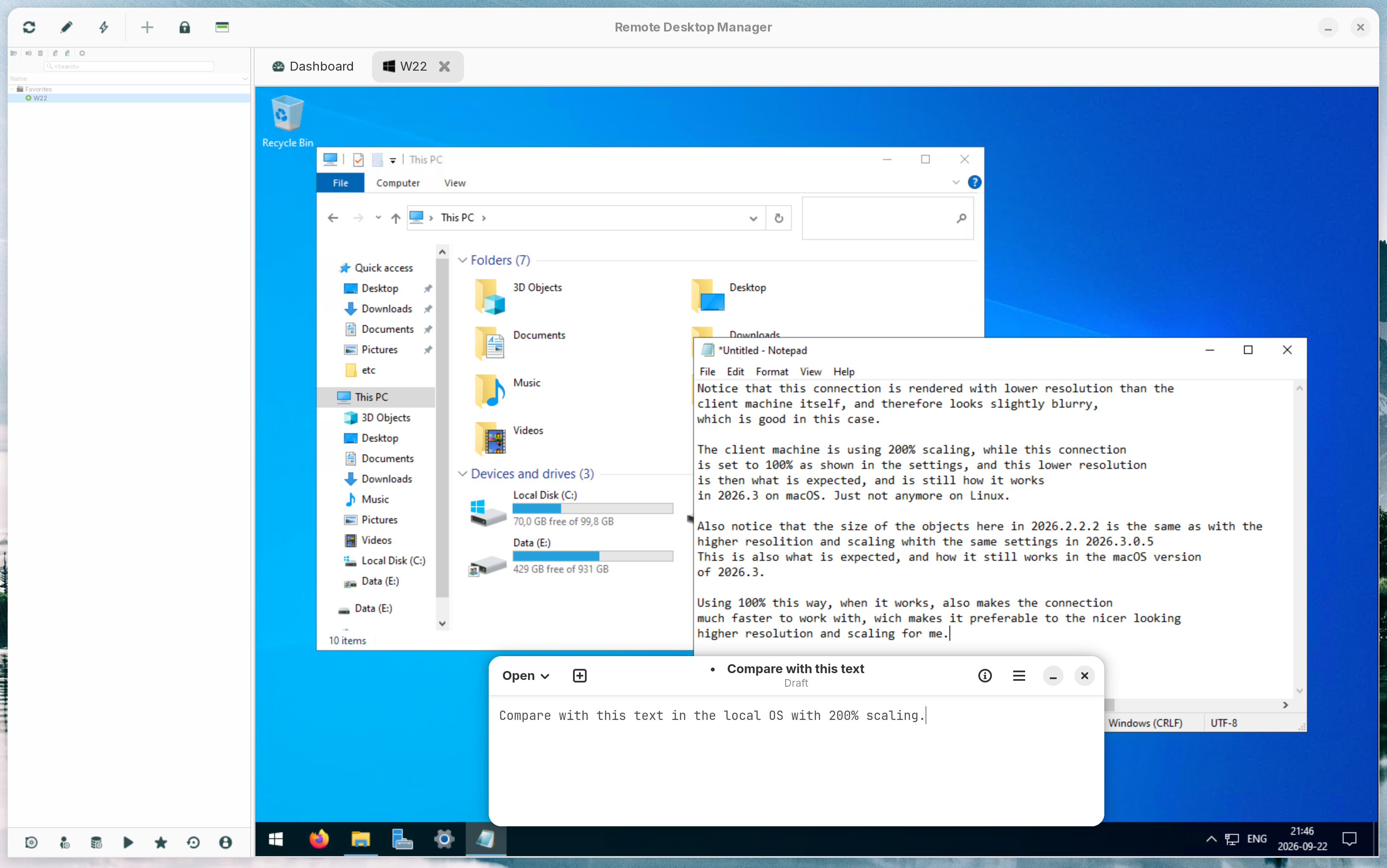
2026.3.0.5 scaling settings for the same RDP connection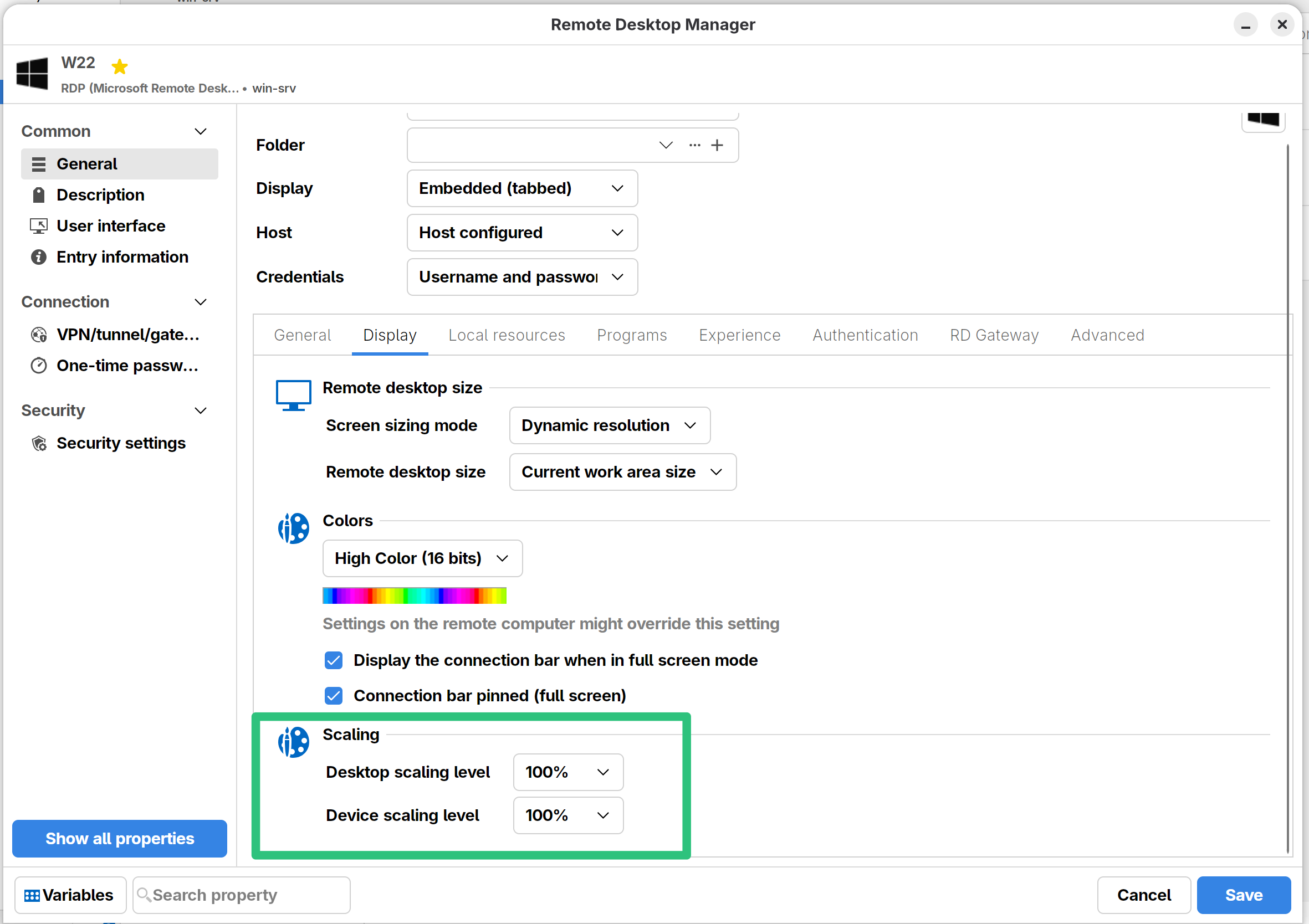
2026.3.0.5 when connected to the same RDP connection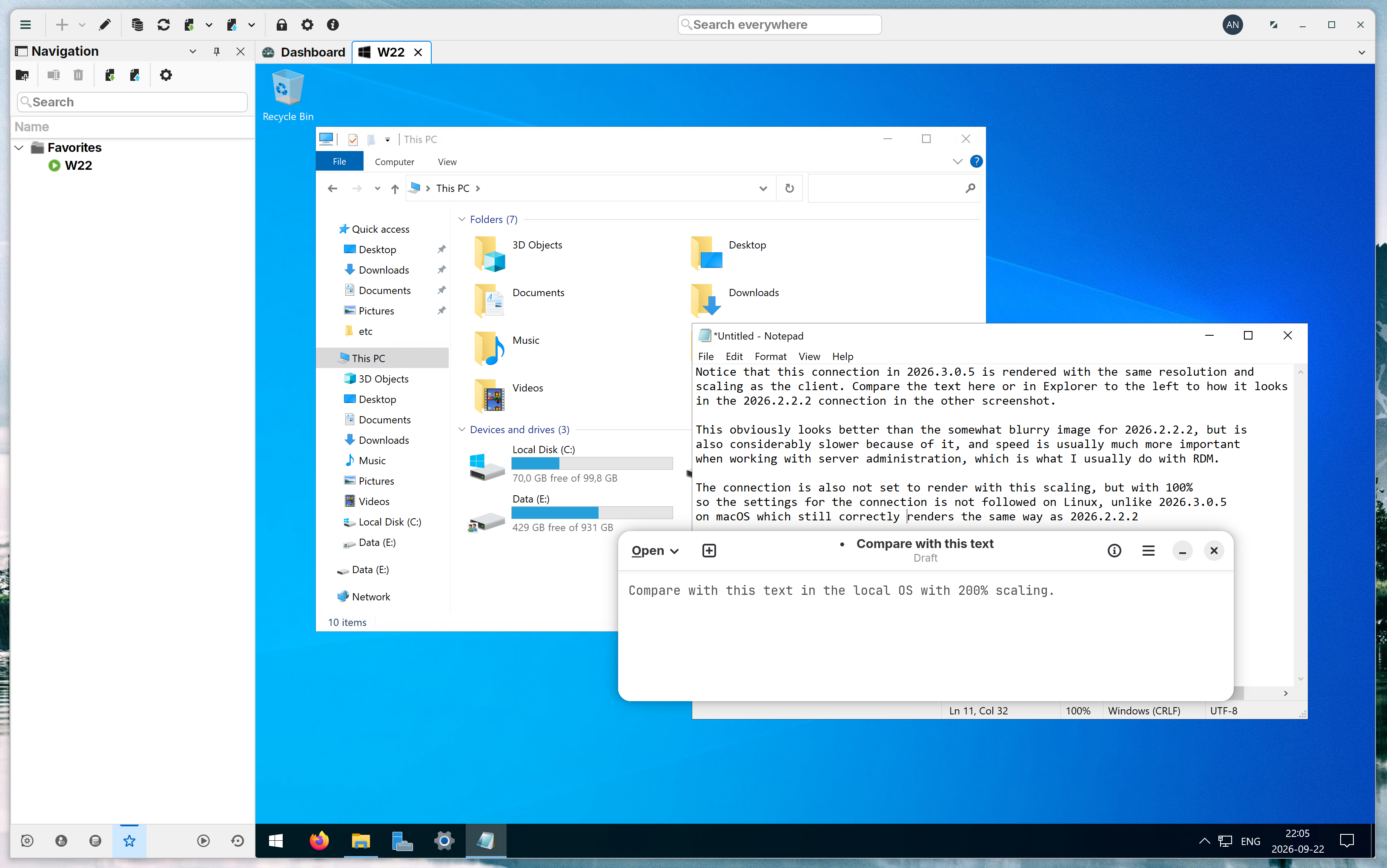
21a40f6d-e68c-48d3-b8ce-7c4c2264f8b9.png
aaf30e7d-9c12-4511-bcdb-232a988ef06c.png
32c62bb3-ac46-4e12-8d79-c870f9aa1b76.png
c6639517-cc7f-4406-bba0-897bf93541c0.png
Hello Andreas,
Thank you for the screenshots and the side-by-side comparison. They confirm exactly what you described.
I shared your case with our RDM Linux developers, and they have confirmed the cause.
What changed in 2026.3:
- Before 2026.3, RDM Linux applied its scaling setting to the whole RDP view. This rendered the session at 100% and let your system upscale it. It was not designed as a feature, but it gave you the fast, slightly blurry mode you relied on.
- In 2026.3, RDM Linux moved to a new user interface framework. It now always renders at your screen's full resolution. On macOS this behavior is an option ("Optimize for Retina displays") that is off by default, which is why RDM macOS 2026.3 still works the way you expect. On Linux it is currently always on, with no way to turn it off.
- The developers also found a bug where your local scale factor overrides the scaling level set in the entry. That is why changing the Desktop and Device scaling levels has no effect.
So this is not a configuration problem on your side. No setting in 2026.3.0.5 can restore the old behavior.
The team agrees that RDM Linux needs an option to choose speed over sharpness again, similar to the macOS option. There is no release date for this yet.
Until then, you have two options:
1. Stay on, or go back to, RDM Linux 2026.2.2.2 if speed matters most for your work.
2. In 2026.3, set a fixed remote desktop size instead of Dynamic resolution. Scaling will not go back to 100%, but less data is transferred, so sessions should feel faster.
I will keep this case open and update you as soon as a fix or the new option is available.
Best regards,
Carl Marien