Devolutions - Can invoke on GET but not POST

Hi Team,
I have created an application level account:
it has access to the necessary vaults.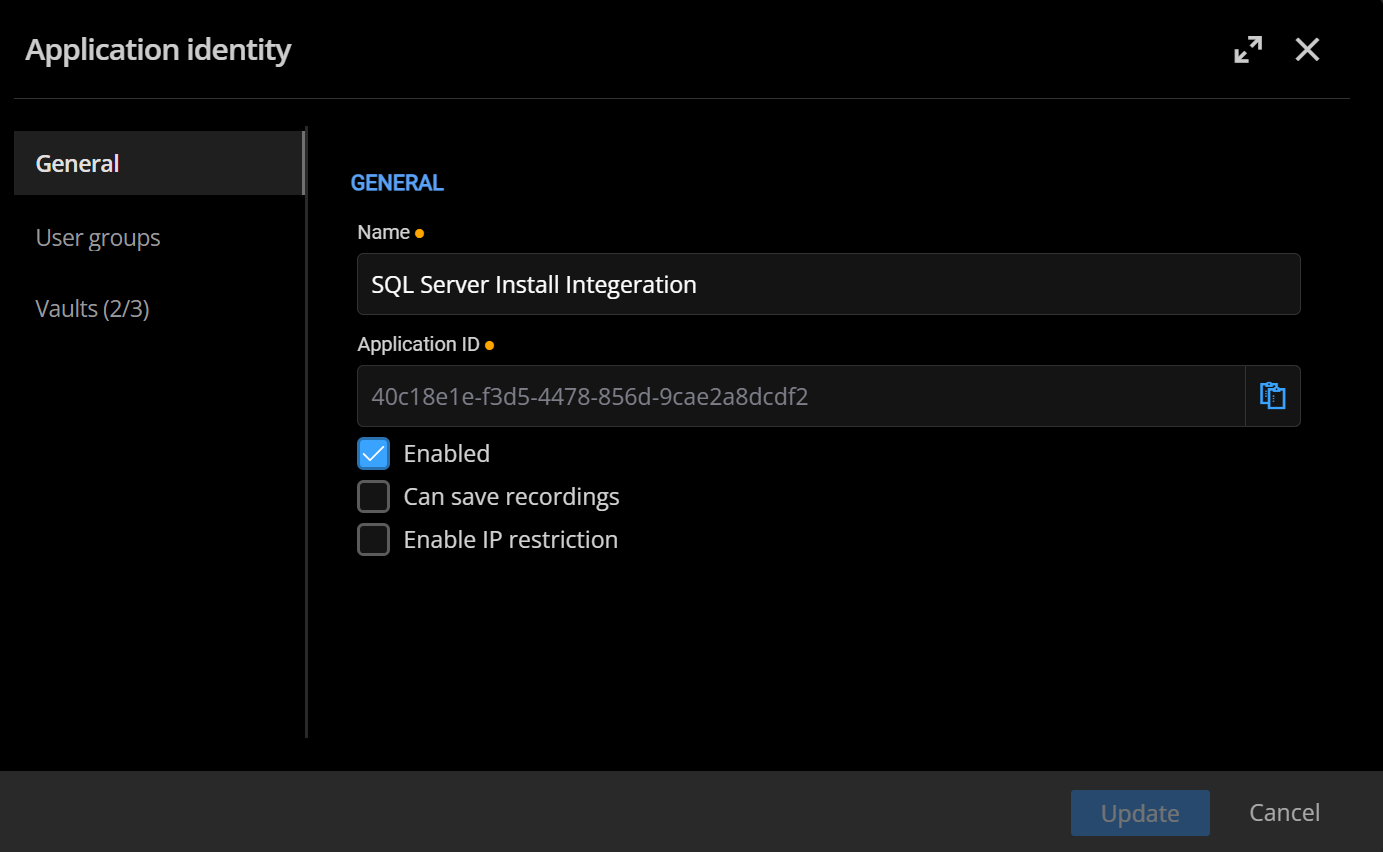
In postman, I can get a token back as well as a GET request on the vault in question. However when I try to send a post in an attempt to create an entry, it says the vault does not exist:
LOGIN
GET Request on specific vault:
POST Request on the same vault: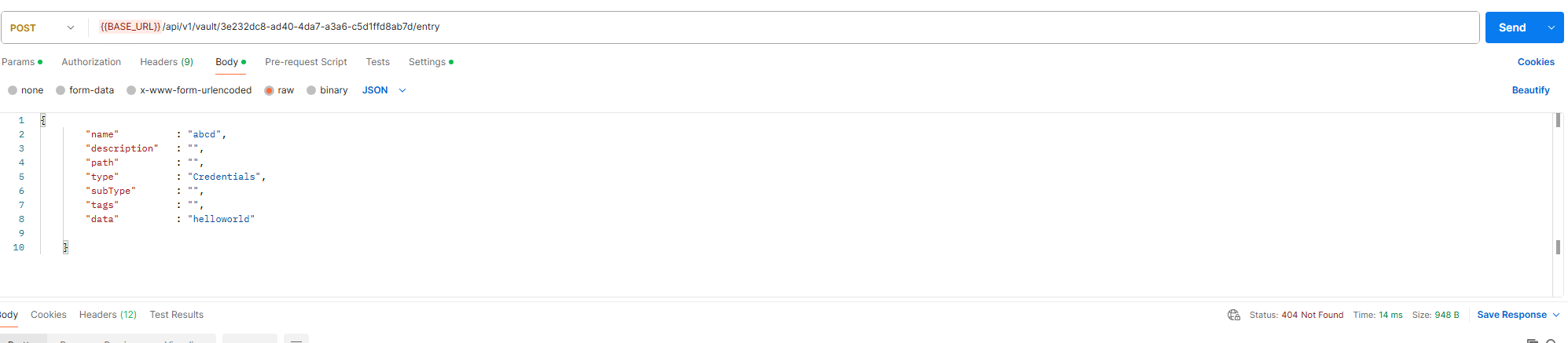
Any ideas?
1180973b-c416-45e3-9425-4ea66c502e0c.png
73fa95d3-6fdc-4e5f-bbc4-0bd6dd8ed869.png
71791214-8af3-4d05-b802-2fb64ac00266.png
1e885f9a-f442-4c53-b301-354cba29d227.png
Recommended Answer
Hi Joseph,
Thanks for testing on 2026.3.7.0, and no worries about the delay. The change in the message is good news: the vault and permission part is now working, and the remaining error is only about the request body.
Yes, Credential entries can be created through the API. The request is missing one field: "subType". For a username and password credential it must be set to "Default". Without it, the server rejects the request with the "entry type is not supported for creation" message.
Here is your request with the field added:
{
"name": "TEST Upload",
"description": "wdw",
"path": "",
"type": "Credential",
"subType": "Default",
"tags": [],
"data": {
"domain": "your domain",
"username": "hello",
"password": "hello"
}
}
Please keep "type" as "Credential" (singular), as you already have it. Please also send this to the same URL as before: /api/v1/vault/{vault id}/entry.
If you later need other kinds of credentials, the subType changes accordingly (for example "PrivateKey" or "ApiKey"). You can list the available types and subTypes with a GET request to /api/v1/entry/definition.
Please let us know if the entry gets created.
Best regards,
Alexis Geller Peiro
All Comments (9)
Hi @jfabrello,
Thanks for the details and screenshots, they're helpful.
Before we dig further, could you confirm a couple of things for us:
Product and version: This looks like the DVLS REST API. Could you confirm which version of DVLS you're running?
1. Application identity permissions on that specific vault
Having read access to a vault (which is what GET uses) doesn't necessarily mean the application identity also has write/create permissions on it. Could you check the "Vaults" tab and the role assignments for this application identity, specifically for the vault with ID 3e232dc8-ad40-4da7-a3a6-c5d1ffd8ab7d, and confirm whether it has permission to create entries there (not just view them)?
For reference, here's our documentation on application identities: https://docs.devolutions.net/server/web-interface/administration/user-and-security-management/applications-identities
2. The URL variable used in your POST request
Looking at your screenshots, the Login and GET requests use {{base_url}} (lowercase), but the POST request uses {{BASE_URL}} (uppercase). Postman variables are case-sensitive, so these could be resolving to two different values. Could you check what {{BASE_URL}} actually resolves to in your Postman environment/globals, and confirm it points to the same server as {{base_url}}?
For reference, here's our REST API documentation, which also has a working sample script for login and requests: https://docs.devolutions.net/server/web-interface/utilities/api-documentation
One more note: the API v1 currently only supports creating entries of type Credentials via POST, other entry types aren't supported. Your request body already uses "type": "Credentials", so this shouldn't be the issue here, but flagging it in case it's useful.
Once we have these two confirmed, we can narrow down where the 404 is coming from.
Best regards,
Alexis Geller Peiro
Hi @Alexis Geller Peiro
We are running at 2025.1.4.0 due to current constraints, we are not in a position to be updating right now.
This option doesnt exist in the drop down for this version of DVLS based on the documentation you have supplied. 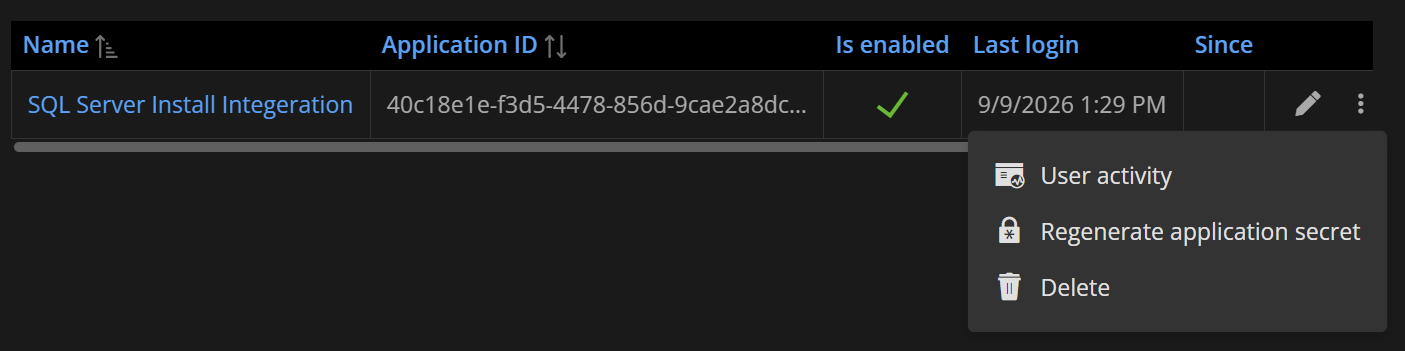
One thing I'd like to clarify here is that if the issue is that the Application identity can read BUT NOT write, shouldn't this throw a 403 rather than a 404?
In regards to Postman, both URLs are actually the same, I can confirm this.
Thanks,
Josepb
25a91291-883f-42a6-ab3d-c10567be095a.png
Hi @jfabrello,
Thanks for confirming that.
To move forward, could you send us a couple of screenshots from your own DVLS console:
- Administration > Vaults, edit the vault in question (ID 3e232dc8-ad40-4da7-a3a6-c5d1ffd8ab7d), and show us how it's currently configured, specifically confirming that the application identity is properly assigned to it.
- Whether this application identity belongs to any user group, and if so, whether that group also has access to this same vault.
This will help us see exactly how access is set up on your end so we can pinpoint where the mismatch is.
We look forward to your feedback.
Best regards,
Alexis Geller Peiro
Hi @Alexis Geller Peiro ,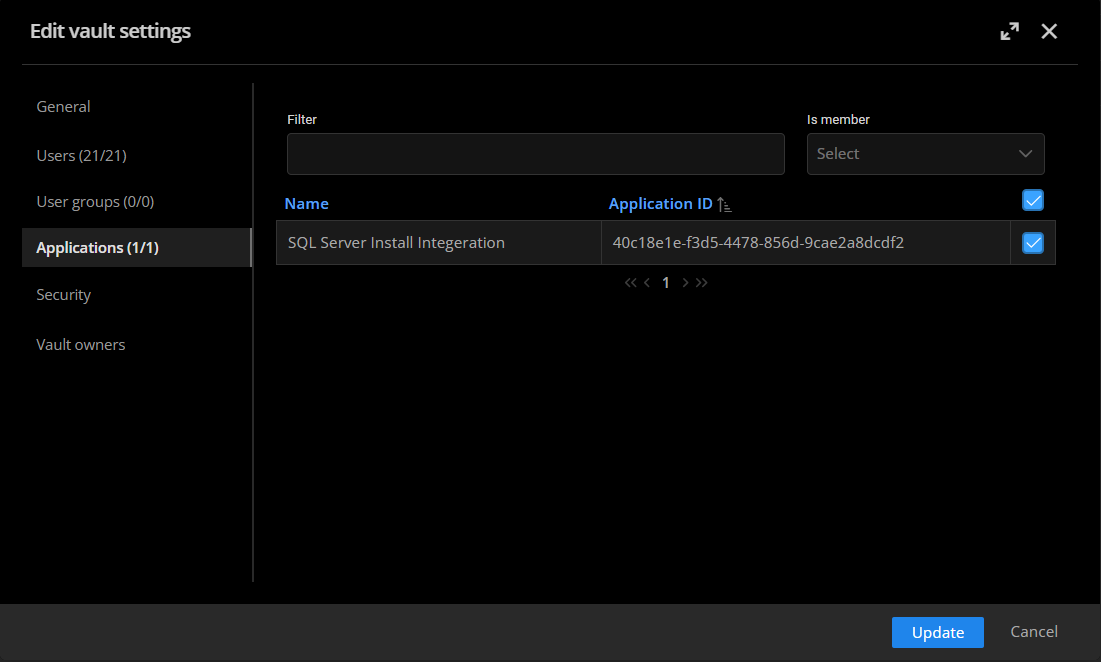 We dont run user groups on our vaults.
Thanks,
joseph
9e5e6e2d-bff9-4a1d-9a45-a2d754ce9220.png
Hi @jfabrello,
Thanks for the screenshot.
We'd like to try one last thing to narrow this down. Could you create a temporary test user group, add this application identity as a member of that group, and grant that group full/admin rights on the vault in question? Then retry the POST request and let us know if entry creation works.
One more thing worth mentioning just in case: in this version of DVLS, it isn't possible to add entries to a user vault. If the vault you're targeting happens to be a user vault rather than a shared one, that could also explain what you're seeing.
We want to be upfront with you: if it still doesn't work after this test, we may not be able to help further. 2025.1.4.0 is no longer a supported version, and this could be a bug that was already fixed in a later release. We understand upgrading isn't an option for you right now, but without support for this version, we wouldn't have a way to keep investigating beyond this point.
Let us know how the test goes.
Best regards,
Alexis Geller Peiro
Hi @Alexis Geller Peiro,
Apologies for the long delay, I have since been testing on the latest version of DVLS.
The message has now changed. As you can see its no longer an issue with the api itself but now it says the "Credential" type is unsupported, based on your previous response, Credential should be allowed correct?
I am on DVLS 2026.3.7.0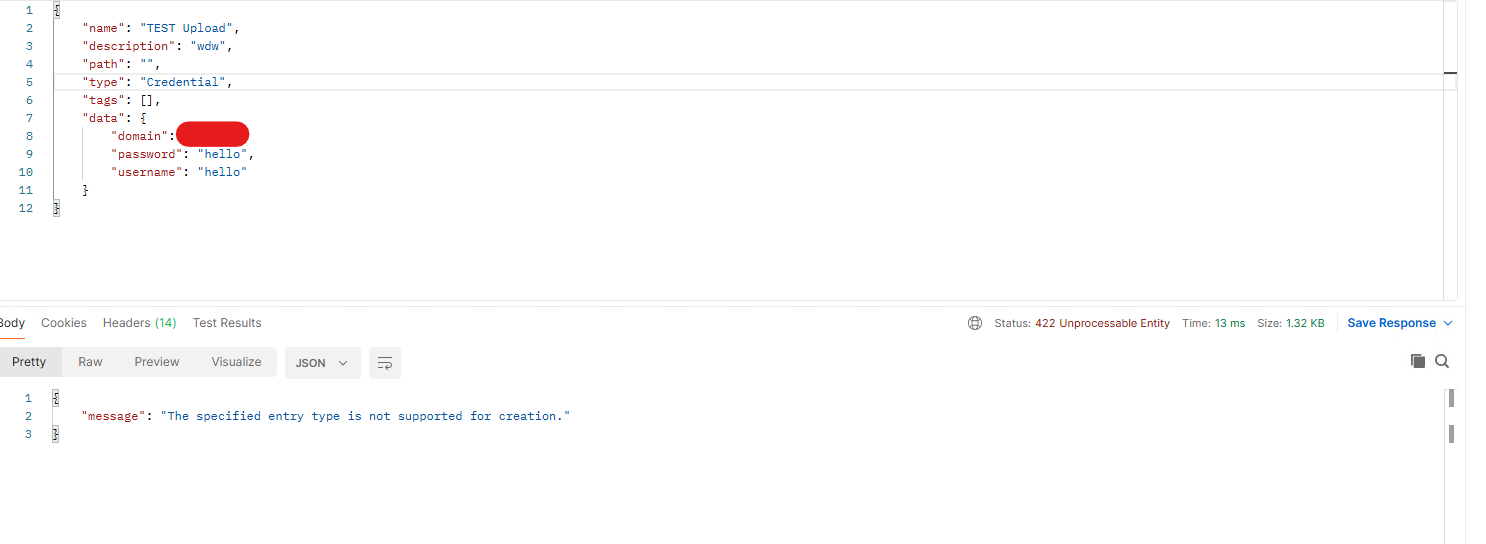
Thanks,
Joseph
f92f7850-954b-48f8-a821-f3054f16ba07.png
Hi Joseph,
Thanks for testing on 2026.3.7.0, and no worries about the delay. The change in the message is good news: the vault and permission part is now working, and the remaining error is only about the request body.
Yes, Credential entries can be created through the API. The request is missing one field: "subType". For a username and password credential it must be set to "Default". Without it, the server rejects the request with the "entry type is not supported for creation" message.
Here is your request with the field added:
{
"name": "TEST Upload",
"description": "wdw",
"path": "",
"type": "Credential",
"subType": "Default",
"tags": [],
"data": {
"domain": "your domain",
"username": "hello",
"password": "hello"
}
}
Please keep "type" as "Credential" (singular), as you already have it. Please also send this to the same URL as before: /api/v1/vault/{vault id}/entry.
If you later need other kinds of credentials, the subType changes accordingly (for example "PrivateKey" or "ApiKey"). You can list the available types and subTypes with a GET request to /api/v1/entry/definition.
Please let us know if the entry gets created.
Best regards,
Alexis Geller Peiro
Hi @Alexis Geller Peiro ,
This has worked! I am now able to successfully upload the credential.
Thank you for your help.
Hello Joseph,
I'm glad to hear that the problem has been resolved!
Thank you for your feedback. We're pleased to hear that everything is now working as expected.
Please don't hesitate to create a new thread if you need any further assistance.
Best regards,
Alexis Geller Peiro