Workflow and Automation

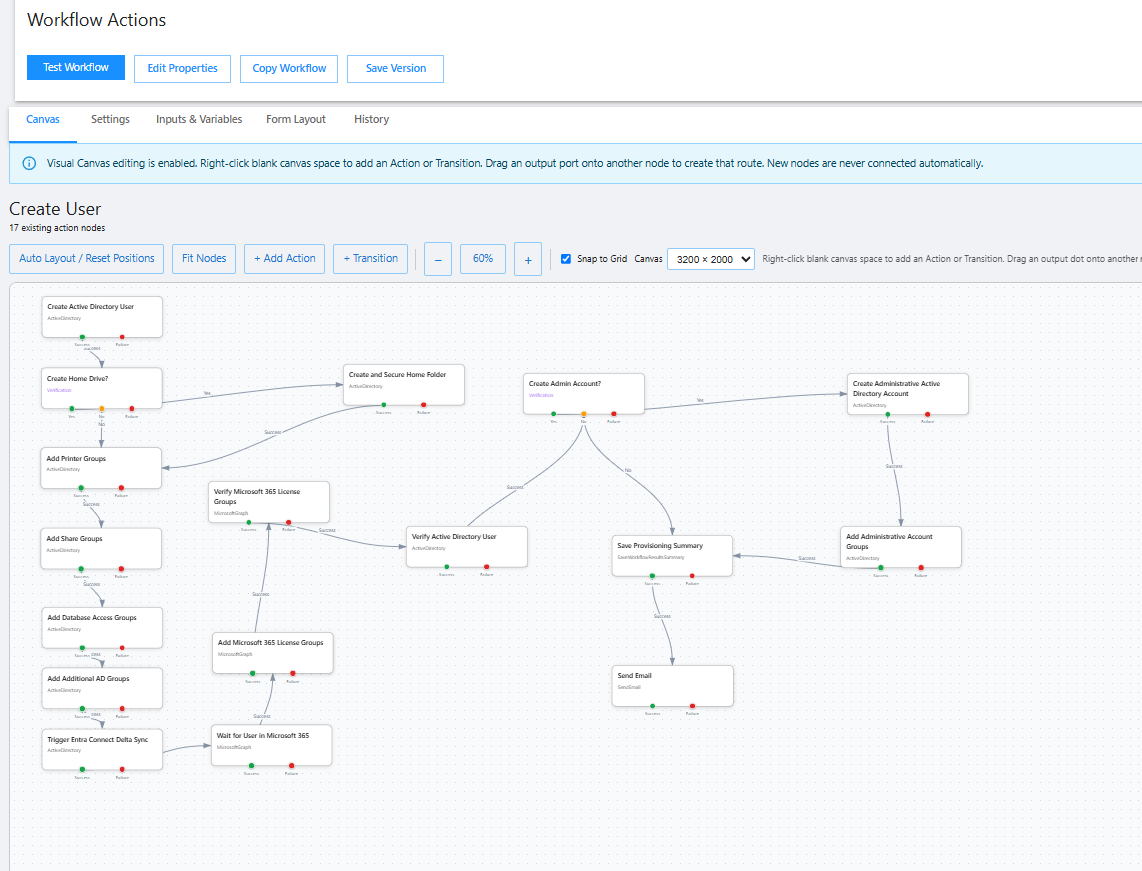
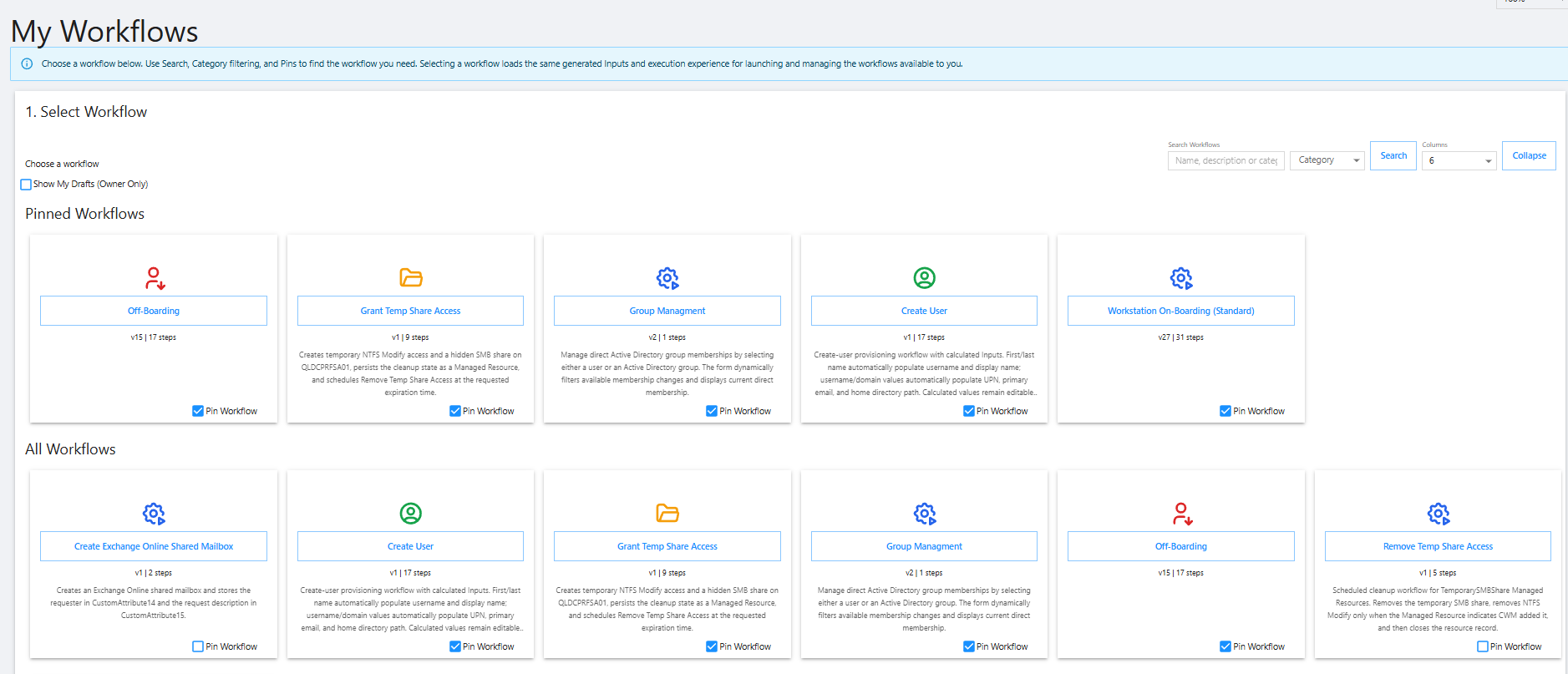
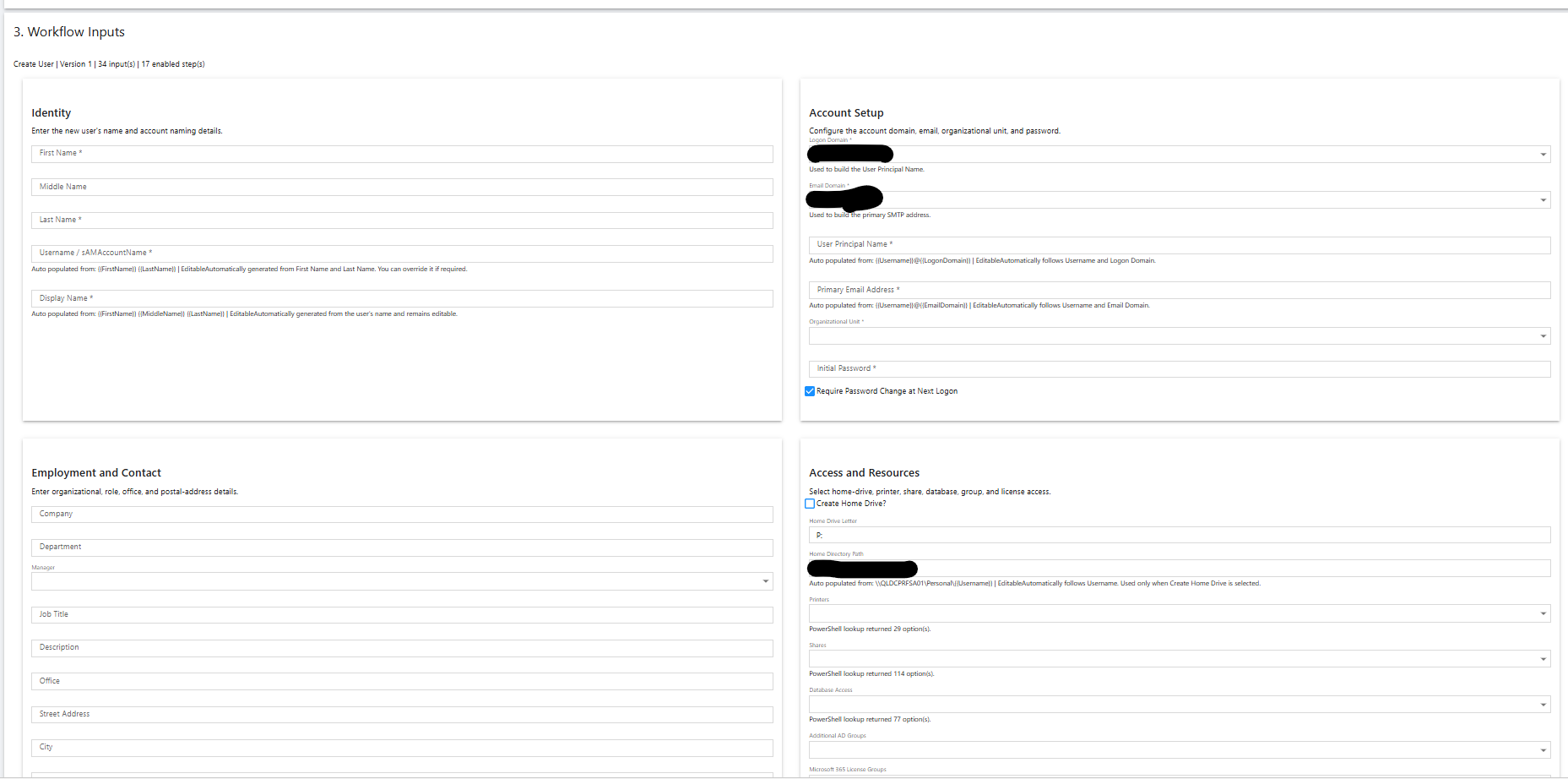
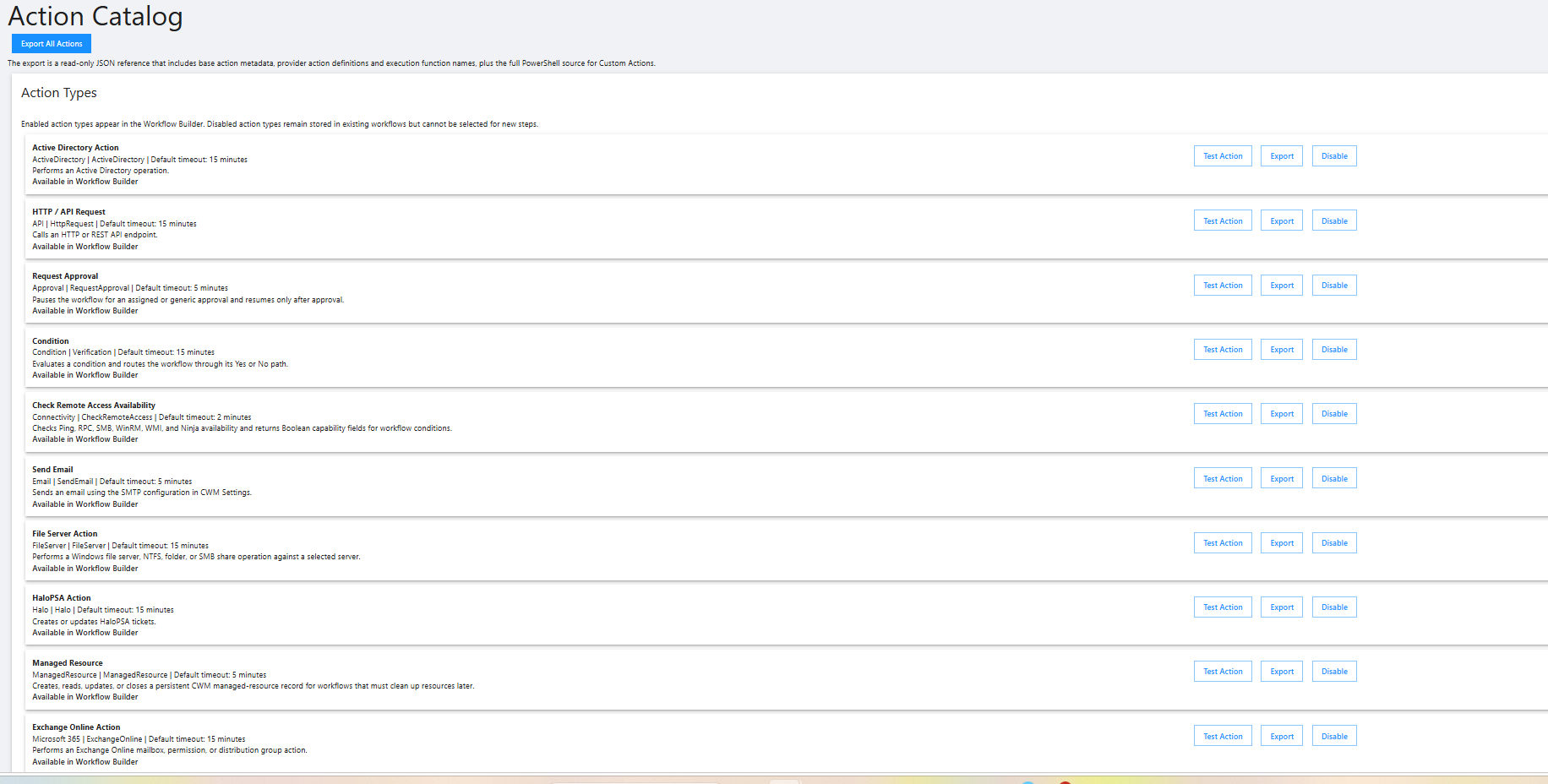
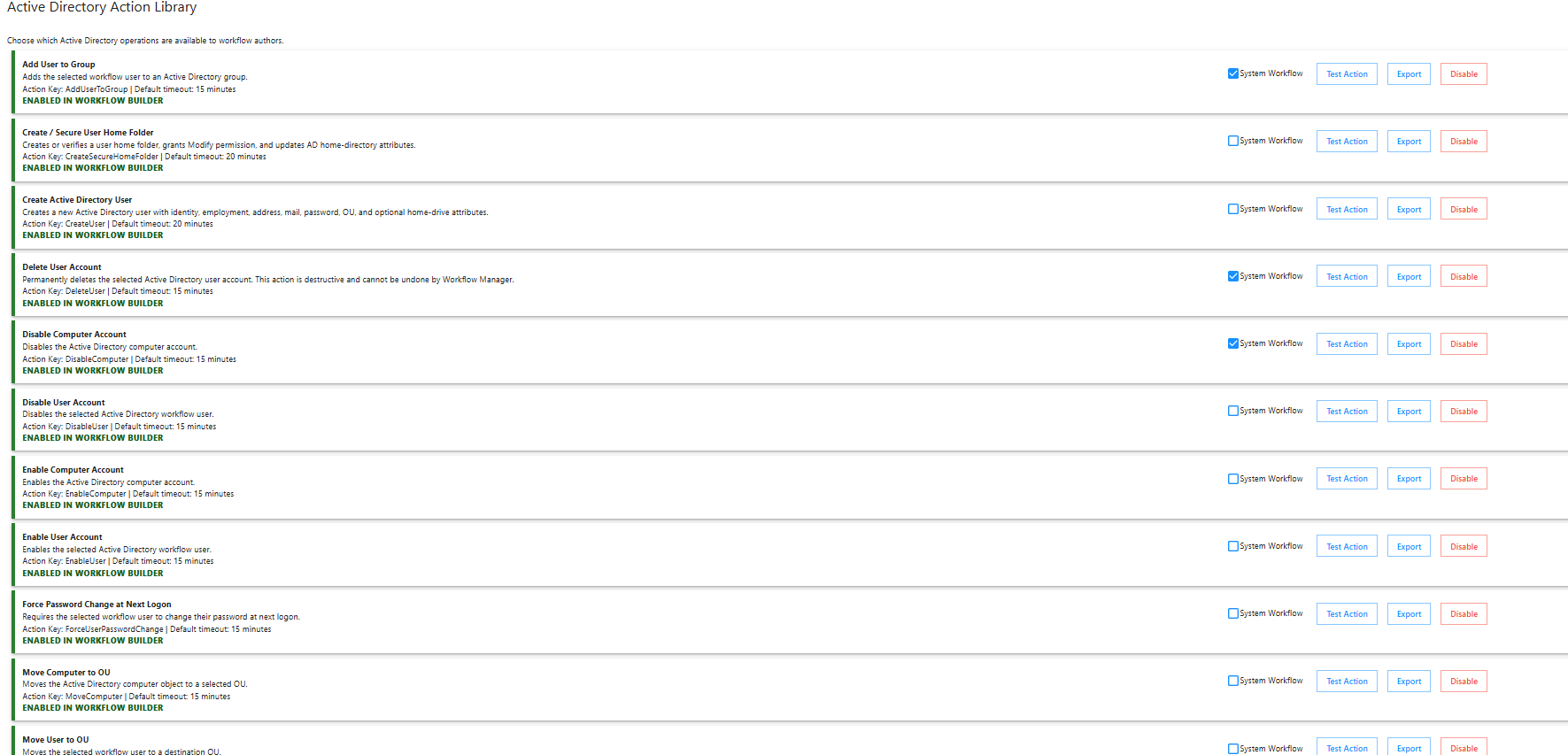
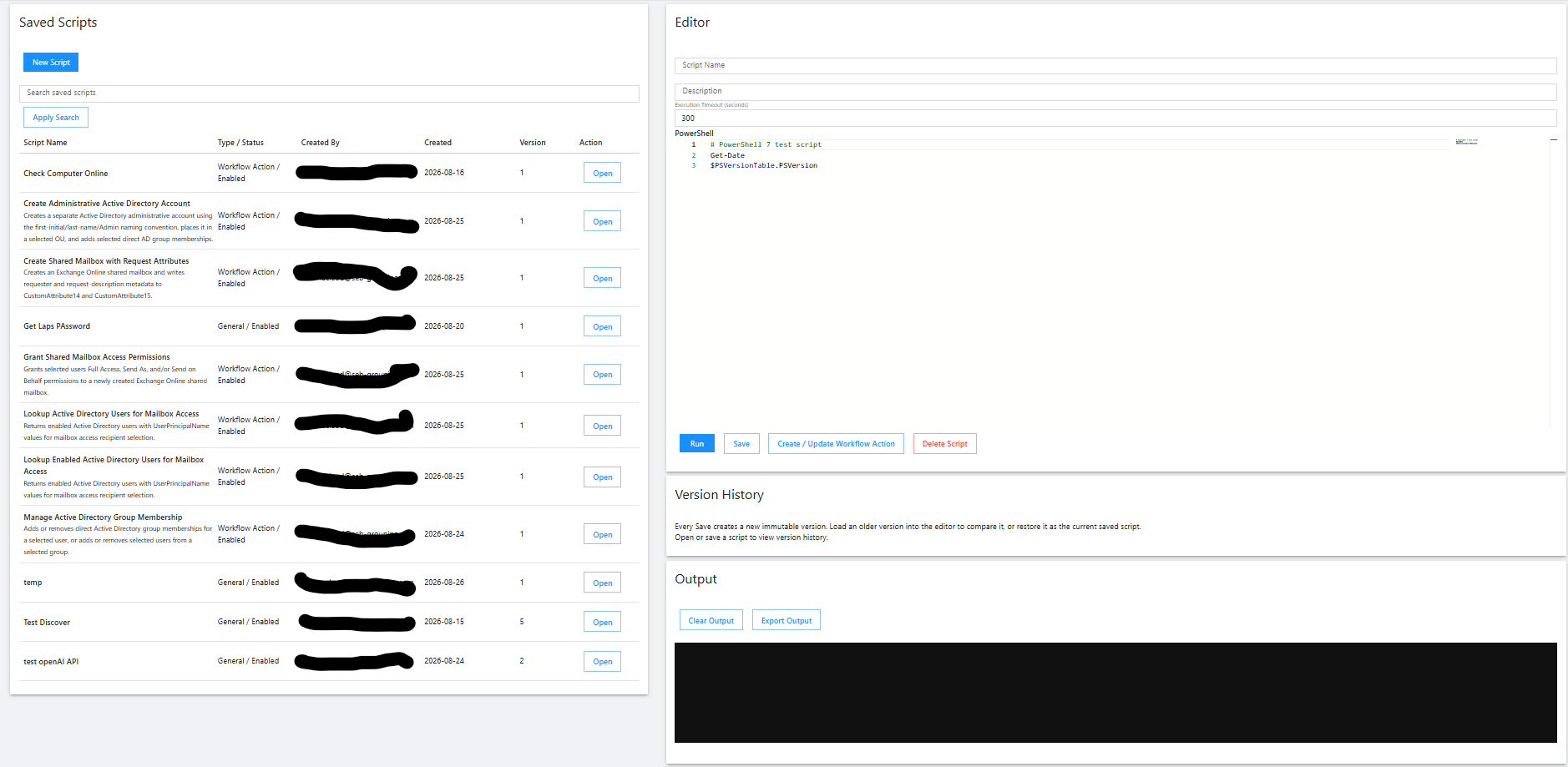
I’ve been working on a Workflow Manager built on PowerShell Universal that has gradually evolved into a fairly comprehensive IT automation and self-service platform. The goal is to make it possible to build, manage, and securely expose IT automation without having to create a custom PowerShell Universal page for every task. Workflows are created visually from reusable actions and can have configurable inputs, dynamic lookups, conditional logic, transitions, approvals, scheduling, and multi-step processes. Actions can use PowerShell as well as integrations with systems such as Active Directory, Microsoft Graph/Microsoft 365, NinjaOne, HaloPSA and other services, while a Script Runner is available when a purpose-built action doesn’t exist. The application also includes a Form Builder and Report Manager, allowing custom user-facing forms, dashboards and reports with cards, grids, tabs, charts, lookups, dynamic content and conditional visibility. It has its own role-based security and approval system, controlling who can see, run, edit and publish individual workflows and reports, with support for access requests and workflows that require approval before execution. More recently I’ve added AI-assisted workflow creation, where the AI understands the available actions, integrations and application capabilities and can build workflows from a natural-language request, preferentially using existing built-in actions rather than generating PowerShell unnecessarily. The overall goal has become something closer to a low-code IT automation platform built on PowerShell Universal—allowing administrators to build reusable automation once and then safely expose it to IT staff or end users through a simple self-service interface.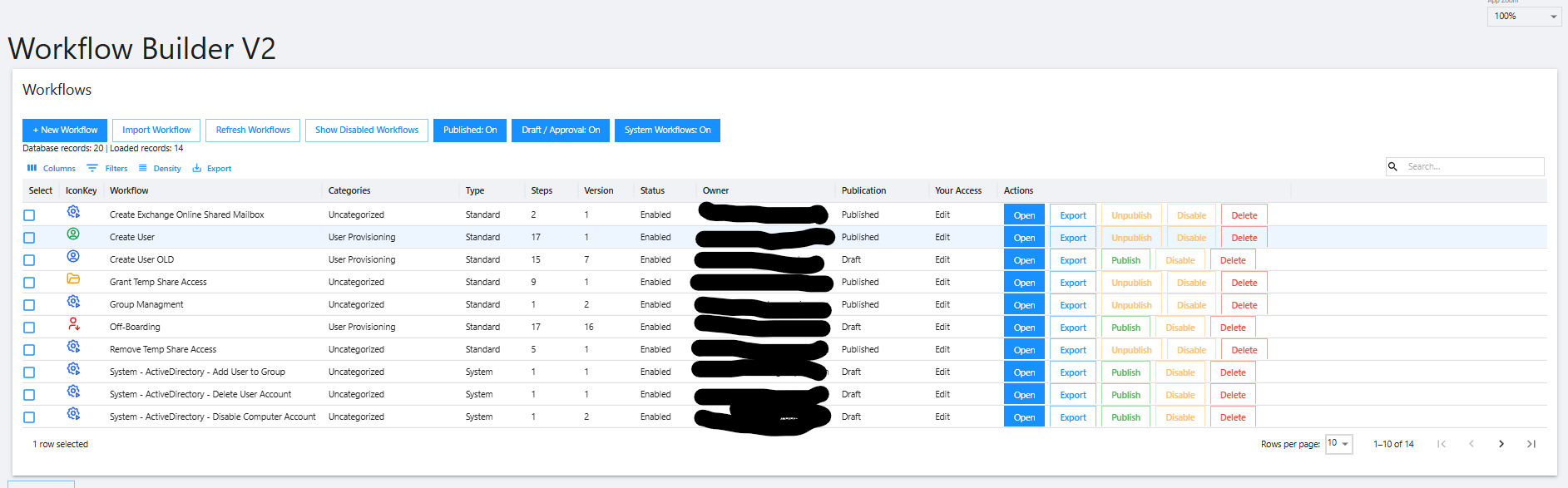
485b7de2-d8e6-4f31-bbc8-69c261c8d00e.png
b83d025f-919c-4f97-a5a9-46e0d343be12.png
ab42f2d0-77bb-4406-a989-2abfb92f2fb2.png
4f5413e9-0f8b-443e-b90d-d8aa9f5075dd.png
f664dbda-c504-4492-8f27-11f12ba56d66.png
9a833dbc-dc97-4d7c-bee5-9b8703aeff48.png
ab0524b1-f100-4fdf-8549-75558449e842.png
All Comments (6)
Hello @rodmacleod
Thank you for sharing this. This is a very interesting use of PowerShell Universal, and it is great to see how far you have extended the platform beyond individual automation pages into a reusable workflow and self-service framework.
The visual workflow builder, reusable action catalog, approvals, dynamic inputs, role-based access, and the separation between workflow design and execution are particularly interesting. The AI-assisted workflow creation using the actions already available in the platform is also a compelling approach.
One quick privacy note: one of the screenshots appears to contain an internal infrastructure identifier that may not have been fully redacted. Since this is a public forum, I recommend reviewing the screenshots and replacing or editing any image that may expose internal hostnames, domains, usernames, IP addresses, private URLs, or other environment-specific identifiers.
Thanks again for taking the time to share the project and the screenshots with the community. It is impressive to see the type of broader automation platform that can be built on top of PowerShell Universal.
Best regards,
Ruben Tapia
So can i get a copy of this? 👉👈
So can i get a copy of this? 👉👈
@michaelhanson1458
at some point I might be able to share..... but right now it has too much stuff that is specific to my company.
It also utilizes SQL for for some things rather then PSU (ie. schedululing)
ITs also still a work in progress.... When complete I will see what I can do about making a reusable version that other can use.
Hello @michaelhanson1458 ,
While @rodmacleod implementation is a custom solution and may not be ready to share yet, if you are interested in building something similar, PowerShell Universal already provides several of the underlying building blocks that may help you get started.
A few areas I would recommend reviewing are:
* PowerShell Universal Apps for building the self-service user interface, forms, tables, dynamic content, and multi-step experiences.
* Universal Automation for executing and securing scripts, automatic form generation, event triggers, and job management.
* Task Scheduler for recurring or CRON-based execution and multi-node scheduling.
* If you are running PSU 2026.2.x, the current module also includes Workflow functionality such as `New-PSUWorkflow`, `New-PSUWorkflowActivity`, `New-PSUWorkflowParameter`, and `Invoke-PSUWorkflow`.
These features will not reproduce rodmacleod's project one-for-one, but they provide a good foundation if your goal is to create your own workflow and self-service automation platform.
If you let us know which PSU version you are currently using and which part of the solution interests you most, we can point you toward the most relevant starting point.
References:
https://powershelluniversal.devolutions.net/use-cases
https://powershelluniversal.devolutions.net/
https://powershelluniversal.devolutions.net/gallery/Devolutions.PowerShellUniversal/2026.2.1
Best regards,
Ruben Tapia
So can i get a copy of this? 👉👈
@michaelhanson1458
at some point I might be able to share..... but right now it has too much stuff that is specific to my company.
It also utilizes SQL for for some things rather then PSU (ie. schedululing)
ITs also still a work in progress.... When complete I will see what I can do about making a reusable version that other can use.
@rodmacleod
Thank you! Looking forward to seeing what else you build! Also thank you for sharing. Sounds like you gave adam an idea with using react flow.
I will add...... Chatgpt is invaluable in helping create complex apps! This has been mainly chatgpt with my guidance!