Whats New component

Hey!
I just upgraded to 2026.2.5, though the component has been broken for quite some time, the 'whats new' section on the admin home, shows old info and doesnt seem to update: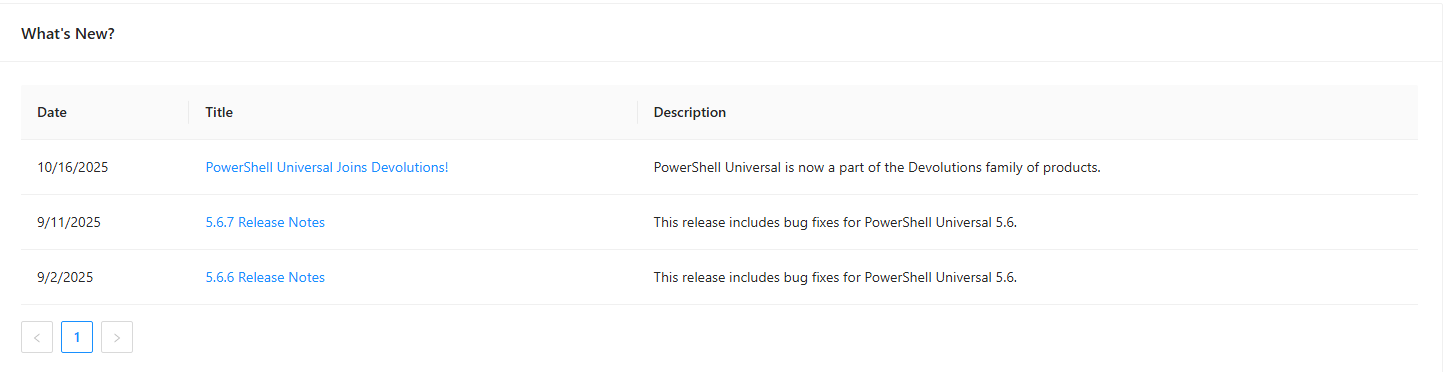
I'm not sure if this is because outbound access is restricted on my server, and maybe the location of this has been moved to devolutions which is why it's no longer updating, or if there's another issue?
I couldnt find any way to hide/disable the component in settings.
Obviously, this is causing no impact at all, but figured I'd get it raised anyway.
Thanks,
Tom
26fca43c-f861-46ec-8abf-c63f36e4540a.png
All Comments (3)
Hello insomniacc,
Thank you for reporting this.
I can see from the screenshot that the “What’s New?” component is still displaying entries from 2025 after the upgrade to PowerShell Universal 2026.2.5.
Since you mentioned that outbound access is restricted on the server, I would like to first determine whether the component is failing to retrieve newer content because of network access, or whether the behavior is independent of those restrictions.
We will review this behavior on 2026.2.5 in a clean environment. In the meantime, could you please confirm the following?
* Is the PSU server completely isolated from outbound Internet access, or are specific destinations allowed?
* Do you see any failed requests in the browser Developer Tools Network tab when loading the Admin Home page, particularly requests that occur when the “What’s New?” section loads?
* If there is a failed request, please share only the sanitized request destination and HTTP status code.
We will also verify whether there is currently a supported option to hide or disable the “What’s New?” component.
Because this is a public forum, please sanitize all evidence before posting. Remove credentials, tokens, license keys, cookies, private keys, full connection strings, email addresses, usernames, customer data, tenant or account identifiers, internal domains, hostnames, IP addresses, and private URLs. Please do not upload unredacted HAR files, memory dumps, database backups, or complete configuration files to this public thread.
Best regards,
Ruben Tapia
I wasnt sure if the client or the server was pulling this info when going to the home page, but it would be useful to know the domain from where this data comes from so I can run a port test.
I didnt see any errors in dev tools when accessing my instance from a client: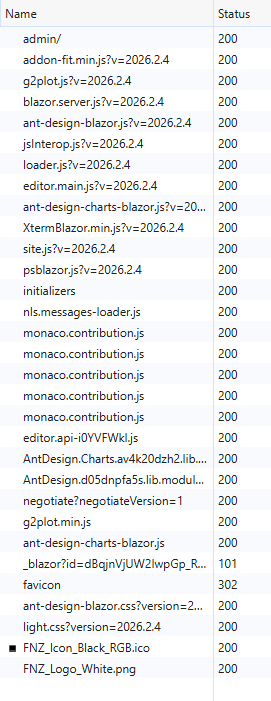 Though i'm not sure what the 101 blazor one is.
The server that hosts our PSU instance is restricted to outbound access via a whitelist, so we can just add anything that is required if needed.
I recently added cdn.devolutions.net and devolutions.net for updates so 443 to these is open currently.
Thanks
029e90d2-fb48-4048-80da-71d2c811a1c9.png
This data was coming from github.com, actually but we are removing the What's New in PSU 2026.3.0 as it was not being updated and was part of Ironman Software infrastructure.
Adam Driscoll
PowerShell Expert and Software Architect at Devolutions