Password policy setting
1 vote

Is it possible to make password creation adhere to the default password policy defined on the Devolutions server?
This works OK on the browser plugin, but in the app it seems to be up to the end user.
All Comments (3)
Hi Michael,
Could you confirm whether you are seeing this behavior directly in the Devolutions Password Manager app, or when editing/creating the credential from Devolutions Server inside the desktop app?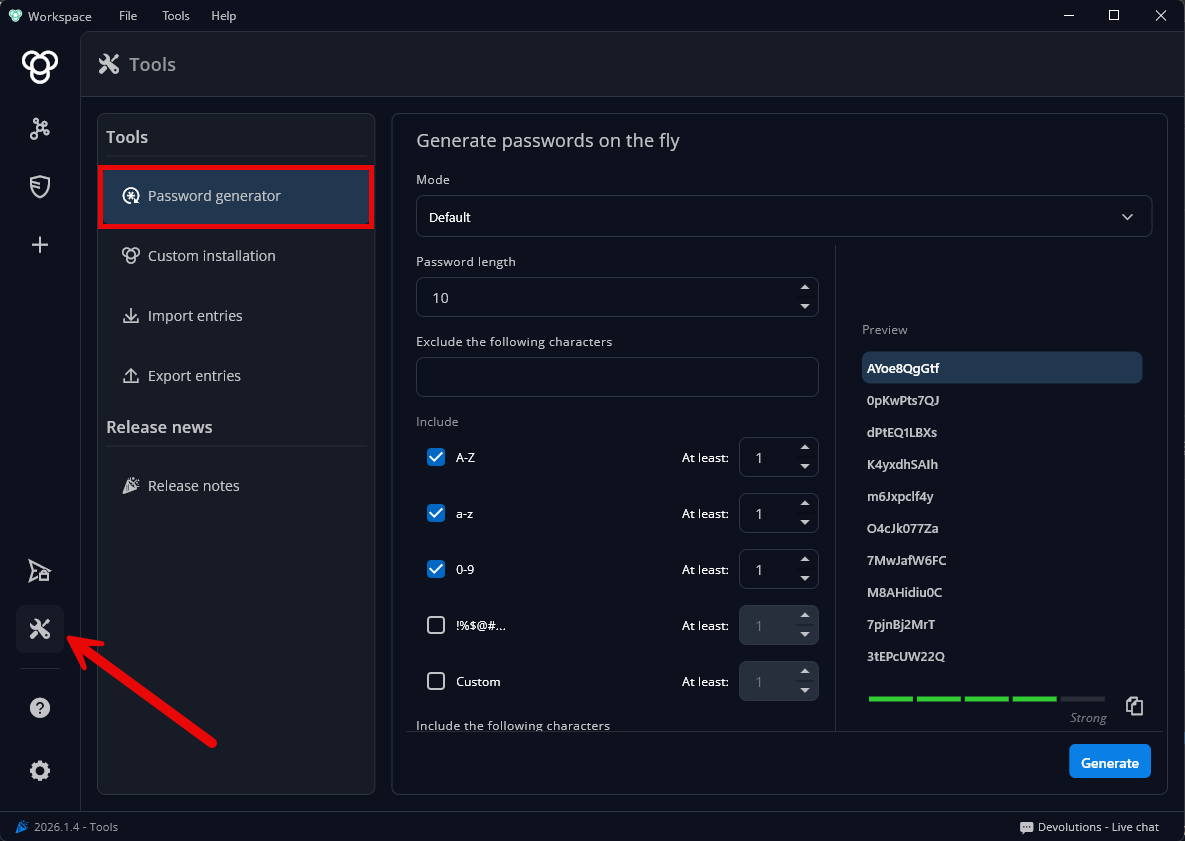
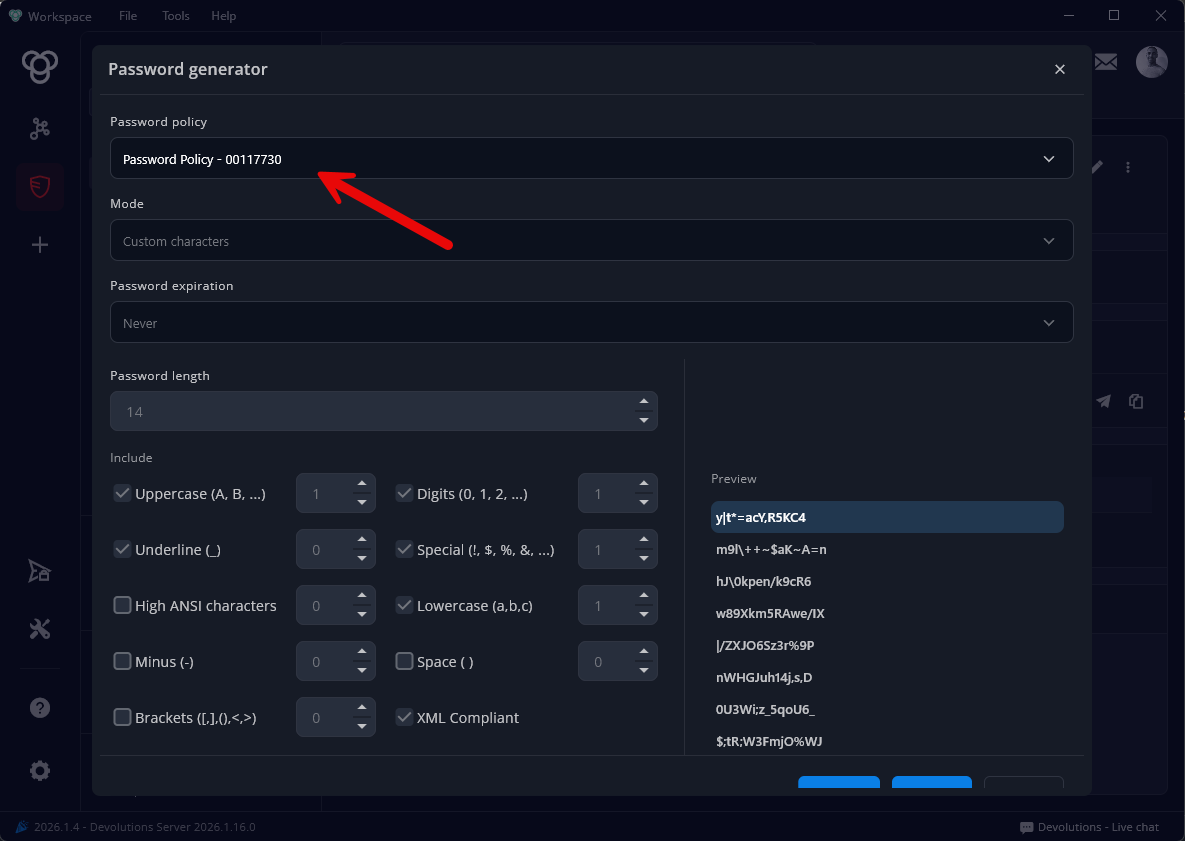
From what I can see on the Server side, when editing a credential, the configured password policy is still being enforced. So if the issue is happening only in the app, we may need to look specifically at how the app handles password creation against the Server’s default policy.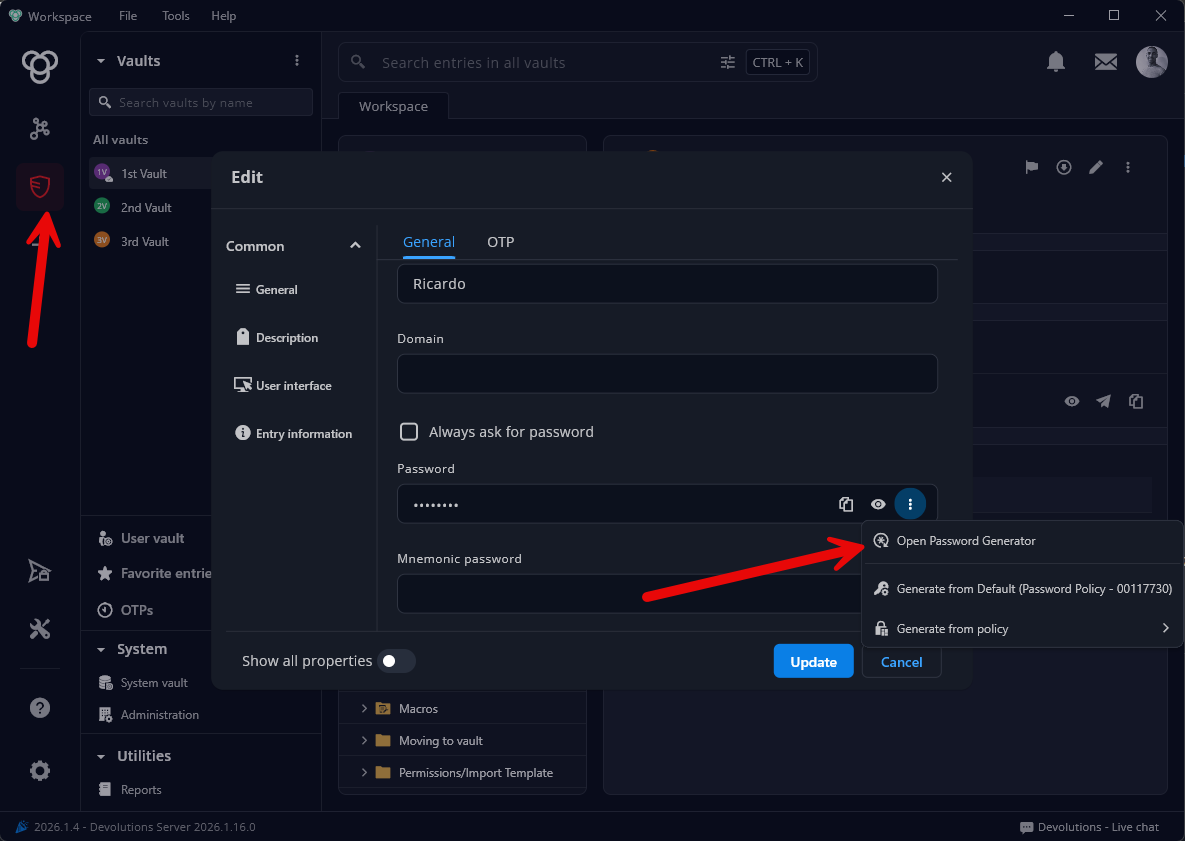
Best regards,
Alexis Geller Peiro
0abb060c-d5f9-4a7a-8ad6-669f1c893347.png
02a27e6d-557c-4785-a4e6-e896e5f88e0e.png
43eb1daa-527d-476f-a7d0-13043ff597fd.png
It's only in the app --> Tools --> Password Generator.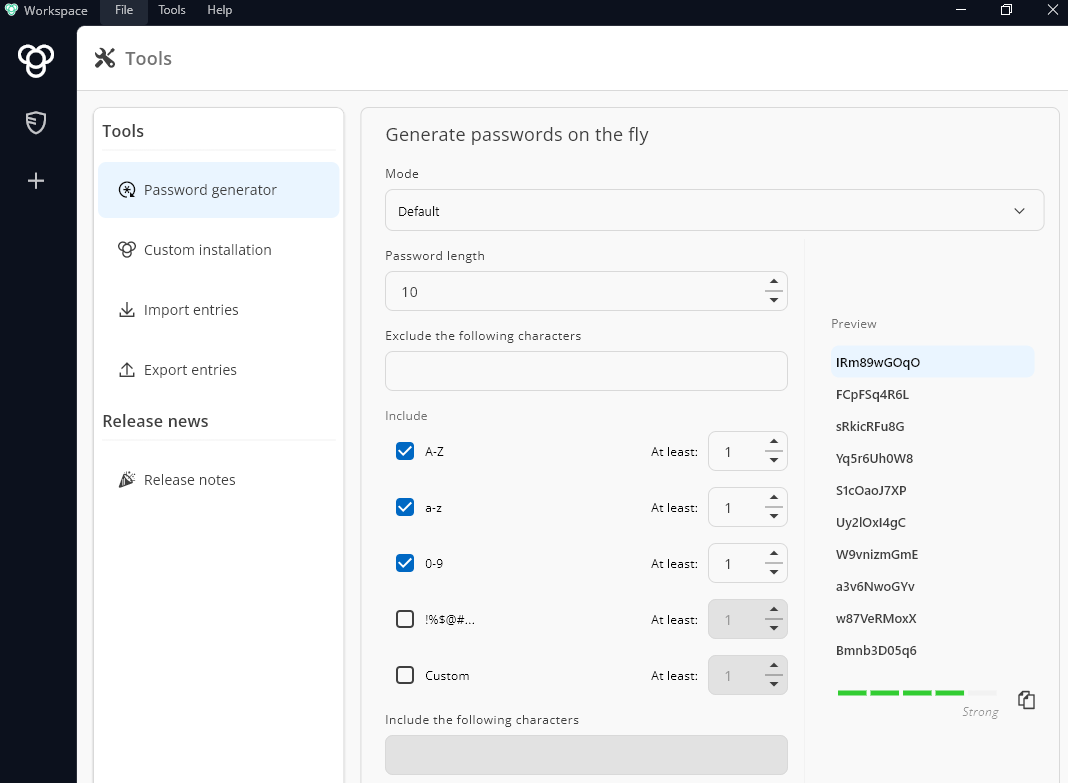 I see this as a very useful tool but only if we can enforce our default password policy.
376d2fff-cb43-452d-b3d5-713e0eca1f84.png
Hi,
The password generator available under Tools is not tied to any specific data source. It is a global offline tool within the application, so it does not enforce password policies configured for individual data sources.
If you want the password policy to be enforced, you will need to use the password generator directly within the data source itself.
I’ll also create a ticket internally to look into a possible improvement for this behavior.
Best regards,
Dany Galarneau