PowerShell Universal - 2026.1.6
PowerShell Universal - 2026.1.6
Release Notes
Version 2026.1.6.0
Improvements
Added an option to turn off the byte-order mark when files where written by the configuration system
Improve Scrolling in Admin Console
Improved New-UDForm validation behavior
Improved PostgreSQL connection handling
Fixes
Failed to register BuiltInLocalVault and PSUSecretStore
Fixed a module loading issue with Windows PowerShell
Fixed an issue calling scripts from triggers in strict API security mode
Fixed an issue discovering Pester test files in nested folders
Fixed an issue loading folders for modules on the Scripts page
Fixed an issue loading the Devolutions.PowerShell module
Fixed an issue with Deployments from a Resource Repository
Fixed an issue with Devolutions Login
Fixed an issue with Grant-PSUAppToken
Fixed an issue with method parameters for OpenAPI docs
Fixed an issue with psu admin password reset
Fixed an issue with psu LiteDB database conversion
Fixed an issue with RegEx-style API handing
Fixed an issue with SQLite database locking
Fixed an issue with the built-in $ApiUrl variable
Fixed an issue with the Linux ARM64 container image
Fixed an issue with the ThreadJob module missing in Linux container images
Downloads
Adam Driscoll
PowerShell Expert and Software Architect at Devolutions
All Comments (11)

Nice job on the UI improvements and thanks for taking care of the Grant-PSUAppToken bug so quickly.
Agreed. Love to see UI improvements.
Nope. I’m sorry, but I still get “The term ‘Import-PowerShellDataFile’ is not recognized as the name of a cmdlet, function, script file, or operable program." in Windows Powershell 5…
I am still receiving the following after updating to 2026.1.6:
The 'ConvertTo-SecureString' command was found in the module 'Microsoft.PowerShell.Security', but the module could not be loaded. For more information, run 'Import-Module Microsoft.PowerShell.Security'.I’m also still having issues with regex-based APIs as reported in
There seems to be an issue in 2026.1.6 with the
git commit page.
On both my servers, the GIT comparison view of changed code lines is distorted and not visible. Just a thin line…
I guess he fixed scrolling caused other issues ?
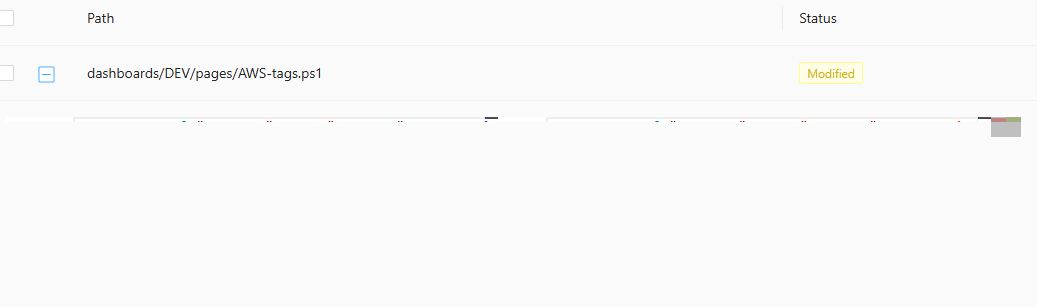
Already opened an issue for it. https://github.com/issues/created?issue=ironmansoftware|powershell-universal|5626
I’m having the same issue with the Security module import. Temporarily resolved it by clearing the PSModulePath environment variable, then trying to import. This only recently started.
try {
    write-host "Previous module path: $($env:PSModulePath)`n"
    Write-host "Clearing path before trying import..."
    $env:PSModulePath = ""
    Import-Module Microsoft.PowerShell.Security
} catch {
    throw "Error! Could not import module: $($_.Exception)"
}Hey,
Ever since upgrading to 2026.1.6, I’ve been getting the below error message when trying to run Merge-PSUGitEdit and Start-PSUGitEdit. Running the Git Sync manually using the GUI works fine.
Error obtaining client-helper 'UnaryTaskAsync' (from: 'PowerShellUniversal.GitCommit', to: 'PowerShellUniversal.CompleteEditingStatus'): GenericArguments[1], 'PowerShellUniversal.CompleteEditingStatus', on 'System.Threading.Tasks.Task`1[TResponse] UnaryTaskAsync[TRequest,TResponse](ProtoBuf.Grpc.CallContext ByRef, Grpc.Core.CallInvoker, Grpc.Core.Method`2[TRequest,TResponse], TRequest, System.String)' violates the constraint of type 'TResponse'.
at <ScriptBlock>, C:\ProgramData\UniversalAutomation\Repository\PSU\AutomatedGitSync.ps1: line 1
at <ScriptBlock>, <No file>: line 1I have also had this issue and opened an issue for it. Sync-PSU throws error · Issue #5642 · ironmansoftware/powershell-universal · GitHub
did you find some other fix for that?
Sadly not.
I did not test if it works over the management API; maybe that’s the last resort?
I ended up enabling automatic sync intervals until the next version.