Duplicate schedules causing Schedules to hang

Product: PowerShell Universal
Version: 5.6.9
Good Morning.
We have noticed a very troubling issue on our instance.
- When we accidentally had one or more duplicated schedules
- The entire scheduling section becomes unresponsive (and all schedules are not executed!)
While I admit that duplicated schedules should not happen (it was a human error, an engineer accidentally created a job already present), it is troubling to stopp ALL schedules.
Steps to replicates:
- Create a copy of an existing schedule
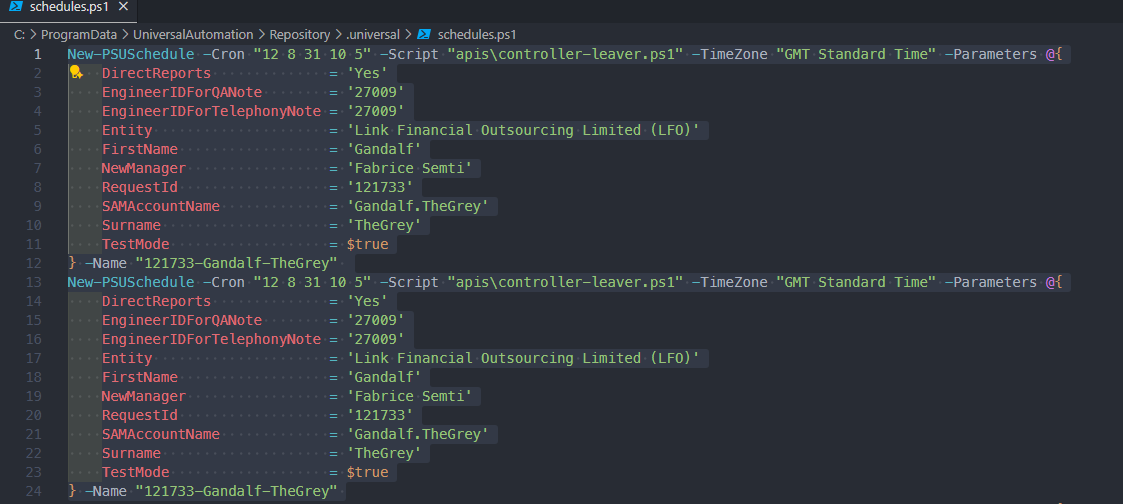
- Restart the PSU service

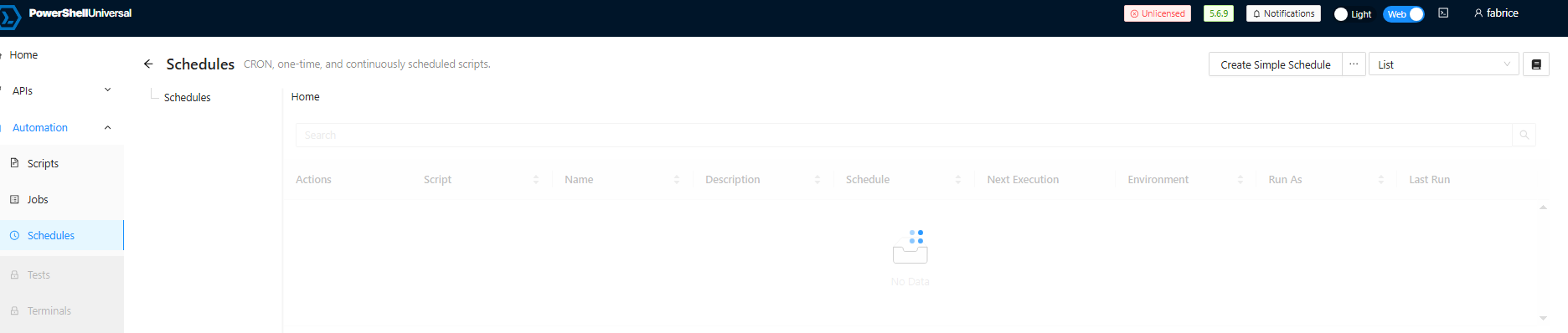
- Browse to Automation > Schedules and note: schedules not load
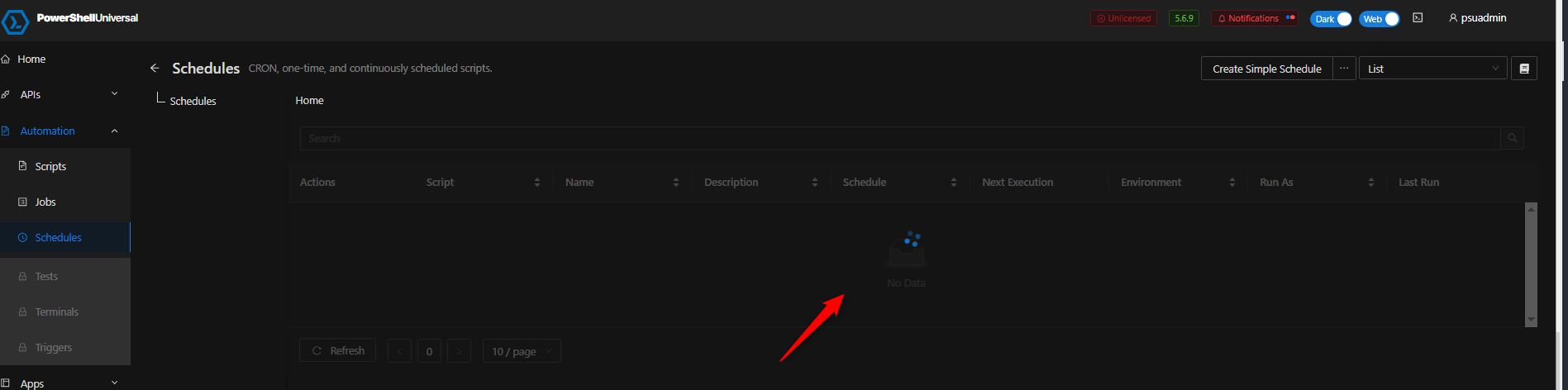
Other than obviously preventing duplicates (it is not confirmed, but it looked like some of the duplicated by human error…), is there any way to prevent this to stop ALL schedules?
Thanks,
F.
5dcbf7f47c5fb1f11c3fb9e80e64ea236817e8a0.png
e6c768da9c7b02719226aa77ce6a250b2ecf2beb.png
1a7ea156cb98f297f73db656a4d33678de5d7e72.png
All Comments (3)
(For the record removing duplicates and then restarting the PSU service makes schedules appearing and working again, but since there is no notification when the Schedules stop working + it requires manual intervention, it is not really feasible to fix this this way…)
Probably breaks the config, I’m sure this can be raised as a feature to gracefully handle duplicates (e.g ignore them/skip them). Do you get any errors in the notifcations at the top or does the config health check pass or fail?
I dont use code defined schedules as mine sync to a SQL database, I find that more easier to manage since it can only be done in the UI and you’re less likley to create the problem that way, I didnt see this issue when trying to test with duplicates that way.
Did you raise it here: Issues · ironmansoftware/powershell-universal ?
Hi @insomniacc, thanks for a quick response.
- I checked the notifications and there was nothing related to this (had some errors some 24+ h ago, nothing recent)
- I created a duplicated schedule on purpose, and restarted the service - no notification.
Thanks for the notion, I will indeed log this on GitHub too.
8c74044d562117270656a10a6fd8f07f06d289c5.png