Usage of Buttons in Header Content

Hello everyone,
I’m currently trying to figure out how to use buttons from the header content in such a way that something is displayed in the content area. In my case, I want to create an app overview for different sections. Unfortunately, I’m having a bit of trouble implementing this.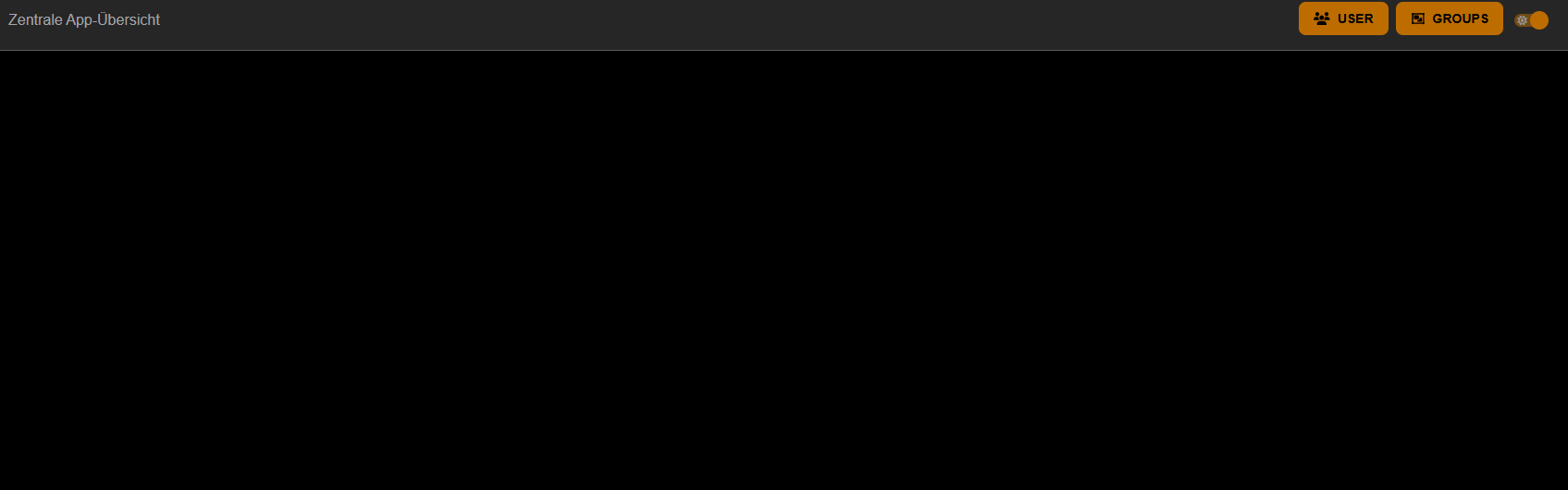
Can I also adjust the position of the buttons, for example, center them?
New-UDApp -Title "Zentrale App-Übersicht" -Theme $Theme -HideUserName -HeaderContent {
    New-UDButton -Id "btnUser" -Icon (New-UDIcon -Icon Users -Size '1x') -Text 'User'
    New-UDButton -Id "btnGroups" -Icon (New-UDIcon -Icon object-group -Size '1x') -Text 'Groups'
} -Content {
}
I would appreciate any feedback, tips, or a more efficient solution.
f3fb8c7eadd19815b94a33eeaf6a2e602ac3381c.png
All Comments (4)
I dont know what did you set in your theme definition but those button are centered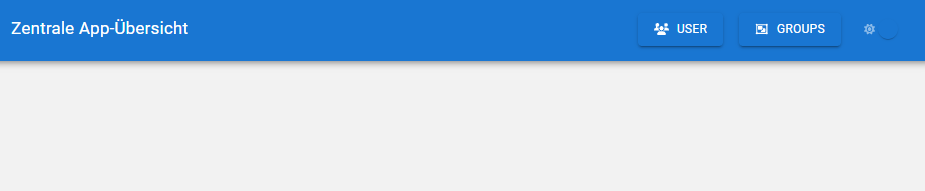

0fb5573d54ccfb2e2c3a0638156a9b62253b4422.png
05e09446d7fc14a0e11c34340a84da9188fe981b.png
Hi @krystianr77 ,
i am currently using the theme “IC_Orange_PPL”. So it depends on the theme i guess?
and if you are talking about buttons not being centered vertically this might help:
New-UDApp -Title "Zentrale App-Übersicht" -Theme $Theme -HideUserName -HeaderContent {
    New-UDStack -Children {
        New-UDButton -Id "btnUser" -Icon (New-UDIcon -Icon Users -Size '1x') -Text 'User'
        New-UDButton -Id "btnGroups" -Icon (New-UDIcon -Icon object-group -Size '1x') -Text 'Groups'
        New-UDButton -Id "btnGroups2" -Icon (New-UDIcon -Icon object-group -Size '1x') -Text 'Groups2'
    } -JustifyContent space-evenly -FullWidth
} -Content {
}Thats what i was looking for. Thank you