Error executing job: SQLite Error 5: 'database is locked'

Product: PowerShell Universal
Version: 5.6.7
Seeing frequent database locked errors. This started to happen when on version 5.4.3 and now continues with version 5.6.7.
For a long time I had two scheduled scripts running. One every 10 minutes and one every 5 minutes and never ran into this error. Not too long ago I added another scheduled script to run every 10 minutes and then I started to run into this issue. I adjusted the schedules so that the jobs would not run at the same time and that did not help. Right now, I’ve disabled the other scheduled scripts and have only 1 running and i’m still running into this issue.
Is there perhaps some grooming needed on the database? Cleanup of old events or log files? Ultimately, I will migrate to a SQL database but i’m not ready to do that yet.
All Comments (23)
I am still seeing this error even when it is only one job running at a time. This is going to be a big problem for me as we’re about to kickoff a project where scheduled tasks need to be able to run consistently.
@Adam Driscoll wanted to know if you’re aware of this issue?
im also getting those errors recently.
its very annoying because its eating all ram and when i log into system in the morning is either already dead or is working so slow that needs to be restarted anyway
its getting kind of critical for me…
2025-10-08 14:03:17.914 +02:00 [ERR][PowerShellUniversal.Automation.ExecutionService] Failed to report progress
Microsoft.Data.Sqlite.SqliteException (0x80004005): SQLite Error 5: 'database is locked'.
   at PowerShellUniversal.Extensibility.EFTable`2.Update[TProp](T item, Expression`1 updates) in D:\a\universal\universal\src\PowerShellUniversal.Extensibility\Persistence\EFTable.cs:line 332
at PowerShellUniversal.Automation.ExecutionCallback.ReportProgress(JobProgress request) in D:\a\universal\universal\src\PowerShellUniversal.Automation\ExecutionCallback.cs:line 103How are you hosting PSU? How large is your database and do you have any groom job failures? I’ve opened an issue for this here: SQLite Database Locking Issue · Issue #5303 · ironmansoftware/powershell-universal · GitHub
We had a support case come in about something similar but I’m not sure if it’s related at the moment. Feel free to comment on that issue as well and use it to track any progress.
Adam Driscoll
PowerShell Expert and Software Architect at Devolutions
my database size is 53MB. Is that large for a sql lite db? I’m not aware of any grooming job failures. where would I see those?
That’s very small. It shouldn’t cause any issues.
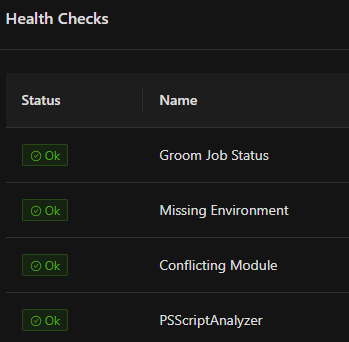
You would see a notification and a health check failure if the groom job was failing.
Adam Driscoll
PowerShell Expert and Software Architect at Devolutions
health checks look good. I also want to add that this error only seems to happen with scheduled scripts. I have apps that also submit jobs and those never run into the issue. in addition it looks like the schedules are not working properly. I have two schedules. one to run a script every 5 minutes another to run a script every 10 minutes and they do not run at the same time. I can see that they do not always run when expected.