Problems starting om PSU 5.5.0

Product: PowerShell Universal
Version: 5.5.0
Just bought and installed PSU 5.5.0 and am trying to figure it all out. We need it for a HelpDesk portal to allow supporters to run scripts with elevated rights.
- I setup a test script that sends a mail, it has “Subject” and “Message” (body) defined as param and works fine testing.
- Added a Secret Variable of type PSCredental to use as run account that I set as the Credential for the script and try and run it but get “Error executing job: The integrated environment does not support Run As credentials.”
- So I try to create a Portal Page to run the script using the account from there instead. Create “Testpage” > Press View > Press Edit > Press Add Widget > Add Script Form > Press Properties > The Script dropdown is empty (“No data”). So now I am stuck - how do I get on?
Also, when editing a credential and saving, the list is empty and requires a refresh in order to show the credential again. I also had some weird issues creating a script, then adding a folder and moving the script to the folder, where it would not show up in the folder view, only in the List view (where it looked fine with the folder path). I had to open and save multiple times before it looked ok in the folder.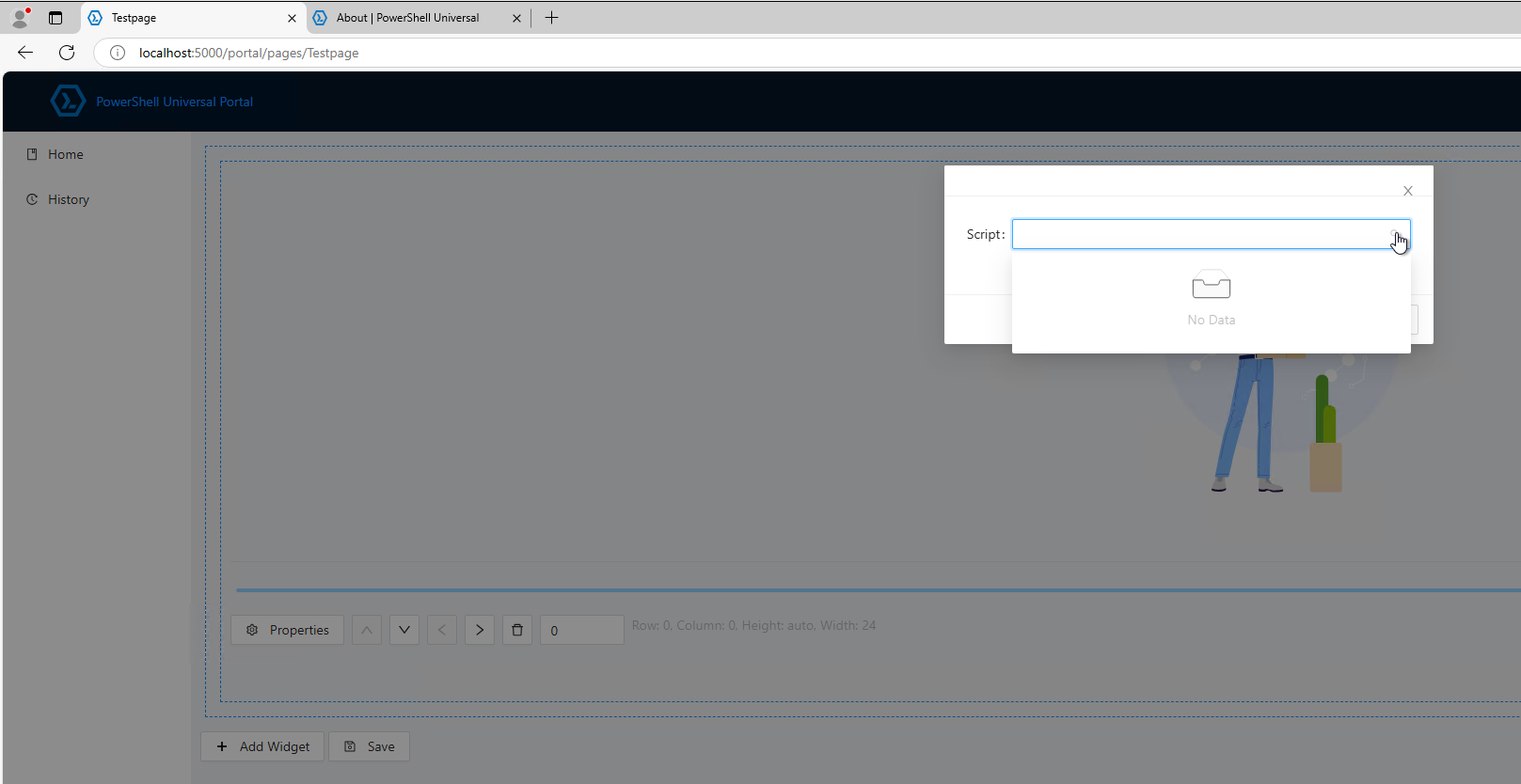
If anyone can help me getting a good start on PSU I sure will appreciate it, because this hasn’t been the best experience so far. I hope it is just me that need som guidance.
All the best,
Nicolaj
d0b4f7da28c1d4fbb65e5152a83b15a3361d4b50.png
All Comments (1)
So a lot of questions in one post.
Just focusing on your main question: The Run as error is normal: it is in the documentation: Environments | PowerShell Universal
So try to use your credential inside your code.
$sendMailMessageSplat = @{
    From = 'User01 <user01@fabrikam.com>'
    To = 'ITGroup <itdept@fabrikam.com>'
     Subject = "Don't forget today's meeting!"
    Credential =  $secret:mysecret  --> this is the name of your secret.
    UseSsl = $true
}
Send-MailMessage @sendMailMessageSplat
How you handle secrets is explained here: Variables | PowerShell Universal
I recently started with PSU myself. My advise is to go over the YouTube playlist of @Adam Driscoll first. Next, read the documentation and check out PowerShell Universal to see all that is possible and available.
If you have access to the internet on the machine you run it on, look at the small applications that are available too. You can download them and look at their code.
**edit: you can actually download the zip version (free version) and have a look at those applications too.
PSU is a great product but has quite a steep learning curve.