Upgrade from 5.4.0 > 5.4.1 wiped all my scripts
Product: PowerShell Universal
Version: 5.4.1
@Adam Driscoll
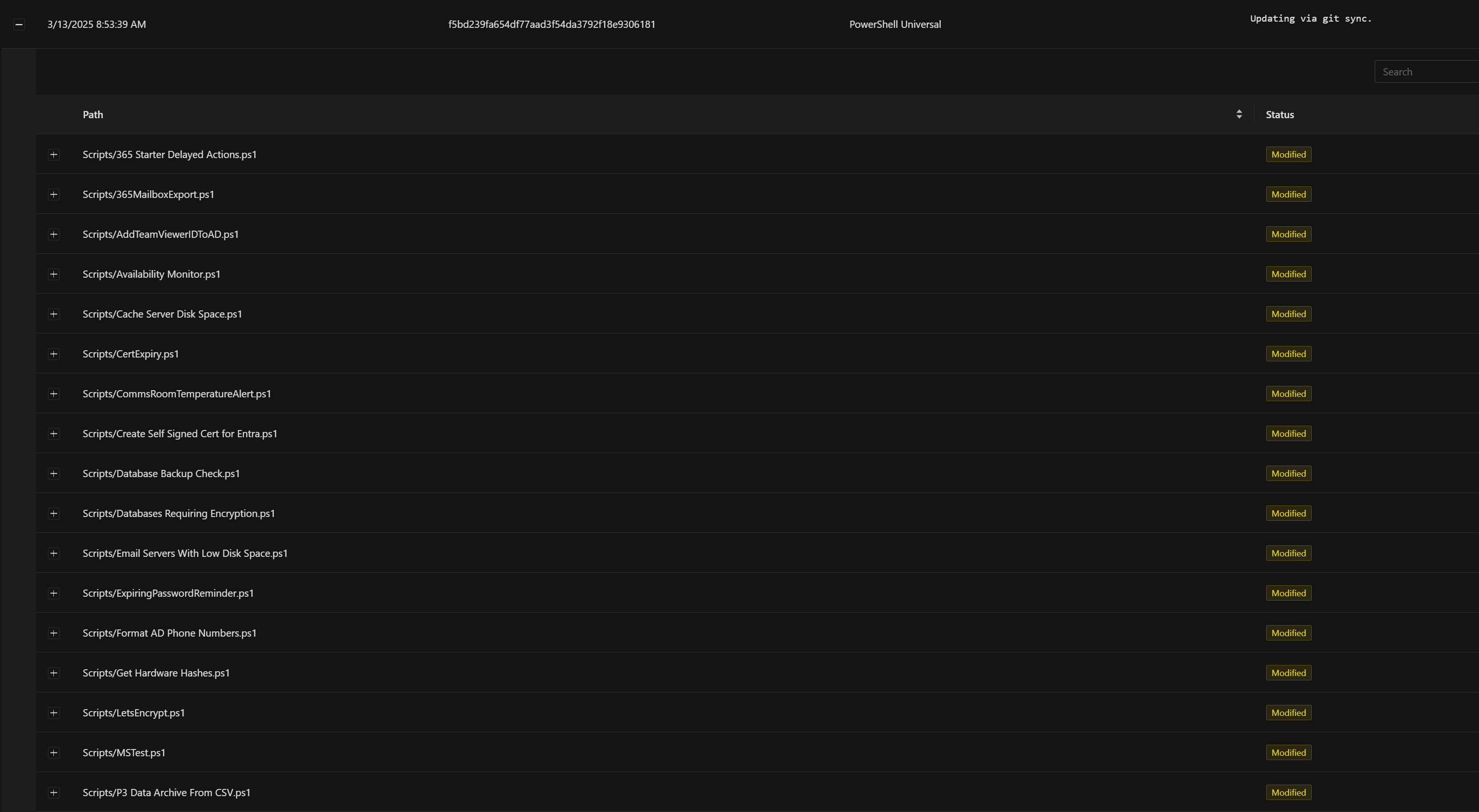
Just a heads up that an upgrade from 5.4.0 > 5.4.1 this morning reset all my scripts.
It’s no big deal, it’s on my dev server and I can recover from git - but probably needs investigation.
5d0edba329cfafb1e7c2df92ab9af8a60ac28fc1.png
15ce56f36f71a2e6fd0b8b84b1ee98d8f4351bec.png
All Comments (9)
Open an issue here: Scripts reset during git sync · Issue #4494 · ironmansoftware/powershell-universal · GitHub
I’ll let you know if I need more info.
Adam Driscoll
PowerShell Expert and Software Architect at Devolutions
It just happened again. Not during upgrade this time, just when saving a script.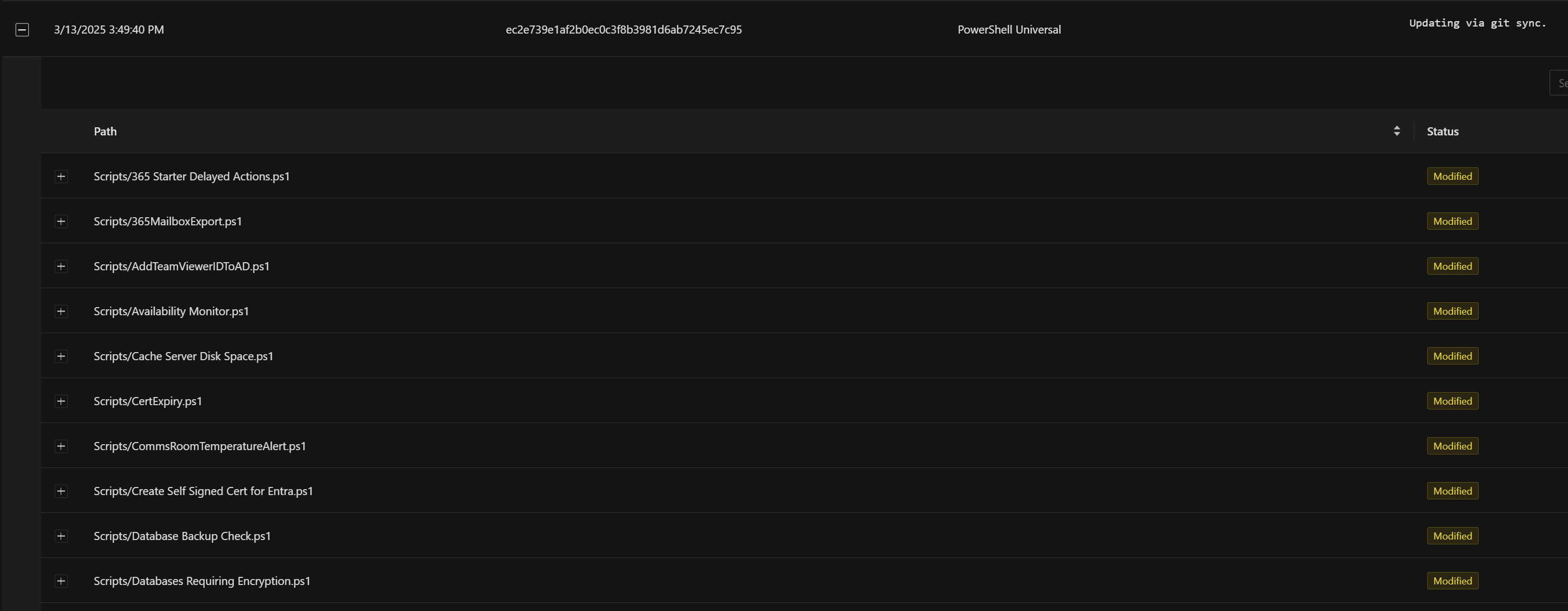
6367db42cd05465f6f79bc0183ad40e0361bdb57.png
Not sure if related, but last entry in the system log at the same time relates to Script Analyser.
2025-03-13 15:49:16.044 +00:00 [ERR][PowerShellUniversal.IScriptAnalyzerService] Error running script analyzer.
System.Management.Automation.PSInvalidOperationException: The pipeline was not run because a pipeline is already running. Pipelines cannot be run concurrently.
   at System.Management.Automation.Runspaces.AsyncResult.EndInvoke()
   at System.Management.Automation.PowerShell.EndInvoke(IAsyncResult asyncResult)
   at System.Threading.Tasks.TaskFactory`1.FromAsyncCoreLogic(IAsyncResult iar, Func`2 endFunction, Action`1 endAction, Task`1 promise, Boolean requiresSynchronization)
--- End of stack trace from previous location ---
   at PowerShellUniversal.ScriptAnalyzerService.GetEditorMarkersAsync(String code) in D:\a\universal\universal\src\Universal.Server\Services\ScriptAnalyzerService.cs:line 88
You could try to disable PSScriptAnalzyer to avoid it running. It shouldn’t be running concurrently anyways. In the script editor, there is a gear icon that allows you to disable PSScriptAnalyzer.
I don’t understand why it would edit all scripts, but that is good information.
Adam Driscoll
PowerShell Expert and Software Architect at Devolutions
Thinking about it, I would also recommend trying to turn off Format on Save in the Settings \ General page. PSScriptAnalyzer is also used there.
Adam Driscoll
PowerShell Expert and Software Architect at Devolutions
Thanks. I’ve changed those settings and I’ll update if it happens again.
Great. Thank you. I’m still trying to reproduce myself and will update if I find anything.
Adam Driscoll
PowerShell Expert and Software Architect at Devolutions

I’m already at 5.4.1 and during massive editing via VS Code (remote) i noticed that all my scripts got wiped.
All .ps1 files script-subfolders .PowerShellUniversal/Repository are gone.
Only the pages of my apps survived.
The GUI shows only empty script folders. but ./universal/scripts.ps1 is still alive.
After a restart of the container the GUI-script lists all gone files, but when you try to edit it, you get a new file with “# Script contents”
What a nightmare!
(Running PSU in a docker container)
Similar behavior here. Since the upgrade I’ve had my scripts wiped. And for a litany of different types of changes I make, it will cause the Environment on all scripts, APIs, and scheduled scripts to revert to null or blank. Not even Default. Simply nothing.
I will try turning off what was suggested as well.