Script and api folder cause odd results
Product: PowerShell Universal
Version: 5.3.3
In settings/general/
APIs and Data
change the API Base Folder
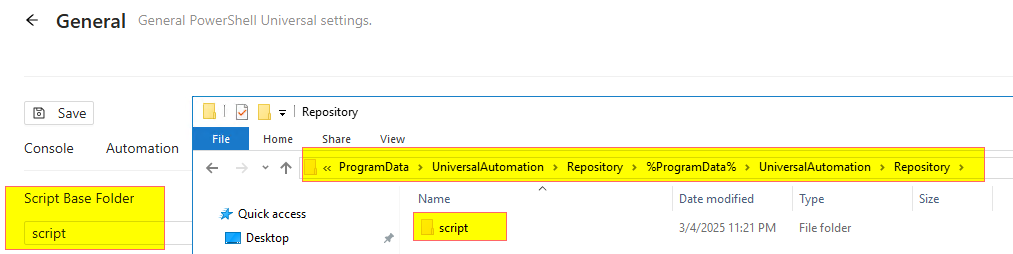
or the Script Base Folder
will create a %ProgramData% folder under Reposititory, plus all subfolders.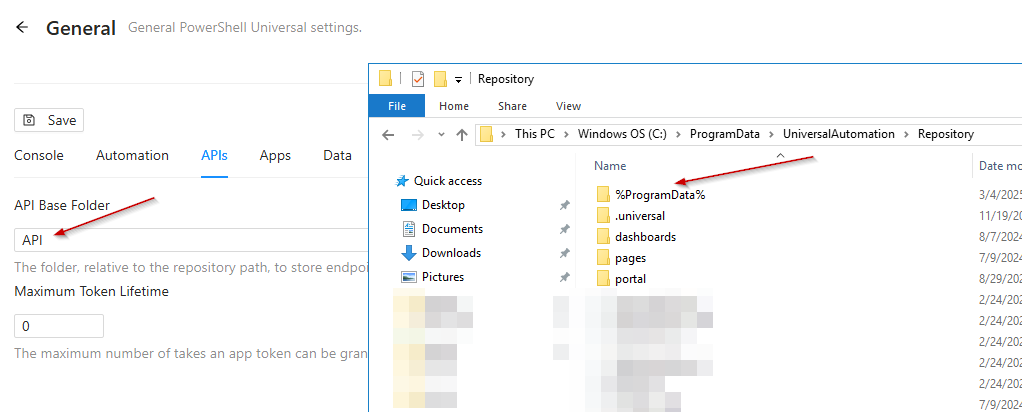

d5bb12494582803e76778df5f260fb9369bbe4b5.png
d92bb69deb16f38a3cc1f53d95fc207748118a0e.png
fdfe329e50eb9adbad3ce7b813da2df14d3cf8c0.png
All Comments (5)

Interesting. I have exactly that in my 5.2.3 setup on windows 2022 and its created folders without that extra hierarchy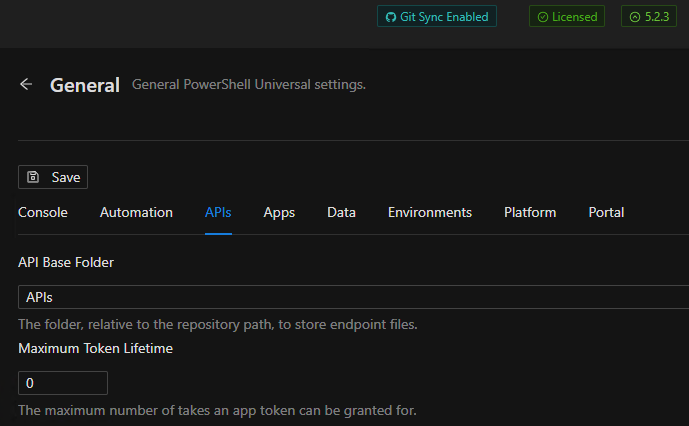
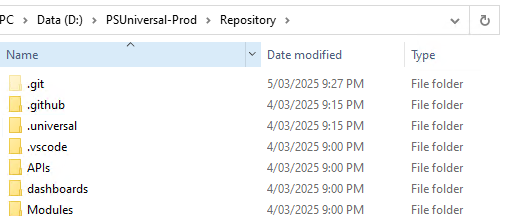
Heres the bits from my appsettings.json and settings.ps1 in case theres something diffn in yours thats easy to spot - its only a few versions diffn.
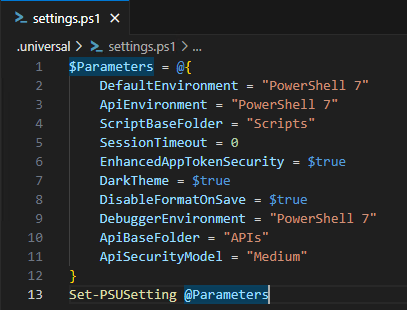
aa3a719954b3c6589613cb76d93b6f3238b2dc1e.png
049579de58837f7cce9a43f22f13ca63a76c52cf.png
03d893b894ab1ca374c1c65d33a3417af67a992c.png
9665e236491bf74c6ce4e50c1465bf0c30f53b30.png
Did you file an issue on GitHub for this? Definitely seems like a bug.
not yet
The issue could be that I left the repository path to default.
“RepositoryPath”: “%ProgramData%\UniversalAutomation\Repository”,
So seemingly %ProgrammData% does not get resolved and the whole string simply added to the repository path.
Tried again on my 5.3.3 dev server.
my appsettings.json is default for these values:
  "Data": {
    "RepositoryPath": "%ProgramData%\\UniversalAutomation\\Repository",
    "ConnectionString": "Data Source=%ProgramData%\\UniversalAutomation\\database.db"
  },
Setting the API folder to “APIs” adds it correctly to settings.ps1, but creates the wrong folder path.
C:\ProgramData\UniversalAutomation\Repository\%ProgramData%\UniversalAutomation\Repository\APIs
Setting the Script folder to “Scripts” fails with an error message and does NOT change the settings.ps1, but as well creates the faulty folder path.
C:\ProgramData\UniversalAutomation\Repository\%ProgramData%\UniversalAutomation\Repository\Scripts
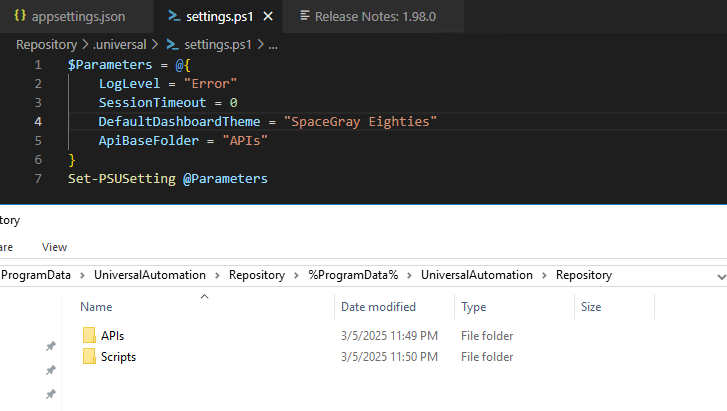
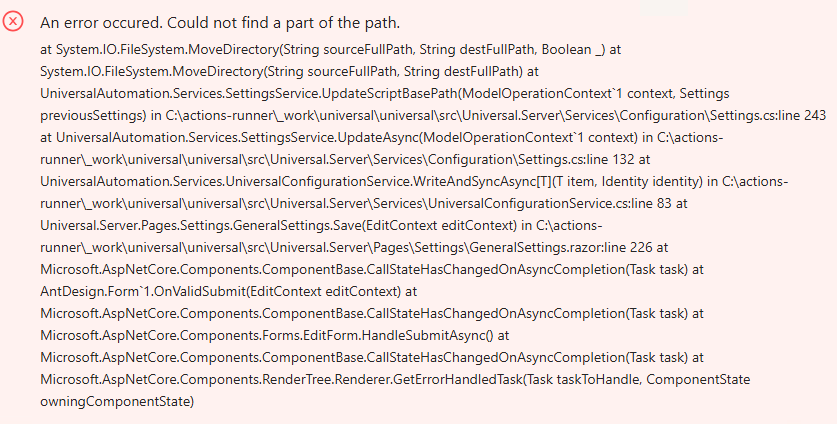
31a87666ea29b43f98ff3b3219bb2c0241e38f4e.png
fb08ff4bc8a39eb7281674ed96507dd67602d23f.png