HttpRequestException and AuthenticationException errors

Product: PowerShell Universal
Version: 5.0.0
I am trying to run a test script on a bare bones app I made, and I am getting this error.
I Suspect this is an issue with me hosting the app on my load balancer and giving it a wildcard cert, even though I had to set up a local ACME cert to get OIDC working.
Right now I am just trying to collect thoughts on where to start looking, and seeing if anyone else has had this issue.
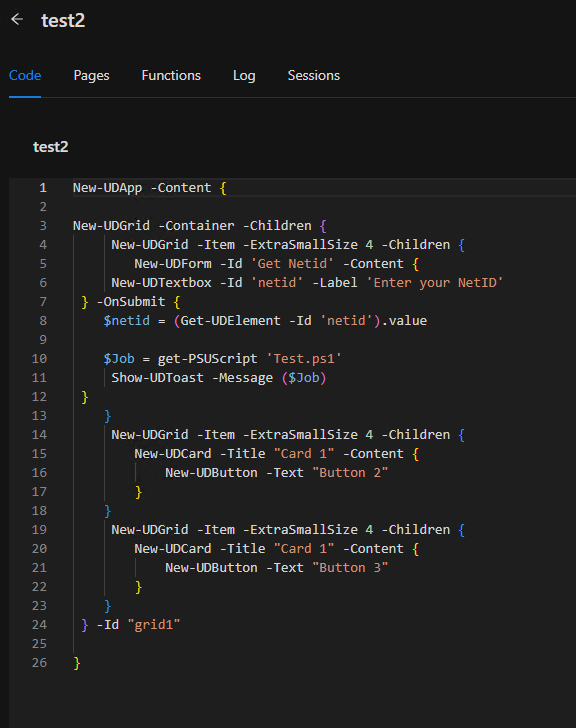
Here is my test script and test app.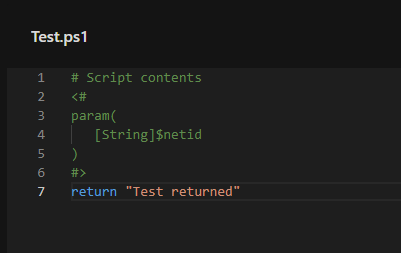
8aa03385a75c7be4c84b9759dc66837d1f738f3c.png
484c1b06fafb23b65cc8d3e8fb32093a38b93660.png
d4dda18e2499c8ede49e352ca2ffc383a1e0f12d.png
Recommended Answer
Try setting the TrustCertificate in appsettings.json. It’s not accepting the cert for some reason.
docs.powershelluniversal.com
Adam Driscoll
PowerShell Expert and Software Architect at Devolutions
All Comments (10)
Try setting the TrustCertificate in appsettings.json. It’s not accepting the cert for some reason.
docs.powershelluniversal.com
Adam Driscoll
PowerShell Expert and Software Architect at Devolutions
Either that does not fix the issue or I setup my appsettings.json file incorrectly.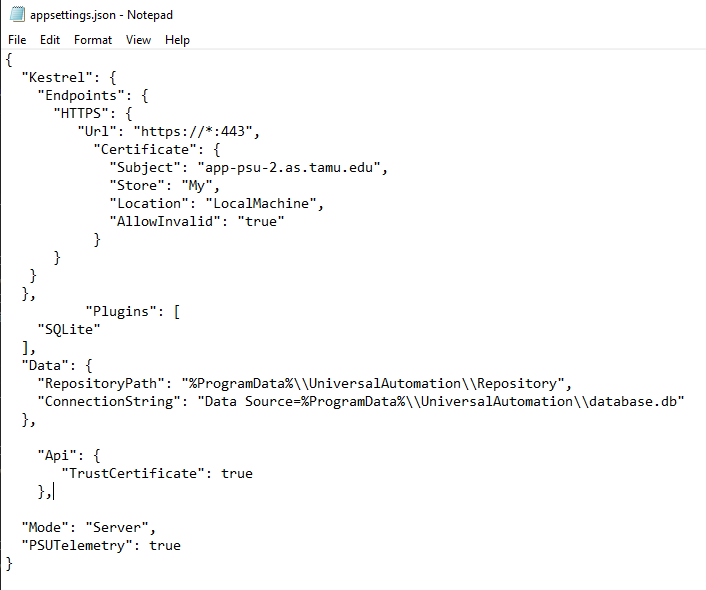
I also tried using the -TrustCertificate parameter, but get-psuscript does not recognize it.
a2a9aa7817d60f588f5fc6e172d0a69a28130341.png
Are you running the latest version (5.0.6)?
Adam Driscoll
PowerShell Expert and Software Architect at Devolutions
No just on 5.0.0 you think upgrading would help?
6e0dece6b9fdd36182649ae2c486cead6d0e976b.png
Yeah. Both of these were added post 5.0.0
Adam Driscoll
PowerShell Expert and Software Architect at Devolutions
Ok, I’ll give that a try and get back to you.
Ok so upgrading to 5.0.6 and then adding -TrustCertificate worked. That being said it did not work when trying to set the appsettings.json. Any advise on how to get that working so I do not have to change all of my commands?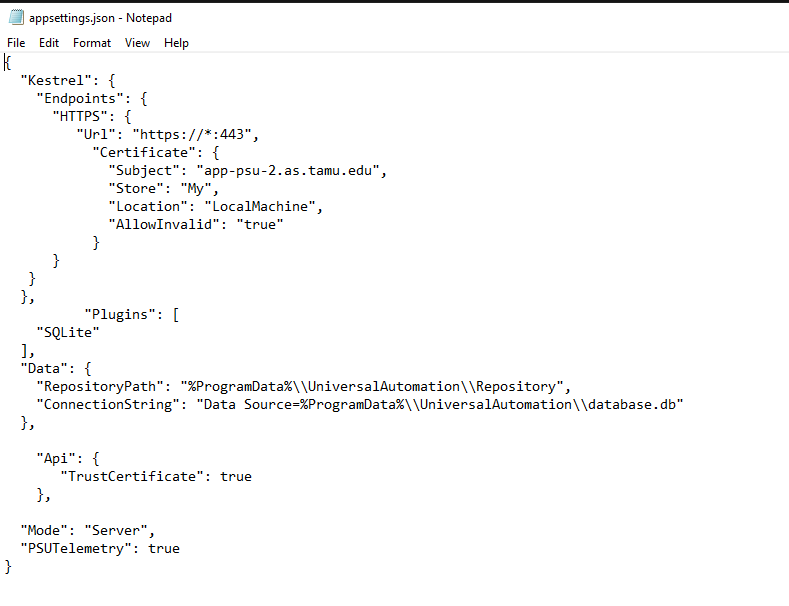
c9f2e84a8226b3ff98cc32fbf83492de693df0f6.png
I am also running into the issue that when I try to run a script with a parameter is say that TrustCertificate is not a valid parameter for the script. This would also hopefully be fixed by fixing the json
Hmmm. Looking into it. The other thing that you can set is the PSU_TRUST_CERTIFICATE environment variable to true
Adam Driscoll
PowerShell Expert and Software Architect at Devolutions
Setting the environment variable fixed the parameter issue. So a better solution, but not ideal.