Script manager scripts show in list view but not folder view
Script manager scripts show in list view but not folder view

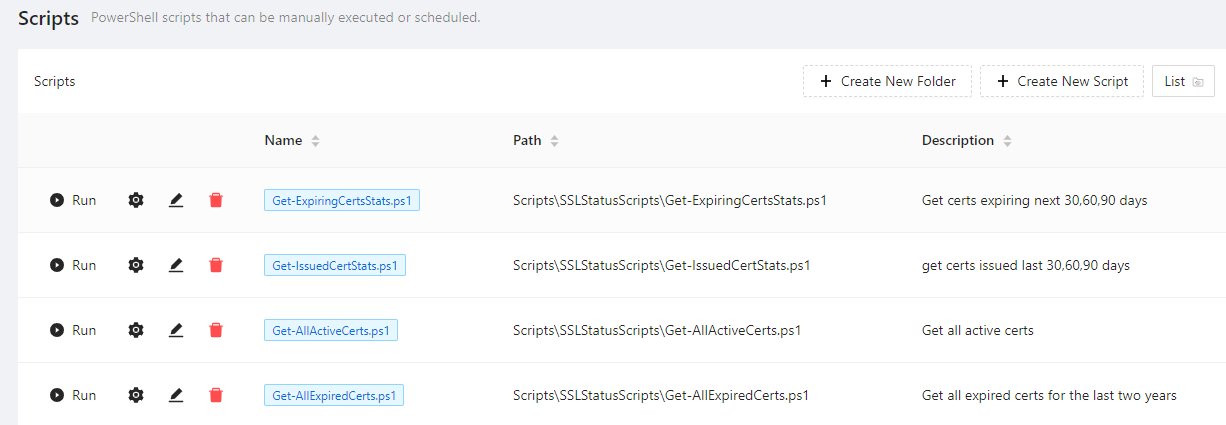
I copied some scripts from my development instance to my production instance. I updated the scripts configuration file manually to register the scripts. Then i restarted the powershell universal service. When i go to the script manager to review the scripts they do not show up in the folder view, but they do show up in list view. The scripts reside in repository\scripts\SSLStatusScripts which is where they are on my dev instance and where the path is set to in the scripts.ps1 config file on both dev and prod. In list view the path is shown correctly. Any suggestions on why the scripts dont show up in folder view?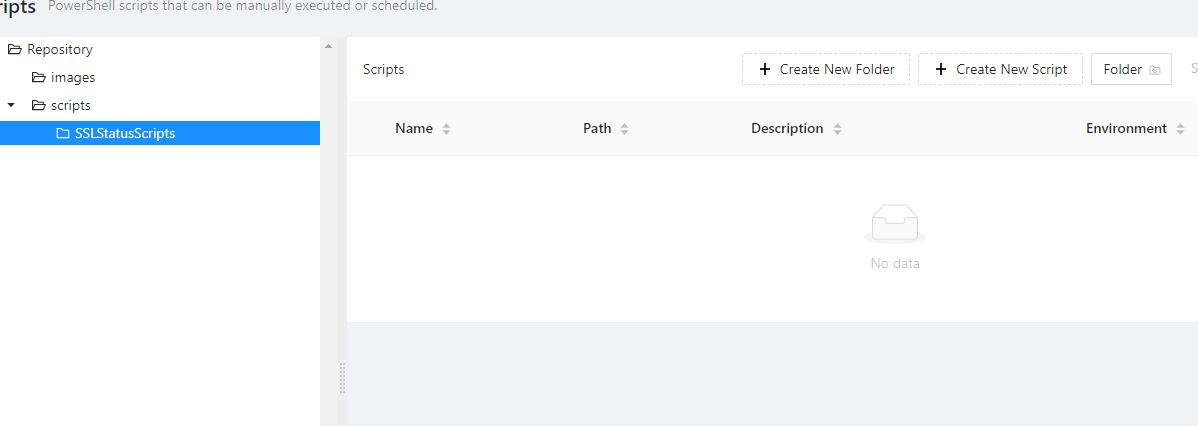
Product: PowerShell Universal
Version: 4.3.3
0ad8905b9e18f0b7d9776724586ba5f3c02e3650.png
87b0cd9066938483e469c28c7d07cd4a9b4c6af6.png
Recommended Answer
Your script-path is wrong.
the folder is “scripts” but in your path it is “Scripts”. So case sensitivity matters!
All Comments (4)
I’m not able to recreate this issue on my instance. I cloned one of my existing scripts into a new folder, edited the scripts.ps1 file, and then pushed to Git. The script immediately showed in PSU and is visible in both Folder and List views. No changes were made directly from PSU.
Your script-path is wrong.
the folder is “scripts” but in your path it is “Scripts”. So case sensitivity matters!
Yep, this fixed it. Thank you.
Nice. I didn’t catch that in the screenshots.