Powershell universal Enhanced Transfer List Support Missing
Powershell universal Enhanced Transfer List Support Missing

Product: PowerShell Universal
Version: 4.3.0
I need an option to transfer multiple objects
I try to search for the object and use the ‘[>>]’ button, but it transfer all the list and not what I searched: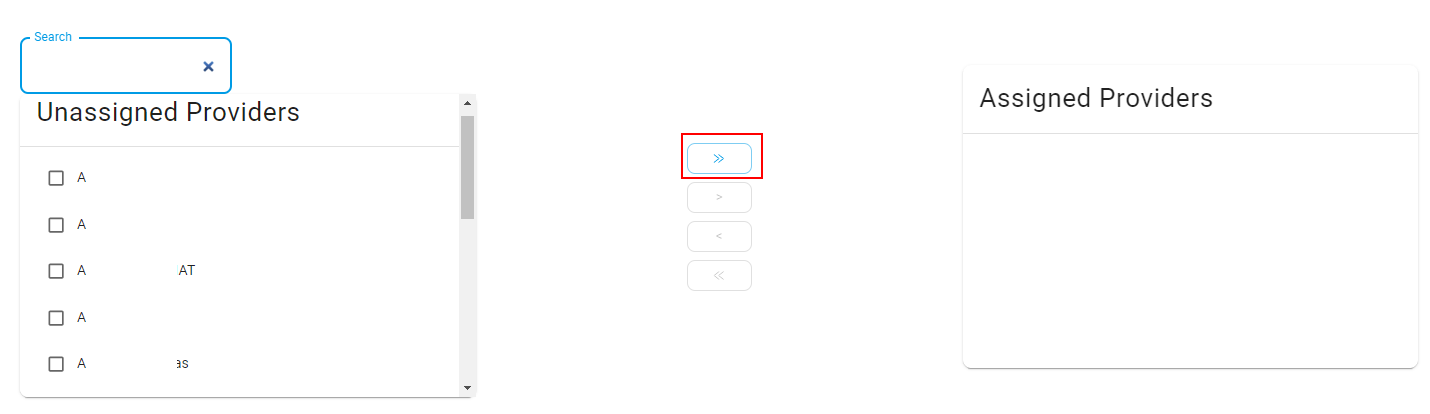
I notice this component on mui website:
https://mui.com/material-ui/react-transfer-list/#enhanced-transfer-list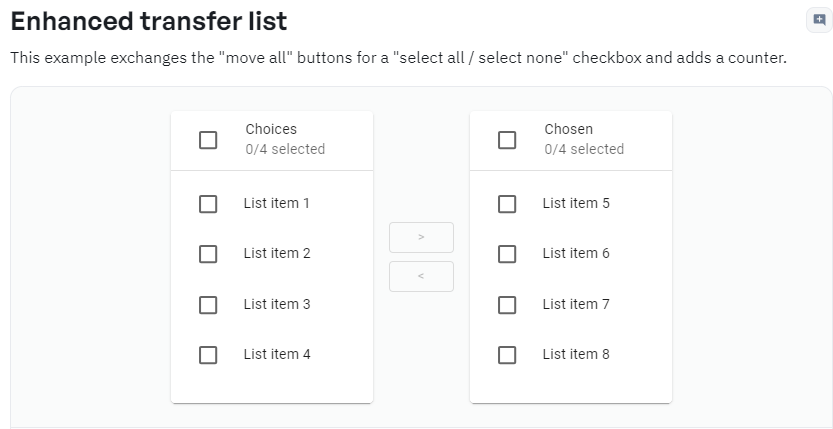
and even a issue that opened:
https://github.com/ironmansoftware/powershell-universal/issues/2888
@Adam Driscoll you write it will supposed to added in v4.3 but I don’t see this option.
06f663535d9eea1c6fb5c63aadf1fd2ee3e70258.png
9c16c055ae07299ef985b264c9cce1ca912c612a.png
All Comments (8)
ANY UPDATE regards to the issue?
@Adam Driscoll
Issue number #2888not resolved, although it marked as one.
The users need to select the items one by one.
Also can you add a search option to the second list?
The list contains 300+ objects, its annoying to search one by one,
#2888 - It looks like it wasn’t merged in for some reason. The work was completed but is not in the current version. I’ve migrated to code into 4.4.0.
Adding a search to the right side should be easy enough.
Adam Driscoll
PowerShell Expert and Developer at Devolutions
Any update when 4.4.0 will be released?
Hi,
Just checked the enhanced feature on 4.4.0,
When I using the searching field and then select all, It selecting All the list objects and not only what I searched for.
As you see in the picture 185/185 objects selected (after I searched only 7 need’s to be selected) - Can you help me with this issue?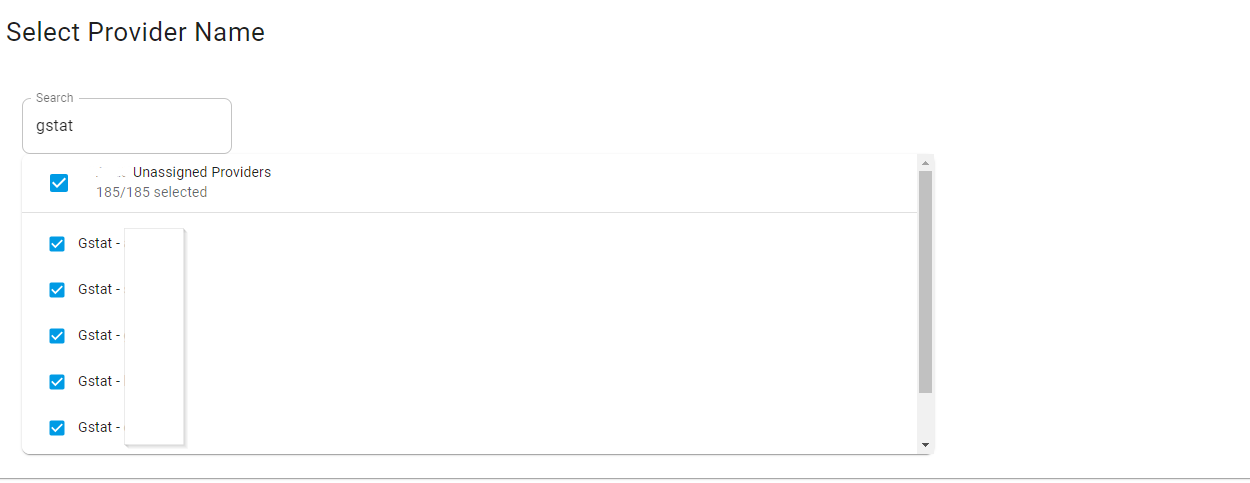
Here is an example from ANT Design
https://ant.design/~demos/transfer-demo-oneway/
ant.design
CodePen
86c463e835b0eaa8110b11f3847e09fc518e41da.png
Hi, @Adam Driscoll There is any update?
@Adam Driscoll
Issue isn’t fixed on 5.2.0: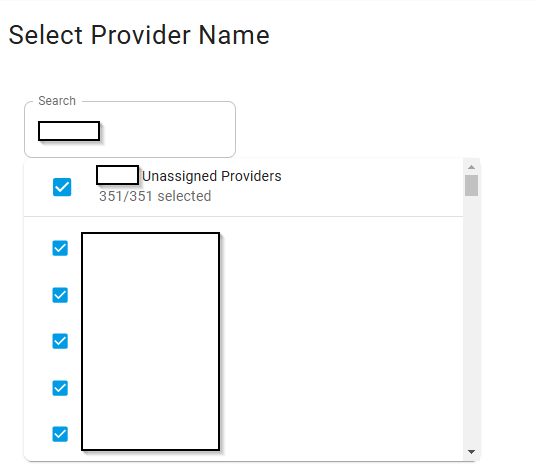
e10b10c8e9d2ca7de81fad7a16e3992dceba371c.png
I opened an issue for this so we can finally get it fixed properly.
Adam Driscoll
PowerShell Expert and Developer at Devolutions