Persistant runspaces with environments

Product: PowerShell Universal
Version: 4
We are looking to speed up some processes that work with AD.
I created the following environment
$Parameters = @{
    Name               = "Persistent"
    Version            = "7.4.1"
    Path               = "C:\Program Files\PowerShell\7\pwsh.exe"
    Variables          = @('*')
    PersistentRunspace = $true
    Description        = "Persistent runspace"
}
New-PSUEnvironment @Parameters
When I run a script that has the specific environment selected it still seems to reload modules.
I even tried to load that activedirectory module in the environment.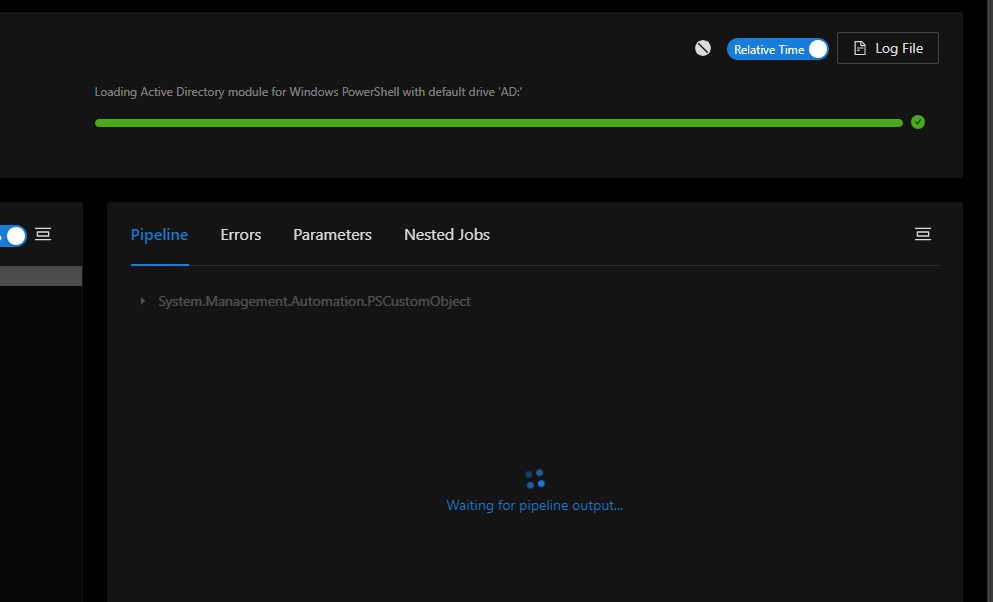
How does Persistent Runspaces work with environments? Any idea why it loads those modules every time, even with PersistentRunspace set to true?
511a1a97b6f9d09c3d77039419492c7e126ac81c.png
All Comments (3)
I believe that the persistent feature of environments only applies to Endpoints. Your screenshot seems to be showing a Script. You would also need to have the module included in the properties of the Endpoint (see below).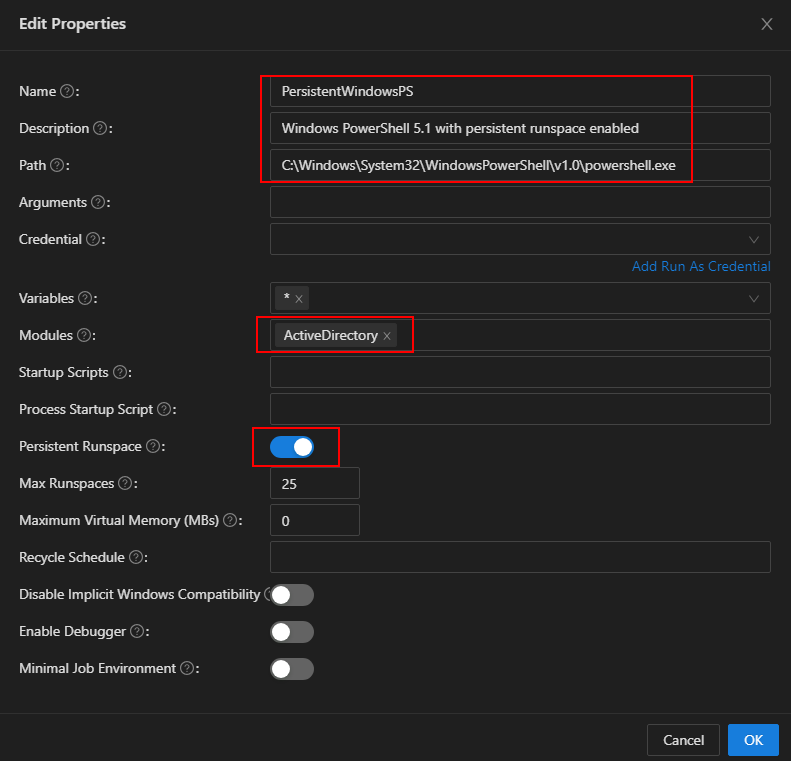
(figure shows a Windows PowerShell 5.1 environment configured on a PSU server running on Windows Server 2016)Regarding the ActiveDirectory module, if you have Windows Server 2016 then you really have no practical choice but to stick with Windows PowerShell. If you have Windows Server 2019 or above then you should be able to utilize a PowerShell 7 environment in PSU with the ActiveDirectory module 1.0.1.0. The ActiveDirectory module must be 1.0.1.0 if you want to use PowerShell 7. You should then be able to achieve your objective of faster executions (on your Endpoints).
0a54e5954da7b39349f81b145d51bf89e045bf47.png
Thanks for the information!
@Adam Driscoll is this something we could get working for scripts too?
It’s possible but it’s a big deviation from how scripts currently work so we would need to refactor it to support more than one job run per process. It’s just one job, one process at the moment.
Adam Driscoll
PowerShell Expert and Software Architect at Devolutions