No Job Logs after 4.2.1 Update

Product: PowerShell Universal
Version: 4.2.1
Host: Windows 10 Pro
I upgraded from 4.0.9 to 4.2.1 yesterday. Since the update, I have no Job Logs. Jobs are still running (getting all our reports/output we’d expect), and I can see the jobs in the System Log. I archived everything from before the update, and the most recent log I have is from yesterday at 17:12 GMT. I did the update just after that.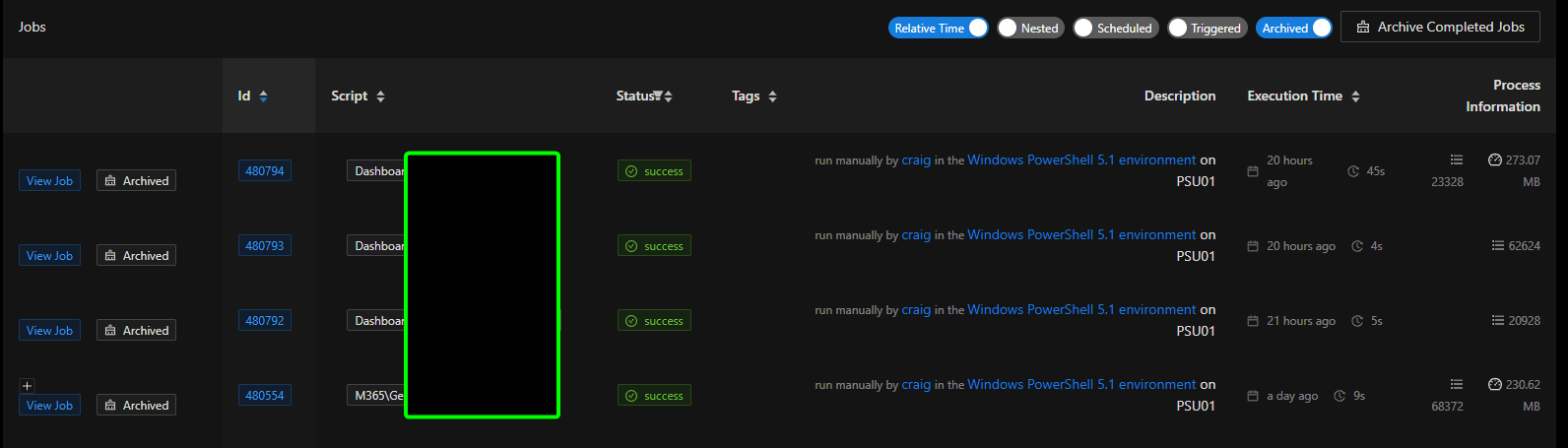
In my System Log, though, I can see entries for the jobs that are running:
I also don’t have anything since after the update under Platform > Logging.
If there’s any additional information I can provide, please let me know.
Thanks!
6019ed847e753fab106c2c89da2a3d7e7c43f8c1.png
88704a53431722ad3ea1699254e7fd4082458dd7.png
Recommended Answer
Is this for all jobs or just scheduled jobs? I noticed that you don’t have Scheduled checked. We added that in v4.2.
Adam Driscoll
PowerShell Expert and Software Architect at Devolutions
All Comments (3)
I am seeing the same thing, no more jobs logged.I upgraded from 4.1.8 to 4.2.1
Windows Server 2022 and IIS implementation.
Is this for all jobs or just scheduled jobs? I noticed that you don’t have Scheduled checked. We added that in v4.2.
Adam Driscoll
PowerShell Expert and Software Architect at Devolutions
Thanks @Adam Driscoll, that was it. Can’t believe I missed that in the screenshot. I appreciate the help!