Get-UDElement not working after 4.2.1 update

Product: PowerShell Universal
Version: 4.2.1
I updated from 4.0.9 to 4.2.1 today, in response to the security notice Security Update: PowerShell Universal CVE TBD (ironmansoftware.com)
Unfortunately, this broke a lot of buttons for me. Most, but not all, buttons that use Get-UDElement to pull data from a table, no longer works.
Seems to be the same issue as in this post Get-UDelement stopped working on large tables - PowerShell Universal - Ironman Software Forums. It’s posted in the general PSU category, so I’m creating a separate post located in the sub category of PSU > UD.
I haven’t been able to work out why it works with pulling data from some tables but not from others.
New-UDTable -Id "table" -Data $tableData_Sorted -Columns $columns -Title "Azure VMs Owned by: $user" -ShowSelection -Dense -Size Small -ShowPagination -PageSize 5 -ShowSearch -ShowSort -ShowFilter

$button_Renewals = New-UDButton -Id "button_Renewals"-Text "Renewals" -Color Primary -OnClick {
    # Other code before this works.
    $values = Get-UDElement -Id "table"
    # Other code after this does not run.
}
When I click the Renewals button, code before Get-UDElement runs just fine, but all code after it is not run. I tried putting Show-UDToast directly after it and nothing.
Note…the exact code (copy/paste) in some other apps, that pull data using Get-UDElement -Id “table”, are working just fine.
When I restart the page, browse to the console window, and run Get-UDElement -Id “table”, I get no results. But I get this in the logs.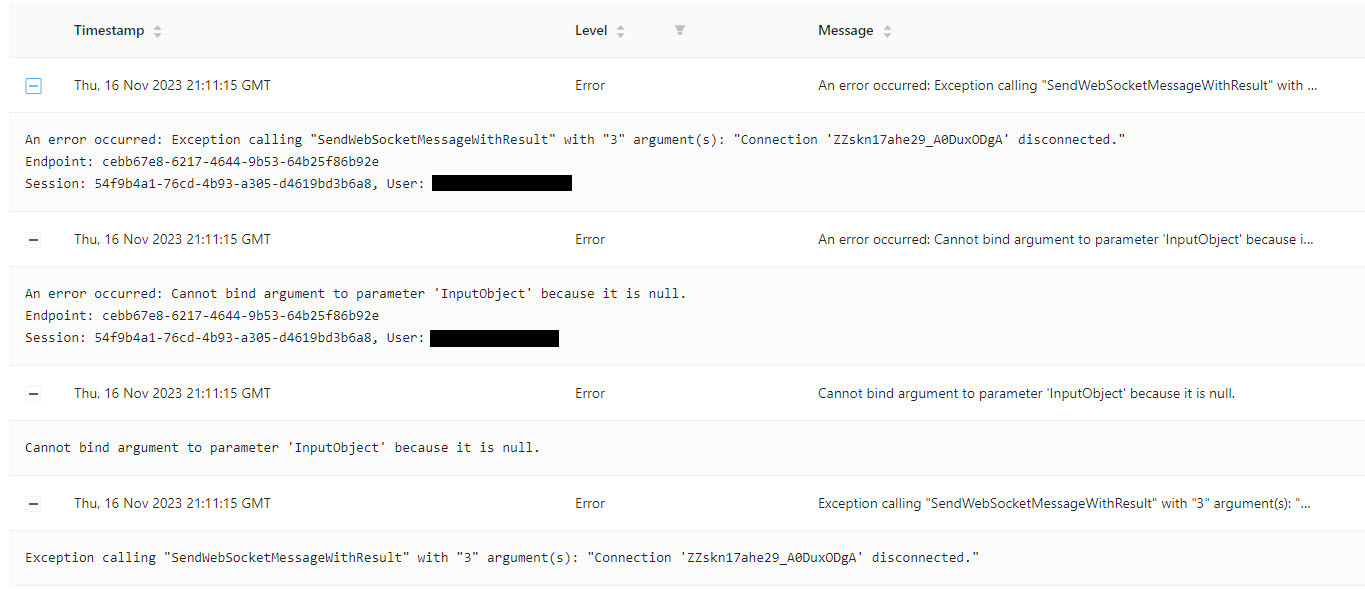
When I click the Renewals button, I get this in the logs.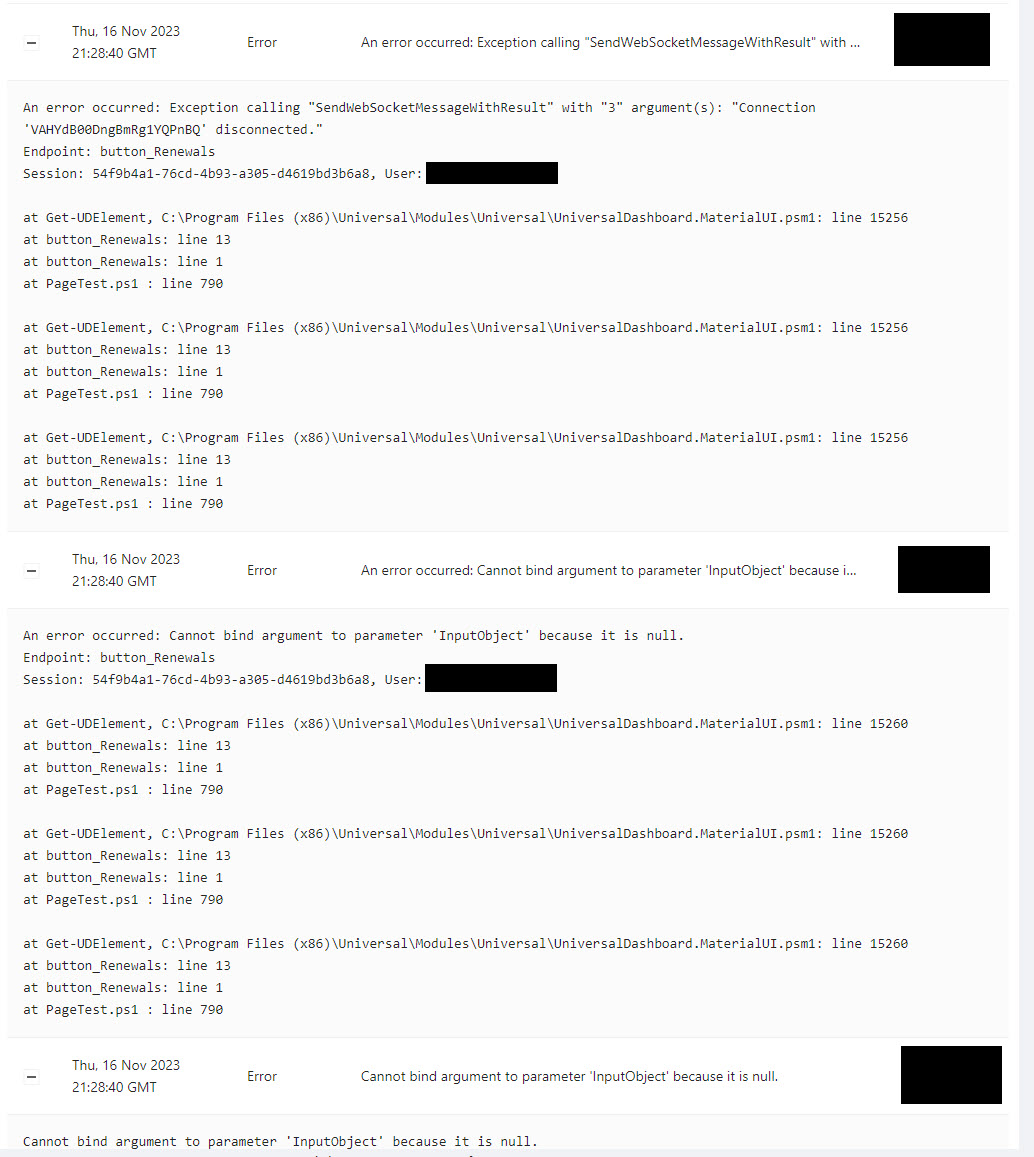
Unfortunately, I’m in the middle of a project and cannot afford downtime from this. I’ve had to roll back to yesterday’s image backup, back to 4.0.9. I am not able to update to 4.2.x, for the security issue, until we have a fix or workaround for this.
Ideas?
Thanks,
Rob
ce14221cf77da3bbf24f7a4570696f5a37bda46c.jpeg
d1ae947dca87b2d5c48bb4a930a7fa528cb3d65a.jpeg
Recommended Answer
PowerShell Universal - 4.2.2 Release Notes Apps Increased max websocket size to fix an issue with Get-UDElement failing on large objects like tables Platform Fixed an issue where SAML2 logins would not work with the admin console (#2853) Added Kestrel:CookiePrefix setting to allow for multiple instances of PSU to run on the same server (#2846) Fixed an issue where the git commit page would reload every second Downloads Windows MSIWindows ZIPWindows DesktopLinuxLinux ARMLinux ARM64Mac …
All Comments (11)
What other issues were you running into? We just patched with the same update and now none of our Apps want to start. Thinking of reverting back down to version 3 honestly.
From version 3 to 4 I had a couple of issues start up. Table data sorted backwards, and tables in a UDDynamic would no longer update their data during a Sync-UDElement action; unless I used a dynamic number in the table name. Such as setting $page:count = 0 at the top of an app, inside my UDDynamic set $page:count ++, and then name my table like -Id “table_$page:count”. Doing that fixed my dynamic tables.
For this specific update to 4.2.1, the only new issue I’ve found is the broken buttons when calling Get-UDElement -Id “table”. Broken when retrieving data from some tables, but not from others.
BR,
Rob
I just updated and I have the same problem so I had to revert back.
We’re looking into this. We changed how Get-UDElement works to use a WebSocket rather than HTTP request due to performance reasons but it seems like there is some sort of max value we need to increase. This was changed in 4.2.
That said, the security fix was also rolled out in 4.1.10 so you should be able to upgrade to that to avoid the bug and also apply the fix.
Adam Driscoll
PowerShell Expert and Developer at Devolutions
Hey @Adam Driscoll, thanks for the info and good to know you’re aware of and working on it.
I did not see version 4.1.10 on the page linked to in the article, but now I see that if I scroll down to Previous Versions and click View, it takes me to where I can download 4.1.10.
ironmansoftware.com
I upgraded but ran into problems immediately. 3 of my apps were missing, and when I re-created one of them all 3 disappeared from the script. Not a big deal, can re-create them, but the big one is 4.1.10 has the Azure connection bug. I cannot connect to Azure on 4.1.10. This breaks important apps, and my current project is building an Azure VM self-service app. So now I’m having to image rollback to 4.0.9 again.
I can’t upgrade to 4.2.1, because it breaks the ability to pull data from large tables. I can’t upgrade to 4.1.10, because of the Azure connection bug. I guess I’m stuck having to do the work around and remove all param blocks from my endpoints. I look forward to a 4.2.x upgrade that contains the fix for getting data from large tables.
BR,
Rob
Or use [PSTypeName]
PSTypeNameAttribute Class (System.Management.Automation) | Microsoft Learn
AND validate that what you got as input is what you want, before running the endpoint scriptblock
Thanks @AnonymousUser , that look slick. However, from my limited understanding (10 min of research) I’d need to set a custom PSTypeName on the parameters in the endpoint functions. Then all calls to them would have to create a PSCustomObject with the matching custom PSTypeName as one of its properties, and submit that instead of a string to the endpoint. If the custom PSTypeName matches, it’s valid; if not, it’s not.
If I’m correct, then PoSh scripts calling them would all need to be updated, dozens. Also, we have future plans to expand internal integrations outside of systems running PoSh, using endpoints.
I’ll keep the PSTypeName thing in mind for future development, but for now I just commented out all the param blocks in my endpoints and successfully tested them. Once a 4.2.x version is out that fixes Get-UDElement for large tables I’ll uncomment the param blocks.
Thanks,
Rob
PowerShell Universal - 4.2.2 Release Notes Apps Increased max websocket size to fix an issue with Get-UDElement failing on large objects like tables Platform Fixed an issue where SAML2 logins would not work with the admin console (#2853) Added Kestrel:CookiePrefix setting to allow for multiple instances of PSU to run on the same server (#2846) Fixed an issue where the git commit page would reload every second Downloads Windows MSIWindows ZIPWindows DesktopLinuxLinux ARMLinux ARM64Mac …
Thanks again @AnonymousUser!
I upgraded to 4.2.2 today and everything is good to go. I uncommented my endpoint param blocks, Azure connects just fine, and Get-UDElement is working with all tables
Have a good one!
Rob
I’m not sure if this is the same issue or not but it sounds very familiar, I’m seeing almost identical errors and my problems all seem to stem around the use of get-udelement on a table, however I’ve seen it with 1 row of data or 100 rows of data. It seems intermittent for users too, often they will refresh the page and it’ll work. When it happens the websockets seem to disconnect and reconnect causing anything that was mid way through to halt execution (the subsequent udmodal popup doesnt occur) - users will either see a preloader indefinetly or an error like ‘Error rendering component (mu-table)’.
2024-06-18 08:50:18.077 +01:00 [ERR] Exception calling "SendWebSocketMessageWithResult" with "3" argument(s): "Status(StatusCode="Unknown", Detail="Exception was thrown by handler.", DebugException="Grpc.Core.Internal.CoreErrorDetailException: {"created":"@1718697018.043000000","description":"Error received from peer ipv4:127.0.0.1:53379","file":"..\..\..\src\core\lib\surface\call.cc","file_line":953,"grpc_message":"Exception was thrown by handler.","grpc_status":2}")"
2024-06-18 08:50:18.083 +01:00 [ERR] Cannot bind argument to parameter 'InputObject' because it is null.
2024-06-18 08:50:18.089 +01:00 [ERR] An error occurred: Exception calling "SendWebSocketMessageWithResult" with "3" argument(s): "Status(StatusCode="Unknown", Detail="Exception was thrown by handler.", DebugException="Grpc.Core.Internal.CoreErrorDetailException: {"created":"@1718697018.043000000","description":"Error received from peer ipv4:127.0.0.1:53379","file":"..\..\..\src\core\lib\surface\call.cc","file_line":953,"grpc_message":"Exception was thrown by handler.","grpc_status":2}")"
Endpoint: AccessReviewPortal_ReviewSelectedButton_InComplete
Session: b52fd408-9e08-4aa6-8206-397077d2390c, User: -----@----.com
I’m currently running on v 4.2.21 and pulling my hair out trying to understand what’s causing it and how to resolve it
Frustratingly this doesnt seem to be an issue testing internally but seems common when accessing through an F5 loadbalancer
UPDATE: I managed to sort my issues by switching to the integrated environemnt, responsiveness is night and day and websocket closures + other issues dissapeared after doing this. Think its related to gRPC + proxy problems on the non-integrated environment
Thank you @AnonymousUser for this insight.