How to Dynamically Update Text in New-UDTab

Product: PowerShell Universal
Version: 3.9.13
Is it possible to dynamically update the text of a New-UDTab? More specifically, I’m looking to have the tab text dynamically reflect numerical data—such as the number of rows selected in a table after a ‘Save’ button is clicked. This number would correspond to what can be queried in a database. However, it could also be any other data that dynamically represents the count of something.
Additionally, if the above is not possible, is there a way to display this numerical information using a badge or another similar visual indicator, positioned next to one of the New-UDTab elements?
All Comments (5)
Is using z-index generally a bad idea? I have no experience with it, so any advice would be greatly appreciated.
New-UDHtml -Markup '<style>
.my-custom-tabs .MuiTab-root.Mui-selected {
    background-color: #FFFFFF;
    color: #1f2328;
}
.my-custom-tabs .css-7mcwe1-MuiTabs-indicator {
    background-color: #EB0A1E;
}
/* Remove elevation or shadow */
.css-1ajqbrw-MuiPaper-root {
    box-shadow: none !important;
}
.my-badge-container {
    position: relative;
}
.my-chip {
    position: absolute;
    top: 100px;
    left: 220px;
    z-index: 1000;
}
</style>'

New-UDGrid -Container -Content {
    New-UDPaper -Elevation 1 -Content {
        New-UDGrid -Item -ExtraSmallSize 12 -Content {
            New-UDHtml -Markup '<div class="my-badge-container">'  # Open container div
            New-UDTabs -Id 'myTabs' -ClassName "my-custom-tabs" -Tabs {
                New-UDTab -Text 'Open' -Dynamic -Content {

                }
                New-UDTab -Text 'Review' -Dynamic -Content {

                }
            } -RenderOnActive

            New-UDChip -Label "4" -ClassName "my-chip" -Size small -Color "primary"
            New-UDHtml -Markup '</div>'
        }
    }
}Based on my limited experience, it might be a bad idea. When iterating over different devices and orientations using developer tools, I’ve seen some confirmation of this. However, it’s worth noting that there are slight differences in the results depending on whether I use the developer tools in Chrome, Edge, or Firefox.
Any input would be greatly appreciated.
@Adam Driscoll thoughts on this approach?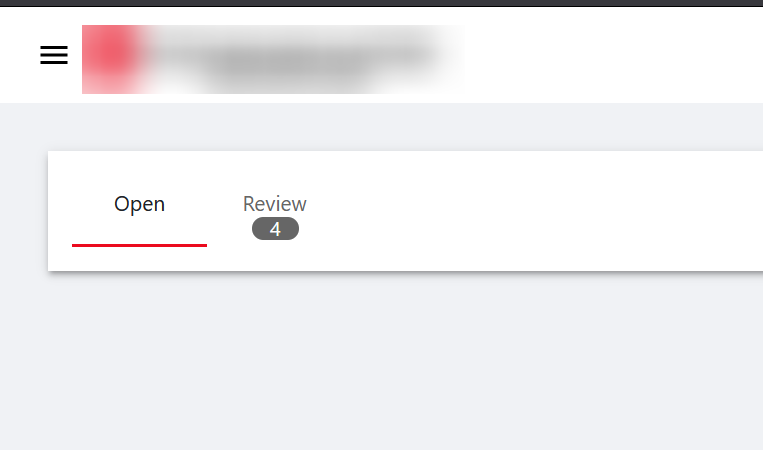
# Custom CSS
New-UDHtml -Markup '<style>
.my-custom-tabs .MuiTab-root.Mui-selected {
    background-color: #FFFFFF;
    color: #1f2328;
}
.my-custom-tabs .css-7mcwe1-MuiTabs-indicator {
    background-color: #EB0A1E;
}
/* Remove elevation or shadow */
.css-1ajqbrw-MuiPaper-root {
    box-shadow: none !important;
}
.my-badge-container {
    position: relative;
}
.my-chip {
    position: absolute;
    top: 140px;
    left: 168px;
    z-index: 1000;
    height: 15px;
    background-color: #666666;
}
</style>'

New-UDGrid -Container -Content {
    New-UDPaper -Elevation 1 -Content {
        New-UDGrid -Item -ExtraSmallSize 12 -Content {
            New-UDHtml -Markup '<div class="my-badge-container">'  # Open container div
            New-UDTabs -Id 'myTabs' -ClassName "my-custom-tabs" -Tabs {
                New-UDTab -Text 'Open' -Dynamic -Content {

                }
                New-UDTab -Text 'Review' -Dynamic -Content {

                }
            } -RenderOnActive

            New-UDChip -Label "4" -ClassName "my-chip" -Color "primary"
            New-UDHtml -Markup '</div>'
        }
    }
}
81b4096c5e6e13e3a016bff24459246c82874e54.png
For now, this solution will suffice, allowing me to proceed with feature/functionality. However, I’ve noticed that at smaller widths, the tabs shift upward while the typography remains in place. Any suggestions for addressing this issue would be greatly appreciated.Safari (iOS)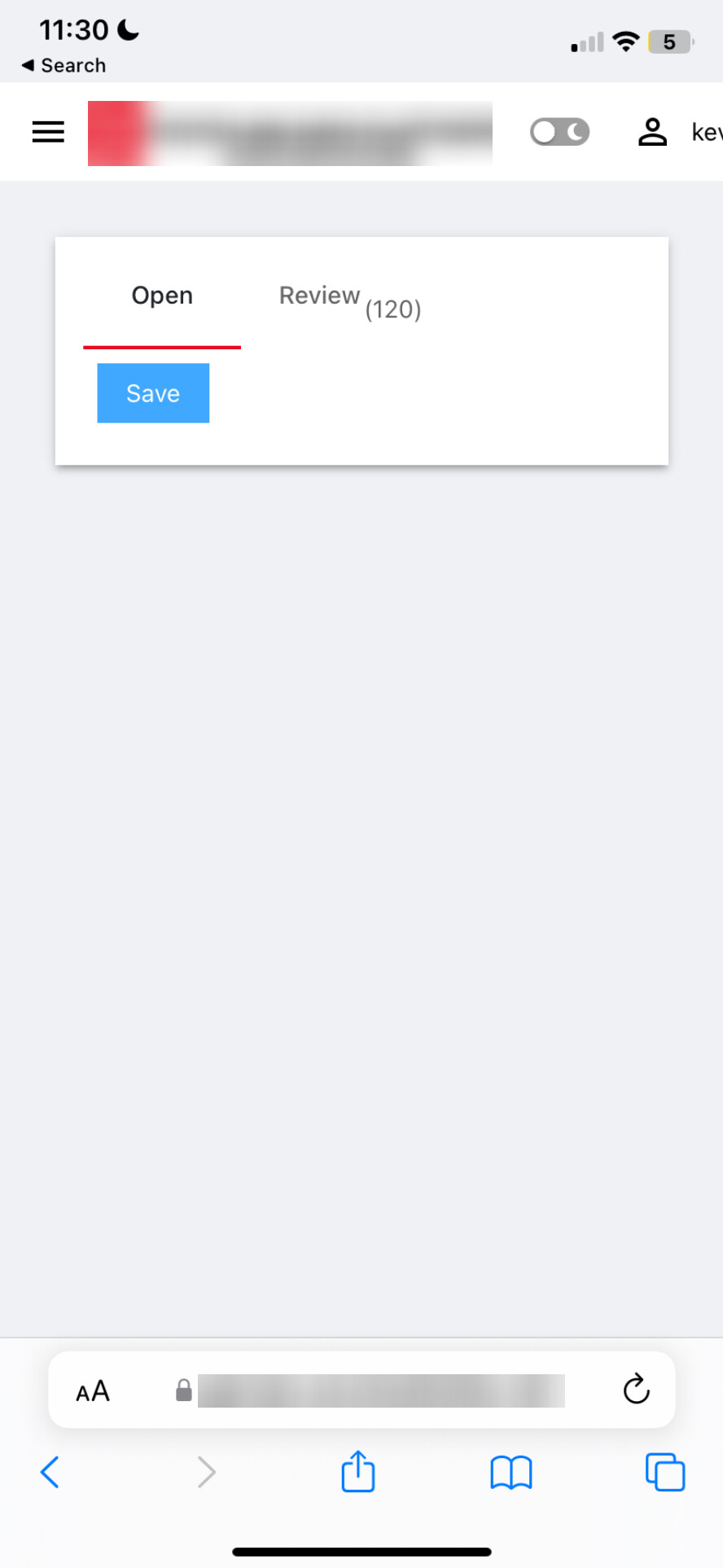
Firefox (Win) until fairly narrow width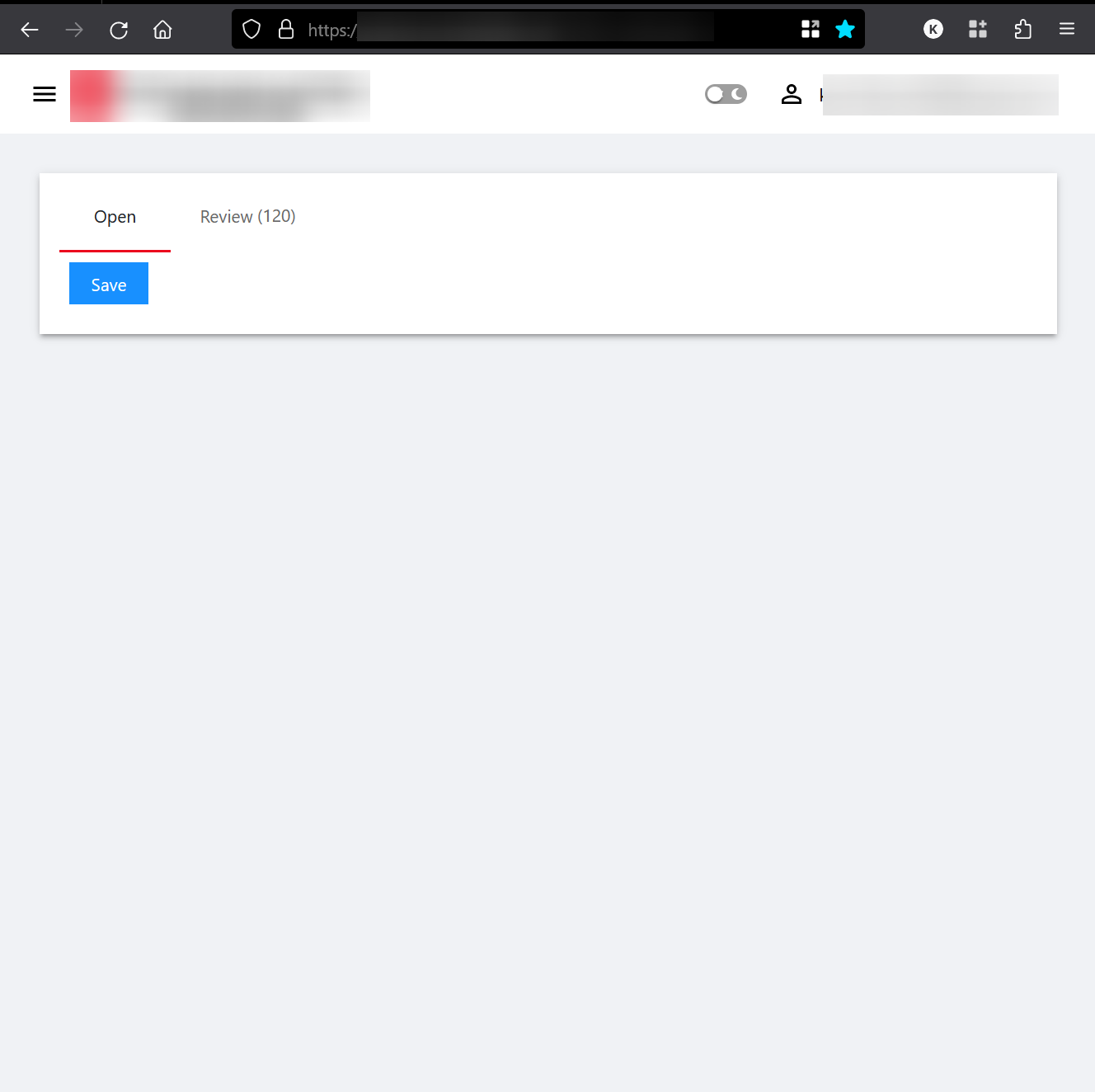
# Custom CSS
New-UDHtml -Markup '<style>
.my-custom-tabs .MuiTab-root.Mui-selected {
    background-color: #FFFFFF;
    color: #1f2328;
}
.my-custom-tabs .css-7mcwe1-MuiTabs-indicator {
    background-color: #EB0A1E;
}
/* Remove elevation or shadow */
.css-1ajqbrw-MuiPaper-root {
    box-shadow: none !important;
}
.my-badge-container {
    position: relative;
}
.my-typography {
    position: absolute;
    top: 119px;
    left: 208px;
    z-index: 1000;
    color: #666666;
}
</style>'

# Layout and components
New-UDGrid -Container -Content {
    New-UDPaper -Elevation 1 -Content {
        New-UDGrid -Item -ExtraSmallSize 12 -Content {
            New-UDHtml -Markup '<div class="my-badge-container">'  # Open container div
            New-UDTabs -Id 'myTabs' -ClassName "my-custom-tabs" -Tabs {
                New-UDTab -Text 'Open' -Dynamic -Content {
                    New-UDButton -ShowLoading -Text 'Save' -OnClick {
                        Set-UDElement -Id 'Review' -Properties @{'Text' = '(120)' }
                    }
                }
                New-UDTab -Text 'Review' -Dynamic -Content {

                }
            } -RenderOnActive
            New-UDTypography -ClassName 'my-typography' -Id 'Review' -Text ''
            New-UDHtml -Markup '</div>'
        }
    }
}
b88f145a5d473d4a28cd616c173dcf204fb6b42c.png
49a65a4f8ad96e088dd2b0798c7ca32361b5cffd.jpeg
Made pretty good strides with this:
# Custom CSS
New-UDHtml -Markup '<style>
.my-custom-tabs .MuiTab-root {
    width: 100px;  /* Fixed width */
    text-align: center; /* Center text */
    height: 48px;  /* Fixed height */
}
.my-custom-tabs .MuiTab-root.Mui-selected {
    background-color: #FFFFFF;
    color: #1f2328;
}
.my-custom-tabs .css-7mcwe1-MuiTabs-indicator {
    background-color: #EB0A1E;
}
.my-badge-container {
    position: relative;
    display: flex;
    align-items: center;
}
.my-typography {
    position: absolute;
    top: 119px;
    left: 168px;
    z-index: 1000;
    color: #666666;
    width: 50px;  /* Set the width */
    text-align: center;  /* Center the text horizontally */
}
</style>'

# Adding line breaks to push the content down
New-UDHtml -Markup '<br><br>'

# Layout and components
New-UDGrid -Container -Content {
    New-UDPaper -Elevation 1 -Content {
        New-UDGrid -Item -ExtraSmallSize 12 -Content {
            New-UDHtml -Markup '<div class="my-badge-container">'  # Open container div
            New-UDTabs -Id 'myTabs' -ClassName "my-custom-tabs" -Tabs {
                New-UDTab -Text 'Open' -Dynamic -Content {
                    New-UDButton -ShowLoading -Text 'Save' -OnClick {
                        Set-UDElement -Id 'Review' -Properties @{'Text' = '8' }
                    }
                }
                New-UDTab -Text 'Review' -Dynamic -Content {

                }
            }-RenderOnActive
            New-UDTypography -ClassName 'my-typography' -Id 'Review' -Text ''
            New-UDHtml -Markup '</div>'
        }
    }
}
my page looks like:
$Navigation = {
    New-UDListItem -Label 'Certifications' -Icon (New-UDIcon -Icon 'certificate' -Size 1x) -OnClick {
        Invoke-UDRedirect -Url '/Certifications'
    }
}

$UDScriptRoot = $PSScriptRoot
$Pages = @()

$Pages += New-UDPage -Name ' ' -Url '/Certifications' -Content {
    . "$UDScriptRoot\pages\Certifications.ps1"
}
New-UDDashboard -Title "." -Pages $Pages -LoadNavigation $Navigation -HeaderPosition 'absolute' -Logo "https://mystuff.azurewebsites.net/src/pic.png"Not used your code sample but I believe you will need to modify the POSITION css for the tabs for the alignment, maybe adjust the spacing too. To get it to fit your requirements. As for dynamically updating you should be able to do this using the ID. Explained here;
docs.powershelluniversal.com