Change color to a UD Map Cluster Layer when a marker changes
Change color to a UD Map Cluster Layer when a marker changes

Hello everyone,
I have created an office network monitor through the entire USA. We have multiple sites that are near by, so I have set up udmapclusterlayer, which works great. The problem is that when an office goes down I have the map marker set to change a different color, so we know that office is down and we can click it to see which office it is. When the markers are clustered, there is no way to tell that the marker within the cluster has changed colors.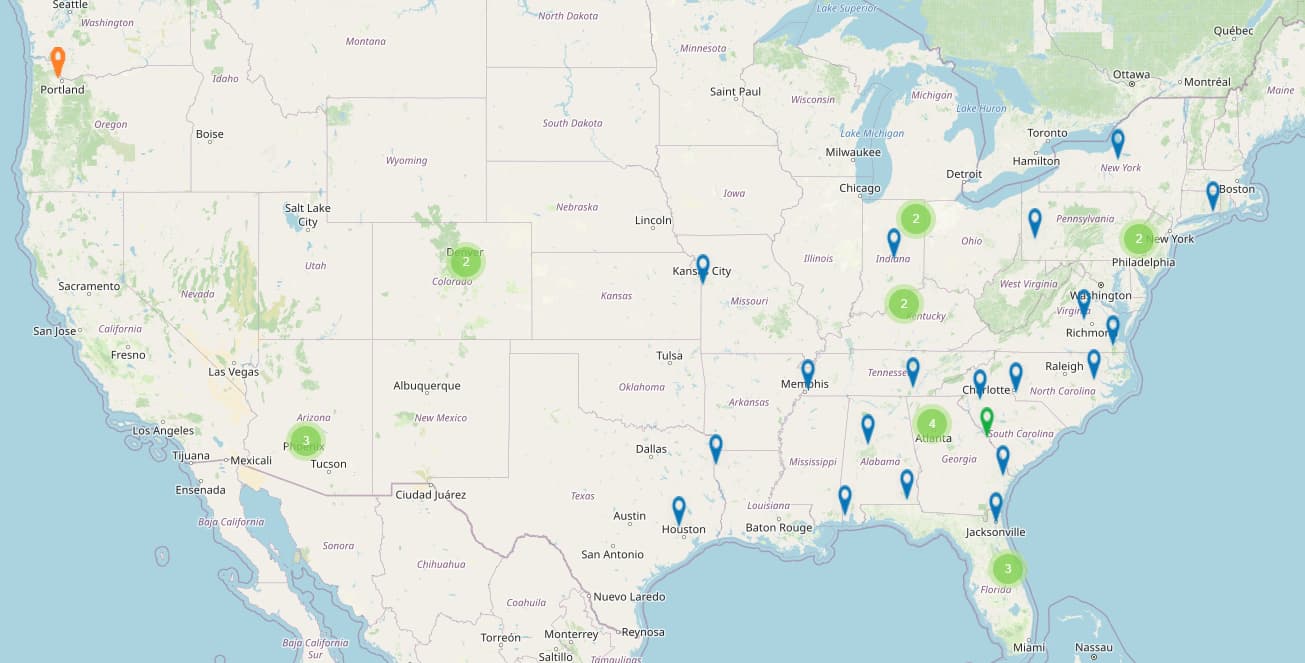
If I click the cluster north of Philadelphia you can see an office is down, but cannot tell outside the cluster.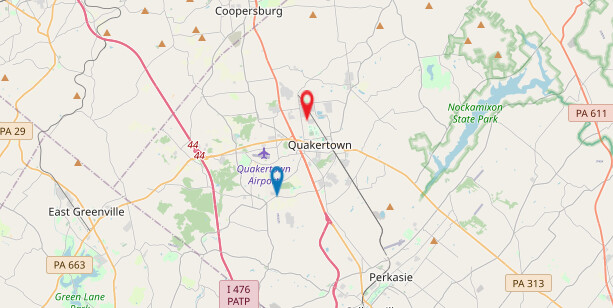
I am looking into New-UDStyles, but unsure how to implement that.
Thank you for any help.
d38326f547e249ec379ef9f67c6f6d0fe91e5a15.jpeg
7027a1f7a35f9762e55fa18c3e046038d9e0acc1.jpeg
All Comments (7)
I haven’t worked with this UDMap feature yet, but I imagine it’s possible to change the “clustered” map marker color?
If so, why not leverage that - where whenever a single office is down, you update the color on the “clustered” marker to attract the required attention to that region.
I haven’t been able to find out how to change the “clustered” marker color. I know it can change color as it’ll change colors as dense as the cluster gets. If the cluster gets more than 10 markers in it, it turns yellow or something like that.
Let mee see if I can mock something up that I can use to replicate…
Or would you perhaps be able to share the code you have for this specific part of your project?
Yeah allright. I’ve had a look at the UDMap component and can already tell you that this is going to be something that would need some work “under the hood” by @Adam Driscoll (& team(?))…
Was hoping to be able to help you out with some -Sx and Set-UDElement tomfoolery but this specific thing goes beyond my comprehension, unfortunately!
Hey Ruben,
Thanks for trying. I’m going to keep hacking away at it as well and see if I can come up with anything.
Does anyone have any sample code I can put in a test app and probe CSS with?
When you create a new App/Dashboard, choose for the Samples template. It’ll include absolutely any feature withing PSUniversal.