How to pull info about a published folder Get-PSUPublishedFolder?
How to pull info about a published folder Get-PSUPublishedFolder?

I am currently building a few environments which have different URL’s depending on if they are Dev, Test, Prod, or a laptop container deployment.
For each environment, I have the same published folder entry, however I can not find any way to reference it dynamically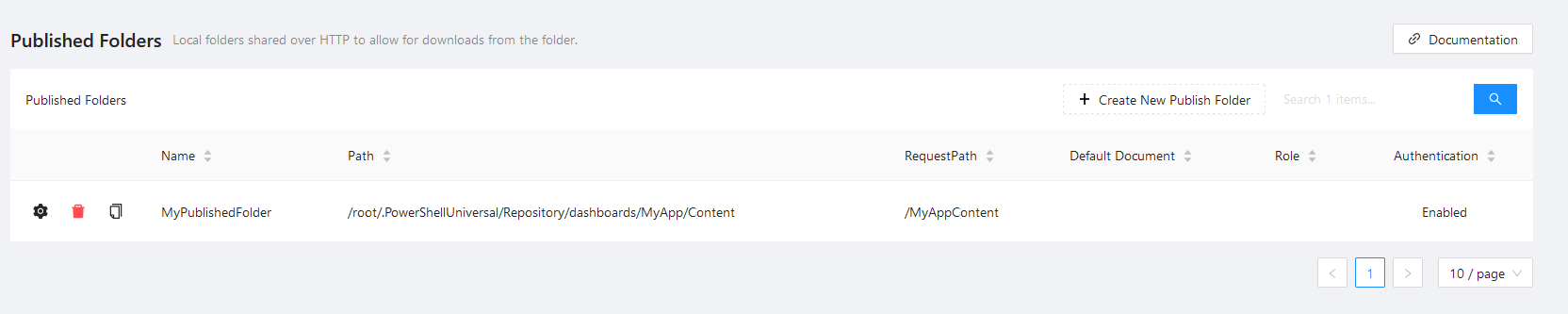
I want to be able to place the URL from that 3rd button into a variable to reference without writing code for each separate environment.
Does anyone have a way for me to reference this?
I am surprised there is no Get-PSUPublishedFolder cmdlet which enables me to pull this info
a4a786bcdf15e949a82520cd7c82643d6fa752cc.png
All Comments (6)
Matt, I’ve had the same issue and never got around to raising a feature request. The best solution I found was to place the request path of the published folder into a well-named variable in the “Variables” menu, and call that variable. Another possible, but messier option is to use the admin API and make REST calls:
$folders = Invoke-RestMethod https://localhost/api/v1/publishedfolder -Method GET -Headers @{“Authorization”=“Bearer ”}
If you’re building a dashboard/app and it uses the -GrantAppToken parameter in the config, you might be able to leverage the automatic variable $PSUAppToken
docs.powershelluniversal.com
docs.powershelluniversal.com
Thanks @AnonymousUser ,
I will log a feature request in the morning.
@AnonymousUser ,
It looks like we are getting this in PSU 4.1: Get-PSUPublishedFolder cmdlet · Issue #2622 · ironmansoftware/issues · GitHub
Wooo! Thanks for logging that request, Matt!
Thanks @Adam Driscoll
Hi @AnonymousUser ,
fyi - I have just tested 4.1.0 and am able to use the new cmdlet successfully to get all the info needed.