Style in a Treeview

I have a real simple treeview, which is working just fine. But I struggle to get font-size adjusted, either for the whole tree or any individual leaf. The documentation states thet -Style works, but I have yet to get it to do so. For font-size I have tried ‘48px’, ‘x-large’, ‘80%’, etc., and no luck. Am I using the wrong syntax? Has anyone managed style properties in a treeview?
Product: PowerShell Universal
Version: 3.9.4
All Comments (4)
Did you use a Hashtable for the -Style parameter?New-UDTreeView [[-Id] <string>] [-Node] <scriptblock> [[-OnNodeClicked] <Endpoint>] [[-Style] <hashtable>] [[-ClassName] <string>] [-Expanded] [<CommonParameters>]
I did. And I found that some params do work, such as the width:
This works fine:
New-UDTreeView -Id "Tree1" -Expanded -Node {
    New-UDTreeNode -Name "Pre-Project" -Children {
        New-UDTreeNode -Name "Recorded Walkthrough of Process"
    }

    New-UDTreeNode -Name "Project Kick-Off" -Children {
        New-UDTreeNode -Name "Create project kickoff slide deck"

        New-UDTreeNode -Name "Verify Development Environment" -Children {
            New-UDTreeNode -Name "Verify client VPN connectivity"
            New-UDTreeNode -Name "Verify client internal network access"
            New-UDTreeNode -Name "Verify development Windows Device"
        }
    }
} -Style @{
    "width" = 800
}
Others, such as font size, weight, family, etc. do not seem to work.
No idea why the style parameter isn’t working but you can use UDStyle to make the text bigger.
    New-UDStyle -Content {
New-UDTreeView -Id "Tree1" -Expanded -Node {
    New-UDTreeNode -Name "Pre-Project" -Children {
        New-UDTreeNode -Name "Recorded Walkthrough of Process"
    }

    New-UDTreeNode -Name "Project Kick-Off" -Children {
        New-UDTreeNode -Name "Create project kickoff slide deck"

        New-UDTreeNode -Name "Verify Development Environment" -Children {
            New-UDTreeNode -Name "Verify client VPN connectivity"
            New-UDTreeNode -Name "Verify client internal network access"
            New-UDTreeNode -Name "Verify development Windows Device"
        }
    }
} -Style @{
    "width" = 800
}
    } -Style ".MuiTreeItem-label { font-size: 25px }"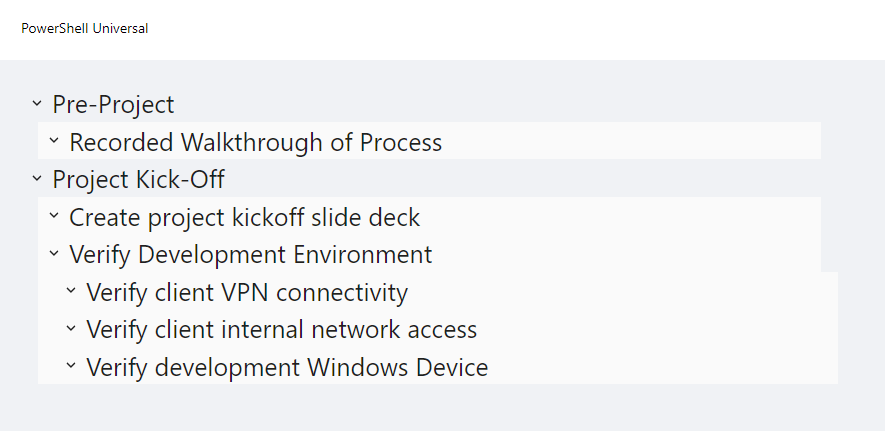
Adam Driscoll
PowerShell Expert and Developer at Devolutions
499dda240fbf65ff7cd2de0b4ebe705836b5255a.png
Hi, @Adam Driscoll. Thanks for this. Is there a way (I probably didn’t explain well) to modify style for different levels? For example, bold or larger font for Pre-Project and Project Kick-Off, and then smaller for the subs? Or is that style going to be global to the whole tree?