Remove gap at top if New-UDGrid / New-UDPaper

Product: PowerShell Universal
Version: 3.9.13
How can I get rid of the space left at the top of this grid (pictured)?
New-UDElement -Tag 'div' -Id 'mainContainer' -Content {
    New-UDGrid -Container -Content {
        New-UDGrid -Item -ExtraSmallSize 12 -Content {
            New-UDPaper -Content {
                New-UDCard -TitleAlignment 'center' -Content {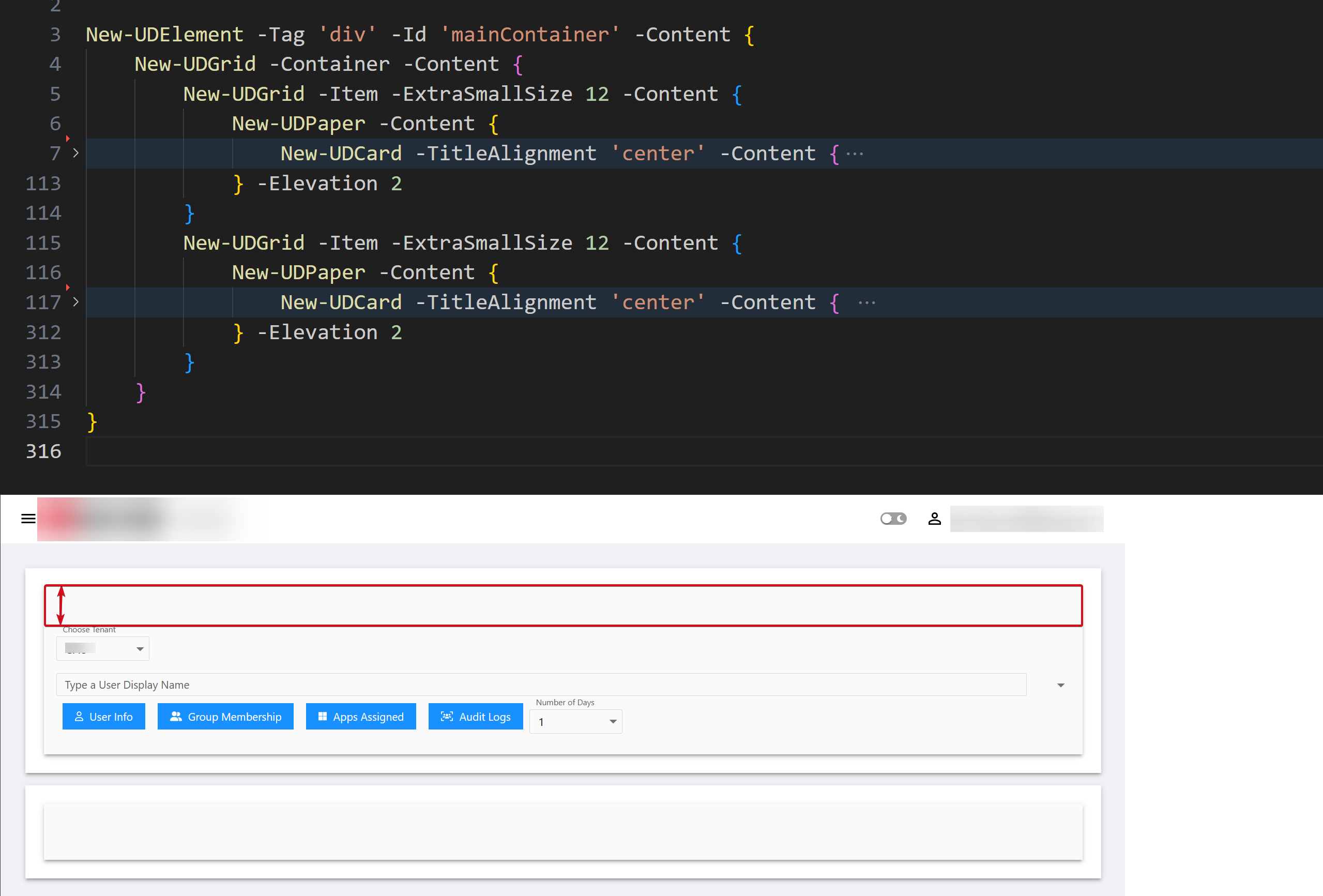
ea46ccb9588588c22f0ec50b45c8022ea6e13294.png
All Comments (22)
I cant replicate this, and wonder if it’s something in your css or theme causing it.
Here’s my test:
New-UDElement -Tag 'div' -Content {
    New-UDGrid -Container -Content {
        New-UDGrid -Item -ExtraSmallSize 12 -Content {
            New-UDPaper -Content {
                New-UDCard -Title "Card Title" -Content {
                    "Card Body"
                }
            } -Elevation 2
        }
    }
}
Here’s the output:
6ef1128d20f380c99291ba47e4986ec4ac02a9df.png
Thank you for your reply. Where would I have typically made a change like that so I can have a look?
I’ve got some css stylesheets which are configured at the New-UDApp level and passed in as a parameter, you could try there?
It could also be present in your version, I actually tested this in 4.0.8 so maybe someone else can confirm since I just noticed you’re on 3.9.13
What happens if you inspect the boxed area.
Does it show any CSS classes or other objects causing that whitespace?
It could be margin or padding from whatever is inside your card content on line 7
Yes, and when I remove padding it resolves: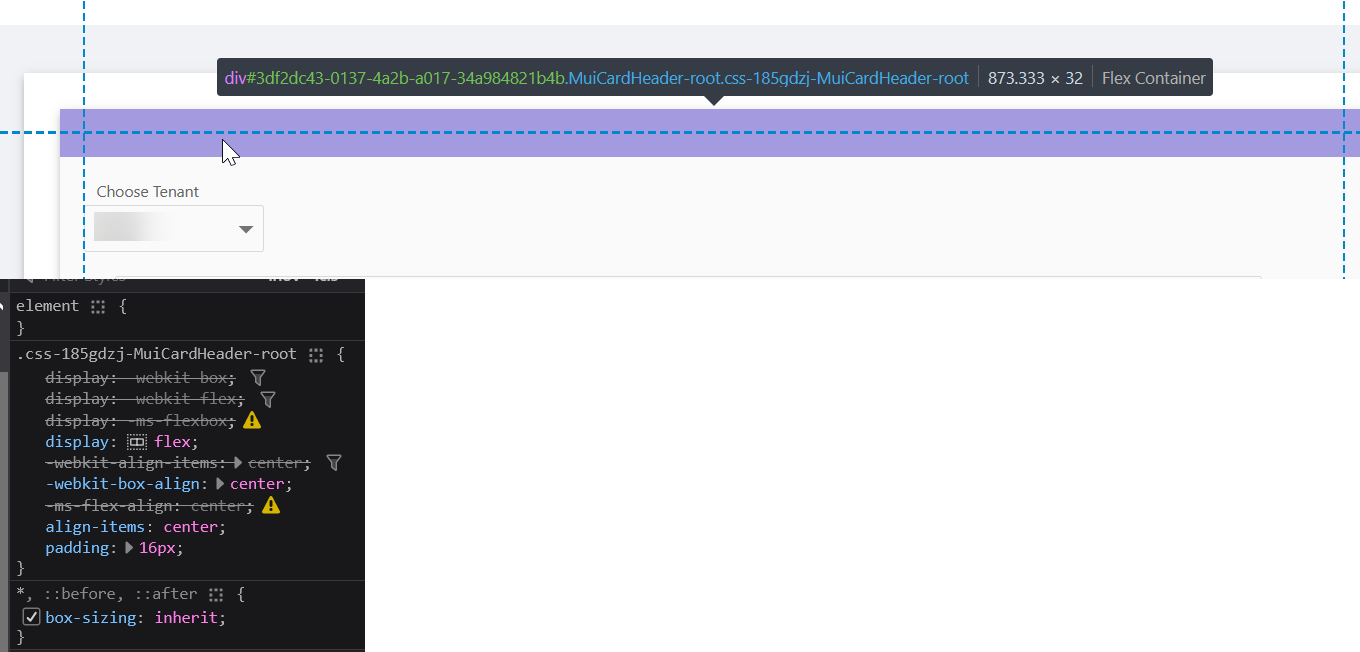
modified padding in DevTools: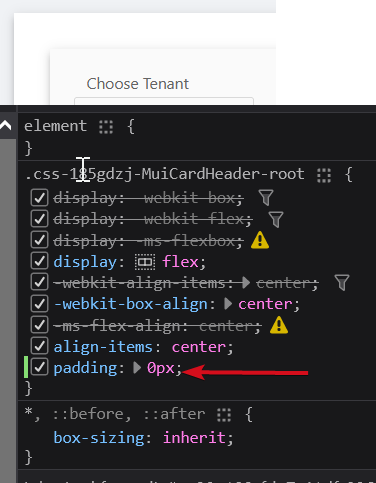
a1e4596c8dcd352d7e6541ce95336fd3ea2a0d64.png
d35679b97c144f968658f266e203924af95dae88.png
Oh I just realized your card title is the -cardtitle parameter. Should that matter that I am using udSelect and not using that parameter?
Here is more of the code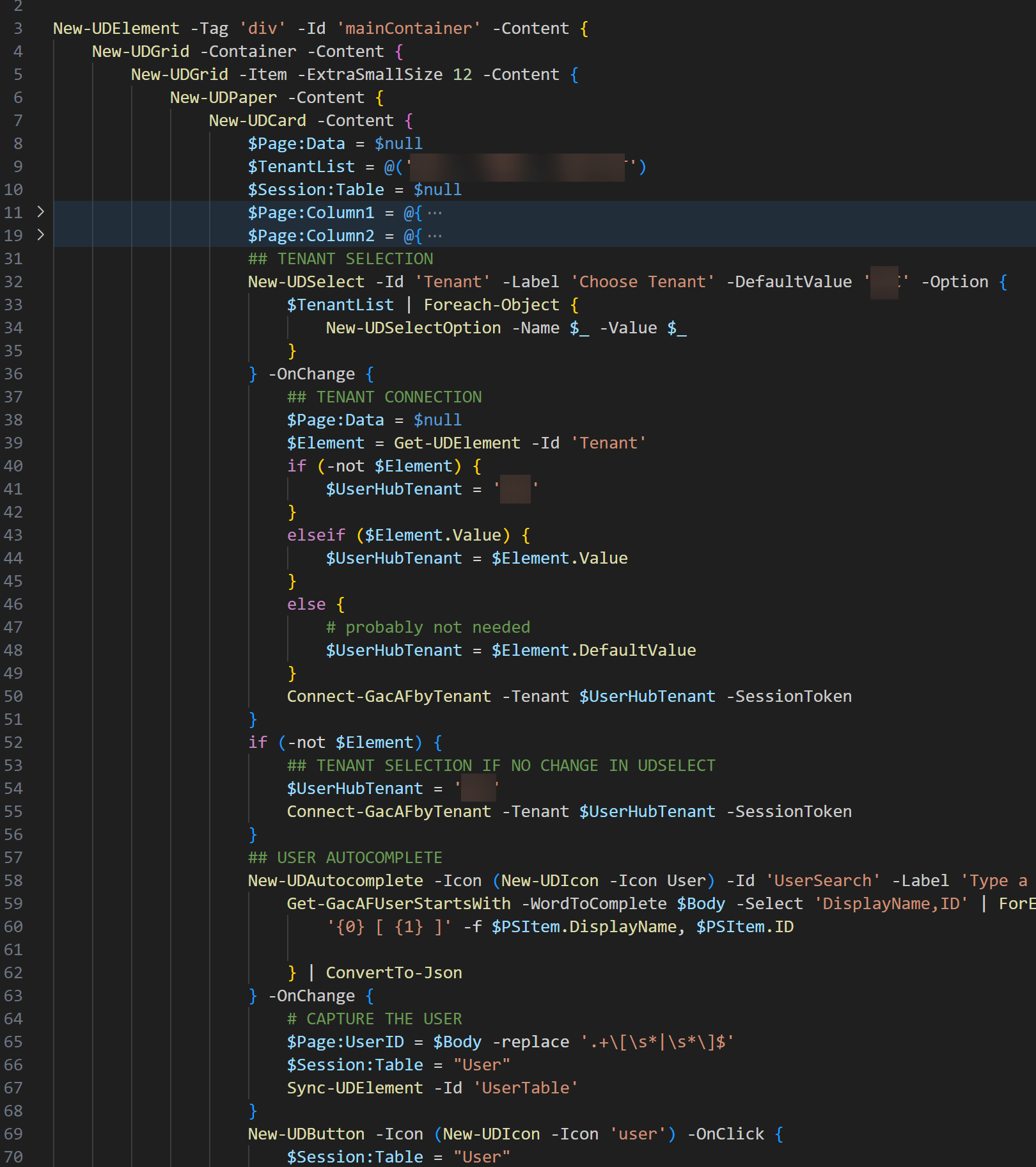
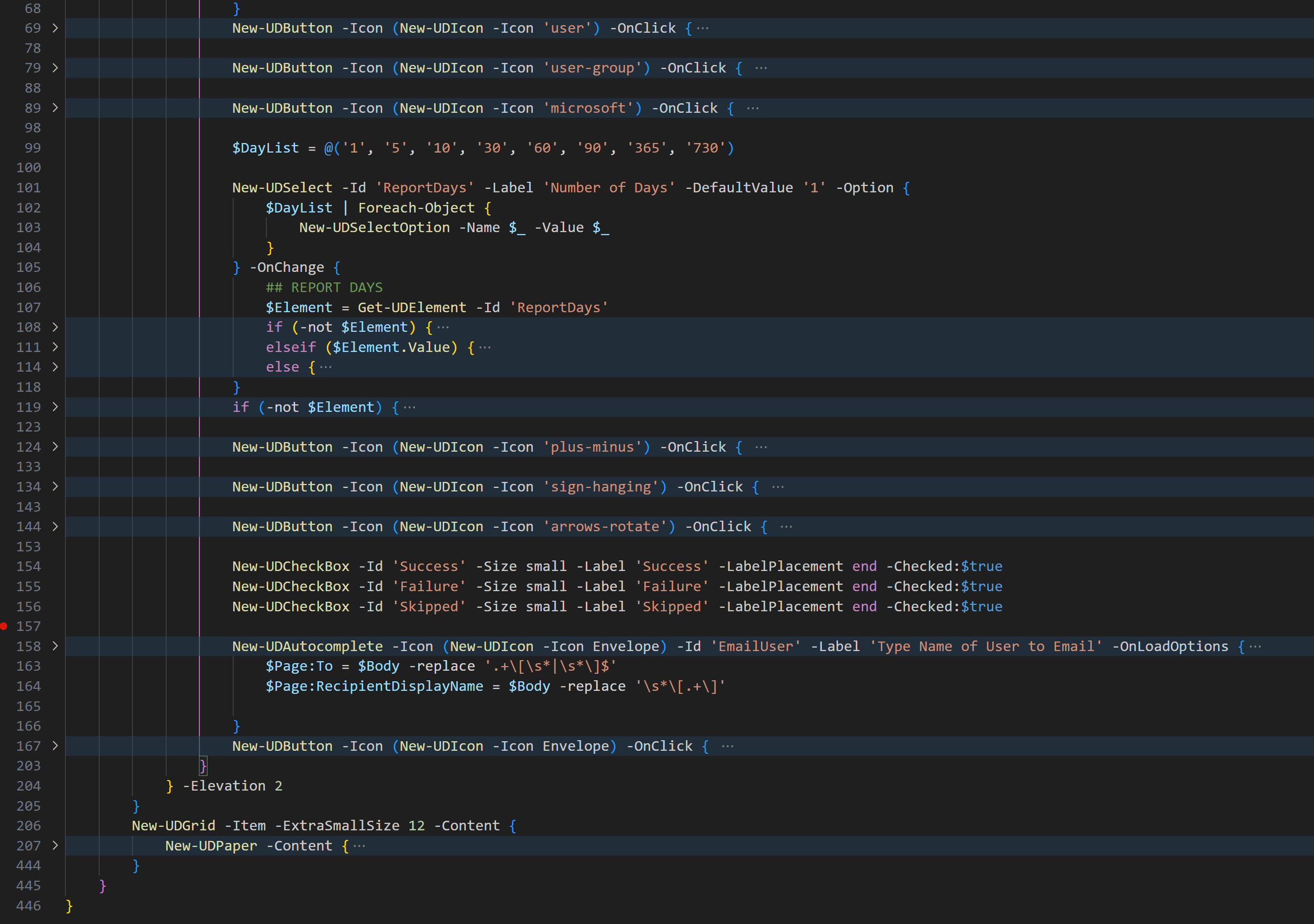
4f5e8fed41b293a52f70828c29639d536a86527d.png
7e0a99433d1309dc41183bf1bbb1da1737116543.png
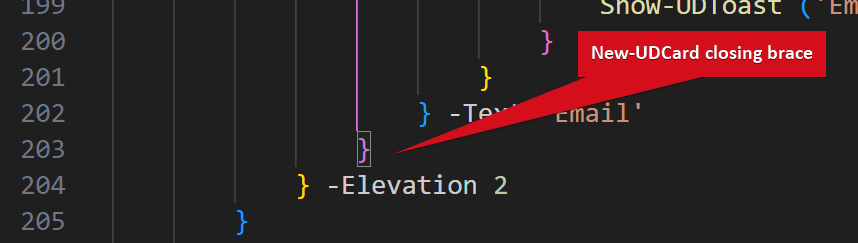
up to line 205, the only “Style” is on buttons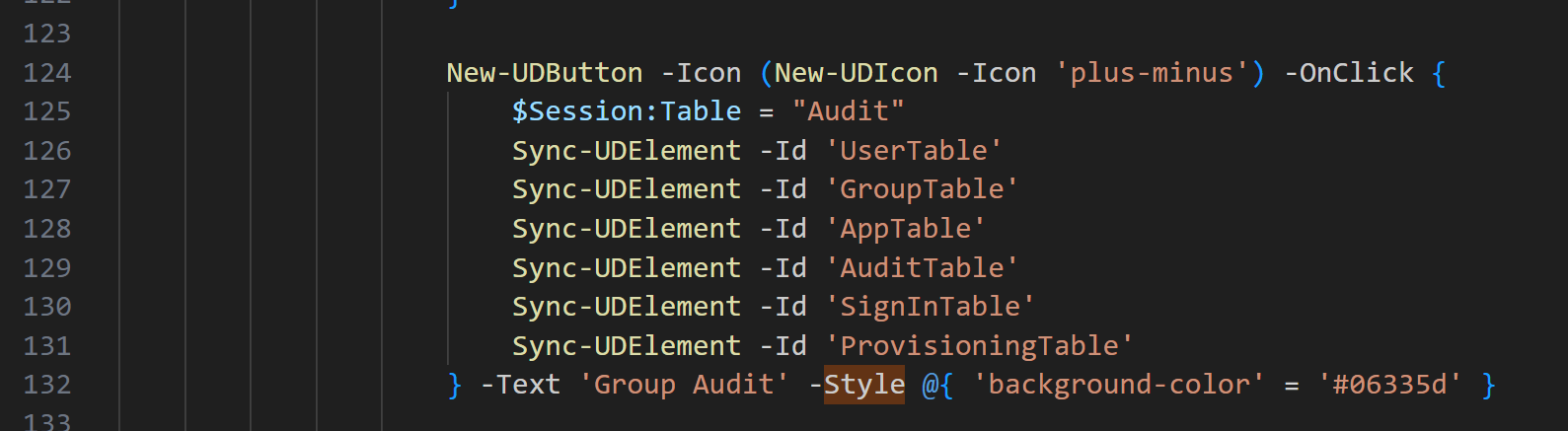
I’m running azure container version
ec9b5340fe6f1ca559d674b6c8fe05173b5810f3.png
3c1c47d9101fd676111d58244c62564b2d1b8f11.png
-title parameter is a bit further up. Not sure if what I am experiencing is by design or not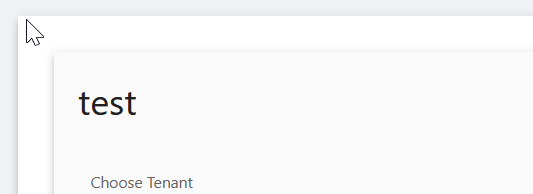
I suppose if this is by design, how could I overwrite the padding inline?
Thanks!
0aef7c3b9ab3196056432d1a768281bde8fad85a.png
Is there any reason why you are using a card inside a grid?
Also, New-UDCardBody may be of use if you have a genuine use case for a card in your grid.
There are many ways this problem can be worked, depending on if that card is really needed.
You can wrap it in a style and set the padding to 0.
    New-UDStyle -Content {
        New-UDCard -Content {
            New-UDTypography 'Test'
        }
    } -Style ".MuiCardHeader-root { padding: 0px } "
Adam Driscoll
PowerShell Expert and Software Architect at Devolutions
Worked perfectly thanks all that responded! was a lesson for me.
Looks like this causes another gap. I have tried adding to the style but my css skills fail me: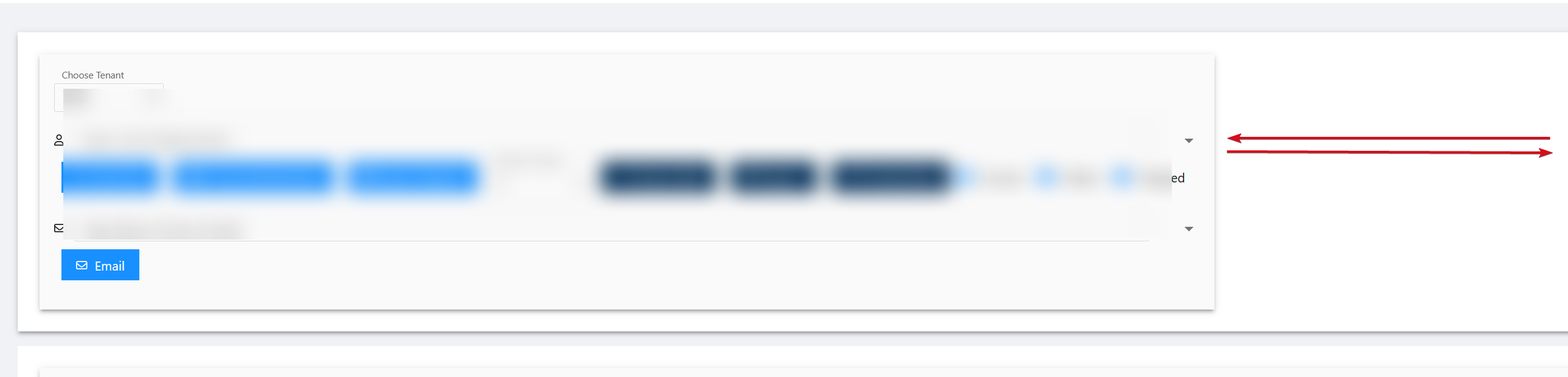
18d8b140fd4760afda145fe4f5ea1bbb32331abb.png
I’ve had a few situations where I’d run into the same styling hurdles as you’re showing.
As others have already mentioned; is there any specific reason for using New-UDCard?
If not, maybe use:
New-UDPaper -Elevation 1 -Content {
    New-UDSelect -Id 'Tenant' .... etc
}
Since you’re not using a title for your cards, UDPaper with -Elevation achieves the same style, but without the padding.
I haven’t tried that yet I think, but let me give it a go! Thanks! And there really is no reason other than stylistically, but I may have been caught up in a late night rabbit hole.
Oh trust me, I’ve been down that rabbit hole.
Gotta remind myself to “progress first, polish later” more than I’d like to admit…
I’m with you on that sentiment
I noticed when moving to grid and paper without card is that it doesn’t seem to expand/collapse the same way. Perhaps I’m missing a setting.
Without UDCard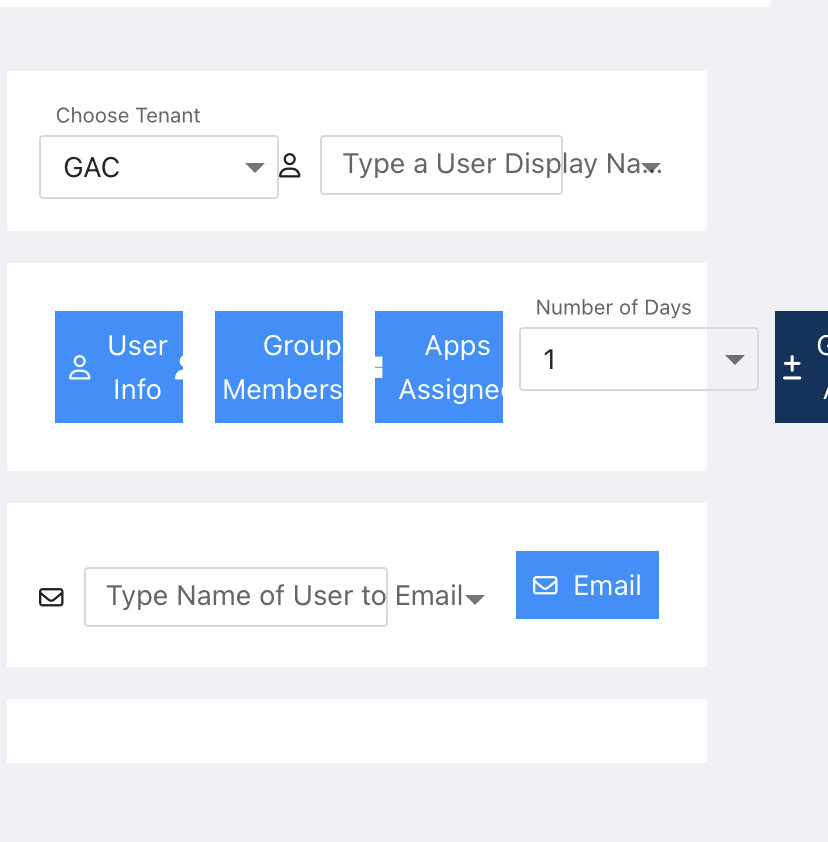
With UDCard
962cd8b64db6abac54a8114294ad41ec98f1772b.jpeg
89f75e24d4a35417c0081cfc067b6810255ef146.jpeg
I might leave the gap at the top of the card if there is no way to remediate the introduction of another gap on the right side.
How about:
    New-UDStyle -Content {
        New-UDCard -Content {
            New-UDTypography 'Test'
        }
    } -Style ".MuiCardHeader-root { padding-top: 0px } "
[/quote]
Since “padding” would be for all sides, padding-top would be for the top only.
Thanks @AnonymousUser but this gives me this result. Which I presume is width. I did try to manipulate width but didnt seem to have an effect: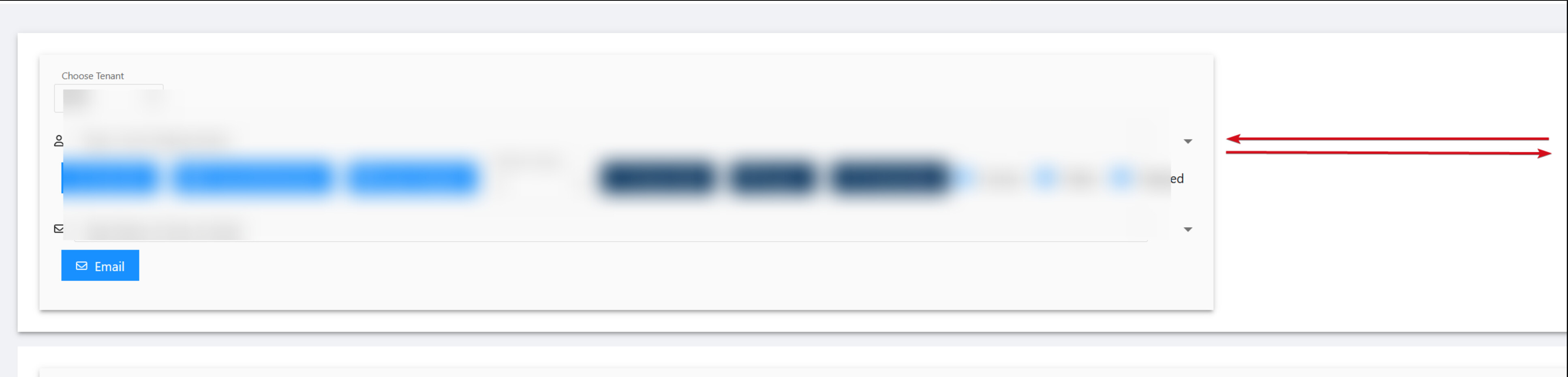
087e64a56dde710d056c1cef28162dec6037a19f.jpeg
Okay, then try:
New-UDStyle -Content {
        New-UDCard -Content {
            New-UDTypography 'Test'
        }
} -Style ".MuiCardHeader-root { padding-top: 0px; padding-right: 0px; } "Same thing but I am going to lay this down for a while and “progress now” as you said thank you!