Scripts specified to run under pwsh 7.x error with Universal module error
Scripts specified to run under pwsh 7.x error with Universal module error

Product: PowerShell Universal
Version: 4.0.0
I have a simple script that just copies a csv from one server to my universal server. When the script setting is set to default (currently set to 5.1) it works. If I change that to 7.0 and run the script it gives this error
[error] The 'Out-PSUPipeline' command was found in the module 'Universal', but the module could not be loaded due to the following error: [Assembly with same name is already loaded]
For more information, run 'Import-Module Universal'.
switching back to default fixes the issue.
Recommended Answer
My hunch is that it’s loading one of the older DLLs for some reason. I’d start by removing (or renaming) the older modules’ folders to see if it still happens.
Adam Driscoll
PowerShell Expert and Software Architect at Devolutions
All Comments (8)
I added the import module at the beginning of the script and I am still getting this error on 7.x scripts.
We had the same issue in 3.8 and found we needed the Universal module version to be the same as the PSU Server. We were using Install-PSUServer and Update-PSUServer to upgrade and noted that we need to update Universal first going forward.
I use the MSI installer to install/upgrade the server. looks like I have two versions installed
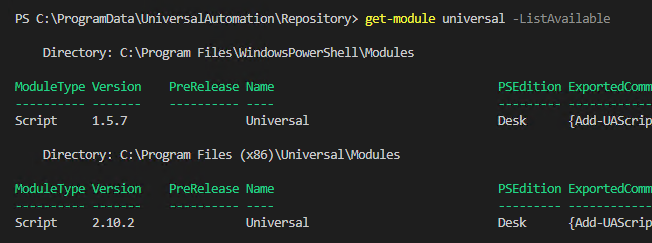
Should I remove the 1.5.7 version?