New-UDChartJS no longer shows diskspace details in PSU 4.0

@Adam Driscoll the following code still works in version 3.9.6 but when testing today in PSU 4.0 it shows the following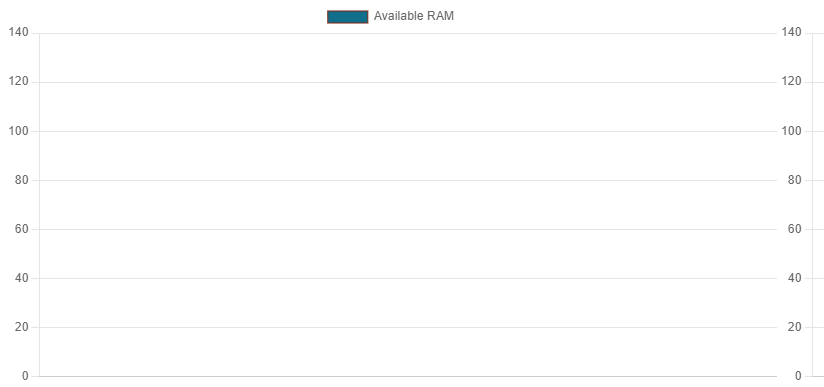
below is the code am using and the correct outcome
New-UDColumn -ExtraLargeSize 4 -Content {
$Data = Get-CimInstance -Class CIM_LogicalDisk | Select-Object @{Name=“Size”;Expression={$.size/1gb}}, @{Name=“FreeSpace”;Expression={$.freespace/1gb}}, @{Name=“Free (%)”;Expression={“{0,6:P0}” -f(($.freespace/1gb) / ($.size/1gb))}}, DeviceID, DriveType | Where-Object DriveType -EQ ‘3’
            $SizeDs = New-UDChartJSDataset -DataProperty Size -Label Size -BackgroundColor "#26a69a"
            $MemoryDs = New-UDChartJSDataset -DataProperty FreeSpace -Label 'Free Space' -BackgroundColor "#8014558C"


            $Options = @{
                Type = 'bar'
                Data = $Data
                Dataset = @($SizeDs, $MemoryDs)
                LabelProperty = "DeviceId"
         }

            New-UDChartJS @Options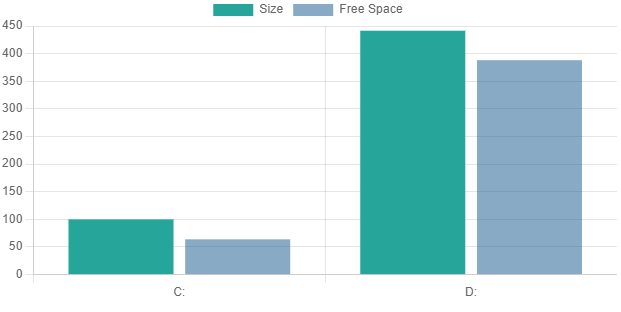
Any idea?
b367256aabac2aedc6a3edda898a6de3e17514e7.png
8c4492b0ee270a7fece4ff954ca081331d4db298.png
All Comments (2)
I just noticed this too on the docs page. I’ll open an issue for this and make sure we get it resolved in 4.0.1
Adam Driscoll
PowerShell Expert and Software Architect at Devolutions
Thank you adam