How do we get dashboard session information?

Hi all,
We’re currently in the process of moving from UD2.9 to PSU. In old UD there was a diagnostics page with session and endpoint information which could also be pulled back from the console with Get-UDDashboard and drilling down through the properties to get the session and endpoint information.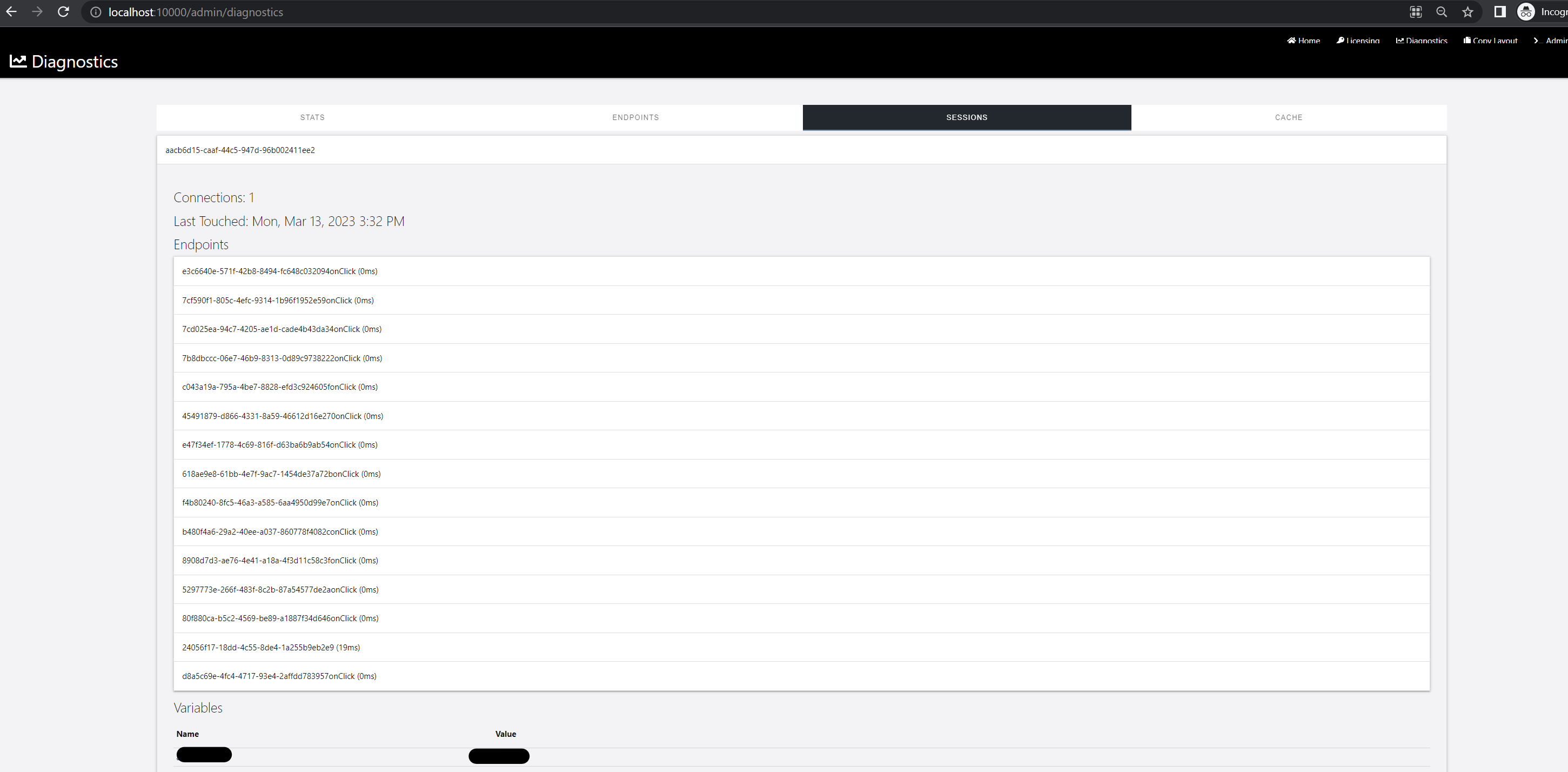
Is there something equivalent in PSU? Ideally we want to be able to use the VSCode extension to use Connect-PSUServer and then retrieve session information for the running dashboard as this would be useful for troubleshooting. There doesn’t seem to be an obvious way to do this though, any help would be appreciated!
Thanks
a90d6c98c862705a164fc7bcd1f91a61d34b499e.png
Recommended Answer
We can get this fixed. I didn’t realize the console was still doing this. I know we had this issue with Terminals on Unix systems but it seems like the dashboard console also has this issue.
That said, @AnonymousUser, you can use a similar command to get sessions in PSU.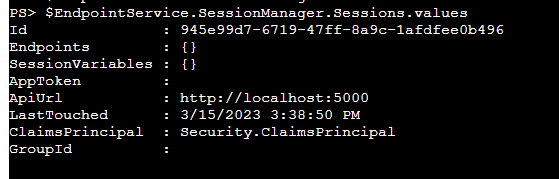
Adam Driscoll
PowerShell Expert and Developer at Devolutions
04e81525be5f7be9a3fcd22bbb39fe4efe0cd385.png
All Comments (8)
I’ve never used UD, only PSU, but does the Sessions tab in the Dashboards page provide what you are seeking?
Login to admin console > User Interfaces > Dashboards > Select Edit Details on the dashboard in question > Click on the Endpoints or Sessions tab depending on your need
Thanks for your reply, that does show me some info about active sessions so that’s handy, although in the old one I could see what session variables were in use and their values for each session. The old admin console also allowed me to pull back session variables and get elements on the page etc under the logged in user’s context which was really handy when troubleshooting. There’s a console for the dashboard but I can’t seem to get any of that information. The only way we’ve been able to do this is to do a show-udtoast which is really clunky as it’s essentially printing a string which doesn’t work nicely for tables etc.
Personally,
The challenges I have is that from these tabs are:
- I can not copy or paste text.
Text does not format correctly: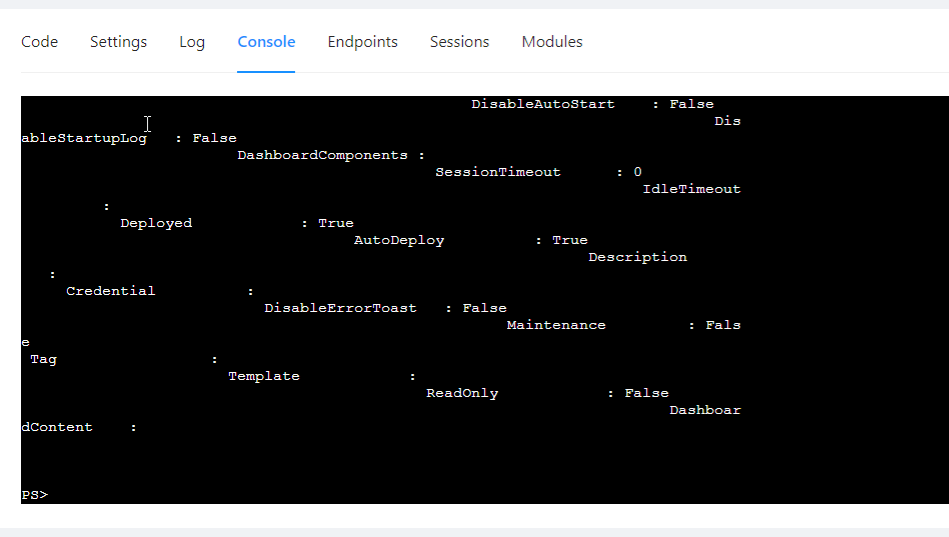
My productivity would be greatly increased if from a PowerShell terminal I could connect to a session’s console and pull whatever I wanted in PowerShell. Sadly, the Endpoints and sessions tabs do not give me this capability.
I would love to find a workable solution to this.
719f98c4cd6101198928c4fbc11c3bd177483aed.png
Just to add to this, in old UD, you could get the session information from the console too like this for reference: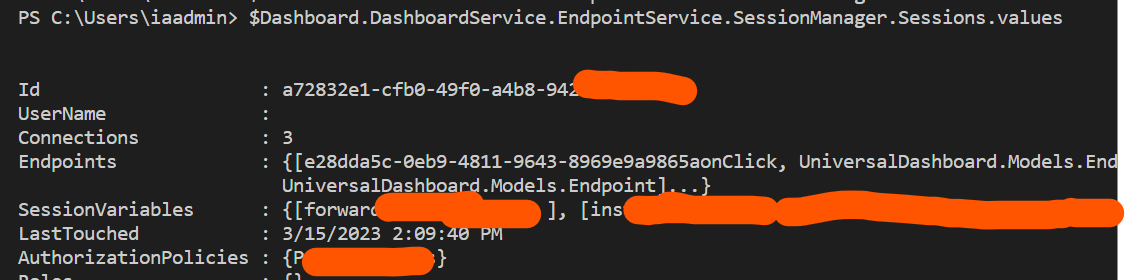
79b5e013800df8d41f3bc6377e8af1c3a1076dbc.png
We can get this fixed. I didn’t realize the console was still doing this. I know we had this issue with Terminals on Unix systems but it seems like the dashboard console also has this issue.
That said, @AnonymousUser, you can use a similar command to get sessions in PSU.
Adam Driscoll
PowerShell Expert and Developer at Devolutions
04e81525be5f7be9a3fcd22bbb39fe4efe0cd385.png
Ah, fantastic thanks Adam! That’s really good to know
Hi @Adam Driscoll,
I have logged a bug for this.
Reviving this one. I’m using v5.6.1 and now I cannot find any way to enter a users session for troubleshooting.
In v4.#.# it was easy. User Interface > Apps > Select “Edit Details” on App row > Select “Console” tab > select user and session > Type “Get-Variable” or “Get-UDElement” to start troubleshooting that particular session.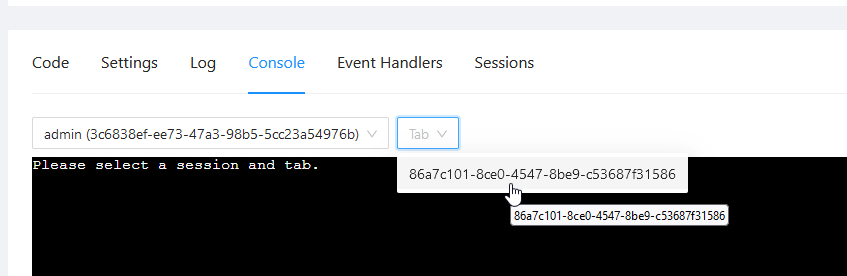
How can we do this in v5 @Adam Driscoll
8b0856479b4f796bc90e5ba54f1bd169a9da09bc.png