Vscode module PSU how trust self signed cert?

Hi,
I have a self signed cert for https on my developer server and the vscode module are complaining.
How can I bypass this? I can’t connect to the server because of this.
Failed to query configuration files. unable to verify the first certificate This is a connection error.
All Comments (9)
I seem to be able to recreate the issue.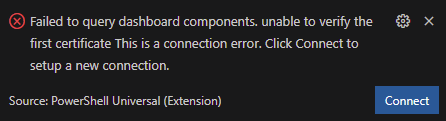
My next step was to add the cert to the user trusted certification authority. This changed the error to the more generic one below. This is where I’m stuck.
Failed to connect to PowerShell Universal. Universal may not be running or you need to update your settings.

I added the .pfx certificate to quite a few stores (both user & machine) but it does not make a difference.
@Adam Driscoll can you advise if it is possible to connect to PWU on https with the VS Code extension?
2aaadb8da15689131b7e448cb1e336067d112ef9.png
e0d6ed1edca684cd1046a8a265c14e3bb50957d4.png
I don’t know why that isn’t working. We use the axios library to query the web service which certainly supports HTTPS. Feel free to raise an issue for it and I can look into it. There is likely a setting we can set to avoid certificate errors but it probably wants valid certificates by default.
github.com
Adam Driscoll
PowerShell Expert and Software Architect at Devolutions
I have done that
github.com/ironmansoftware/issues
Sweet! I’ve updated the VS Code extension to support this as well as multiple connections.
Adam Driscoll
PowerShell Expert and Software Architect at Devolutions
Perfect, thanks
The issue are still there, I was just trying it out.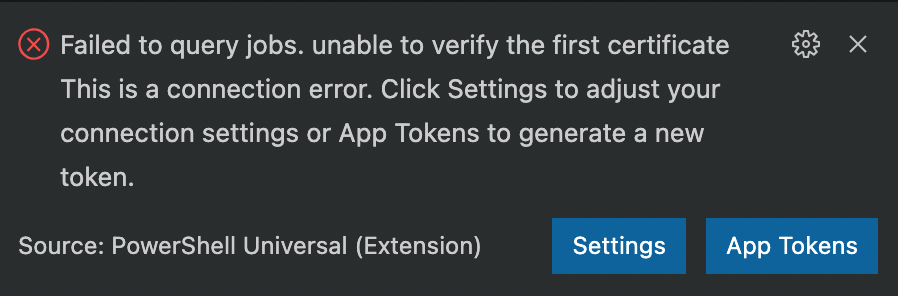
27ec8f7e7ec1b5e370c5b9c61e2b3afe57ff3f27.png
Do you have the cert installed in trusted root? We aren’t ignoring certificate errors so if it’s not trusted you will see an error like this.
Adam Driscoll
PowerShell Expert and Software Architect at Devolutions
Can this be added to the PSU VS Code documentation?
This is a similar problem with using enterprise root certificates in VS Code. If you’re using a self signed cert, you’ll also need to have the right CN and SANs and added to trusted root certificates.
Then the procedure below should get it working. The extension explains what it does.
- Install the win-ca (win-ca - Visual Studio Marketplace). This extension allows VS Code to inject additional certificates into the Certificate Chain that Extensions use.
- Once this is installed open the command palate (control-shift-P) and type “Open User Settings” choose the “Open User Settings (JSON)” option and add the settings below:
"http.proxyStrictSSL":true,"win-ca.inject":"append"
- With this complete you will need to reload VS Code. You can do this by opening the command palate again (control-shift-P) and searching for “Reload Window”.
Just adding to this from my experience.
We use a self-signed CA in our environment. The thing that bit me is that if you have any remote connections added to vscode the trust between the vscode-extension and psu has to be established in the remote session, not from the developer console.
In my case it was a rhel based system and i had to copy my the public certificate of our CA to “/etc/pki/ca-trust/source/anchors/” and run “update-ca-trust” afterwards to compile the new list.