Azure - Small subpage to view claims

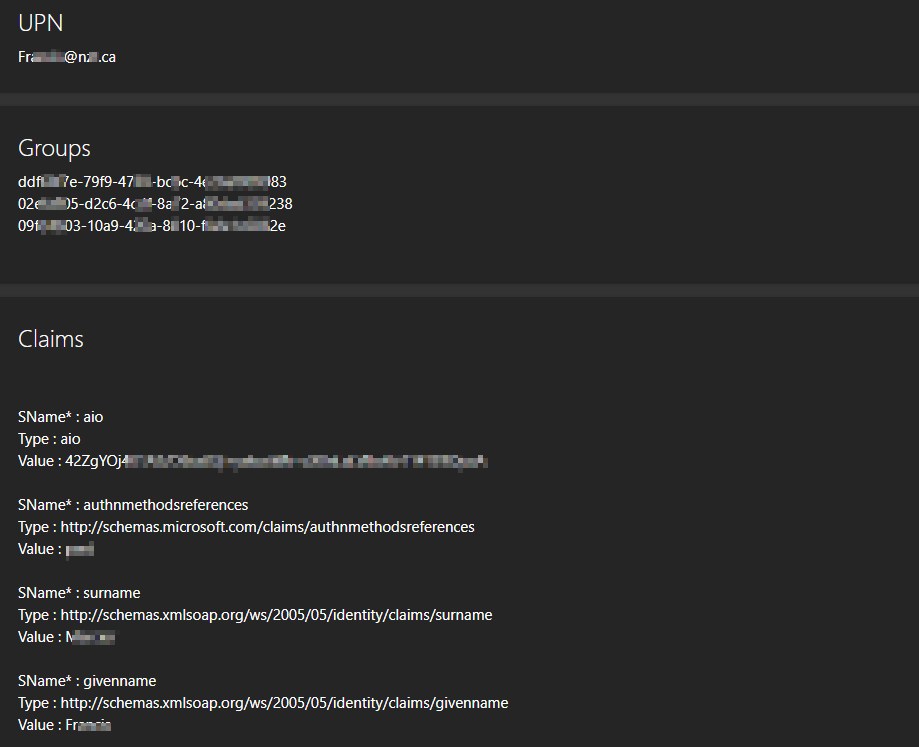
Here’s a small page for Azure SSO to view :
- Your UPN
- Your groups membership (ID)
- Other claims
This can help you when designing your Authorization policies and having issues to confirm that the claim on which you base your authorization policy is indeed present.
Example policy
$AuthorizationPolicy = New-UDAuthorizationPolicy -Name “MyPolicy” -Endpoint {
param($User)
    $User.HasClaim("groups", "xxxx4b03-1xxx-4xxx-8x10-xxxxxxxxx2e")
}
$AuthorizationPolicy = New-UDAuthorizationPolicy -Name “MyPolicy” -Endpoint {
param($User)
$User.HasClaim("groups", "xxxx4b03-1xxx-4xxx-8x10-xxxxxxxxx2e")
}
Code for the page shown above
 New-UDPage -Name 'Claims'  -AuthorizationPolicy 'Login'  -Endpoint {
    New-UDCard -Title 'UPN' -Text "$(($ClaimsPrinciple.claims | where type -eq "http://schemas.xmlsoap.org/ws/2005/05/identity/claims/upn" ).Value)"
    New-UDCard -Title 'Groups' -Text "$(($ClaimsPrinciple.Claims  | where type -like "*groups" ).Value | Format-List | Out-String)"
    New-UDCard -Title 'Claims' -Text "$($ClaimsPrinciple.Claims  | Format-List @{n='SName*';e={$_.Type.Split('/')[-1]}},Type,Value | Out-String)"
}
PS: Don’t forget to set the following key / value in your app. manifest"groupMembershipClaims": "SecurityGroup", if you don’t see your claims membership right way in the Azure Active Directory / App Registraion / Your app / Manifest blade.
9a49e4b3b8710f23950508f7cfa0964f1e4dcf71.png
All Comments (8)
It looks like it should actually be $ClaimsPrincipal instead of $ClaimsPrinciple.
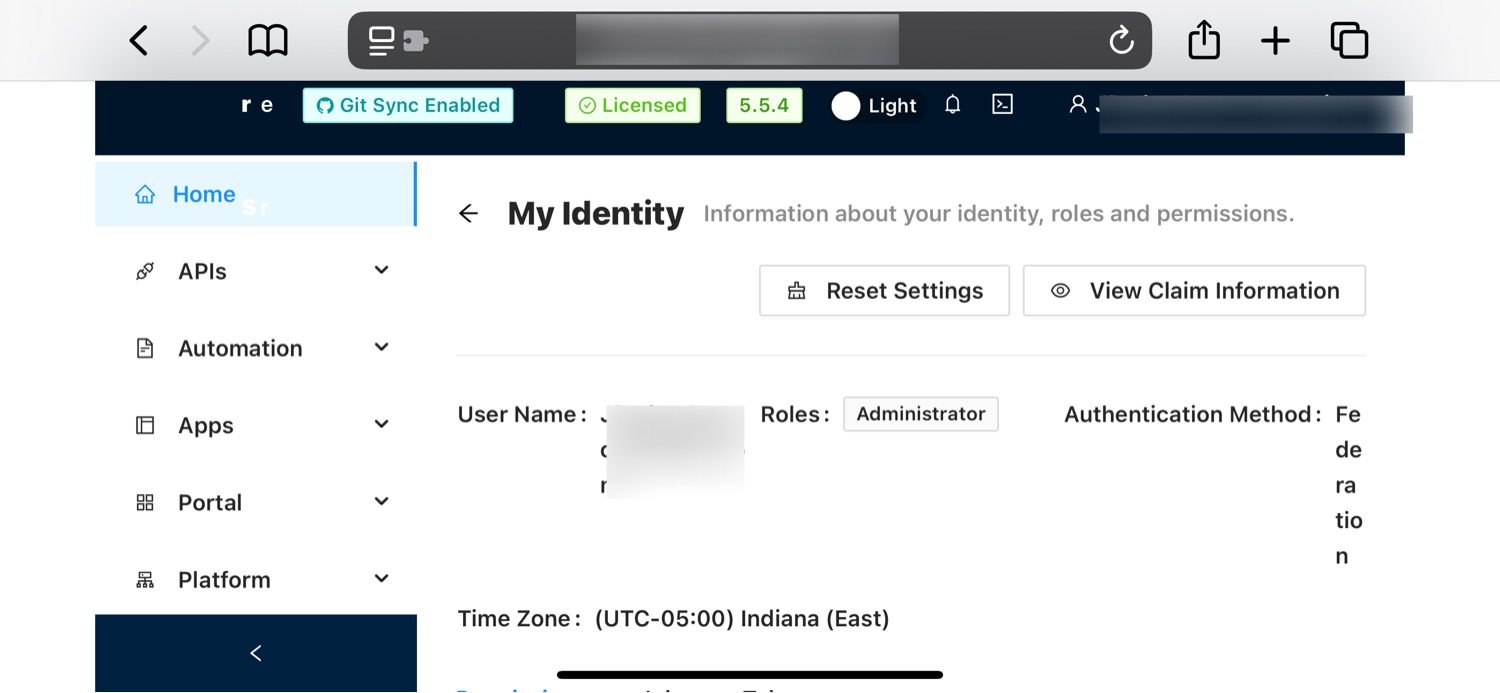
Maybe I’m missing something, but you can already view your claims by hovering over your username in the top-right corner of the PSU admin UI, clicking “My Identity”, and then clicking the “View Claim Information” button.
I don’t see “My Identity” when I click on my username. I only get “Admin Console” (because I am an admin) and “Sign Out”.
Which version of PSU are you running? All current releases show My Identity.
I am on 5.5.2 right now.
Here’s some screenshots from my setup. You don’t see these under your name if you click on it?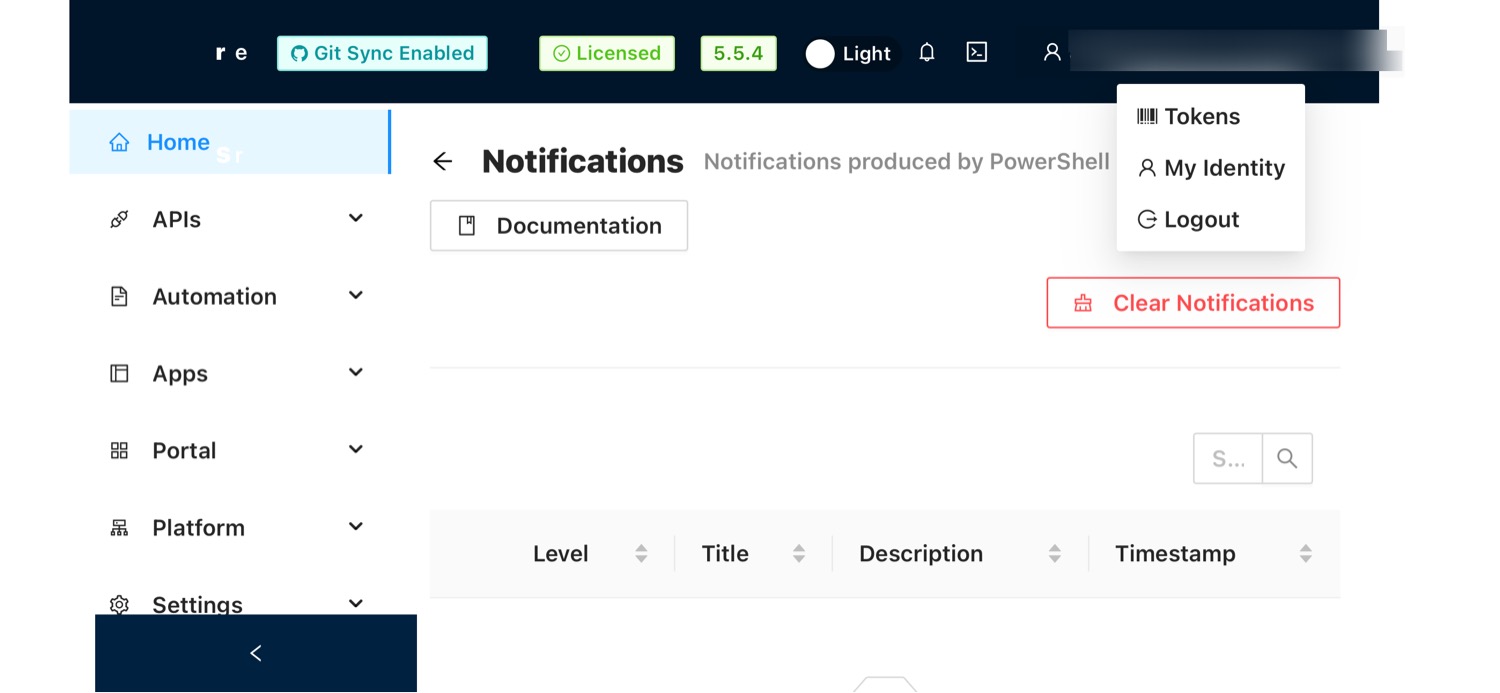
fcec6ff746dcdd3409bdc7ad4095bc61058e1b9a.jpeg
1190c91dda9bbedfde74dd66b743489211d0a9d6.jpeg
Yes, I see those on the admin portal, but I don’t get those on any dashboards I create. Sometimes, I need that information on my dashboards for clients to be able to tell me what access they are seeing and allow me to do further troubleshooting.
Oh. I understand what you need now. Sorry. I didn’t know this was for troubleshooting purposes from a user perspective as opposed to an admin.